EBS Snapshots are point-in-time, incremental backups of Amazon EBS volumes. While EBS volumes are locked to a specific Availability Zone, their snapshots are stored redundantly on Amazon S3 across an entire AWS Region, making them highly available and key to disaster recovery.
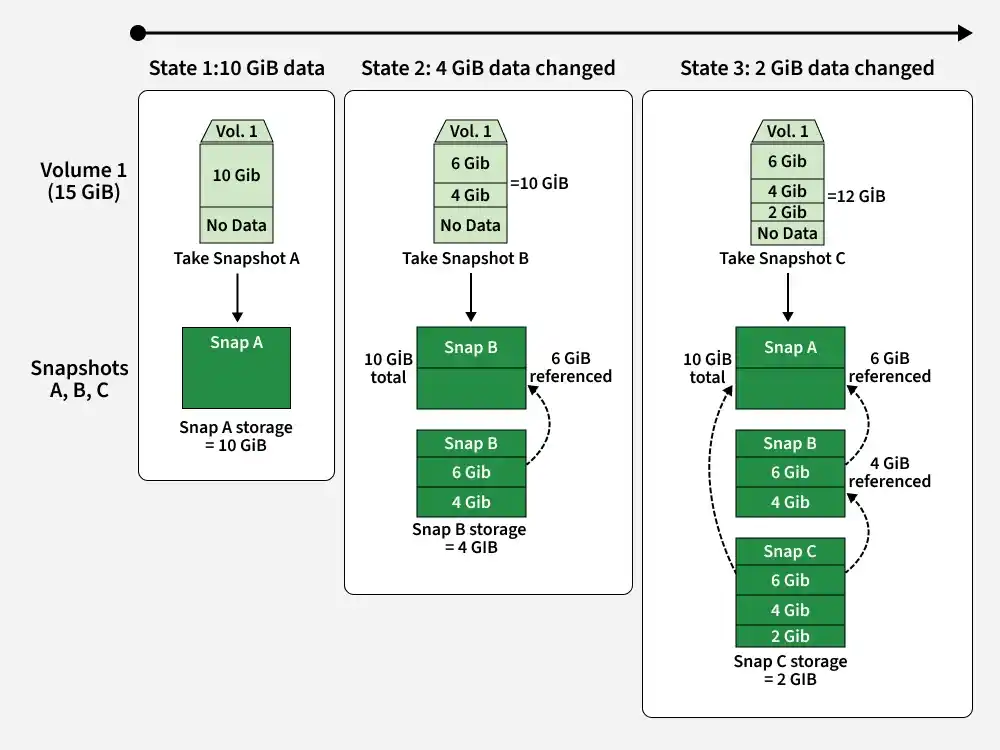
Incremental Snapshot Backup Model
EBS Snapshots utilize an incremental block storage model to save costs and reduce backup time:
Initial Backup: The first snapshot of a volume is a full copy of all data blocks currently written on the volume.
Subsequent Backups: Any subsequent snapshot of the same volume only copies data blocks that have changed since the preceding backup.
Self-Managing Chains: When you delete a snapshot, only the data blocks unique to that specific snapshot are removed. Blocks referenced by newer or older snapshots in the chain are preserved automatically.
AWS offers three snapshot storage tiers to balance restore speed against cost-efficiency:
Standard Tier: The default tier for all snapshots. Restores and boots volumes in minutes, designed for active, short-term backups.
EBS Snapshot Archive: A low-cost archival tier offering up to 75% savings for compliance snapshots. It requires a minimum retention of 90 days, and retrieval back to the standard tier takes up to 24 hours.
Fast Snapshot Restore (FSR): Eliminates the initial S3 block-pull latency ("warming up") of newly restored volumes. FSR-enabled snapshots deliver maximum provisioned volume performance instantly.
AWS Data Lifecycle Manager (DLM)
AWS Data Lifecycle Manager (DLM) automates the scheduling, creation, retention, and deletion of EBS snapshots:
Targeting: Targets specific resources using resource tags (e.g., Backup=True).
Automated Retention: Retains snapshots on precise hourly, daily, or weekly schedules and deletes expired ones automatically.
Cross-Region Automation: Copies snapshots to distant AWS Regions automatically to safeguard workloads during region-wide outages.
Snapshot Sharing and Security
EBS snapshots can be shared securely across different AWS accounts under strict security guardrails:
Direct Mounting: Authorized accounts can directly create an EBS volume from an unencrypted shared snapshot.
Encrypted Snapshot Sharing: To share an encrypted snapshot, the owner must share the custom AWS KMS key used to encrypt the snapshot alongside the snapshot itself.
Copy Requirement: Before modifying or re-encrypting a shared snapshot, the recipient must first copy it locally into their own AWS account.
Creating an Amazon EBS Snapshot
Follow these steps to manually capture and verify point-in-time snapshots of an EBS volume within the AWS Management Console:
Step 1:
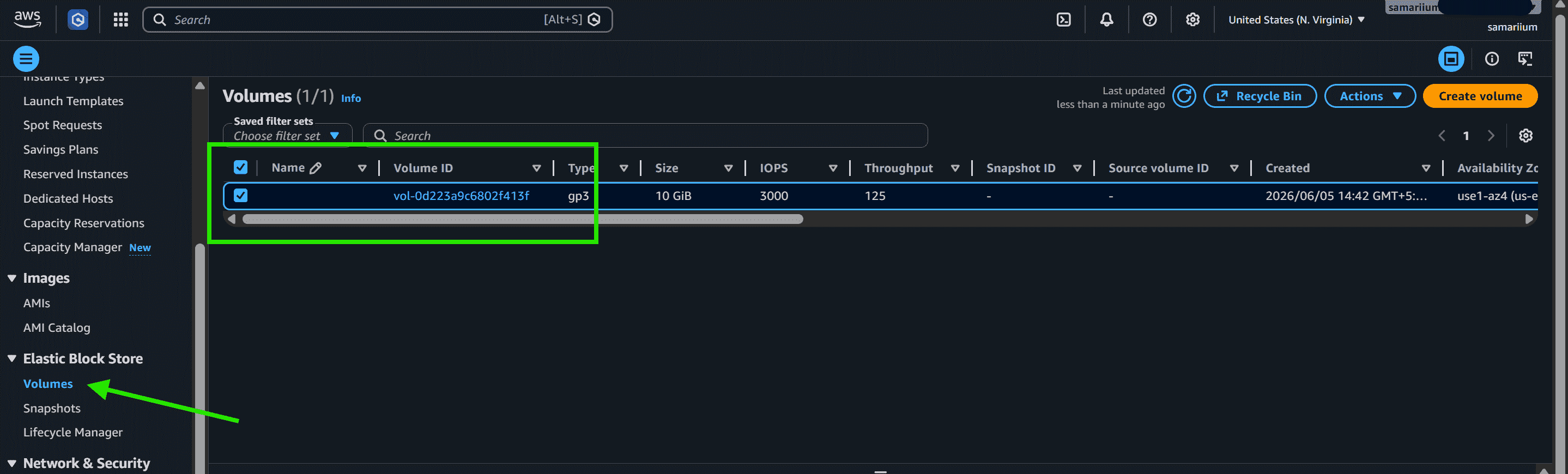
Go to the EC2 Dashboard and select Volumes under the Elastic Block Store section.
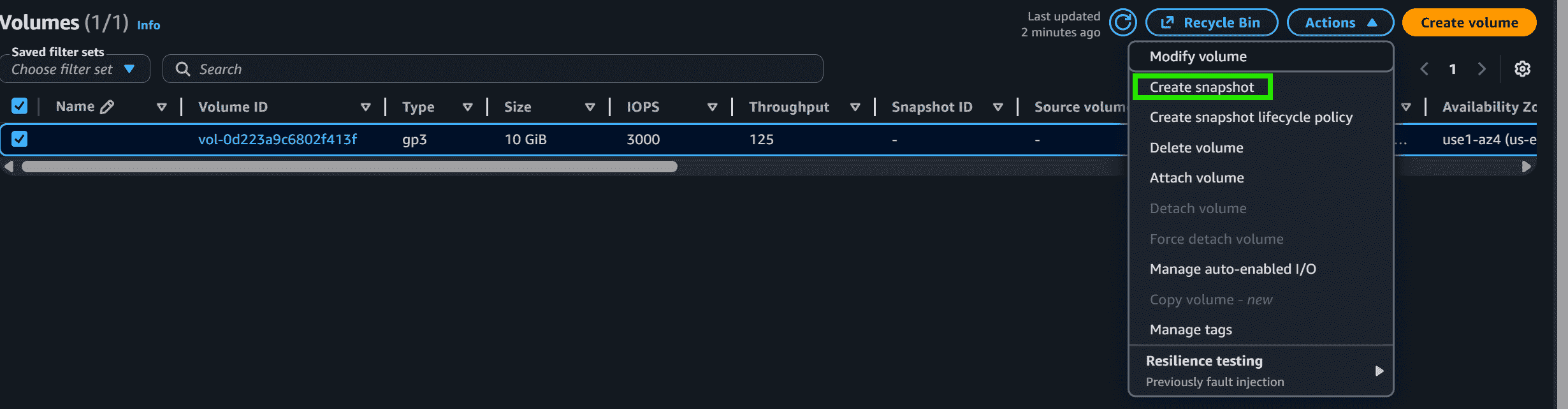
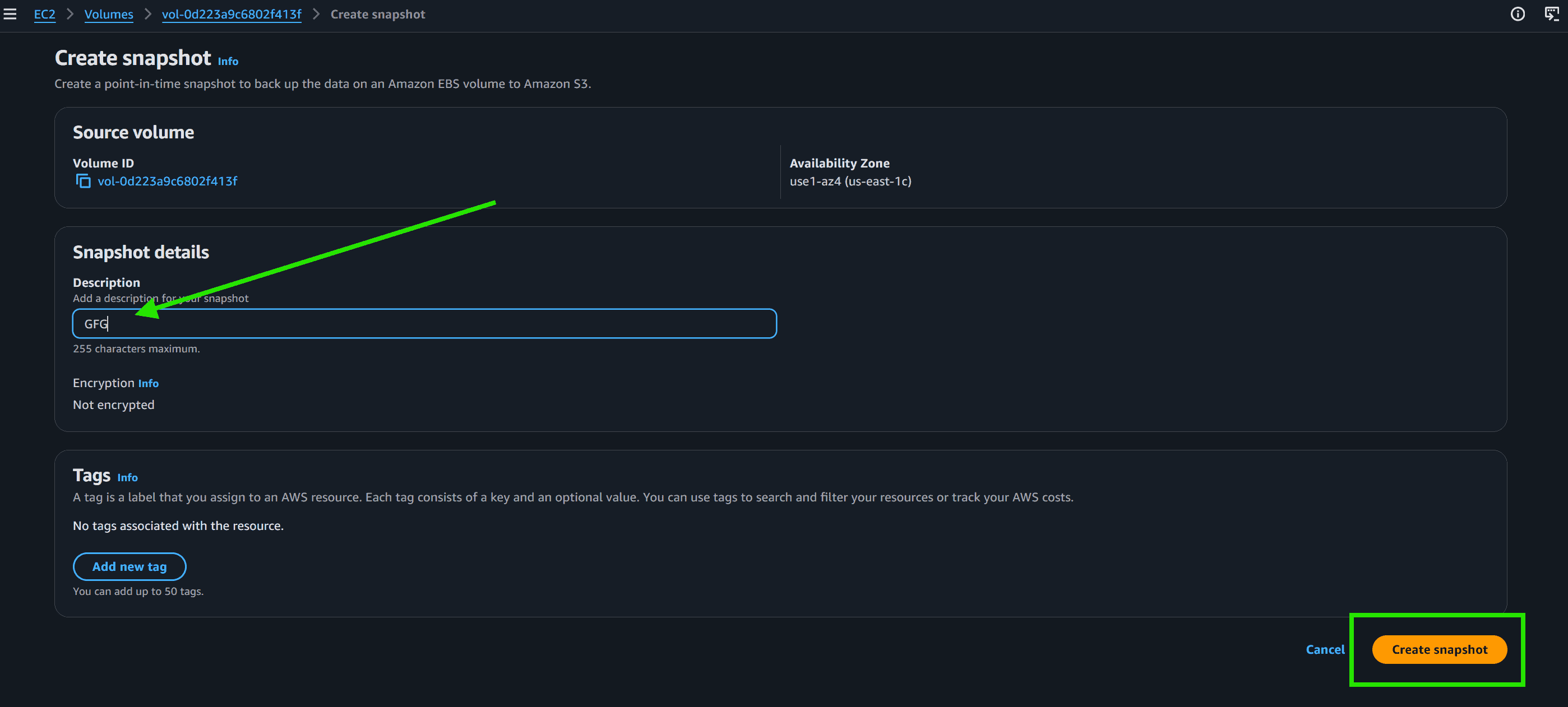
Select the EBS volume for which you want to create a snapshot.