|
VOOZH | about |
|
VOOZH | about |
In this article, we show how to create a docker hub account and pull the image from the docker hub repository and push our image to the docker hub repository. As the docker hub is a public repository that can be accessed by anyone so one can create their own private repository to which they can push and pull their image. For this, there is a registry container from the docker itself.
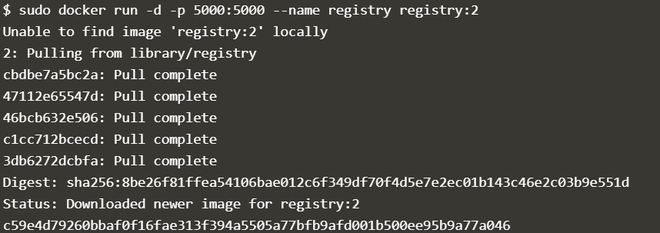
Step 1:The first step is to use the docker run command to download the private registry.
sudo docker -d -p 5000:5000 --name registry:2
Description of commands:
You can use the docker ps command to see the running registry container.
sudo docker ps
Step 2: In this step, we are going to tag our existing image so that we can push that image to our local repository.
sudo docker tag image_id tag_name
Description of commands:
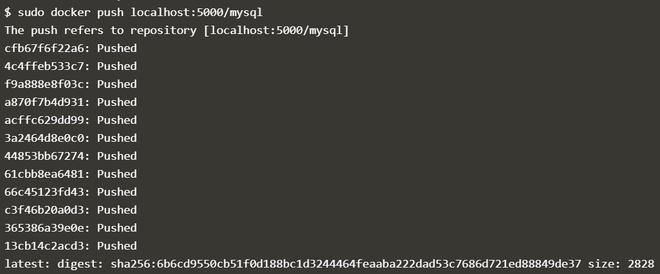
Step 3: We have tagged our image now it is ready to push to the private repository.
sudo docker push tag_name
Step 4: Now delete the local images so that we can pull it from a private repository. To delete the image use rmi command.
sudo docker rmi image_id
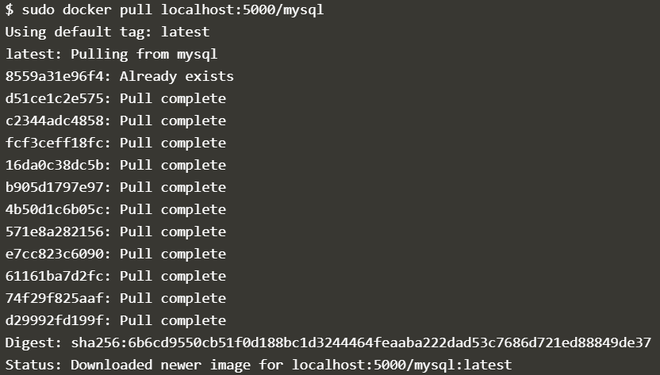
Step 5: In the previous step, we deleted all the images now we pull the image from the private repository by the docker pull command.
sudo docker pull image_tag