|
VOOZH | about |
|
VOOZH | about |
Google Cloud Platform provides a wide range of computing services that target broad categories of user needs.
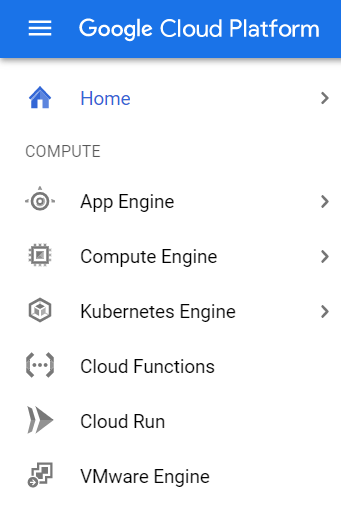
The Google Cloud Platform provides mainly 6 types of compute options: -
Now let's talk about some of these services in brief.
The Compute Engine service is Google's unmanaged compute service. We can think of Compute Engine as an Infrastructure as a Service (IaaS) offering by Google Cloud. As the service is unmanaged, it is our responsibility to configure, administer, and monitor the system. On Google's side, they will ensure that resources are available, reliable, and ready for you to use. The main benefit in using compute engine is that you have complete control of the systems.
You can do the following when you build on Compute Engine:
The virtual machine instances running in zones assigned to them. Zones are data center-like resources. They are located within regions which is a geographical location. The zones are within a region are linked with low-latency and high bandwidth network connections.
The App Engine is Google's Platform as a Service(PaaS) offering. It is a compute service that provides a managed platform for running applications. As this is a managed service, your focus should be on the application only and Google will manage the resources needed to run the application. Thus App Engine users have less to manage, but you will have less control over the compute resources. The applications hosted on App Engine are highly scalable and run reliably even under heavy load.
The App Engine supports the following languages:
The App Engine provides two types of runtime environments: standard and flexible.
| Compute Engine | App Engine | |
|---|---|---|
| Service model | IaaS offering | PaaS offering |
| Type of Service | Unmanaged Service | Managed Service |
| Control over resources | More control and flexibility over resources | Less control over computing resources |
| Costs | Costs less than App Engine | Costs more than Compute Engine |
| Running Instances | When running application, at least one instance should be running | Can scale down to zero instances when no requests are coming |
| Use cases | Best for general computing workloads | Best for web-facing and mobile applications |
| Autoscaling | Slower autoscaling | Faster autoscaling |
| Security | Less secure than App Engine | Comparatively more secure than Compute Engine |
Logging and Monitoring | Need to be manually setup for logging and monitoring | In App Engine, builtin tools are there for logging and monitoring. |