|
VOOZH | about |
|
VOOZH | about |
AWS S3 storage service is used for object storage these objects can be termed a file and it's metadata that briefs about it. Well, to store the files and documents we need to create a S3 bucket. It's like a container that stores the files. These files can be pictures, txt file, documents, static web page files, etc. AWS S3 object storage is mostly used to store backup or archived files.
We are going to use Mountpoint for Amazon S3. This is an open source file client that makes it easy to directly connect to Amazon S3.
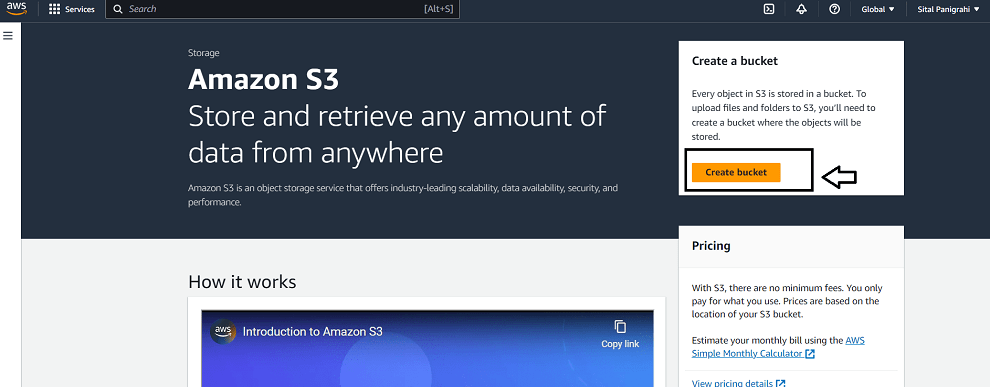
Step 1: Log in to your Console and search S3 --> Click on create bucket
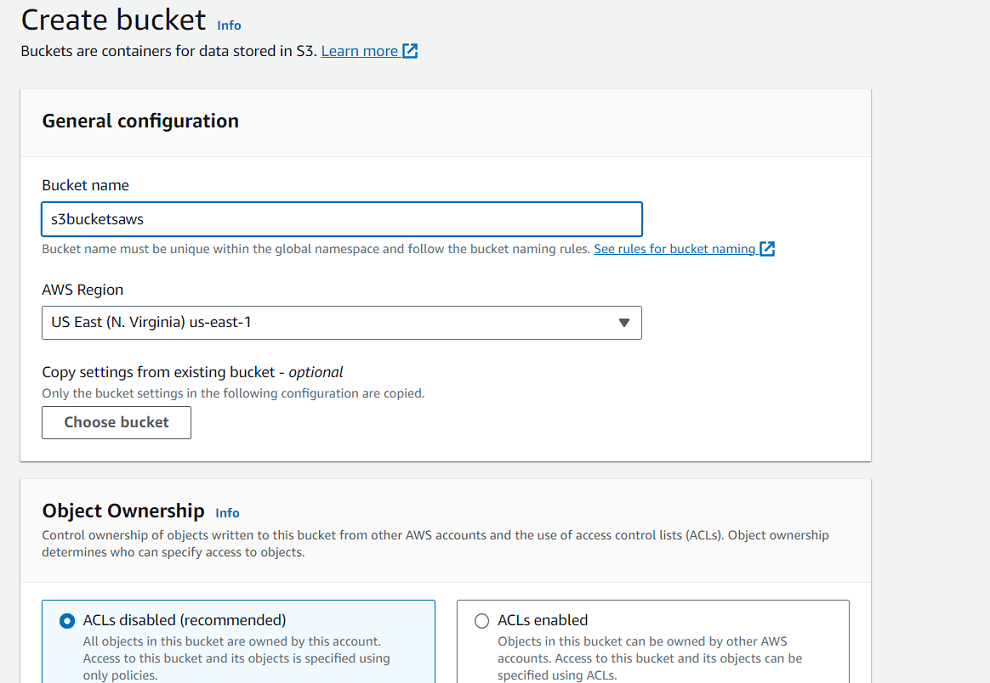
Step 2: Give it a unique name(follow S3 naming convention) -->Choose region(Keep other things as it is)--> Click on create
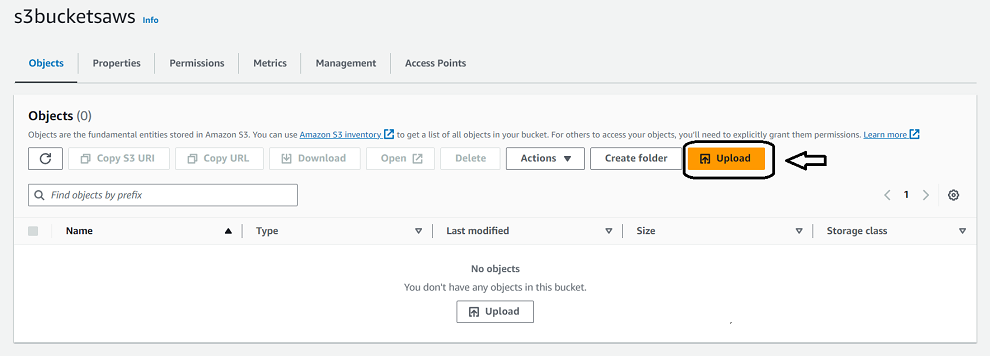
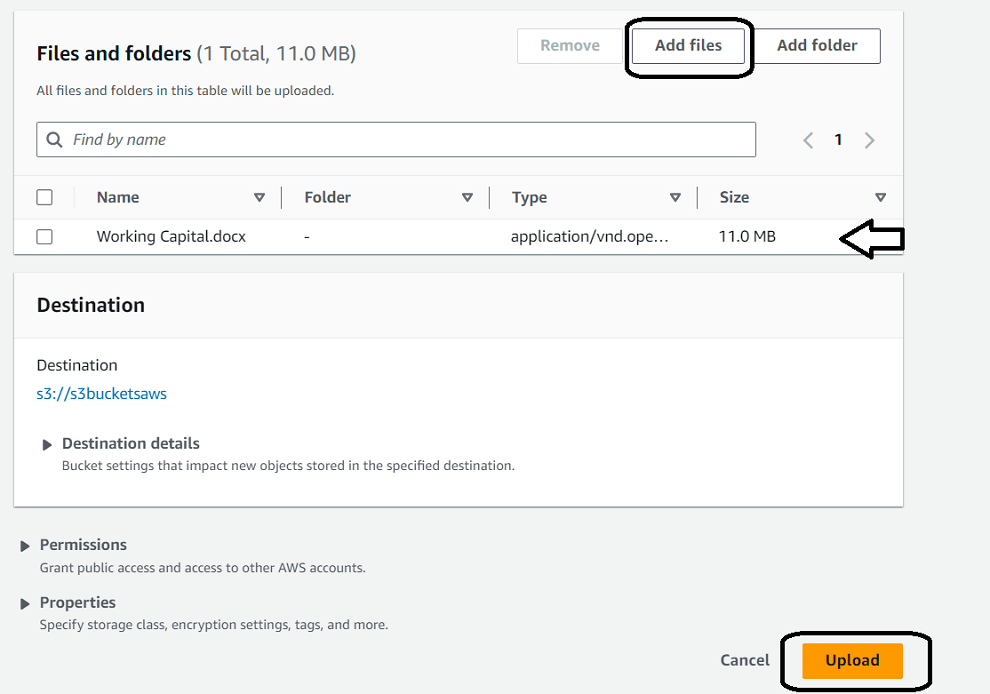
Step 3: Now open the bucket--> Click on Upload --> Choose on Add file--> select file from system -->Click on Upload.
Step 4: Now let's create an instance, for that
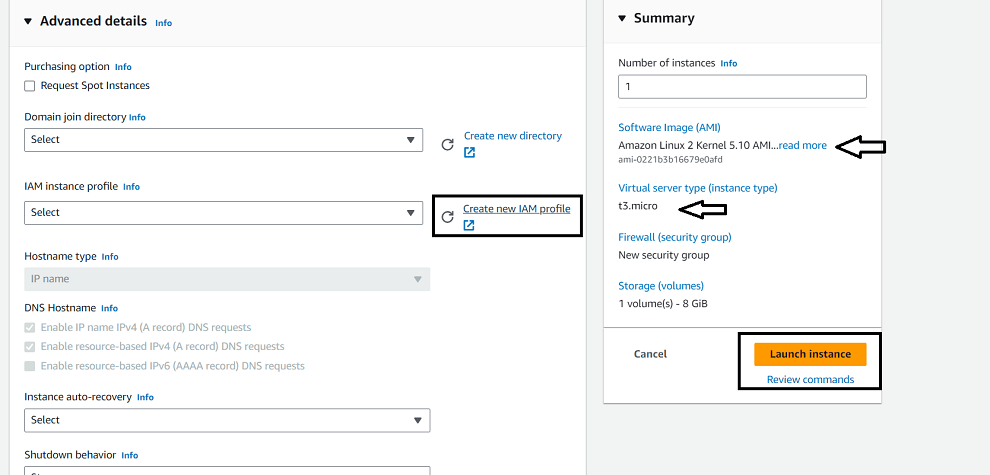
Click on "launch instance"--> Give it a name--> Choose AMI(Here I have taken Linux 2 kernel)-->Choose t3.micro as instance type-->Go to advanced, In IAM instance profile--> Click on "Create new IAM profile"
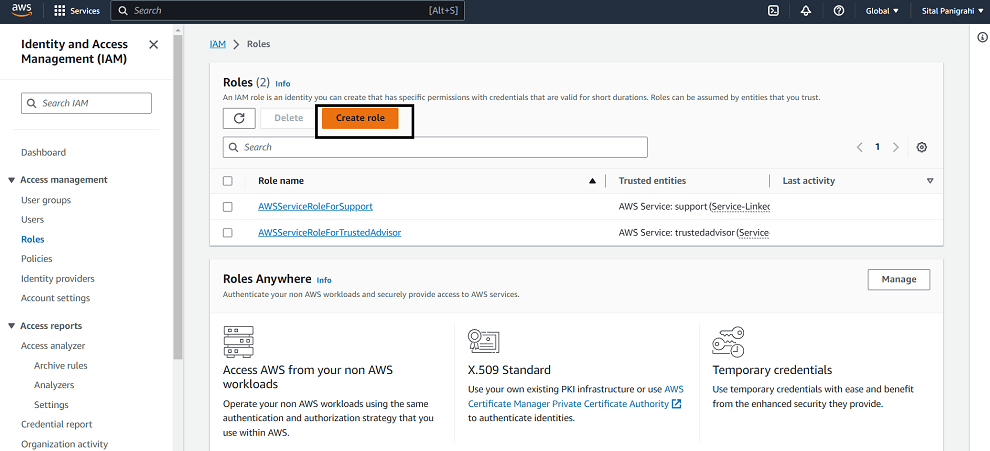
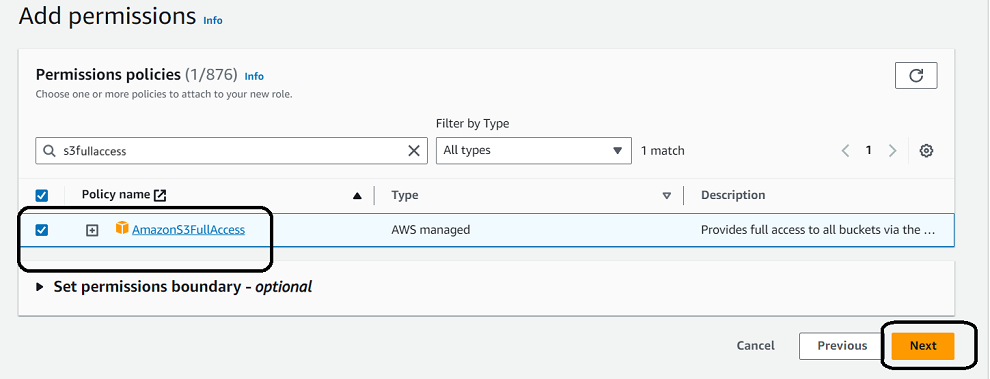
Step 5:Click on Create role-->Click on AWS service--> in use case select EC2--> Now in permission search and select "S3fullaccess"-->Click Next-->give it a Name and Create
Step 6: Now in launch template--> In IAM instance profile--> refresh and select newly created IAM role.
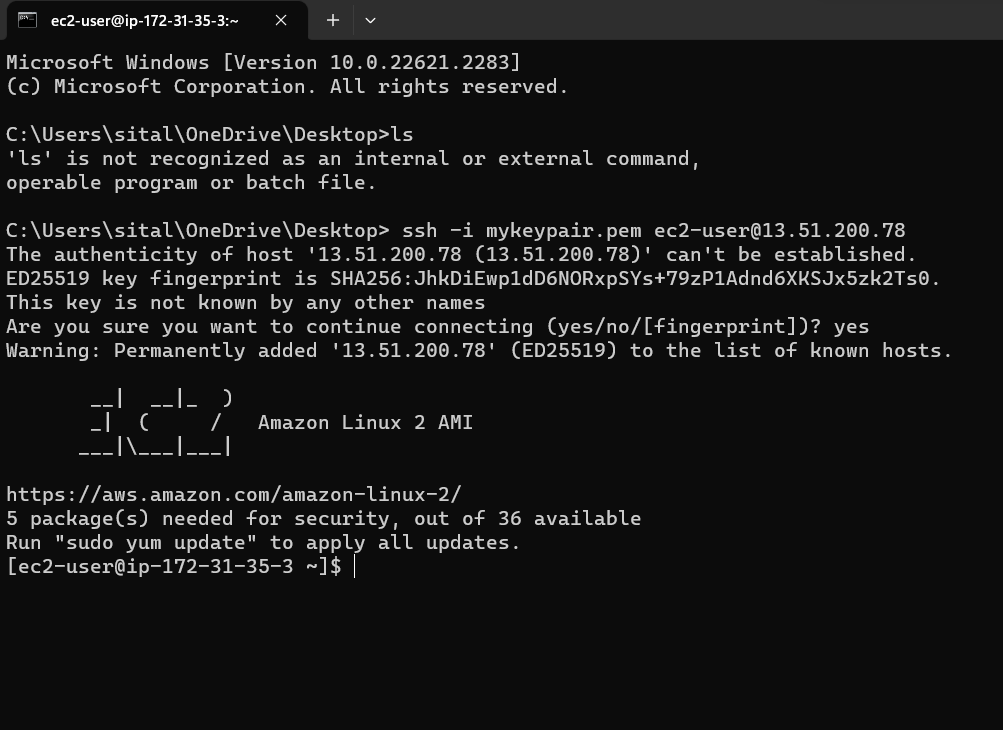
Step 7: Now, after launching
SSH into the server.
Step 8: Run following coomands
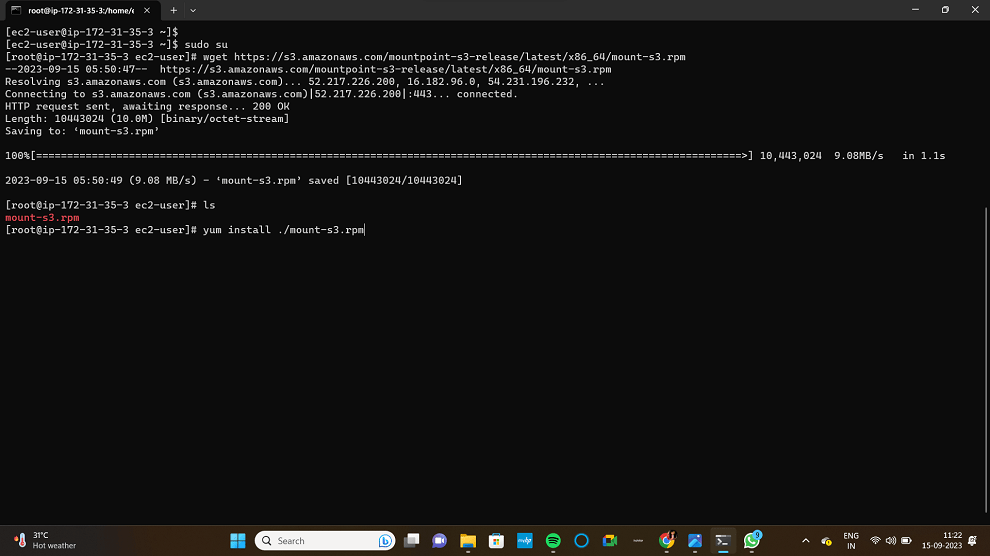
# sudo su
# wget https://s3.amazonaws.com/mountpoint-s3-release/latest/x86_64/mount-s3.rpm
Install the mount-s3
# yum install ./mount-s3.rpm
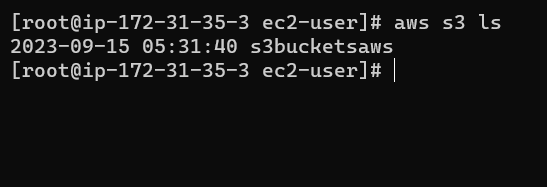
Now, use this command to list of all the buckets present in your AWS S3
# aws s3 ls
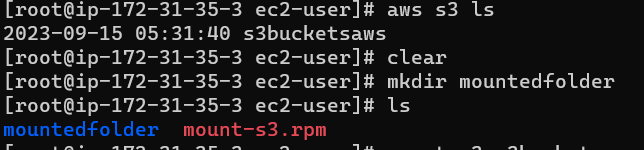
Now create directory
# mkdir {name of directory}
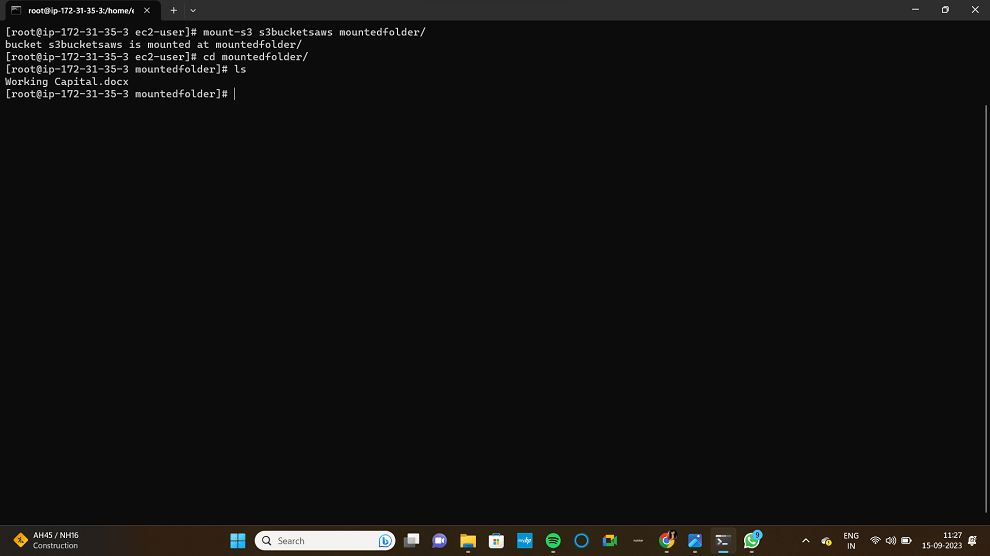
Now to mount the required bucket
# mount-s3 s3bucketsaws[name of the bucket] mountedfolder/[directory where to be mounted]
Now, go to the directory and do "ls"
you can find your files.
That's all on how and why to mount S3 bucket.

.png)
.png)