|
VOOZH | about |
|
VOOZH | about |
In Pandas, missing data occurs when some values are missing or not collected properly and these missing values are represented as:
In this article we see how to detect, handle and fill missing values in a DataFrame to keep the data clean and ready for analysis.
Pandas provides two important functions which help in detecting whether a value is NaN helpful in making data cleaning and preprocessing easier in a DataFrame or Series are given below :
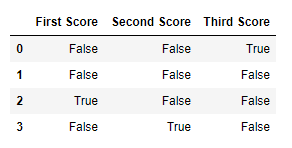
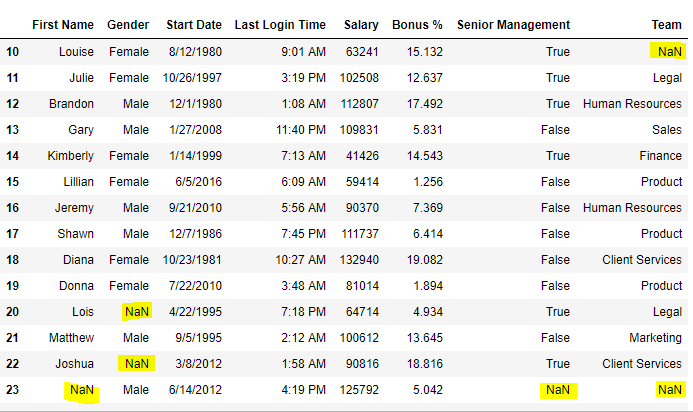
isnull() returns a DataFrame of Boolean value where True represents missing data (NaN). This is simple if we want to find and fill missing data in a dataset.
Example 1: Finding Missing Values in a DataFrame
We will be using Numpy and Pandas libraries for this implementation.
Output:👁 Image
Example 2: Filtering Data Based on Missing Values
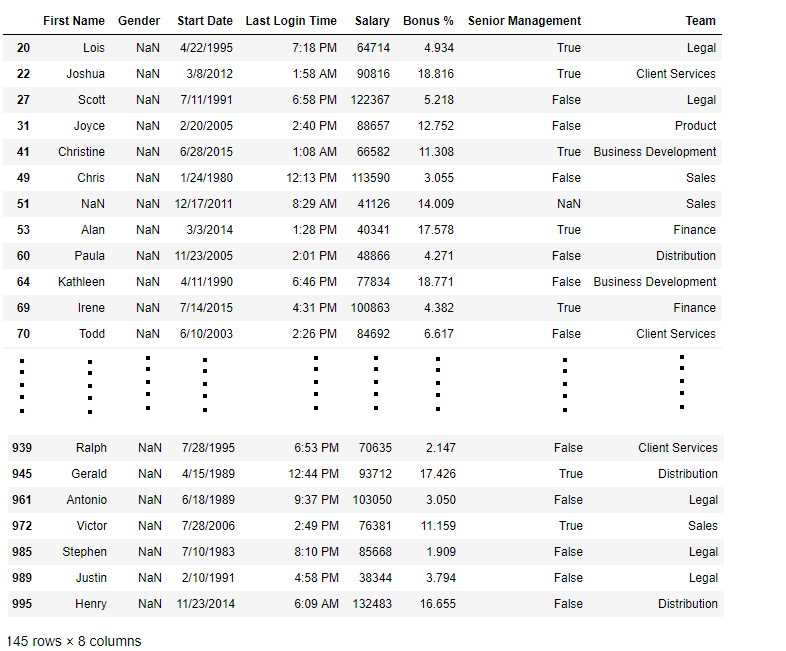
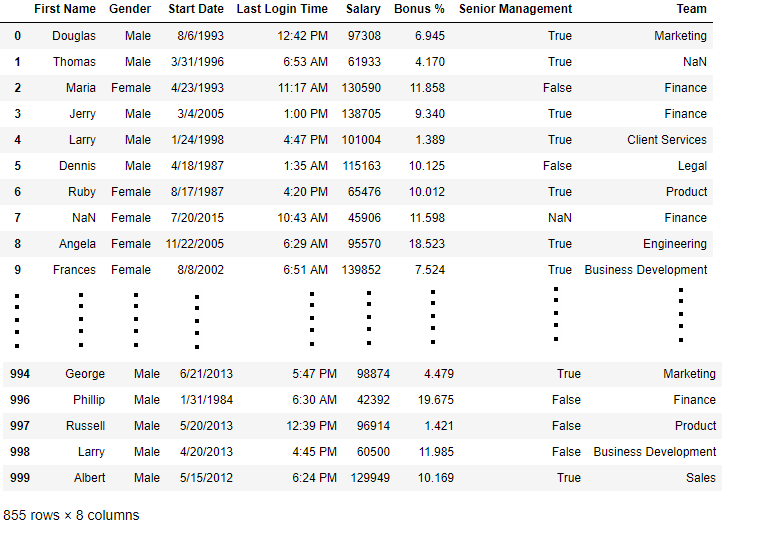
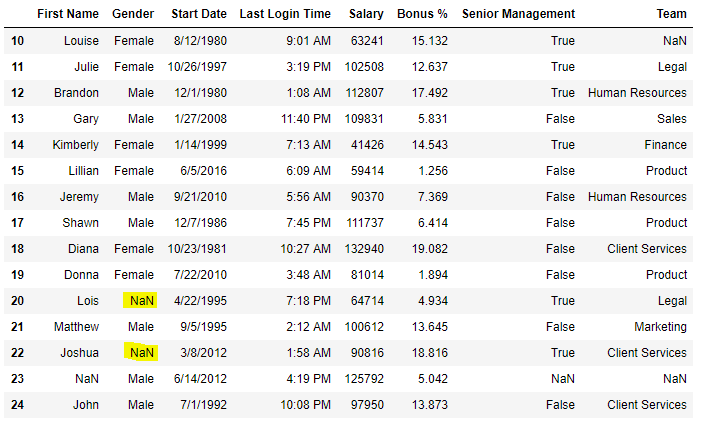
Here we used random Employee dataset. The isnull() function is used over the "Gender" column in order to filter and print out rows containing missing gender data.
You can download the csv file from here
Output:
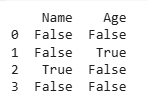
👁 Imageisna() returns a DataFrame of Boolean values where True indicates missing data (NaN). It is used to detect missing values just like isnull().
Example: Finding Missing Values in a DataFrame
Output:
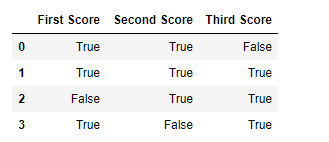
notnull() function returns a DataFrame with Boolean values where True indicates non-missing (valid) data. This function is useful when we want to focus only on the rows that have valid, non-missing values.
Example 1: Identifying Non-Missing Values in a DataFrame
Output:
👁 ImageExample 2: Filtering Data with Non-Missing Values
notnull() function is used over the "Gender" column in order to filter and print out rows containing missing gender data.
Output:
👁 ImageFollowing functions allow us to replace missing values with a specified value or use interpolation methods to find the missing data.
fillna() used to replace missing values (NaN) with a given value. Lets see various example for this.
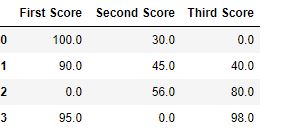
Example 1: Fill Missing Values with Zero
Output:
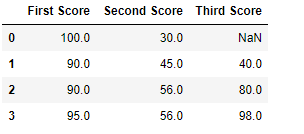
👁 ImageExample 2: Fill with Previous Value (Forward Fill)
The pad method is used to fill missing values with the previous value.
Output:
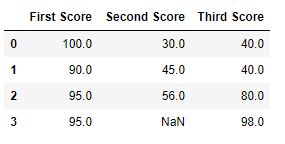
👁 ImageExample 3: Fill with Next Value (Backward Fill)
The bfill function is used to fill it with the next value.
Output:
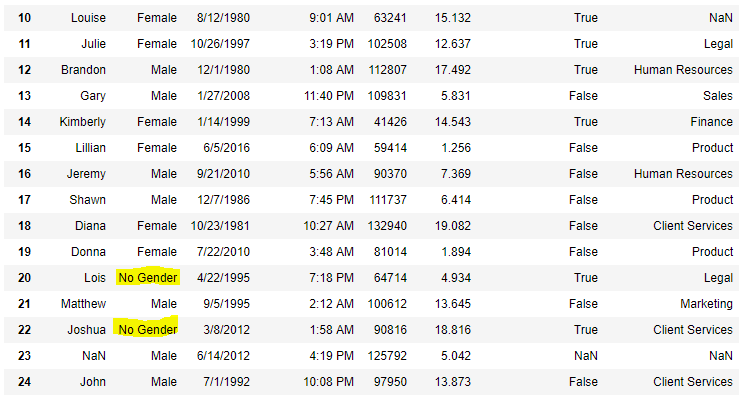
👁 ImageExample 4: Fill NaN Values with 'No Gender'
Output:
👁 ImageNow we are going to fill all the null values in Gender column with "No Gender"
Output:
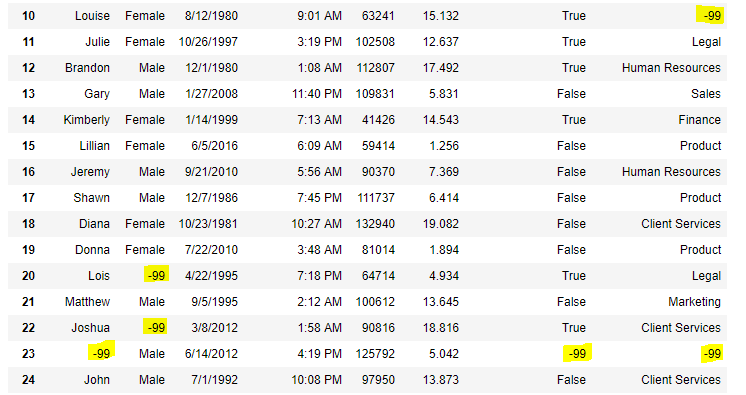
👁 ImageUse replace() function to replace NaN values with a specific value.
Example
Output:
👁 ImageNow, we are going to replace the all NaN value in the data frame with -99 value.
Output:
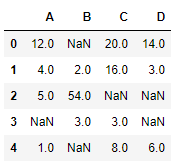
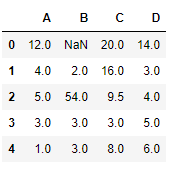
👁 ImageThe interpolate() function fills missing values using interpolation techniques such as the linear method.
Example
Output:
👁 ImageLet’s interpolate the missing values using Linear method. This method ignore the index and consider the values as equally spaced.
Output:
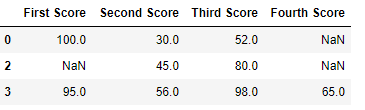
👁 ImageThe dropna() function used to removes rows or columns with NaN values. It can be used to drop data based on different conditions.
Remove rows that contain at least one missing value.
Example
Output:👁 Image
We can drop rows where all values are missing using dropna(how='all').
Example
Output:
👁 ImageTo remove columns that contain at least one missing value we use dropna(axis=1).
Example
Output:
👁 ImageWhen working with CSV files, we can drop rows with missing values using dropna().
Example
Output:
Since the difference is 236, there were 236 rows which had at least 1 Null value in any column. By using these functions we can easily detect, handle and fill missing values.