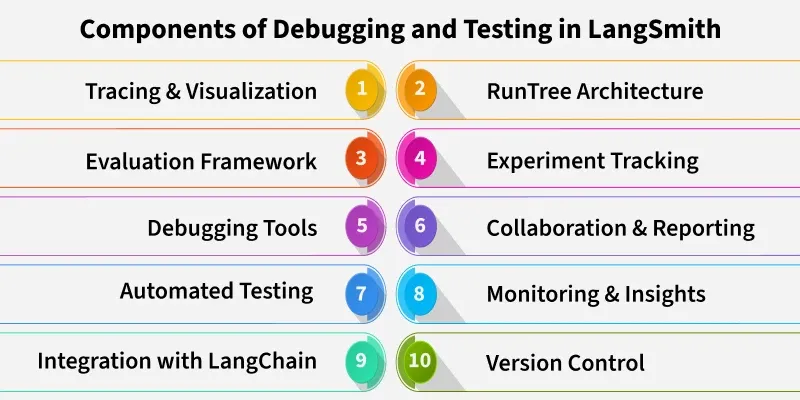
LangSmith is a platform designed to help developers debug, test and monitor large language model applications. It provides detailed visibility into how chains, agents and prompts perform during execution. It acts as a debugging and evaluation layer for LangChain workflows hence allowing developers to trace model interactions, analyze errors, compare outputs and improve overall reliability and performance.
Ensures Reliability: Helps verify that the LLM consistently produces correct and logical outputs.
Identifies Errors Early: Detects prompt issues, data mismatches and logic errors before deployment.
Improves Model Accuracy: Enables fine-tuning based on detailed error analysis and test results.
Enhances User Experience: Reduces unexpected or irrelevant responses ensuring smoother interactions.
Supports Continuous Improvement: Allows performance comparison between model versions and workflows.
Builds Trust in AI Systems: Ensures transparency, traceability and accountability in LLM-driven applications.
Tracing LLM Workflows
LLM workflow can be traced through following ways:
1. Tracks Complete Workflow: Tracing captures every step of an LLM process for full visibility.
2. Traces, Runs and Spans:
Trace: represents the entire workflow.
Run: a single chain or component execution.
Span: sub-steps or internal operations within a run.
3. Visualizes Execution Flow: LangSmith displays chains as trees or timelines for easy understanding.
4. Identifies Bottlenecks: Helps detect slow steps or inefficient model calls.
5. Finds Errors Quickly: Makes it easier to locate and fix API failures, logic issues or data mismatches.
6. Improves Optimization: Supports fine-tuning workflow design for better performance and speed.
Testing Strategies in LangSmith
Some of the testing strategies in LangSmith are:
Unit Testing for Chains and Agents: Test individual chains, tools or agents to verify that each component behaves as expected before combining them into larger workflows.
Regression Testing for LLM Outputs: Compare new model responses with previous ones to ensure that updates or prompt changes don’t degrade performance or accuracy.
Automated Evaluation Pipelines: Set up automated testing workflows in LangSmith to continuously evaluate LLM outputs, measure quality using metrics and detect issues early.
Evaluating Model Performance
Model performance can be evaluated by:
Using Metrics and Scores: LangSmith provides quantitative metrics such as accuracy, relevance or custom evaluation scores to measure how well an LLM performs on given tasks.
Comparing Different Model Versions: Test and compare outputs from multiple LLM versions or prompt variations to identify which configuration delivers better performance and consistency.
Error Analysis and Model Behavior Tracking: Analyze incorrect or inconsistent responses to understand model weaknesses, improve prompt design and track behavioral changes over time.
Human-in-the-Loop Evaluation: Incorporate human feedback to validate LLM outputs, especially for nuanced or subjective tasks.
Custom Benchmarking: Create task-specific benchmarks within LangSmith to evaluate LLMs against specialized criteria or domain specific datasets.
Implementation
Step by step implementation of Debugging and Testing in LangSmith:
Some of the best practices for debugging and testing are:
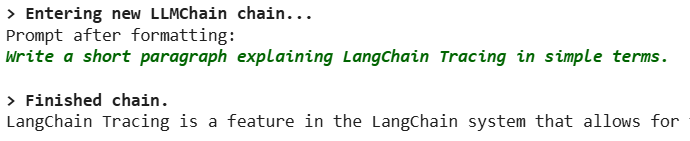
Connecting LangChain Projects to LangSmith: Integrate your LangChain workflows with LangSmith to start capturing traces, runs and spans for all chains, agents and tools.
Configuring Tracin and Logging: Set up logging to capture relevant metadata including inputs, outputs, API calls and model parameters.
Custom Logging Levels: Adjust logging levels to capture only critical events or full execution details depending on debugging needs.
Environment and Project Settings: Ensure API keys, project identifiers and environment configurations are correctly set to enable seamless workflow monitoring.
Initial Validation: Run test chains or small workflows to verify that tracing and logging are correctly capturing all necessary information before scaling up.