|
VOOZH | about |
|
VOOZH | about |
The Titanic disaster on April 14, 1912, resulted in over 1,500 deaths when the 46,000-ton ship sank to the ocean floor. In this project, we’ll analyze the Titanic dataset using Hadoop MapReduce to find the average age of male and female passengers who died in the disaster.
Using Titanic dataset, write a MapReduce program in Java to calculate the average age of males and females who did not survive the Titanic disaster.
You can download Titanic dataset from this Link. Below is the column structure of our Titanic dataset. It consists of 12 columns where each row describes the information of a particular person.
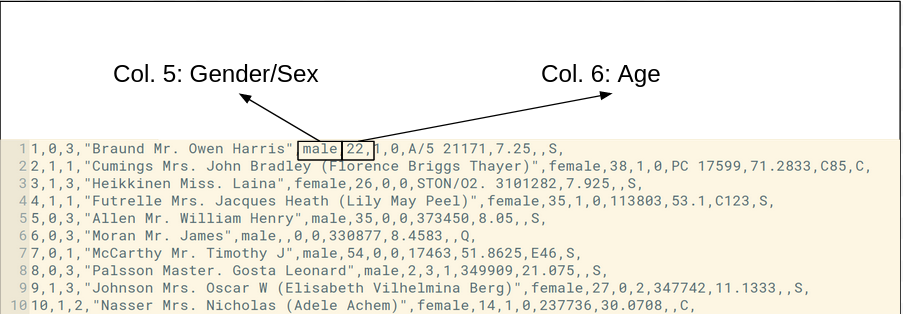
👁 dataset-discription-of-titanic-datasetHere are the first 10 records of the dataset:
👁 titanic-dataset-first-10-recordsThis data will be processed to extract gender and age for only those who didn’t survive.
Make project in Eclipse with below steps:
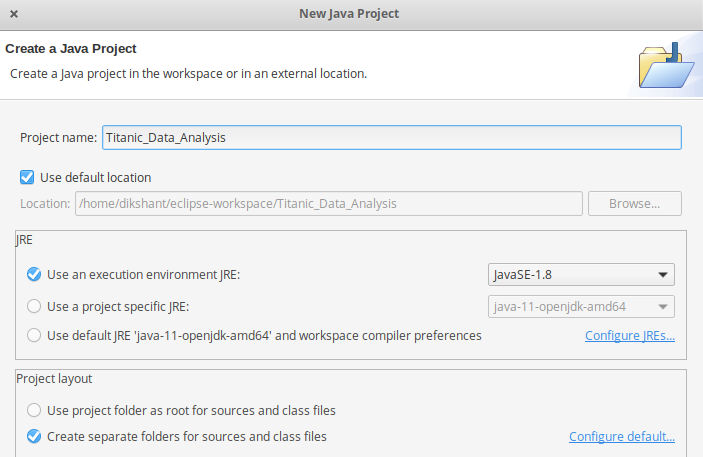
First Open Eclipse -> then, select File -> New -> Java Project -> Name it, Titanic_Data_Analysis -> then select use an execution environment -> choose JavaSE-1.8, then next -> Finish.
👁 creating-titanic-data-analysis-projectNow create a new class:
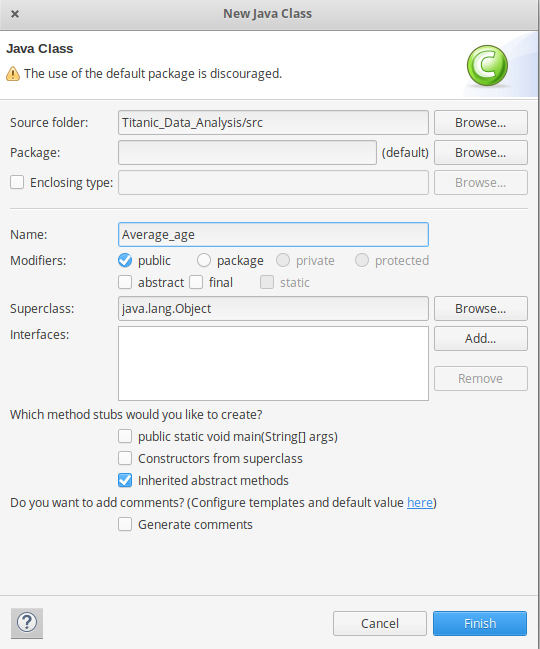
Right-click on src -> New -> Class with name, Average_age -> then click Finish
👁 creating-average-age-java-classWrite below code into into Average_age.java
Now we need to add external jar for the packages that we have import. Download the jar package Hadoop Common and Hadoop MapReduce Core according to your Hadoop version.
Check Hadoop Version with below command:
👁 check-hadoop-versionhadoop version
Now we add these external jars to our Titanic_Data_Analysis project.
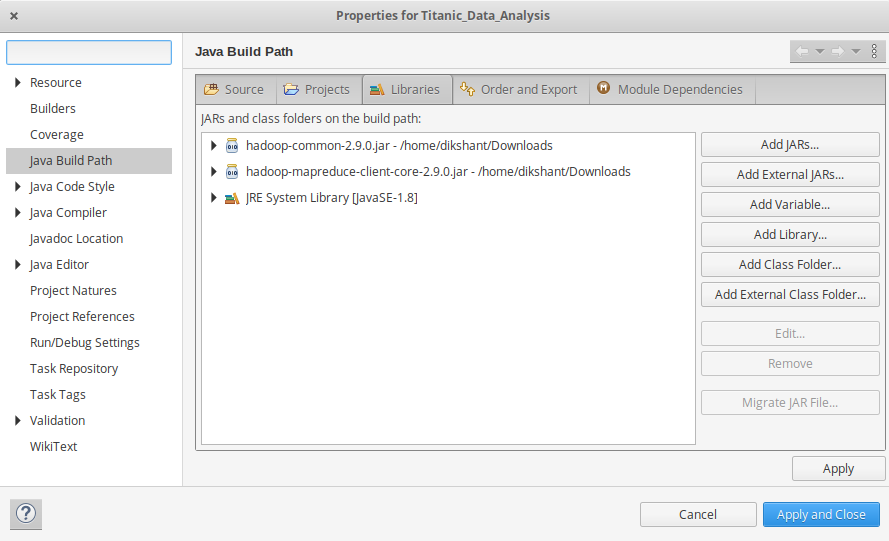
Right Click on Titanic_Data_Analysis -> then select Build Path-> Click on Configure Build Path and select Add External jars and then add jars from it's download location then click -> Apply and Close.
👁 adding-external-jar-files-to-our-projectNow export the project as jar file. Right-click on Titanic_Data_Analysis choose Export then go to Java -> JAR file click -> Next and choose your export destination then click -> Next.
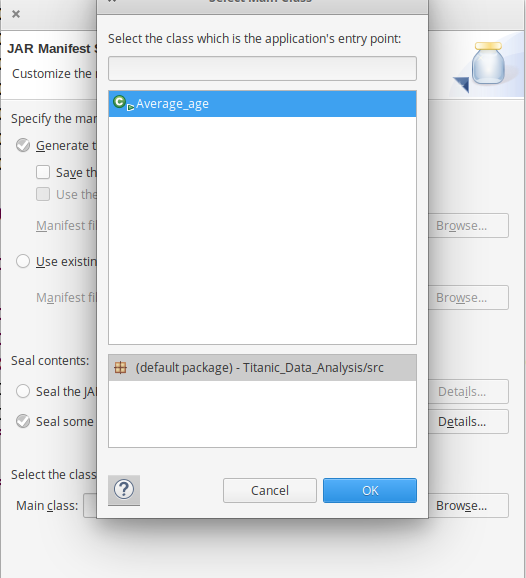
Choose Main Class as Average_age by clicking -> Browse and then click -> Finish -> Ok.
👁 selecting-main-classStart Hadoop Daemons
start-dfs.sh
start-yarn.sh
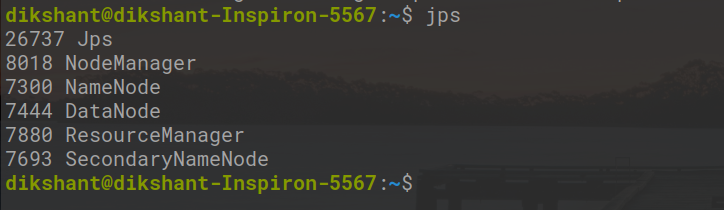
Check if daemons are running:
👁 check-running-hadoop-daemonsjps
Use this command to upload the Titanic dataset to Hadoop’s HDFS:
hdfs dfs -put /home/user/Documents/titanic_data.txt /
Check if uploaded:
👁 putting-titanic-dataset-to-HDFShdfs dfs -ls /
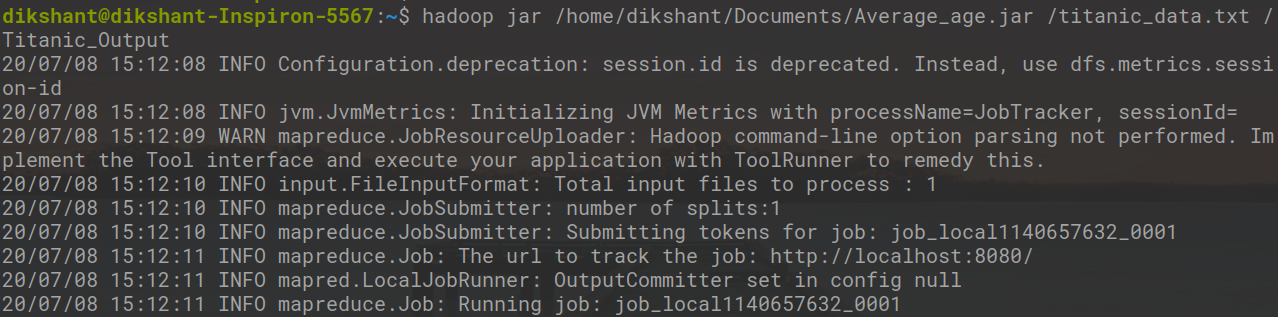
Now run the exported .jar file on Hadoop:
👁 running-the-average-age-jar-filehadoop jar /home/user/Documents/Average_age.jar /titanic_data.txt /Titanic_Output
After the MapReduce job completes, you can check the final results through the Hadoop web interface.
Visit:
http://localhost:50070/
Then navigate to: Utilities -> Browse the file system-> /Titanic_Output/-> part-r-00000.
Additionally, in the terminal run:
👁 outputhdfs dfs -cat /Titanic_Output/part-r-00000
In the above image, we can see that the average age of the female is 28 and male is 30 according to our dataset who died in the Titanic Disaster.