VOOZH about

URL: https://www.geeksforgeeks.org/data-science/text-embeddings-using-cohere/

⇱ Text Embeddings using Cohere - GeeksforGeeks


  • Courses
  • Tutorials
  • Interview Prep

Text Embeddings using Cohere

Last Updated : 30 Oct, 2025

Text Embeddings using Cohere allow you to convert text into numerical vectors that capture meaning, context and semantic relationships between words or sentences. These embeddings are essential for various Natural Language Processing (NLP) tasks such as search, classification, clustering and recommendation systems.

  • Cohere provides high-quality embeddings through its API.
  • It helps measure text similarity and semantic relevance efficiently.
  • It’s useful for information retrieval, chatbots and content recommendation.
  • The embeddings can be easily integrated into Python or other platforms via simple API calls.

Generating Text Embeddings

Let's see how text embedding can be done using Cohere:

Step 1: Install packages

We will install the required packages for our model.

Step 2: API Key

We will be using the Cohere API key, so lets extract it first,

1. Go to the official website.

2. Choose to Signup/ Sign in.

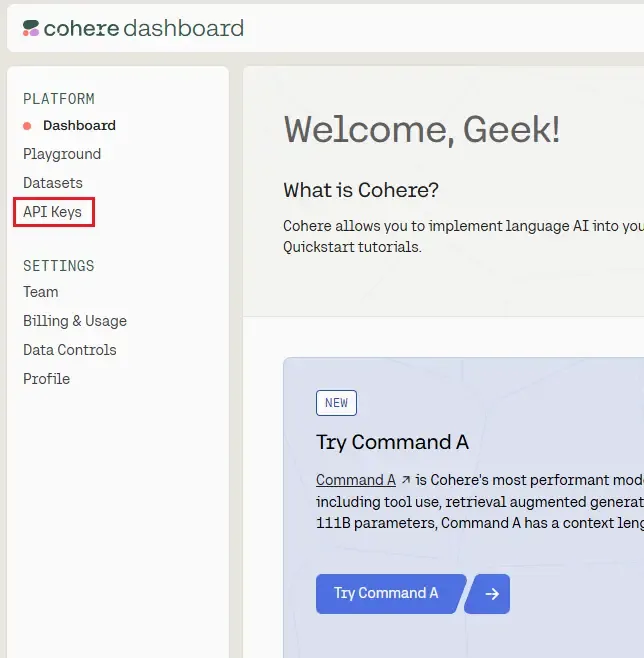
3. On the Cohere Dashboard, find and select API Key section.

πŸ‘ Screenshot-2025-10-27-145116

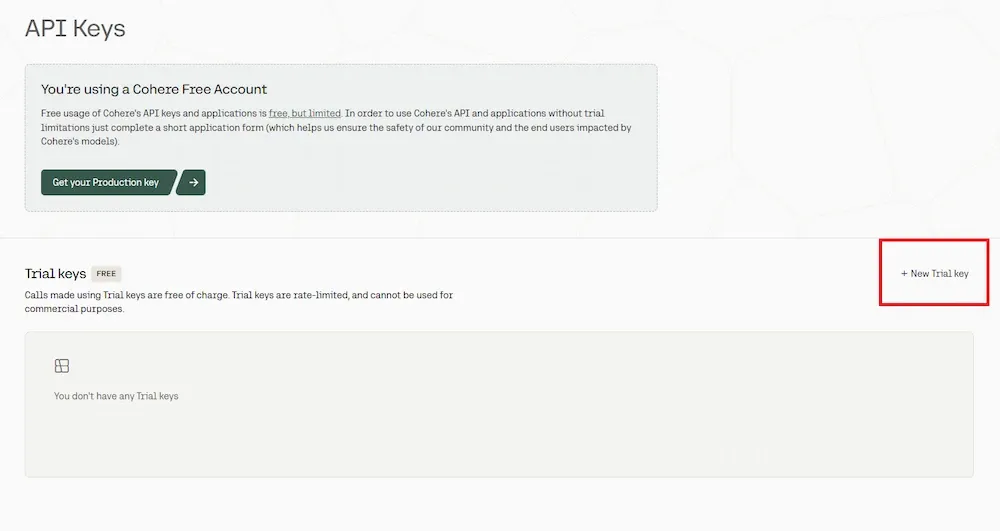
4. Click on Create New Key and copy the provided key.

πŸ‘ a

Step 3: Generating Text Embeddings

We will generate the text embeddings:

  • The texts list holds sentences for which we want embeddings.
  • embed-english-v3.0 is the latest English model optimized for semantic search.
  • input_type="search_document" specifies that these are documents, not queries.
  • .embeddings.float extracts the numeric vector embeddings in floating-point format.

Output:

Generated 3 embeddings of dimension 1024

Step 4: Measuring Similarity

Here,

  • The cosine similarity formula computes how close two vectors are.
  • A value near 1 means high similarity; near 0 means unrelated.
  • This helps find semantically related texts efficiently.

Output:

Similarity between 1st and 2nd: 0.618

Step 5: Semantic Search Example

Here,

  • Documents and query are embedded separately for comparison.
  • The query uses input_type="search_query" to optimize its representation.
  • Cosine similarity is computed between the query and each document.
  • Results are sorted by similarity scores for semantic search ranking.

Output:

πŸ‘ Screenshot-2025-10-27-153356

Use Cases:

  • Semantic Search: Retrieve documents based on meaning rather than exact words.
  • Chatbots & Q&A: Match user questions to the most relevant knowledge base answers.
  • Clustering & Topic Modeling: Group similar texts or news articles together.
  • Sentiment Analysis: Capture emotions across sentences.
  • Recommendation Systems: Suggest articles, posts or products based on text similarity.
Comment

Explore