|
VOOZH | about |
|
VOOZH | about |
Kubernetes allows the management and orchestration of containerized deployments. We can use various cluster managing tools, but Kubeadm allows us to create and manage Kubernetes clusters from scratch. Kubernetes cluster can be autoscaled with the use of Cluster management services. In this article, we will see how we can manually add a node to an existing cluster.
Step 1: View the existing cluster and get the kubeadm join command.
kubectl get nodes
kubeadm token create --print-join-command
Step 2: Disable the firewall for the new node.
sudo ufw disableswapoff -asudo sed -i '/swap/d' /etc/fstabcat <<EOF | sudo tee /etc/sysctl.d/k8s.conf
net.bridge.bridge-nf-call-iptables = 1
net.bridge.bridge-nf-call-ip6tables = 1
net.ipv4.ip_forward = 1
EOF
Step 3: Install the certificate applications.
sudo apt install -y apt-transport-https ca-certificates curl gnupg-agent software-properties-commonStep 4: Install Docker
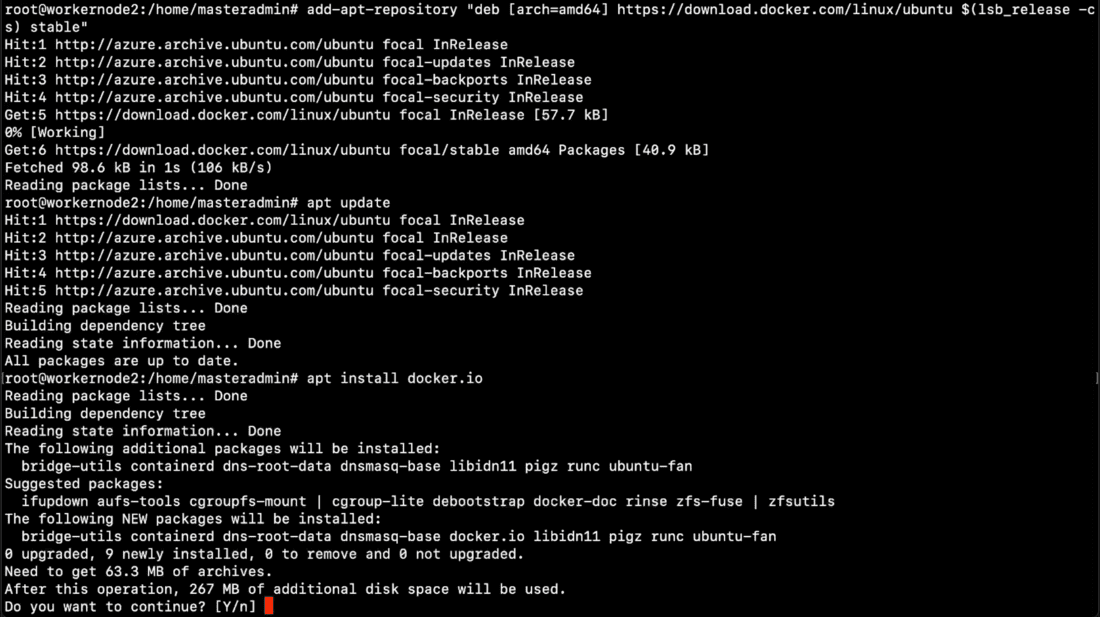
sudo sucurl -fsSL https://download.docker.com/linux/ubuntu//gpg | apt-key add -add-apt-repository "deb [arch=amd64] https://download.docker.com/linux/ubuntu/ $(lsb_release -cs) stable"apt updateapt install docker.io
Step 5: Install Kubernetes
sudo mkdir -p -m 755 /etc/apt/keyrings
curl -fsSL https://prod-cdn.packages.k8s.io/repositories/isv:/kubernetes:/core:/stable:/v1.29/deb/Release.key | sudo gpg --dearmor -o /etc/apt/keyrings/kubernetes-apt-keyring.gpg
sudo chmod 644 /etc/apt/keyrings/kubernetes-apt-keyring.gpg
echo 'deb [signed-by=/etc/apt/keyrings/kubernetes-apt-keyring.gpg] https://prod-cdn.packages.k8s.io/repositories/isv:/kubernetes:/core:/stable:/v1.29/deb/ /' | sudo tee /etc/apt/sources.list.d/kubernetes.listsudo chmod 644 /etc/apt/sources.list.d/kubernetes.listapt update
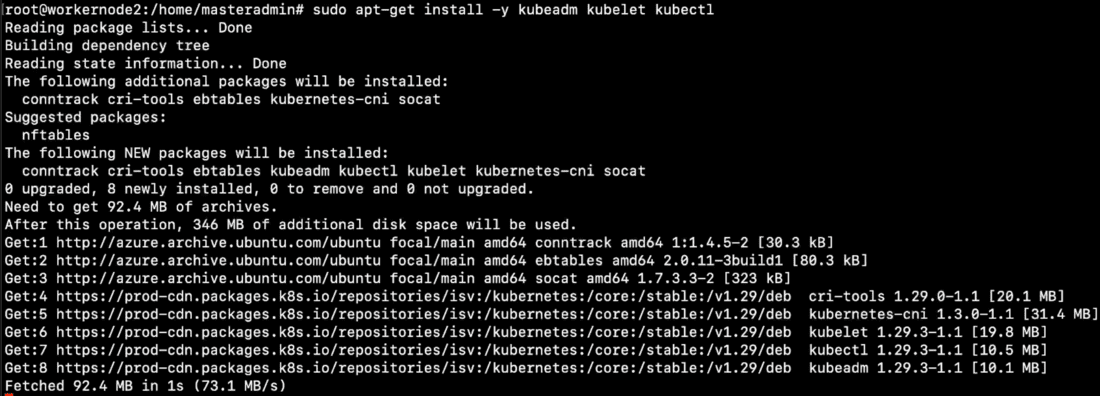
apt-get install -y kubelet kubeadm kubectl
Step 6: Connect The new worker node.
Step 7: Verify the cluster.
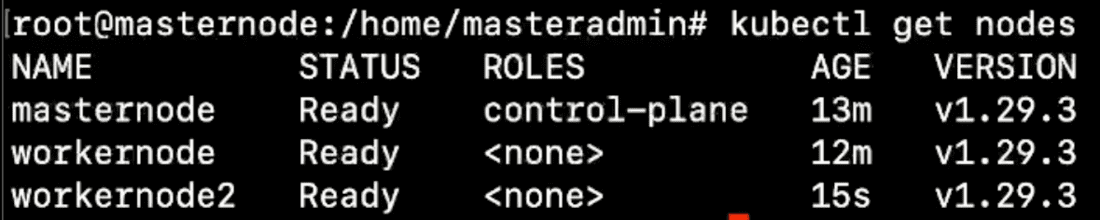
Now lets verify that new node has been added to the cluster.
kubectl get nodes
Thus we have seen how we can add a new node to the existing kubernetes cluster. This allows to autosclae kubernetes cluster manually from scratch allowing to manage each node separately. Like this we can add or remove nodes from cluster as requirement.


.png)