|
VOOZH | about |
|
VOOZH | about |
Amazon Redshift is a data warehouse product that forms a large part of the cloud-computing platform Amazon Web Services. In this article, we will look into the process of quickly moving data from AWS Data Exchange in Amazon S3 into a Warehouse.
Follow the below steps to move data from Amazon S3 to An amazon warehouse using Redshift:
Step 1: So the first task that we need to conduct is to create a table within an art warehouse. And this table's going to store financial information about Amazon stock price, and we'll quickly run that query.
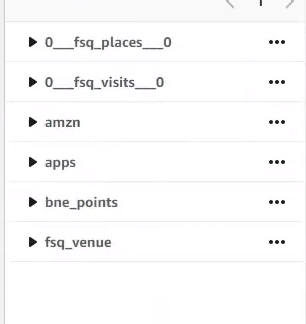
👁 ImageOnce we have the table available on the left-hand side, we'll be able to move to our second query.
👁 ImageStep 2: In using the second query, we're going to copy the Amazon data in this format from a particular Amazon S3 bucket, using a particular IAM role, which has access to both my S3 bucket and our cluster.
Query:
COPY AMZN
(timestamp,stock_open,high,low,close,adjusted_close,volume,dividend_amount,split_coefficient)
FROM 's3://<YOUR S3 URL>
IAM_ROLE 'arn:aws:iam::<YOUR IAM>:role/'
FORMAT AS CSV
Once we click to run that will execute the SQL command loading the table from the S3 bucket into the Redshift cluster.
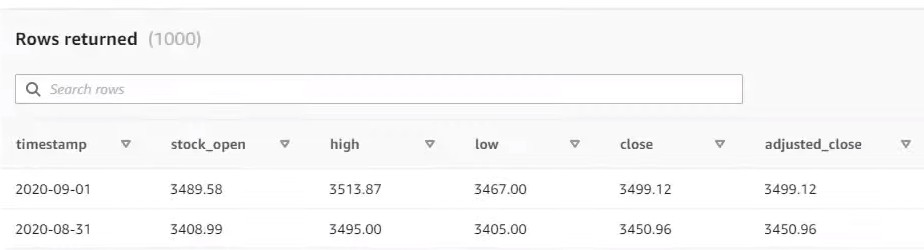
👁 ImageStep 3: And to just demonstrate that it's been successful, we'll quickly select all the records to grow, a thousand records from the Amazon table and those will be presented to us at the bottom of the screen.
Query:
select * from amzn limit 1000;
Output:
👁 Image