|
VOOZH | about |
|
VOOZH | about |
AWS provides the NoSQL database DynamoDB, which is meant for high performance and scalability, one common pattern in designing databases leverages an auto-incremented primary key that uniquely identifies each record. While most traditional relational databases like MySQL and PostgreSQL support auto-incrementing primary keys out of the box, DynamoDB does not, since it is a distributed database. There are ways around this limitation to simulate an auto-increment in DynamoDB.
The following article will walk through various ways of implementing an auto-increment primary key in DynamoDB and give best practices around how to avoid common pitfalls. Examples with step-by-step explanations and diagrams are included for further clarity.
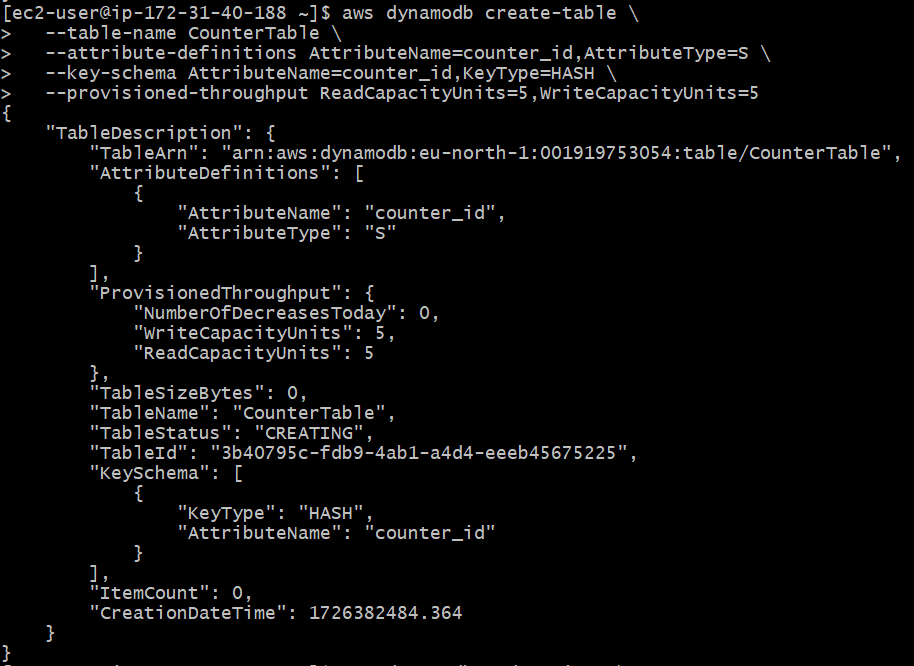
First, create a DynamoDB table to store the current counter value. This table will be responsible for managing the sequence number.
Run the following command to create the CounterTable:
aws dynamodb create-table \
--table-name CounterTable \
--attribute-definitions AttributeName=counter_id,AttributeType=S \
--key-schema AttributeName=counter_id,KeyType=HASH \
--provisioned-throughput ReadCapacityUnits=5,WriteCapacityUnits=5
aws dynamodb put-item \
--table-name CounterTable \
--item '{"counter_id": {"S": "global_counter"}, "counter_value": {"N": "0"}}'
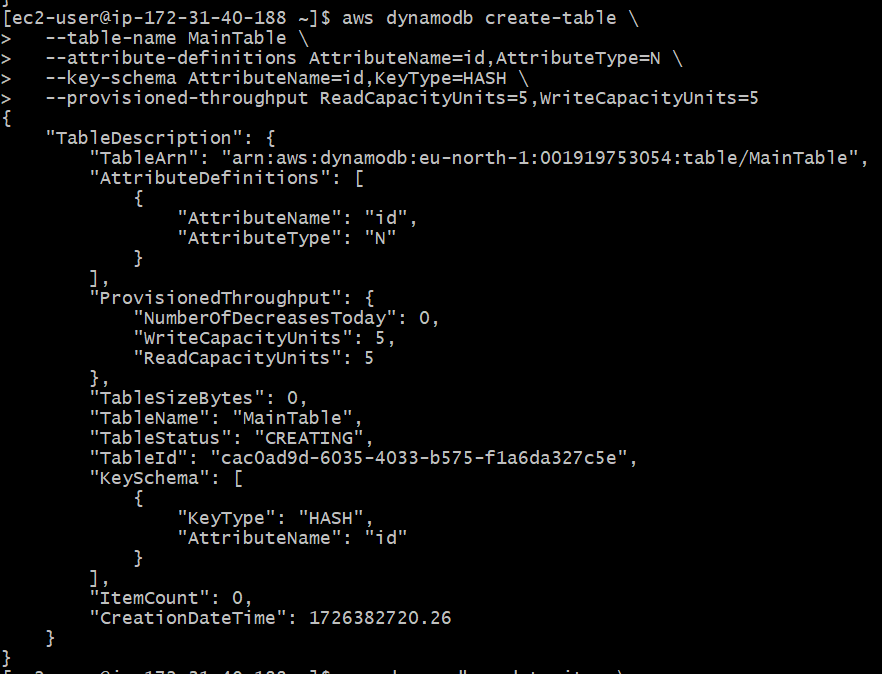
Create another table where you will store the actual data, using the auto-incremented ID as the primary key.
aws dynamodb create-table \
--table-name MainTable \
--attribute-definitions AttributeName=id,AttributeType=N \
--key-schema AttributeName=id,KeyType=HASH \
--provisioned-throughput ReadCapacityUnits=5,WriteCapacityUnits=5
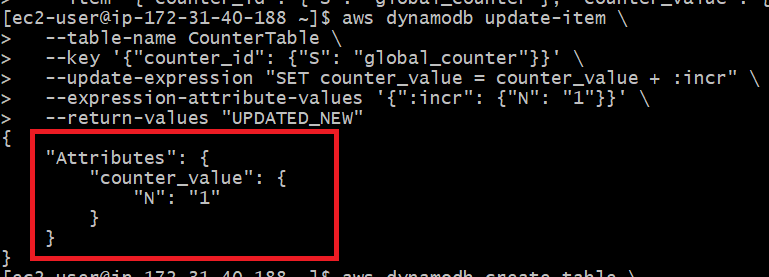
Use the update-item command to increment the counter value:
aws dynamodb update-item \
--table-name CounterTable \
--key '{"counter_id": {"S": "global_counter"}}' \
--update-expression "SET counter_value = counter_value + :incr" \
--expression-attribute-values '{":incr": {"N": "1"}}' \
--return-values "UPDATED_NEW"
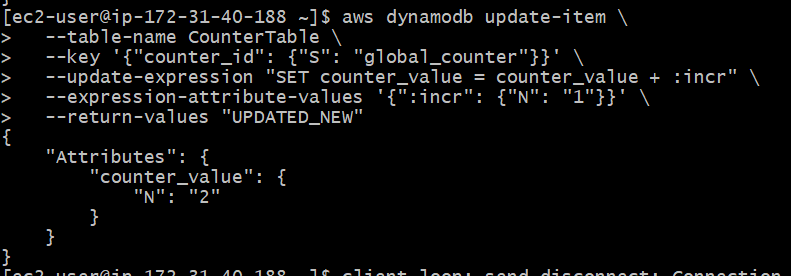
We can increase again number by using the update-item command
aws dynamodb update-item \
--table-name CounterTable \
--key '{"counter_id": {"S": "global_counter"}}' \
--update-expression "SET counter_value = counter_value + :incr" \
--expression-attribute-values '{":incr": {"N": "1"}}' \
--return-values "UPDATED_NEW"
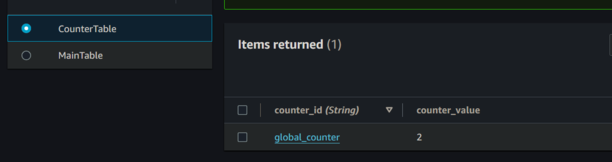
Here we can value was updated
Now that you have the auto-incremented ID, insert a new item into the MainTable with that ID.
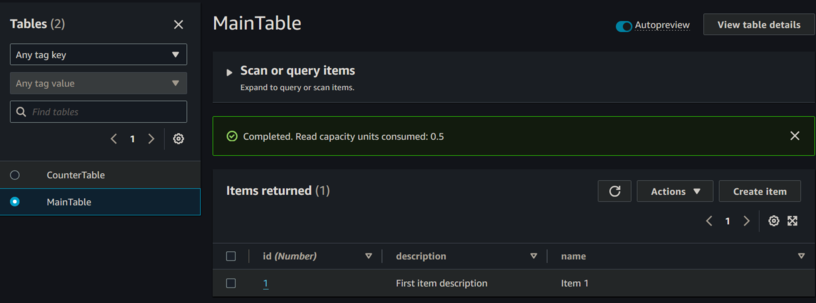
This will insert a new item into MainTable with the following structure:
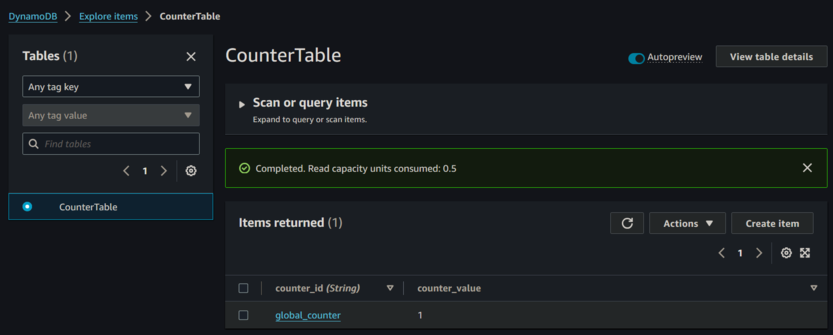
Now we can verify in console
By following these steps we can setup and use auto increment for primary key id in dynamodb
For each new item, follow these steps:
DynamoDB will implement auto-increment since it does not support auto-incrementing keys like traditional relational databases. Using a separate counter table to manage and increment a numeric value allows us to simulate this behavior, this approach makes it possible to assign a unique, sequential ID to each new item in your primary table.
The CounterTable maintains a continuously incrementing value, which is used as the ID for creating new entries in the main table. This solution is scalable, customizable, and suitable for various use cases that require unique identifiers in DynamoDB tables