AWS data migration enables organizations to move data securely and efficiently from on-premises environments or other clouds to AWS. It supports both online and offline migration methods to handle different data volumes, network conditions, and timelines.
online data migration uses network-based services to transfer data continuously over the internet or private connections.
offline data migration relies on physical devices to move large volumes of data when network transfer is impractical.
aws provides specialized services to simplify planning, execution, and validation of data migrations.
selecting the appropriate method depends on data size, transfer speed, cost, and operational constraints.
Cost Considerations: Balancing CapEx and OpEx
Capital Expenditure (CapEx) and Operational Expenditure (OpEx) are two key financial terms that businesses use to categorize their spending. Understanding the difference between these two categories is crucial for making informed financial decisions and optimizing your resources.
Capital Expenditure (CapEx)
CapEx refers to the funds used to acquire or upgrade long-term assets that are expected to benefit the company beyond the current year. These assets are tangible, meaning they have a physical presence, and they depreciate over time.
Examples of CapEx: Purchasing fixed assets: buildings, machinery, equipment, vehicles, etc.
1. Upfront Investments:
Traditional on-premises solutions often involve significant upfront investments in hardware, software licenses, and infrastructure.
CapEx is associated with long-term assets and is typically incurred at the beginning of a project or initiative.
2. Transition to Operational Expenditure:
Cloud adoption, particularly the "Rehosting" strategy, allows organizations to shift from a CapEx model to an OpEx model.
Instead of investing in and maintaining physical infrastructure, organizations pay for cloud services on a pay-as-you-go basis.
3. Predictable Budgeting:
AWS provides various pricing models, such as Reserved Instances, allowing organizations to plan and budget more predictably.
CapEx is transformed into more flexible, predictable OpEx, aligning expenses with actual resource consumption.
Operational Expenditure (OpEx)
OpEx, on the other hand, covers the ongoing expenses required to run a business day-to-day. These expenses are typically recurring and necessary for maintaining the company's operations.
Examples of OpEx: Salaries and wages for employees, Rent and utilities, Maintenance and repairs, Marketing and advertising, Office supplies and other consumables, Cloud services and subscriptions
1. Pay-as-You-Go Model:
AWS follows a pay-as-you-go pricing model, where organizations pay for the actual usage of resources.
OpEx is incurred as ongoing expenses related to the operation of the business.
2. Scalability and Flexibility:
OpEx provides flexibility, allowing organizations to scale resources up or down based on demand.
This elasticity aligns with the dynamic nature of business operations and prevents overprovisioning.
3. Managed Services:
Leveraging managed services on AWS reduces the need for extensive in-house management and maintenance.
OpEx includes the costs associated with using these services, freeing up internal resources for more strategic activities.
Incorporating CapEx and OpEx considerations into the AWS Cloud Adoption Framework and migration strategies is crucial for financial management. The flexibility of cloud services, combined with strategic planning and cost optimization practices, enables organizations to achieve a balance between upfront investments and ongoing operational expenses.
AWS Cloud Adoption Framework (AWS CAF)
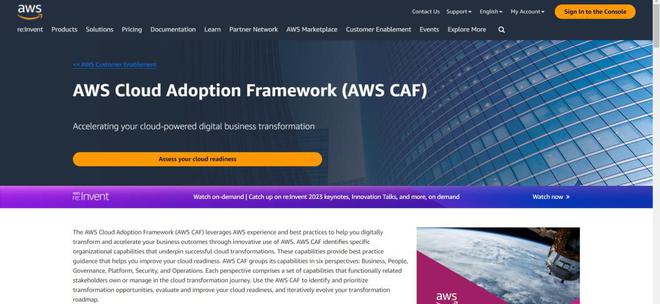
The AWS CAF serves as a guide for organizations navigating their journey to the cloud. It provides a set of best practices, guidelines, and principles to help businesses align their cloud adoption efforts with their strategic objectives. By adopting AWS CAF, organizations can systematically address the various facets of cloud adoption, fostering a well-rounded and sustainable transformation.
Before embarking on the transformative journey to the cloud, organizations undertake a critical phase known as the Assessment Phase. This stage is pivotal in understanding the current state, evaluating the potential benefits, and defining the roadmap for successful cloud adoption. Two methodologies commonly employed during this assessment phase are CART (Cloud Adoption Readiness Tool) and MRA (Migration Readiness Assessment).
The Cloud Adoption Readiness Tool (CART) is a comprehensive assessment tool developed by Amazon Web Services (AWS), designed to evaluate an organization's readiness for cloud adoption. Developed by industry experts, CART assists businesses in assessing various aspects critical to a successful cloud migration. The tool takes into account factors such as technology, people, processes, and governance, providing a holistic view of an organization's preparedness to embrace the cloud (online test and consist of 46 questions and it's free).
1. Evaluation of Organizational Readiness:
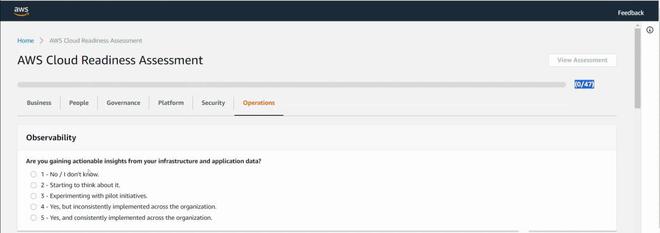
CART assesses the organization's readiness for cloud adoption across various dimensions, including business, people, governance, platform, security, and operations.
It provides a structured framework to identify strengths, weaknesses, and areas that require attention.
2. Business Perspective:
CART assists in aligning cloud adoption initiatives with business goals. 👁 Bussiness-(1) Fig. 3
It evaluates the organization's ability to integrate cloud strategies with overarching business strategies.
3. People Perspective:
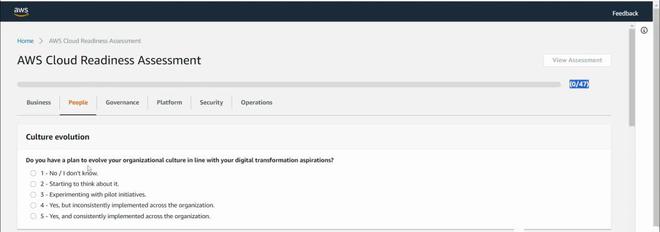
Assessing the skills, roles, and cultural aspects required for a successful cloud adoption journey. 👁 People Fig. 4
CART highlights potential skill gaps and areas for training and upskilling.
4. Governance Perspective:
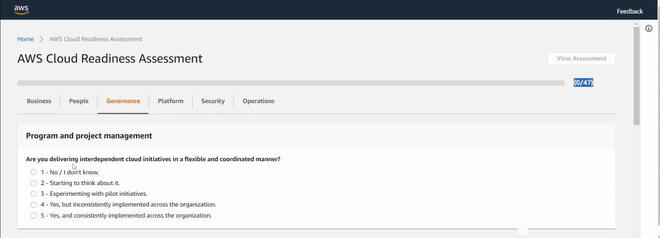
Analyzing the existing governance framework and identifying areas for improvement. 👁 Governence Fig. 5
It ensures that policies, compliance, and risk management are addressed in the context of the cloud.
5. Platform Perspective:
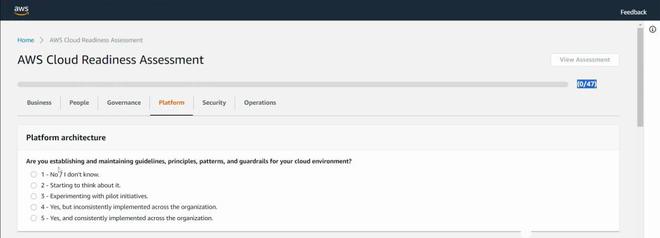
Evaluating the current infrastructure and architecture to determine its compatibility with cloud services. 👁 Platform Fig. 6
Identifying opportunities for optimization and scalability.
6. Security Perspective:
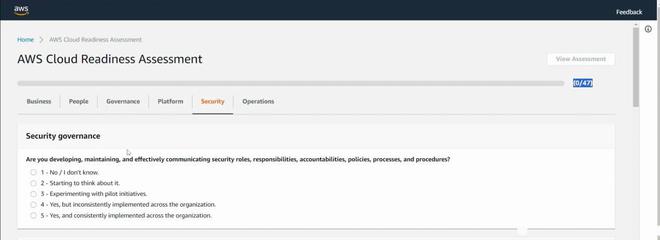
Assessing the security measures in place and recommending enhancements for a robust cloud security posture. 👁 Security Fig. 7
Highlighting potential vulnerabilities and proposing mitigation strategies.
7. Operations Perspective:
Examining existing operational processes and procedures to ensure they align with cloud best practices. 👁 Operations Fig. 8
Identifying opportunities for automation and efficiency gains.
Migration Readiness Assessment (MRA)
Migration Readiness Assessment focuses on evaluating an organization's preparedness specifically for the migration phase of adopting cloud services. MRA goes beyond the initial readiness assessment provided by CART, delving deeper into the technical and operational aspects of the migration process (Total 76 question and it's paid).
1. Workload Analysis:
MRA involves a detailed analysis of the existing workloads and applications.
It categorizes workloads based on their complexity, dependencies, and criticality.
2. Risk Assessment:
Evaluating the risks associated with migration, including technical challenges, potential disruptions, and compliance considerations.
Identifying mitigation strategies to address these risks.
3. Resource Mapping:
Mapping existing resources to suitable AWS services and determining the optimal deployment model (e.g., Infrastructure as a Service, Platform as a Service, Serverless).
Ensuring that the chosen AWS services align with business requirements.
4. Cost Estimation:
Estimating the costs associated with the migration, including one-time costs and ongoing operational expenses.
Providing insights into potential cost savings and optimization opportunities.
5. Timeline and Roadmap:
Developing a migration timeline and roadmap, outlining key milestones and dependencies.
Ensuring a phased approach that minimizes disruptions to business operations.
6. Skill and Training Needs:
Identifying the skills required for successful migration and recommending training programs.
Ensuring that the team is equipped to manage and optimize cloud resources effectively.
Integration of Assessment Phase with AWS CAF and Migration Strategies
1. Informed Decision-Making:
The insights gained from CART and MRA inform decision-making throughout the AWS Cloud Adoption Framework perspectives.
Organizations can align their strategies with the findings from the assessment phase.
2. Prioritization of Migration Strategies:
CART and MRA assist in prioritizing migration strategies based on organizational readiness, risk tolerance, and business priorities.
This ensures a well-considered and phased approach to migration.
3. Alignment with Financial Considerations:
The assessment phase helps organizations conduct a thorough Total Cost of Ownership (TCO) analysis, aligning with financial considerations and the balance between CapEx and OpEx.
4. Continuous Improvement:
The assessment phase is not a one-time activity; it sets the stage for continuous improvement.
Organizations can revisit assessments periodically to adapt to evolving business needs and technological advancements.
Migration Strategies
Migrating to the cloud involves moving applications, data, and workloads from on-premises environments to the cloud. AWS offers a range of migration strategies, allowing organizations to choose the approach that best suits their specific needs. Some common migration strategies include:
Rehosting (Lift and Shift): This strategy involves moving applications and workloads to the cloud without making significant changes. It is a quick and straightforward approach, suitable for applications with minimal dependencies on the underlying infrastructure.
Replatforming (Lift, Tinker, and Shift): In this strategy, organizations make minor adjustments to their applications to optimize performance and take advantage of cloud-native features. This approach offers a balance between speed and optimization.
Refactoring (Re-architecting): Organizations redesign or redevelop applications to fully leverage cloud-native capabilities. This strategy can result in improved performance, scalability, and cost efficiency but requires more time and resources.
Rearchitecting for Resilience: This strategy involves designing applications to be resilient in the cloud, minimizing downtime and disruptions. It often includes the use of managed services and serverless architectures.
Retiring: Identifying and decommissioning applications or services that are no longer necessary. This simplifies the migration process and reduces ongoing operational costs.
Retaining: Some applications may remain on-premises for various reasons, such as regulatory requirements or specific hardware dependencies. This strategy involves keeping certain workloads in the existing environment.
Best Practices for Successful Cloud Adoption and Migration
Executive Support: Ensure leadership commitment and support for the cloud adoption journey to drive organizational change effectively.
Skill Development: Invest in training and upskilling teams to equip them with the necessary skills for managing cloud resources.
Start Small, Scale Fast: Begin with a pilot project or a smaller workload to gain experience and confidence before scaling up cloud adoption efforts.
Security First: Prioritize security from the outset, integrating security measures into the entire cloud adoption lifecycle.
Cost Optimization: Continuously monitor and optimize costs by leveraging AWS cost management tools and best practices.
Automate Everything: Embrace automation to streamline processes, enhance efficiency, and reduce the risk of human errors.
Performance Monitoring: Implement robust monitoring and analytics to ensure optimal performance and to proactively address any issues.
Iterative Improvement: Adopt an iterative approach to cloud adoption, learning from experiences and continuously refining strategies.
AWS Snow Family:
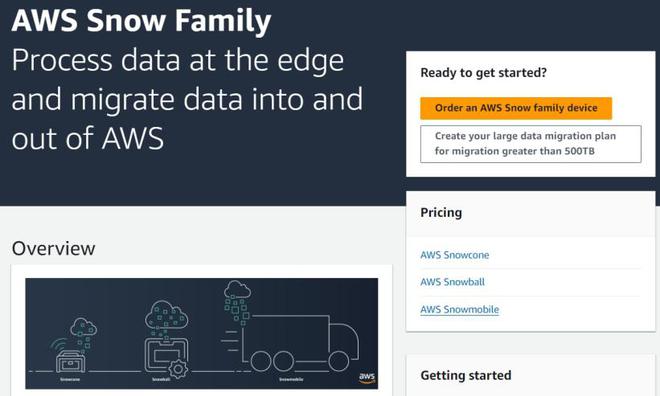
Aws snow family is a set of physical devices designed to simplify and accelerate large-scale data transfer and storage across different environments.
It includes snowcone, snowball, and snowmobile, each built to handle different data sizes and operational requirements.
These devices help organizations securely move and process massive volumes of data when network-based transfer is impractical.
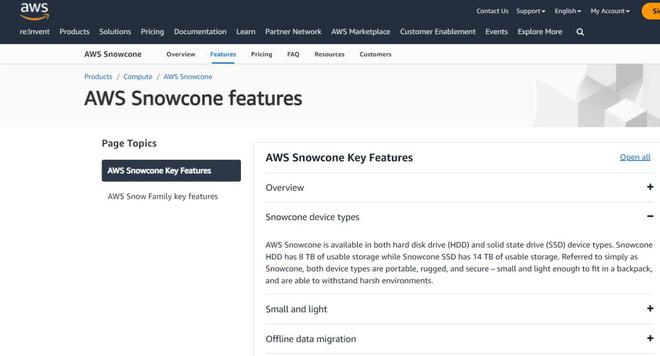
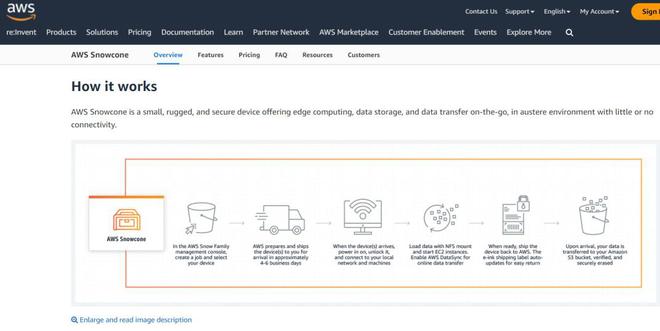
AWS Snowcone is the compact yet powerful member of the SnowFamily, designed for mobility and efficiency in challenging environments. With 14 terabytes of usable storage, Snowcone is suitable for edge computing, IoT deployments, and scenarios where connectivity may be limited.
The device is equipped with security features, including encryption and tamper-evident seals, ensuring the integrity and confidentiality of the data during transit. Snowcone's versatility and durability make it a valuable asset for industries such as healthcare, energy, and logistics, where real-time data processing and transfer are critical.
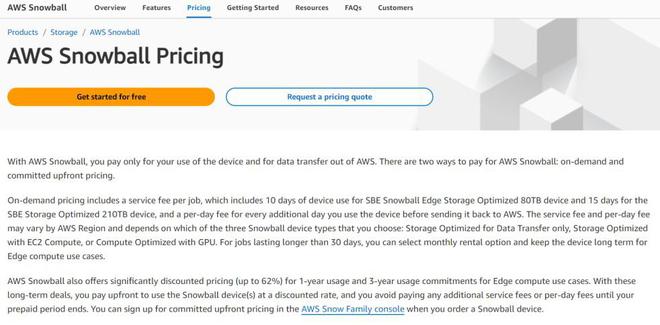
AWS Snowball offers scalable solutions for organizations dealing with substantial data volumes. Available in two variations, Snowball Edge and Snowball, these devices simplify the process of transferring large datasets into and out of the AWS Cloud.
Snowball devices come with storage capacities ranging from 42 terabytes to 80 terabytes, making them ideal for data migration, content distribution, and backup tasks. In addition to their substantial storage capabilities, Snowball Edge devices include compute capabilities, allowing organizations to run applications and perform data processing tasks locally before transferring the data to the cloud.
AWS Snowmobile: Handling Exabytes at Scale
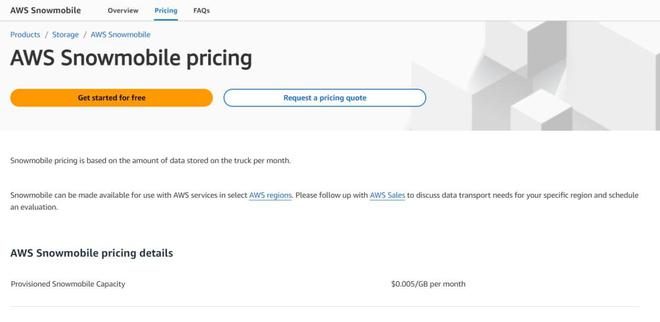
For organizations dealing with truly massive datasets, AWS Snowmobile offers a groundbreaking solution. This colossal, ruggedized shipping container provides storage capacity of up to 100 petabytes. Snowmobile is specifically designed to securely and efficiently move exabytes of data from on-premises data centers to the AWS Cloud.
Overcoming the challenges associated with transferring massive datasets over the internet, Snowmobile represents a compelling option for industries dealing with vast amounts of data, such as media and entertainment, genomics, and scientific research. AWS manages the secure transportation of the Snowmobile to an AWS data center, where the data is ingested into the cloud.
Cloud Storage Gateway:
AWS provides Cloud Storage Gateway and the AWS Snow Family to help organizations seamlessly connect on-premises environments with cloud storage. These services simplify large-scale data transfer, backup, and hybrid storage integration with AWS.
Cloud storage gateway enables on-premises applications to use aws storage for backup, disaster recovery, and data tiering
AWS snow family includes snowcone, snowball, and snowmobile for offline data transfer at different scales.
Together, they bridge the gap between on-premises infrastructure and the AWS cloud.


-660.jpg)
-660.jpg)