|
VOOZH | about |
|
VOOZH | about |
AWS Web Application Firewall (WAF) is a fully managed service by AWS that protects your web applications from bad traffic and malicious threats. It integrates with many AWS services including Amazon CloudFront, Application Load Balancer (ALB), API Gateway and AWS App Runner.
AWS WAF works by allowing you to create security rules that inspect incoming HTTP(S) requests. These rules can detect and block bad traffic so only good requests get to your application. The firewall evaluates each request based on the criteria you set, such as the request’s IP address, geographic location, query strings and HTTP headers. If a request matches any of your rules, AWS WAF takes the action you specified – block, allow or count the request.
AWS WAF is a robust security tool designed to protect your web applications from harmful traffic and common vulnerabilities. It allows you to create customizable security rules that evaluate incoming HTTP(S) requests, block bad traffic, and allow legitimate requests. By filtering web traffic, AWS WAF ensures that only authorized users can access your resources.
With AWS WAF, you can:
AWS WAF continuously monitors all incoming and outgoing web requests that pass through services such as API Gateway,Amazon CloudFront, and Application Load Balancer (ALB) to help protect your web applications from malicious traffic.
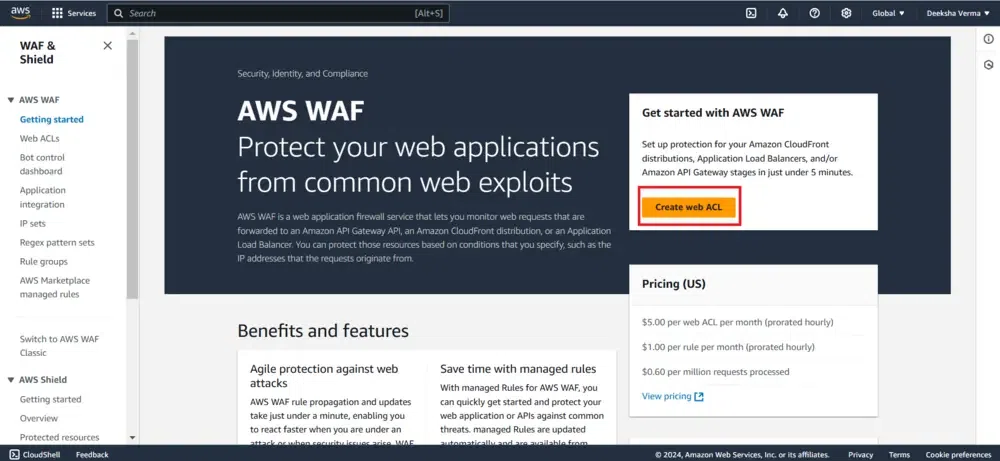
Firstly signing up for an AWS account if you haven’t already. Next, go to the AWS Console and search for "Web Application Firewall." This will take you to the AWS WAF home page, where you can select the option to create a new Web ACL
Before Going to next step, refer to the article - Identity and Access Management (IAM) in AWS
Enter a name to identify your Web ACL. You can also add an optional description if desired. Once done, click "Next" to proceed
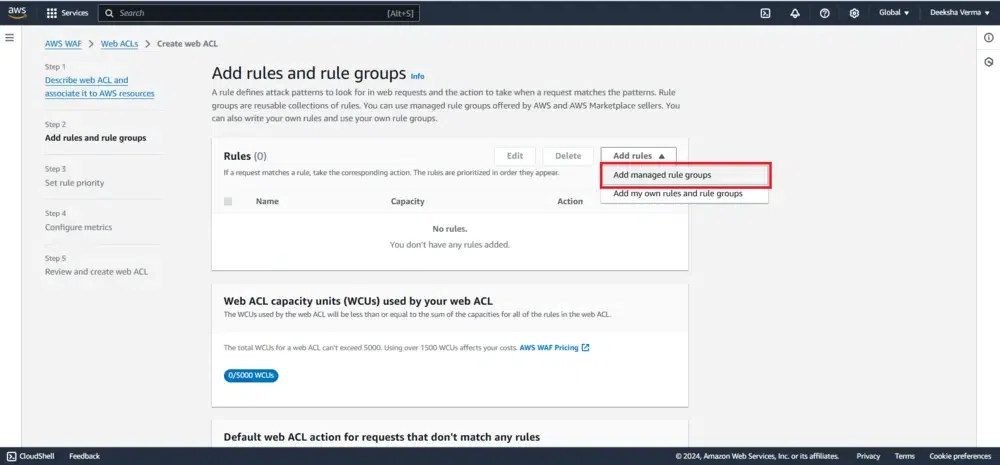
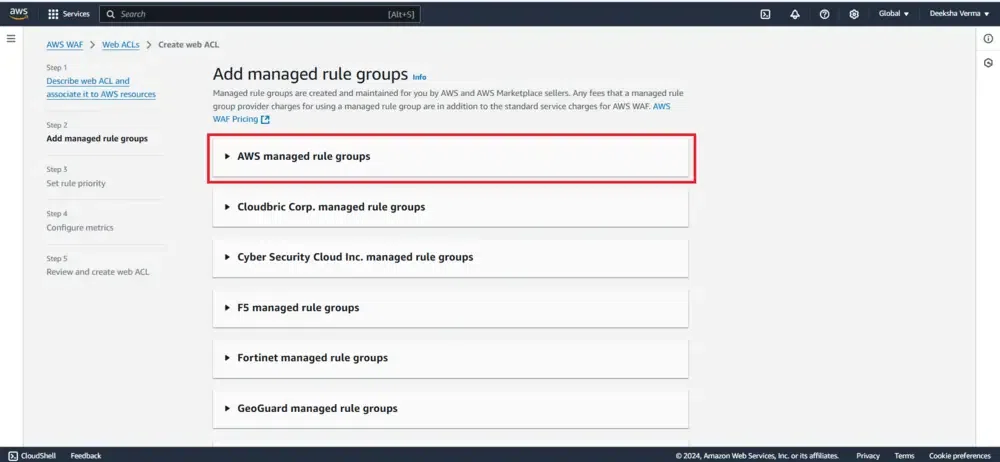
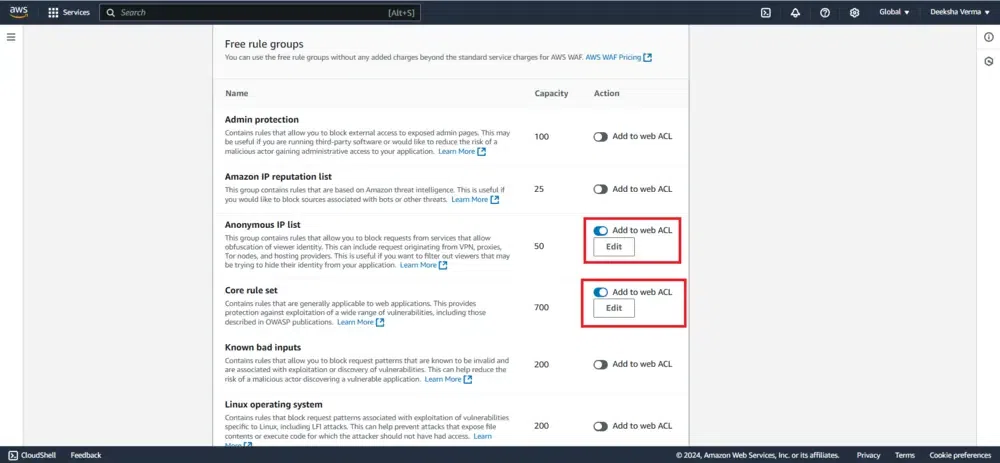
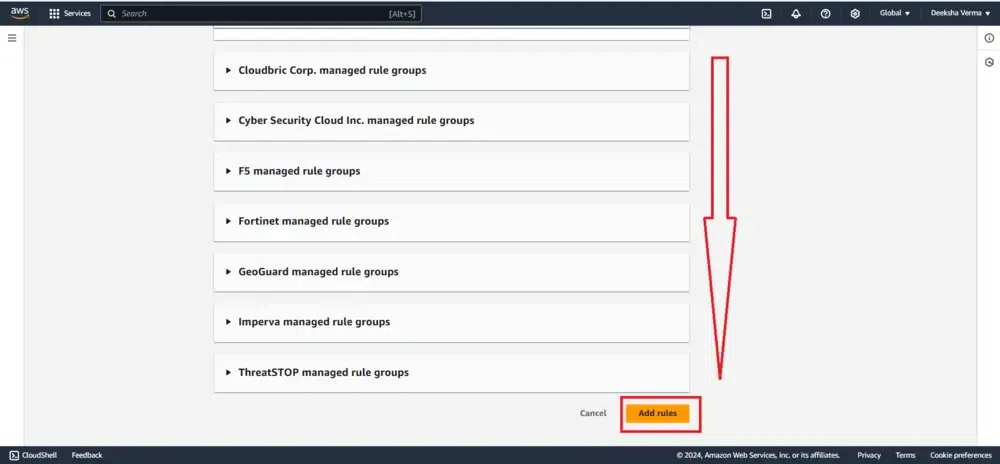
In this step, you’ll need to add rules and rule groups. Select "Add managed rule groups", which will take you to a page where you can manage the rule groups, as shown in the reference snapshot
AWS Managed Rules offers a selection of predefined rule groups, most of which are free for AWS WAF users. Once you’ve added a managed rule group, save the configuration.
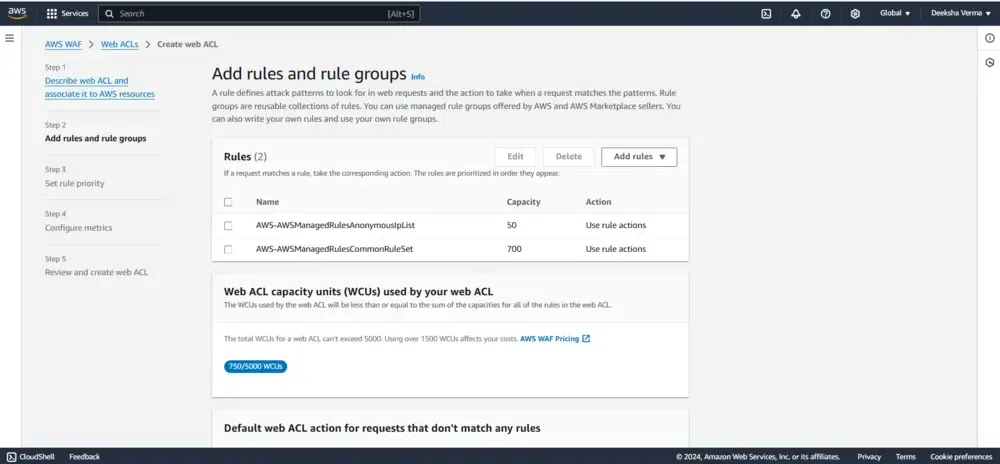
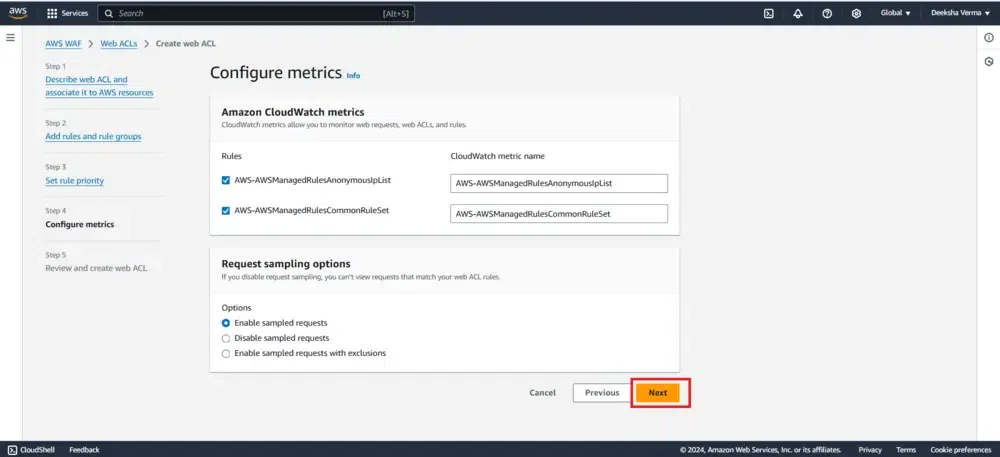
In this setup, we’ll create two specific rules to define the traffic patterns we want to allow or block:
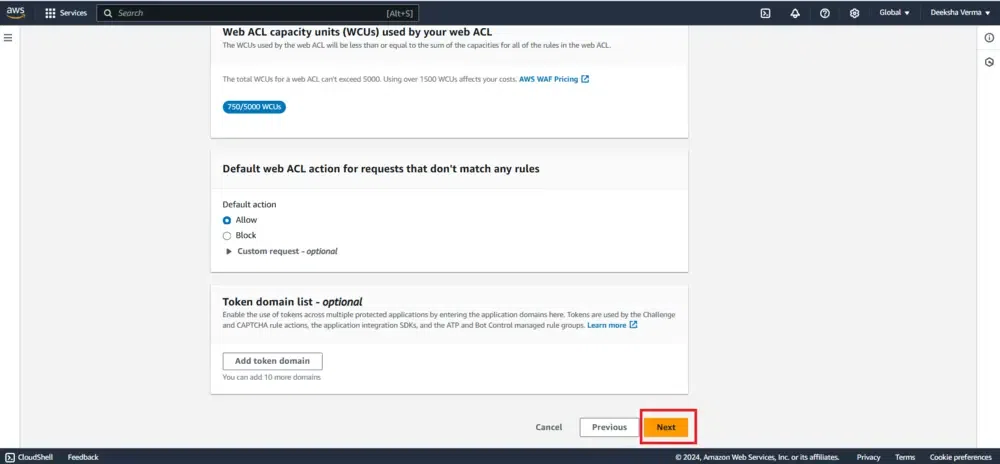
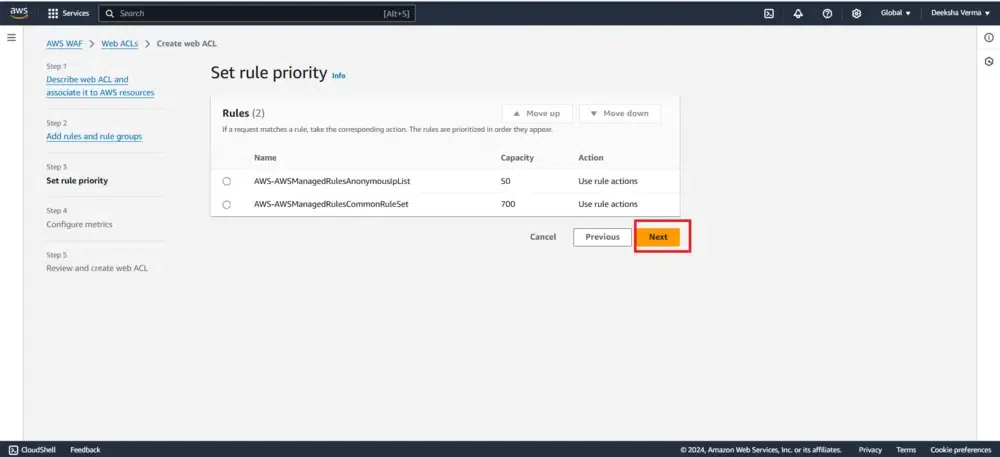
After that, check the added rules and hit Next
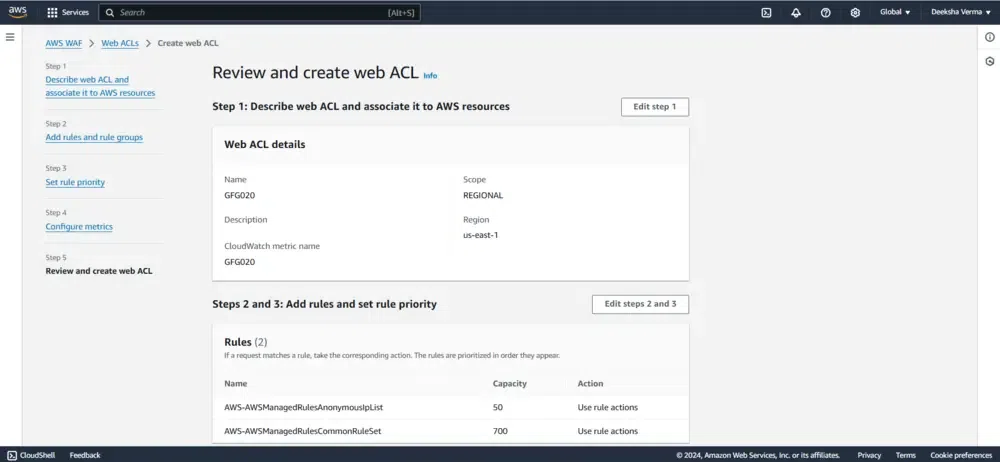
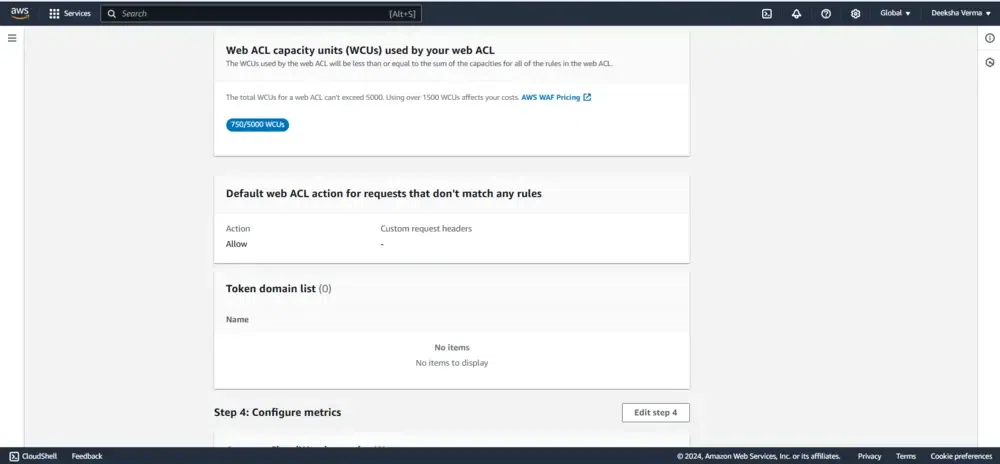
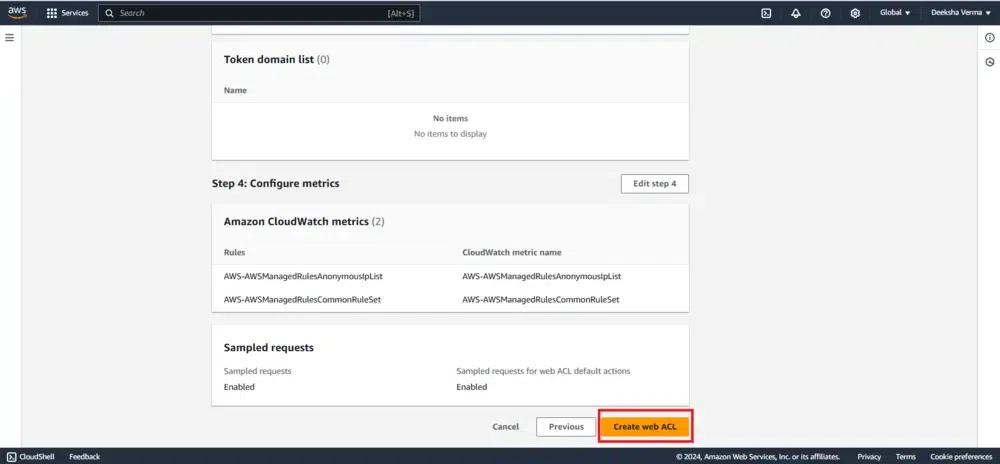
In the final step, review all selected rules and managed rule groups to ensure they meet your requirements. Once confirmed, click "Create Web ACL" to complete the setup
A confirmation message will appear saying, "You have successfully created Web ACL: [ACL-name]".
AWS WAF comes with several features that make it a reliable and scalable solution for web application security:
AWS WAF allows you to create custom security rules tailored to your application’s specific needs. You can set conditions based on various factors, such as IP addresses, HTTP headers, or geographical location. This customization helps ensure that only legitimate traffic reaches your application, while harmful requests are blocked.
For a faster setup, AWS WAF provides pre-configured managed rule groups that protect against common threats like SQL injection, cross-site scripting (XSS), and malicious IP addresses. These rules are regularly updated to stay ahead of emerging security risks, making it easy for you to get started with minimal configuration.
AWS WAF provides real-time monitoring and logging of web traffic. With AWS WAF Logs, you can track detailed information about each request, including which rules were triggered and what actions were taken. This visibility helps you analyze traffic patterns, troubleshoot issues, and fine-tune your security settings over time.
AWS WAF integrates with AWS Shield, offering automatic protection against Distributed Denial of Service (DDoS) attacks. This integration ensures your application remains available and responsive, even during large-scale attack attempts.
AWS WAF operates on a pay-as-you-go pricing model, meaning you only pay for the rules you create and the volume of web requests your application receives. As your application grows, AWS WAF scales automatically to handle increased traffic, ensuring continued protection without added complexity.
AWS WAF operates on a pay-as-you-go pricing model, making it cost-effective for businesses of all sizes. The main factors influencing the pricing are: