|
VOOZH | about |
|
VOOZH | about |
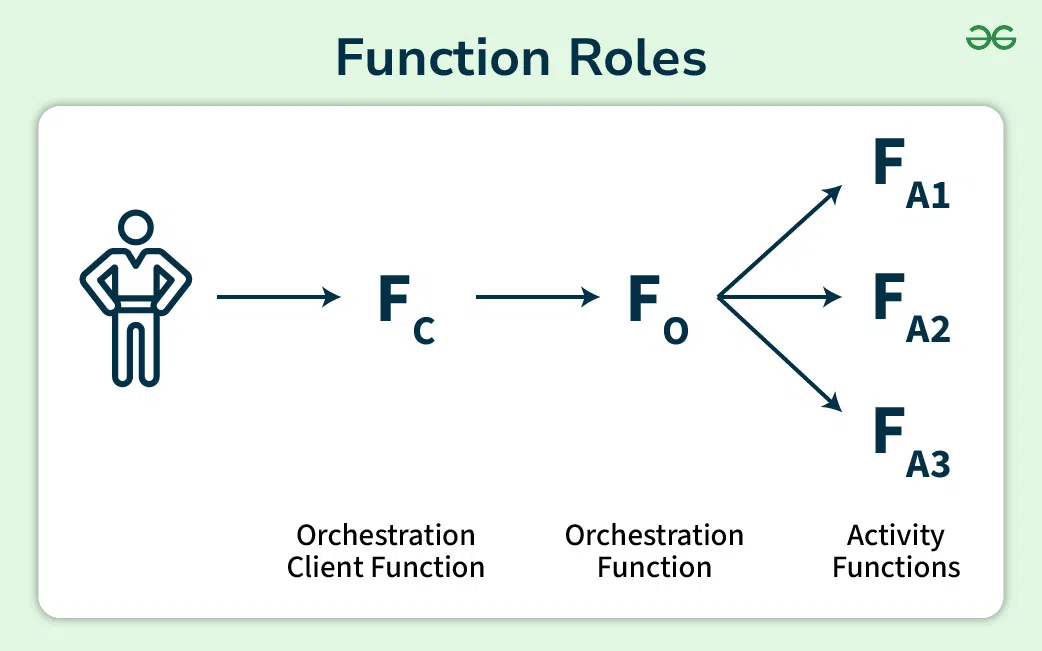
In this tutorial, we will orchestrate a workflow relying 100% on a serverless approach based on Azure Durable Functions. Azure Durable Functions. Azure Durable Functions is an extension of Azure Functions which lets us write stateful and serverless functions using C# or JavaScript programming languages. It gives us the orchestration of a long-running task, error handling, and state management across other functions.
In a simplified workflow management the Durable Functions gives us a straightforward way to express long running operations in code as well as avoid the processing on our own.
To orchestrate the processing of orders which includes payment, inventory management and shipping with the help of Durable Functions.
Step 1: Open Visual Studio
Step 2: Click on "Create a new project" and search for "Azure Function"
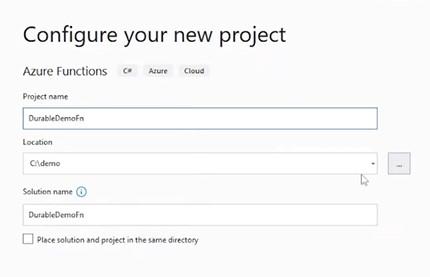
Step 3: Give your project a name and a path , click on create
Step 4: Select "Durable Functions Orchestration", click on create
Step 5: After creating you will be able to see a code format
using System.Collections.Generic;
using System.Threading.Tasks;
using Microsoft.Azure.WebJobs;
using Microsoft.Azure.WebJobs.Extensions.Http;
using Microsoft.AspNetCore.Mvc;
using Microsoft.Extensions.Logging;
using Microsoft.AspNetCore.Http;
using Newtonsoft.Json;
namespace DurableDemoFn
{

public static class Function1
{
 [FunctionName("OrchestratorFunction")]
 public static async Task<List<string>> RunOrchestrator(
 [OrchestrationTrigger] IDurableOrchestrationContext context)
 {
 var outputs = new List<string>();

 // Calling activity functions in sequence.
 outputs.Add(await context.CallActivityAsync<string>("ATM", "200"));
 outputs.Add(await context.CallActivityAsync<string>("BuyGrocery", "Potato"));
 outputs.Add(await context.CallActivityAsync<string>("DepositMoney", "Citibank"));

 // returns ["Hello Tokyo!", "Hello London!", "Hello Seattle!"]
 return outputs;
 }
 [FunctionName("ATM")]
public static string GetCash([ActivityTrigger] string name, ILogger log)
{
 log.LogInformation($"Saying hello to {name}.");
 return $"Cash {name} withdrawn!";
}
 [FunctionName("BuyGrocery")]
public static string GetItems([ActivityTrigger] string name, ILogger log)
{
 log.LogInformation($"Saying hello to {name}.");
 return $"Bought {name}!";
}
[FunctionName("DepositMoney")]
public static string SaveCash([ActivityTrigger] string name, ILogger log)
{
 log.LogInformation($"Saying hello to {name}.");
 return $"Deposited money in {name}!";
}

[FunctionName("HttpStart")]
public static async Task<IActionResult> HttpStart(
 [HttpTrigger(AuthorizationLevel.Function, "get", "post")] HttpRequest req,
 [DurableClient] IDurableOrchestrationClient starter,
 ILogger log)
{
 // Function input comes from the request content.
 string instanceId = await starter.StartNewAsync("OrchestratorFunction", null);

 log.LogInformation($"Started orchestration with ID = '{instanceId}'.");

 return starter.CreateCheckStatusResponse(req, instanceId);
}

}
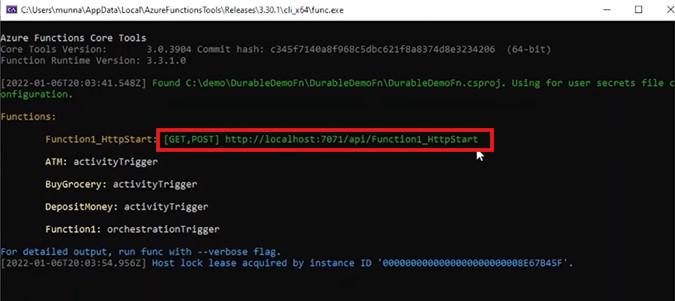
Step 6: Click on Build and after that Run it.
Step 7: Copy the URL show in the terminal window.
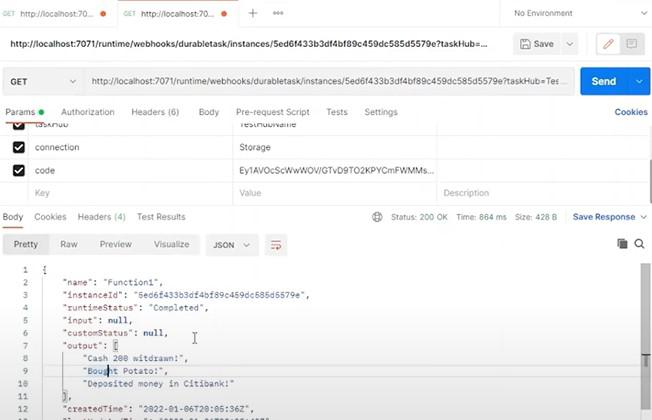
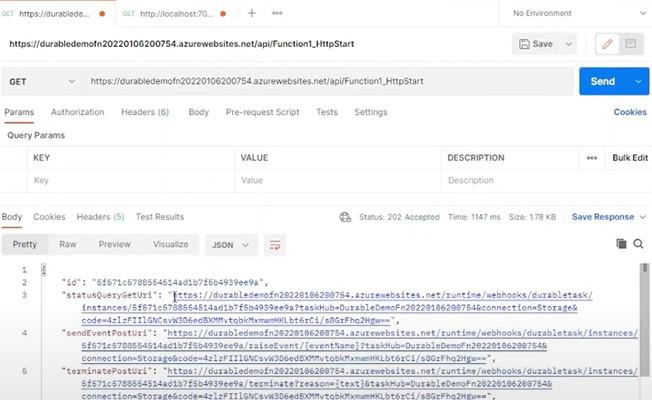
Step 8: Open Postman and paste the URL and Click on send
Step 9: To get the status workflow , Copy the StatusQueryURL and paste it in a new tab in postman.
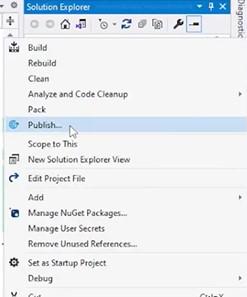
Step 10: Stop the RUN and Click on Publish
Step 11: Click on Azure > Next then Click on Azure Function App (Windows) > Next
Step 12: Click on the Plus sign and Click on create > Finish
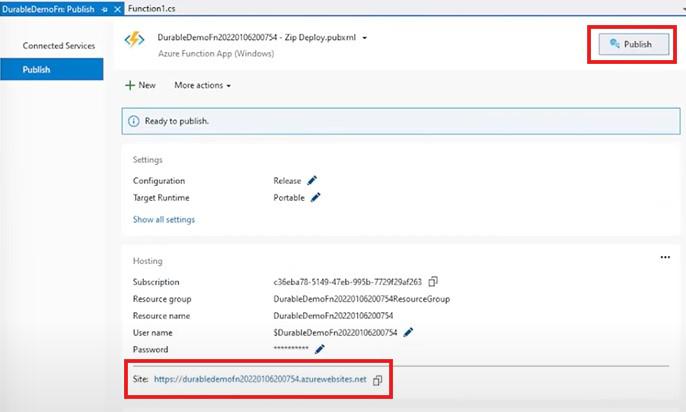
Step 13: Copy the Site URL and Click on Publish
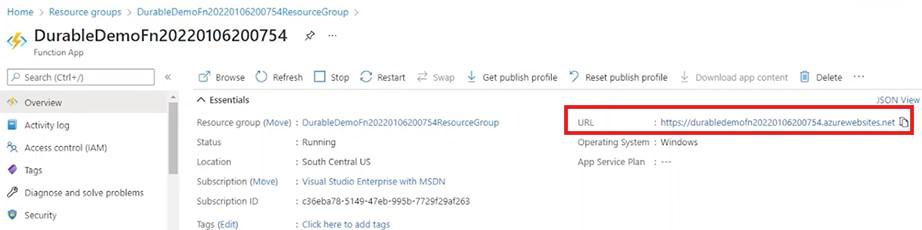
Step 14: Open your Azure account and under Resource Groups find the published project , Now copy the base URL
Step 15: To verify if the Function is running copy the base url from the azure account and replace it with "http://localhost:7071" and click on send.
Here are some best practices for optimizing the performance of Azure Durable Functions:
Monitoring And Diagnostics
Azure Durable Functions simplify the management of long-running tasks in a serverless environment by providing state management, error handling, and automatic scaling.