Microsoft Azure virtual machines (VMs) provide scalable on-demand computing resources. Configuring the network settings of these virtual machines is important to ensure they communicate effectively and securely within your infrastructure. This article walks you through the basics and step-by-step procedures for setting up a network and provides examples and answers to frequently asked questions.
Key points
Virtual Network (VNet)
An isolated communication network on Azure that allows resources, such as VMs, to communicate with each other securely.
Subnet
A subdivision of a VNet that provides better network segmentation and traffic management.
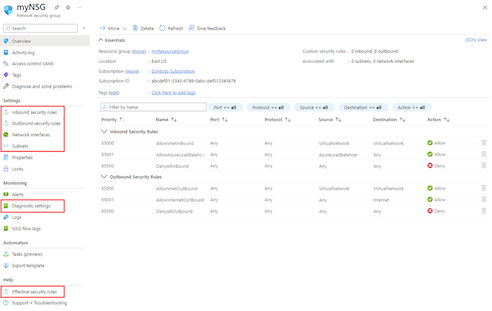
Network Security Group (NSG)
The security group that controls access to and from Azure resources.
Public IP address
The IP address that allows access to Azure resources from the internet.
Private IP address:
IP address used for communication in the VNet.
DNS (Domain Name System)
The system that translates domain names into IP addresses and allows resources to be accessed from memory.
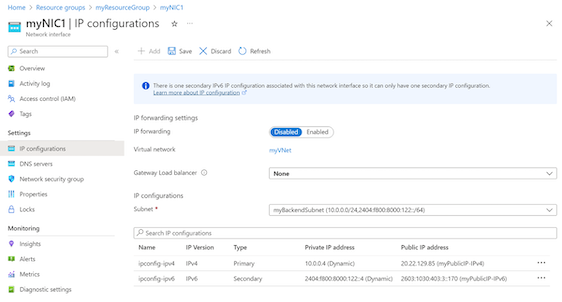
Network Interface (NIC)
A device that provides network connectivity to virtual machines.
Step by Step Process To Configuring Network Settings for Azure VMs
Assume you are running a web application on an Azure VM. You will configure a VNet with multiple subnets for frontend and backend services. Configure NSG to allow HTTP/HTTPS traffic to the frontend and deny access to the backend. Assign the front-end virtual machine a public IP for Internet access and use a private IP for back-end communication.
Configuring Network Settings for Azure VMs - FAQs
How can I protect my Azure VM network traffic?
Use NSG to define internal and external security policies.
Can I change the IP address of an existing virtual machine?
Yes, you can change the public and private IP address by changing the NIC settings of the virtual machine.
What is the difference between public IP address and private IP address?
The public IP address allows access to Azure resources over the Internet, while the private IP address is used for internal communications within the VNet.
How can I assign an appropriate IP address to my Azure VM?
In the NIC setting, set the IP address to operate statically instead of dynamically.
Can I use my own DNS server with Azure VM?
Yes, you can set custom DNS servers in your VNet environment.