|
VOOZH | about |
|
VOOZH | about |
Ansible is a software tool that automates cross-platform computer support in a simple yet effective way. It is primarily aimed at IT professionals, who use it for application deployment, workstation and server updates, cloud provisioning, configuration management, intra-service orchestration, and much anything else a systems administrator does on a weekly or daily basis.
Ansible is an IaC open-source software suite developed in Python. It solves issues with software provisioning, updates, configuration management, and application functionality. Furthermore, it automates the IT experience, streamlining collaboration between a central server and several distant servers, and it uses files to hold automation code for all of these operations. These files are known as an Ansible Playbook. Furthermore, Ansible is a push-model program that operates without an agent. This implies that host computers do not require any software to function.
Here is the step-by-step process to disable Host Key Checking:
First, you can use the -o option with the ssh command to prevent host key checking for a single SSH session.
ssh -o StrictHostKeyChecking=no user@hostnameOutput:
You need to Change the ANSIBLE_HOST_KEY_CHECKING variable in your shell or a script, also you can turn off host key checking.
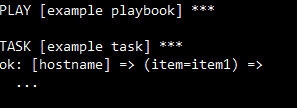
export ANSIBLE_HOST_KEY_CHECKING=FalseOutput:
In the next step, The SSH client can also be set up to reject host key verification and this can be completed by adding SSH options to the Ansible configuration or by editing the SSH configuration file.
Host *
 StrictHostKeyChecking no;
 UserKnownHostsFile /dev/null
Next, enter the SSH parameters listed below in the [ssh_connection] section.
[ssh_connection]
ssh_args = -o StrictHostKeyChecking=no -o UserKnownHostsFile=/dev/null
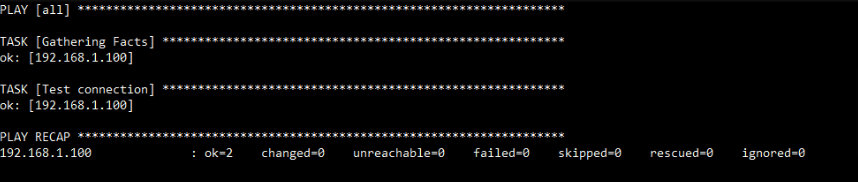
Next, you have to run an Ansible command to test the configuration to check the hosts are reachable and correctly configured.
ansible -m ping allOutput:
Now, you must save YML playbook file and write code as necessary. The following is an example code.
- name: filename
 hosts: EducativeGroup
 vars:
 ansible_ssh_common_args: '-o StrictHostKeyChecking=no'
 tasks:
Lastly, you can directly specify SSH parameters in your playbook or Ansible inventory.
[webservers]
192.168.1.100 ansible_ssh_common_args='-o StrictHostKeyChecking=no -o UserKnownHostsFile=/dev'
Output:
Below are some pros of Disabling Host Key Checking in Ansible
Below are some cons of Disabling Host Key Checking in Ansible
In this article, we have learned about Disabling Host Key Checking in Ansible: Pros and Cons. Ansible gives us the freedom to modify the processes to our needs. However, certain security and performance measures should remain unchanged. In our circumstance, we can use a few commands to avoid host key checks.