|
VOOZH | about |
|
VOOZH | about |
Docker is an application platform that offers rapid development, testing, and deployment of programs. Software by Docker packages applications into uniform units called containers that contain all the needed libraries, code, runtime, and system tools that are required to run the application. Using Docker allows the growth and deployment of apps quickly and in any environment in which there is assurance that the code executed will run successfully.
The most common reason for the "exec user process caused: exec format error" error is lacking script headers, such as #!/bin/bash. When you attempt to launch the container, it will begin waiting with a description of CrashLoopBackOff. Within the log files of the container, you will be presented with the actual name of the issue, and that's standard_init_linux.go:300: exec user process resulting in an "exec format error."
Find out your host machine's architecture first. You may use the following command to verify this.
uname -mOutput:
The next step is to confirm that your Docker image is compatible with the host system's architecture. Using tools like docker manifest or manually retrieving the image, you may examine the architecture of the file.
docker manifest inspect nginx:latestOutput:
You can use the following command to print out the architecture of the Docker image when you are attempting to run it.
docker inspect <image_name> | grep ArchitectureOutput:
Use the appropriate image version if the image architecture does not match your system. Docker should automatically select the appropriate version for your architecture because many Docker images offer multi-architecture builds. If this doesn't work, you might have to remove a particular version.
docker pull nginx:latest-arm64Output:
Ensure that you are building the Docker image to the right architecture if creating it in-house. Using Docker, you specify the target platform from the command line using the --platform flag.
docker build --platform linux/amd64 -t myimageOutput:
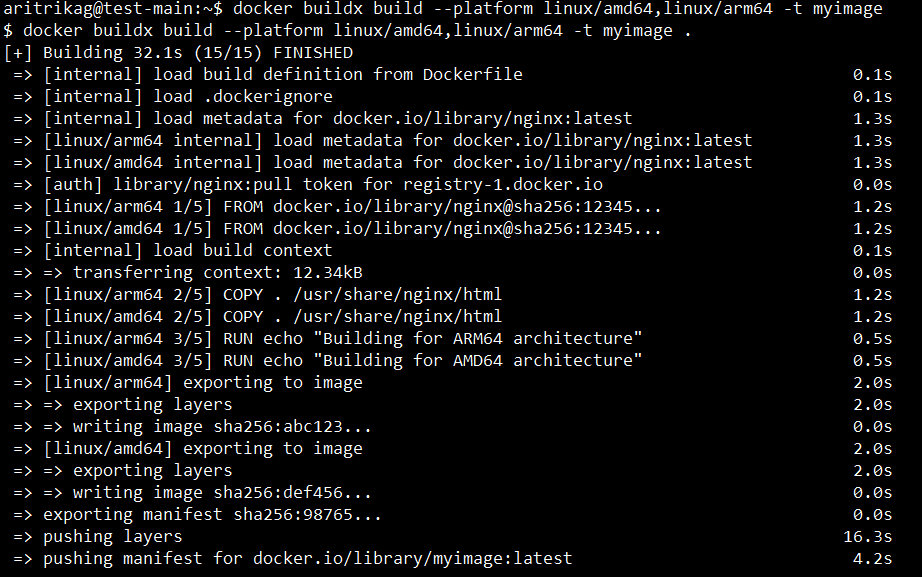
Developing cross-platform images requires Docker's build tool if, for example, one is developed on a Mac with an M1 processor-ARM architecture but delivers on an x86_64 server.
docker buildx build --platform linux/amd64,linux/arm64 -t myimageOutput:
Verify the container's configuration to use the appropriate shell or command if everything else seems to be in order. Either in your Dockerfile or during runtime, you may choose which shell to use.
docker run -it myimage /bin/bashOutput:
To make sure the error is fixed, run the container one more time.
docker run -it nginx:latestOutput:
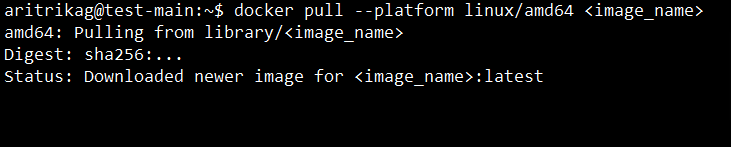
Check for the correct image to be built if the architectures don't match. For example, if the image is for arm64 but you are on a machine that runs x86_64, you would use the --platform parameter to grab the right version.
docker pull --platform linux/amd64 <image_name>Output:
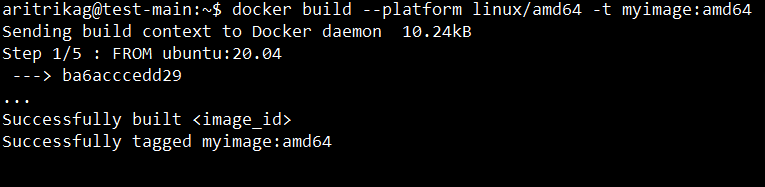
This can be specified at the time of building if you need to rebuild the image to the target architecture for compatibility.
docker build --platform linux/amd64 -t myimage:amd64 Output:
In conclusion, Docker: exec /usr/bin/sh: exec format error issues are really common for multi-platform setups, for instance, x86 and ARM architectures. Cross-platform deployments would run more smoothly, with reduced downtime, and improve performance by pinpointing the cause of the problem and through best practices in architectural compatibility management.