VOOZH about

URL: https://www.geeksforgeeks.org/devops/docker-jenkins-plugin-integration/

⇱ Docker | Jenkins plugin - GeeksforGeeks


  • Courses
  • Tutorials
  • Interview Prep

Docker | Jenkins plugin

Last Updated : 23 Jul, 2025

Combining Jenkins with Docker in CI/CD is a powerful duo. Jenkins, an open-source automation server, is used in the application development process to facilitate the implementation of CI/CD processes. Docker is a platform for developers to bundle their applications into containers, which are used to achieve consistency across different environmentsβ€”development and production. The Jenkins Docker plugin allows Docker to be smoothly integrated with Jenkins jobs to handle the building and deployment of containers ultimately improving the consistency, scalability, and reliability of the CI/CD process.

Primary Terminologies

  • Docker: Docker is a platform that enables the development, shipping, and running of applications. Docker packages software into standardized units that can be delivered using containerization, allowing the application to work seamlessly on any computing environment.
  • Jenkins: Jenkins is an open-source automation server used to automate building, testing, and deploying applications. It supports a large number of plugins that expand its features, including integration with many tools and platforms.
  • Docker Plugin for Jenkins: This is a Jenkins plugin that enables users to run Docker containers from within Jenkins jobs, it allows Jenkins to run jobs inside Docker containers and to control Docker hosts and Docker images, providing a repeatable and isolated environment for builds.
  • Continuous Integration/Continuous Deployment (CI/CD): CI/CD is a software development practice where code changes are automatically built, tested, and deployed. This approach enables faster software delivery with fewer errors since each code change is validated before merging.

Step-by-Step Process: Setting Up the Docker Plugin in Jenkins

Step 1: Install Docker

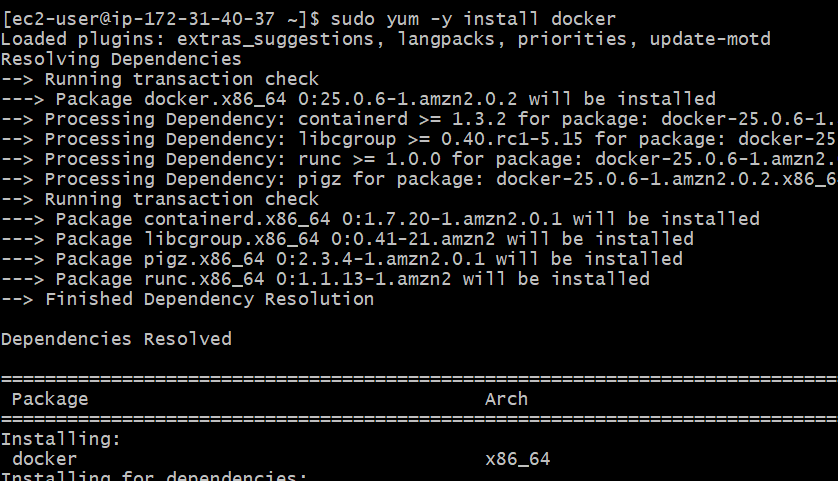
Install docker by using following command

sudo yum -y install docker
πŸ‘ Screenshot-2024-09-04-132100

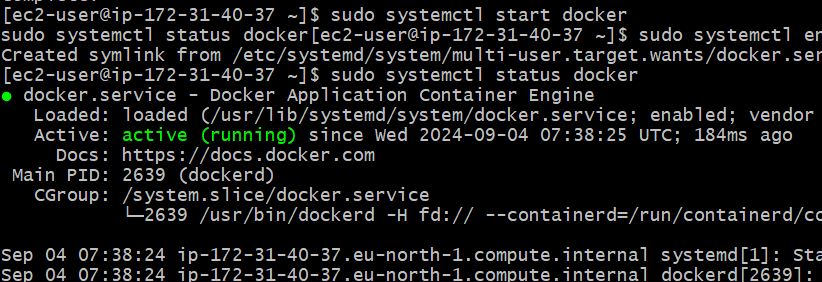
Now start and enable docker

sudo systemctl start docker
sudo systemctl enable docker
sudo systemctl status docker
πŸ‘ Screenshot-2024-09-04-132158

Step 2: Install Jenkins

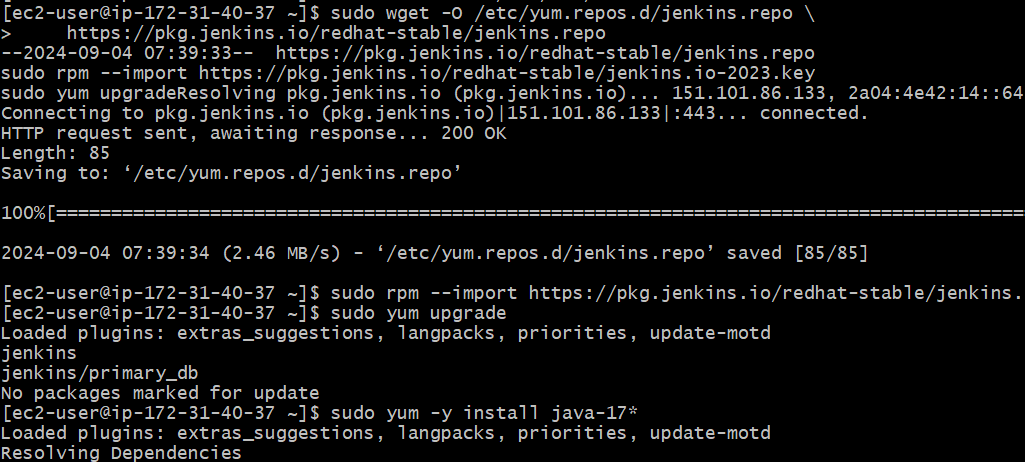
Now install Jenkins by following commands

sudo wget -O /etc/yum.repos.d/jenkins.repo \

https://pkg.jenkins.io/redhat-stable/jenkins.repo

sudo rpm --import https://pkg.jenkins.io/redhat-stable/jenkins.io-2023.key

sudo yum upgrade

sudo yum -y install java-17*

πŸ‘ Screenshot-2024-09-04-132236

Now install jenkins

sudo yum -y install jenkins
πŸ‘ Screenshot-2024-09-04-132325

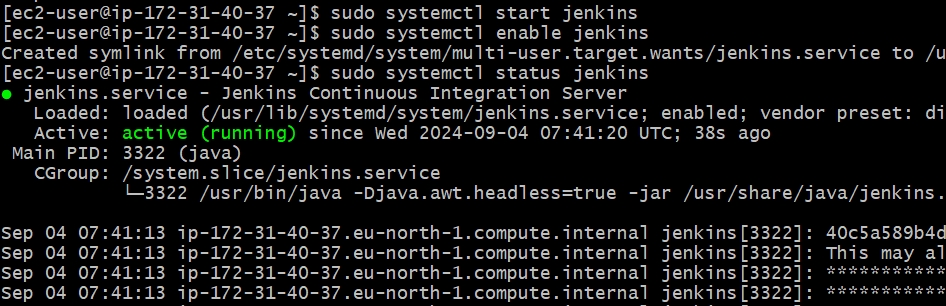
Start and enable jenkins

sudo systemctl start jenkins
sudo systemctl enable jenkins
sudo systemctl status jenkins
πŸ‘ Screenshot-2024-09-04-132406

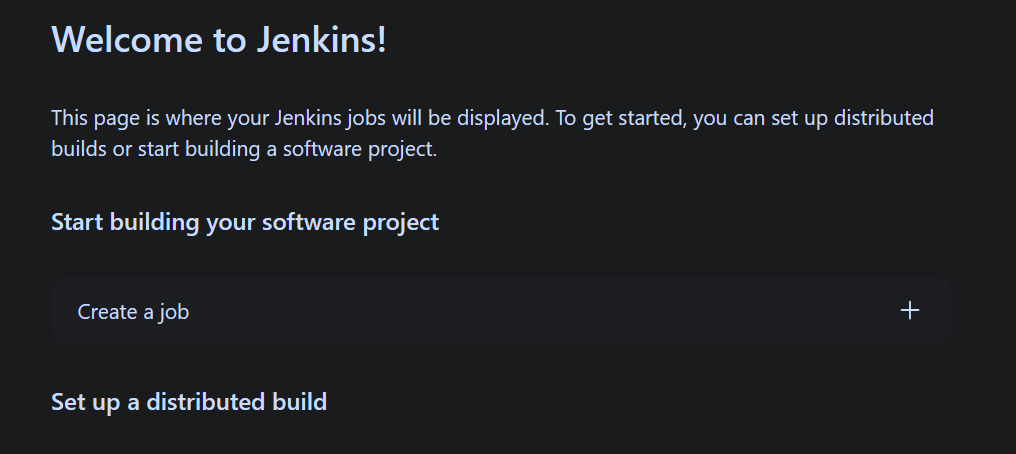
After completion of jenkins installation now connect by using <public-ip:8080>

πŸ‘ Screenshot-2024-09-04-132440

Step 3: Install the Docker Plugin in Jenkins

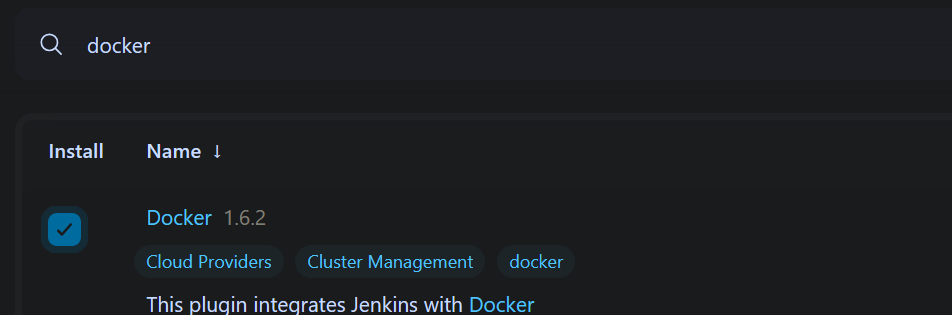
  • Navigate to Manage Jenkins > Manage Plugins.
  • In the Available tab, search for "Docker Plugin".
πŸ‘ Screenshot-2024-09-04-132615

Step 4: Configure Docker in Jenkins

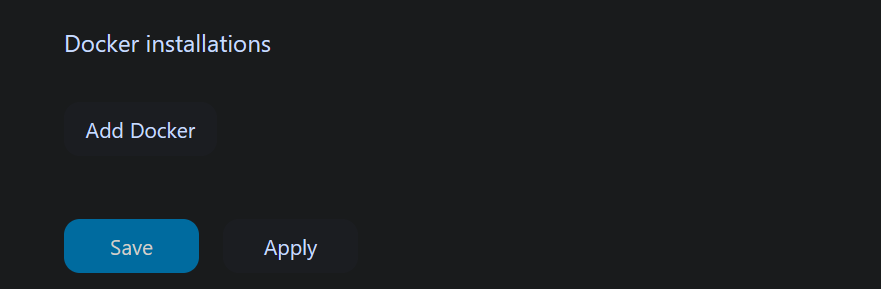
  • After installation, go to Manage Jenkins > Configure System.
  • Scroll down to the Docker section.
πŸ‘ Screenshot-2024-09-04-132734
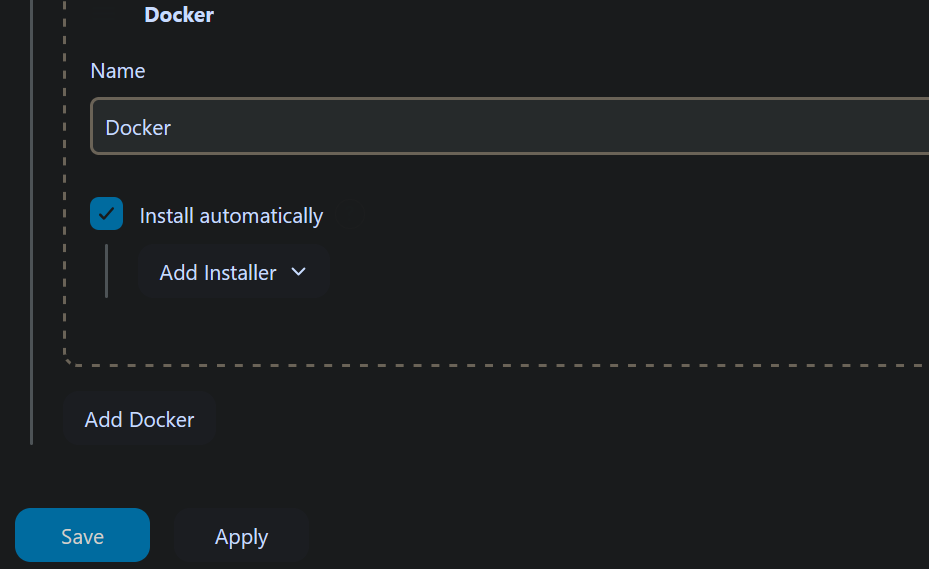
  • Add a new Docker cloud by clicking Add a new cloud > Docker.
  • Enter the Docker host URI (e.g., unix:///var/run/docker.sock for a local Docker installation).
  • Test the connection to ensure Jenkins can communicate with Docker.
πŸ‘ Screenshot-2024-09-04-133005

Step 5: Create a Jenkins Pipeline with Docker:

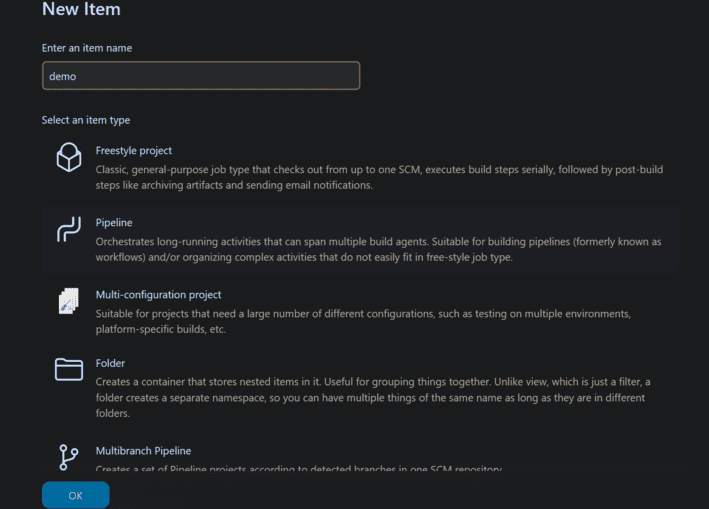
  • In Jenkins, create a new Pipeline project.
πŸ‘ Screenshot-2024-09-04-15

Example of a Jenkins file that builds a Docker image:

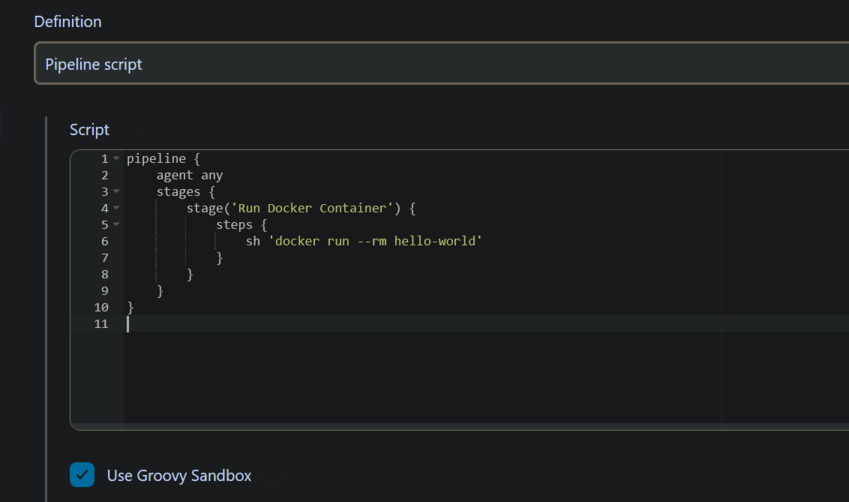
Running a Docker Container:

Use the docker command in a Jenkins pipeline to run a container.

pipeline {

agent any

stages {

stage('Run Docker Container') {

steps {

sh 'docker run --rm hello-world'

}

}

}

}

πŸ‘ Screenshot-2024-09-04-141904

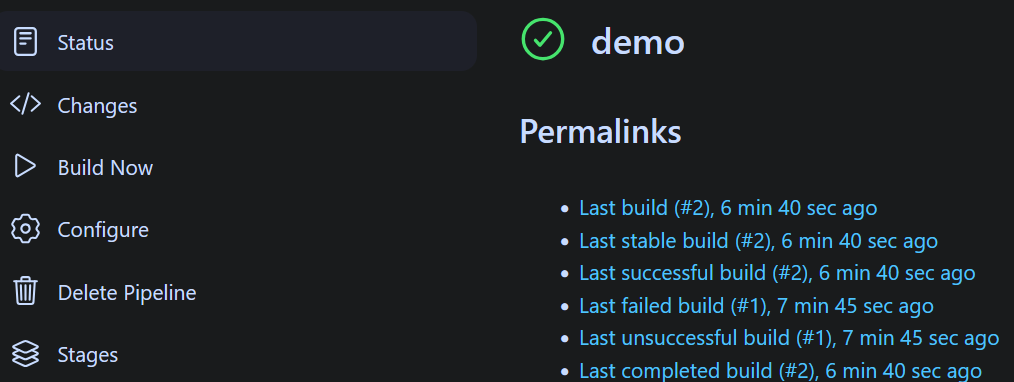
Now build the job

πŸ‘ Screenshot-2024-09-04-141719

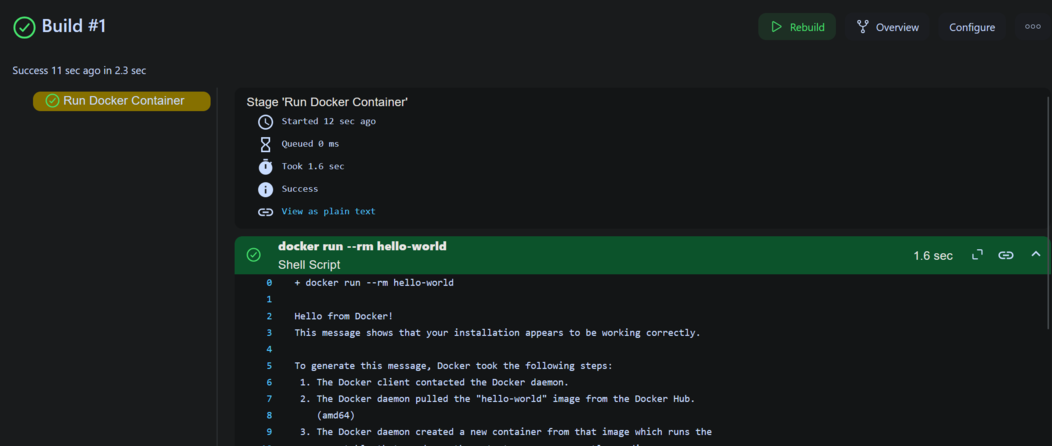
Here We see Output

πŸ‘ Screenshot-2024-09-04-141754

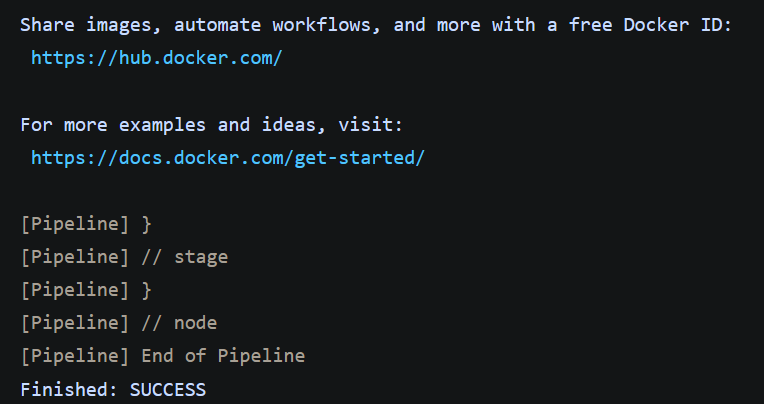
Here we see that pipeline console

πŸ‘ Screenshot-2024-09-04-153419

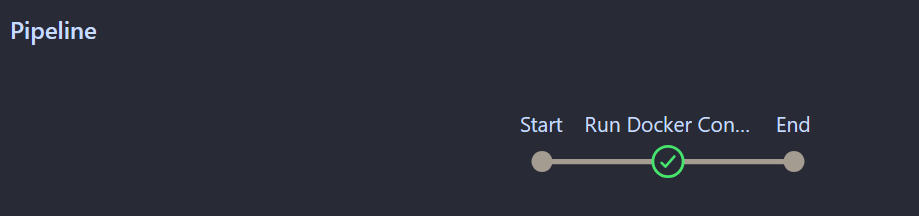
Here is the pipeline view of job

πŸ‘ Screenshot-2024-09-04-153706

Conclusion

A very strong solution to enhance the CI/CD process: Integrating Docker with Jenkins via the Docker plugin. Running Jenkins jobs inside Docker containers makes builds consistent and isolated, reducing the chance of errors due to the inconsistency of the environment

In this article, you have learned about installing and configuring the Jenkins Docker plugin, creating a Docker-based Jenkins job, and its management, in addition to understanding the benefits. By following the steps outlined above and best practices, an optimized CI/CD pipeline can be achieved for fast and reliable software delivery. As you iterate the setup Jenkins and Docker will come together to help manage complex workflows scale builds, and maintain high quality in your software projects.

Comment
Article Tags:
Article Tags: