Google Cloud Pub/Sub is a fully managed messaging service provided by Google Cloud that enables asynchronous communication between independent applications. It allows systems to exchange data reliably through a publish subscribe messaging model.By decoupling message producers and consumers, Pub/Sub enables scalable and resilient application architectures. Messages are delivered quickly while ensuring durability and reliability across distributed systems.
Asynchronous Messaging: Enables communication between services without direct dependencies.
High Scalability: Automatically scales to handle millions of messages per second.
Reliable Message Delivery: Ensures durable message storage and delivery to subscribers.
Event-Driven Architecture Support: Integrates with services such as Google Cloud Dataflow and Google Cloud Functions.
Core Terminologies in Google Cloud Pub/Sub
Understanding the core components of Pub/Sub helps in designing efficient messaging systems.
1. Publisher
A Publisher is an application or service that sends messages to a Pub/Sub topic.
Generates and sends messages to a specific topic.
Can be an application, microservice, or external system.
Supports publishing messages through APIs or client libraries.
Allows multiple publishers to send messages to the same topic.
2. Subscriber
A Subscriber is an application that receives messages from a subscription linked to a topic.
Pulls or receives messages published to the topic.
Processes messages for tasks such as notifications or analytics.
Supports push and pull delivery models.
Can acknowledge messages after successful processing.
3. Topic
A Topic is a named resource where publishers send messages.
Acts as a central channel for message distribution.
Allows multiple publishers to send messages to the same topic.
Can have multiple subscriptions attached to it.
Serves as the entry point for all published messages.
4. Subscription
A Subscription represents the stream of messages delivered from a topic to a subscriber.
Connects a subscriber application to a specific topic.
Enables reliable delivery of messages from the topic.
Supports push and pull message delivery.
Allows multiple subscribers to receive messages from the same topic.
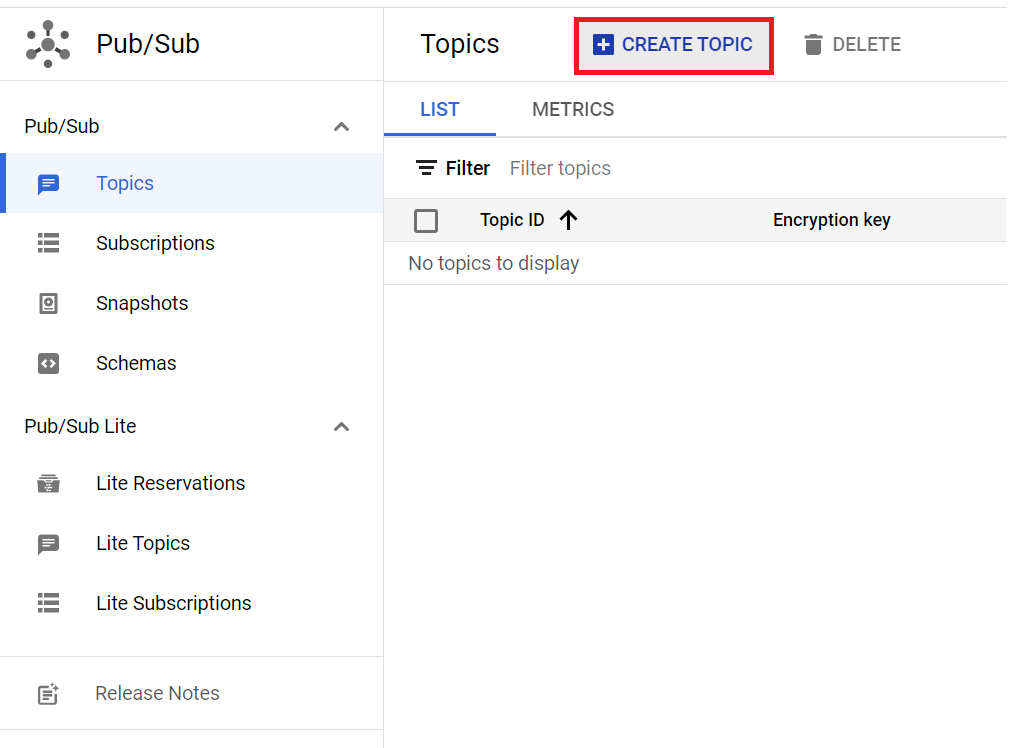
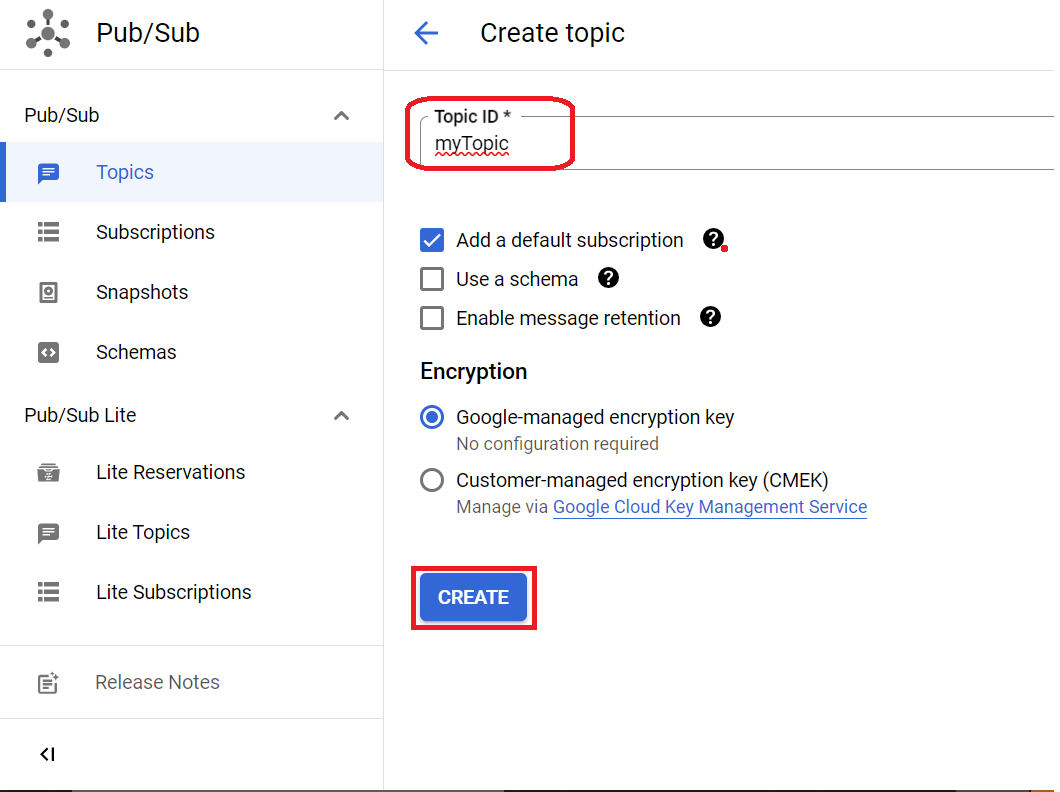
Steps To Creating a Pub/Sub Topic
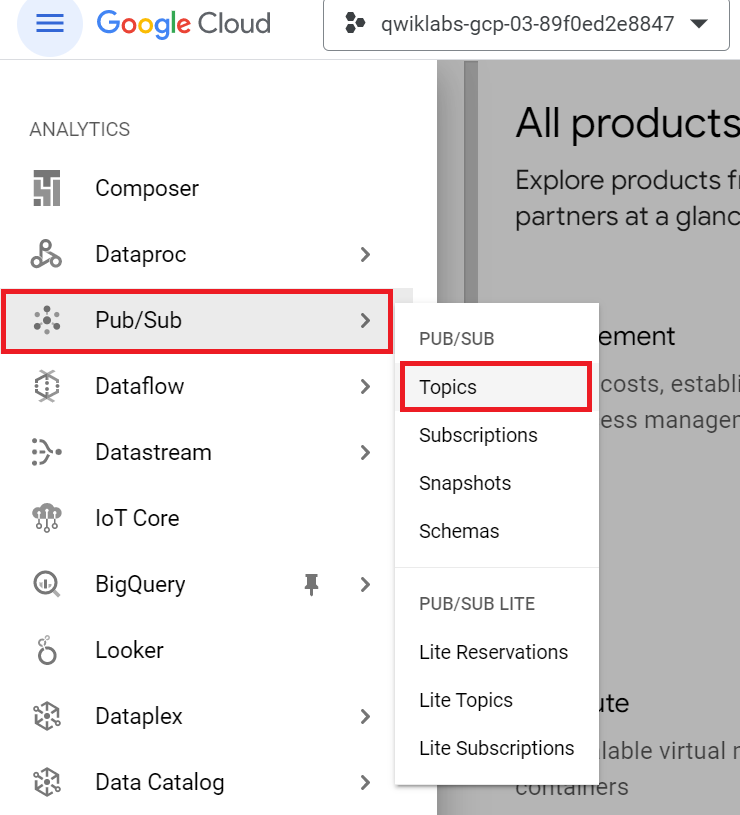
Step 1: Log in to the Google Cloud Console.
After Login to your GCP account, you can view the menu with a list of Google Cloud Products and Services by clicking the Navigation menu at the top-left.


.png)