|
VOOZH | about |
|
VOOZH | about |
Kubernetes is an open-source container orchestration tool used to deploy, scale, and manage containerized applications. On the other hand, NGINX is a web service used for proxying and load balancing. Here in this article, I have first discussed what is Kubernetes and its features. Then I have discussed what is NGINX. After this, I have walked you through the different steps to deploy NGINX on Kubernetes and connect it through the web browser.
Table of Content
Kubernetesis a container orchestration tool that is used to deploy, scale, and manage containerized applications. Kubernetes follows a master-slave architecture. The master node manages all the cluster operations while the worker node deploys and runs the containers. The master node consists of 4 main components, API Server which helps in interacting and giving commands to the Kubernetes cluster, Scheduler schedules the pod on a particular node for running, etc. to stores the Kubernetes cluster data and control managers for managing the different controllers like deployment, replica sets and many more. On the other hand, in the worker node, there is Kubelet which helps in managing the pod lifecycle, container runtime which helps in running the containers and Kube proxy which manages all the networking rules in the pods.
NGINX is an open-source web service tool used mainly for reverse proxying, caching, and load balancing. Using NGINX reduces the loading time of a website. NGINX improves the overall user experience. It can also handle concurrent requests. NGINX provides better performance and scalability. NGINX can be used in microservice, where it can be used as a reverse proxy to protect the backend servers from direct exposure to the outside world. This results in reducing any potential attack. NGINX consumes fewer resources compared to other server software and is compatible with a variety of web applications which makes it a better cost-effective solution. In summary, we can say NGINX is a powerful tool that is used by various organizations for faster loading of web applications and also to handle a large number of requests.
In kubernetes, Deployment is a kind of resource for management process for rollout and scaling of application instances. It facilitates to run the application smoothly, efficiently and consistently across a cluster of servers. The following are some of its main concepts:
1. Rollout Management: Kubernetes manages the deployment of your application by update or changes smoothly without disrupting the service.
2. Scaling: It provides scaling of your application instances up or down automatically on demand.
3. Health Monitoring and Self-Healing: It continuous monitors the health of your application instances. If any instance fails or becomes unhealthy it automatically replaces it with new one.
kubectl create deployment nginx --image=nginxkubectl get deploymentsTo known more about Kubernetes Deployment refer this - Article
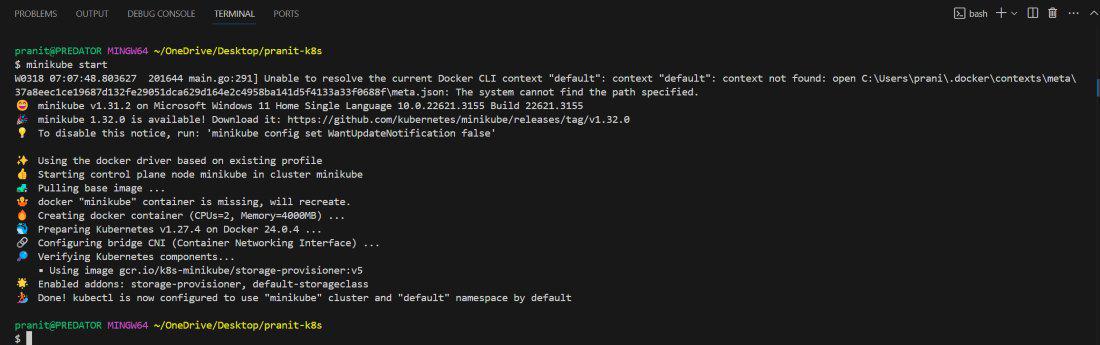
minikube start
Note: Apart from minikube, you can also use other kubernetes cluster to perform these steps
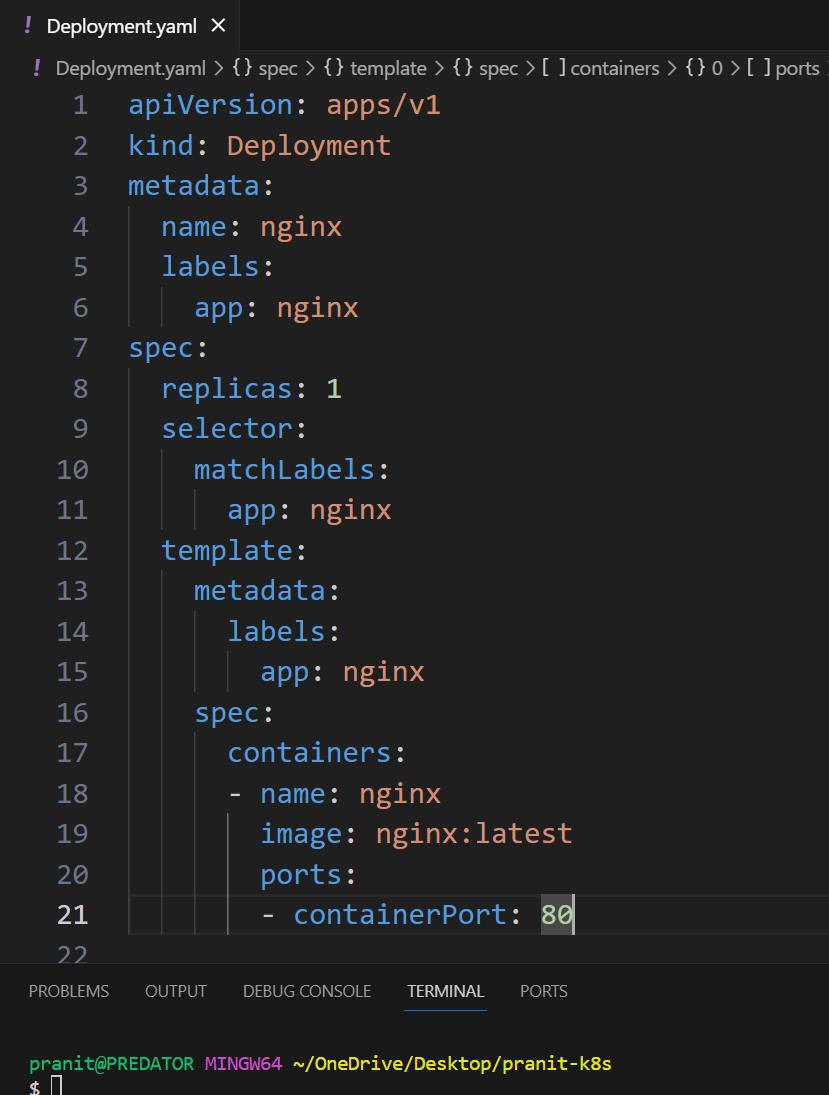
apiVersion: apps/v1
kind: Deployment
metadata:
 name: nginx
 labels:
 app: nginx
spec:
 replicas: 1
 selector:
 matchLabels:
 app: nginx
 template:
 metadata:
 labels:
 app: nginx
 spec:
 containers:
 - name: nginx
 image: nginx:latest
 ports:
 - containerPort: 80
apiVersion: v1
kind: Service
metadata:
 name: nginx-service
spec:
 type: NodePort
 selector:
 app: nginx
 ports:
 - port: 80
 targetPort: 80
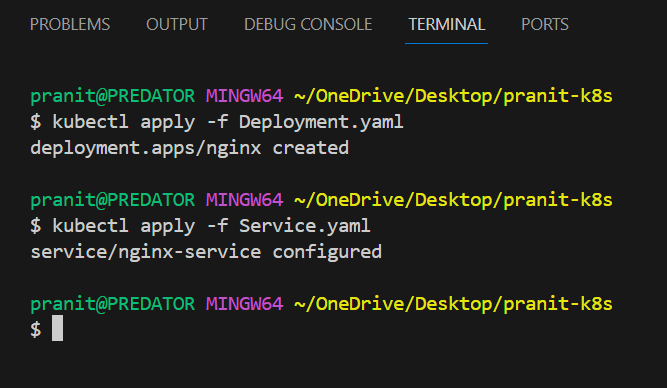
kubectl apply -f Deployment.yaml
kubectl apply -f Service.yaml
👁 Deploying Depoyment Yaml File
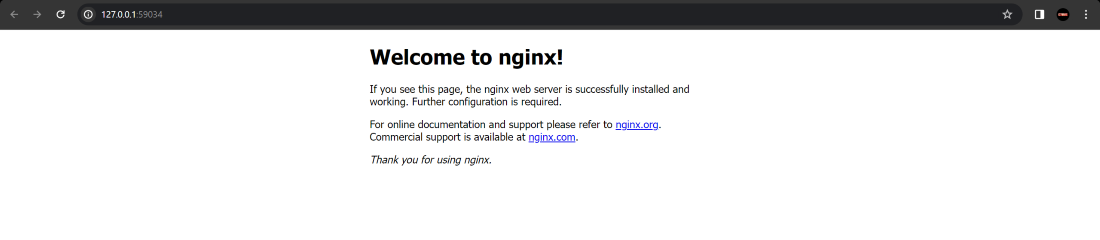
minikube service nginx-service
👁 successful-deployment of Nginx Service
The following are steps to deploy nginx pod in kubernetes:
Create a file with name nginx-pod.yaml and configure it, for reference use the following code:
apiVersion: v1
kind: Pod
metadata:
 name: nginx-pod
spec:
 containers:
 - name: nginx-container
 image: nginx:latest
 ports:
 - containerPort: 80
kubectl apply -f nginx-pod.yamlkubectl get podskubectl port-forward nginx-pod 8080:80kubectl port-forward nginx-pod 8080:80kubectl run nginx --image=nginx --port=80kubectl get pods
kubectl get deployments
Scaling the application by increasing the replica Count, creates more application replicas until matching the current state to desired state. Increasing scaling helps in managing the workloads by distributing traffic to more pod applications. The following command helps in scaling the application with replica Count.
kubectl scale deployment <deployment_name> --replicas=<desired_replica_count>kubectl get deployment <deployment_name>Kubernetes provides different features such as :
Here in this article you have first learned what is Kubernetes and some of its key features . Then you have learned about what is NGINX . After this you have followed the steps to deploy a NGINX using Kubernetes. Here you have first created a deployment YAML configurational file and then created a service YAML configuration file which helps in exposing the NGINX service at particular port . Finally you have accessed the NGINX web page from the web browser to check whether your entire Kubernetes cluster setup for NGINX is working or not .