Before you start installing Apache Tomcat, it’s important to ensure that your system meets the requirements for a smooth installation and setup process.
1. Hardware Requirements
Minimum 2GB RAM for development purposes
4GB or more RAM for production environments
At least 1GB of free disk space
Single CPU core minimum, though a dual-core processor is recommended for better performance
2. Operating System Compatibility
Apache Tomcat is cross-platform and runs on any system that supports Java. Recommended OS options include:
Linux: Preferred for production servers due to stability and performance
Windows Server: Suitable for enterprise environments
macOS: Ideal for local development and testing
3. Java Environment
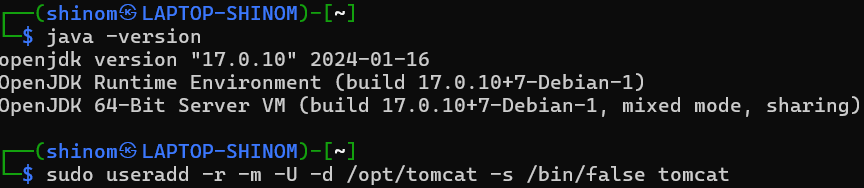
A Java installation is required to run Tomcat. Use the Java Development Kit (JDK) for full functionality:
1. Java Version: JDK 8 or newer (JDK preferred over JRE)
The following are the some of the common applications of the tomcat server:
1. Web Hosting for Java Applications
Tomcat is widely used for hosting Java-based applications on the web.
It implements the Java Servlet and JavaServer Pages (JSP) specifications.
2. Embedded Servers
Tomcat can be embedded within other applications or services.
Developers often use it as an embedded servlet container for lightweight deployments.
3. Commonly used for enterprise applications involving
Java Expression Language
Java Servlet
Java WebSockets
Java Server Pages2
4. Web Applications Deployment
Each web application comprises resources such as HTML with Java code, Server Pages, Java Servlets, libraries, and other items required to execute the program.
These web applications are stored in Tomcat’s “webapps” directory as folders or WAR (Web Application Archive) files
Troubleshooting Common Issues with Tomcat Server
The following are the some common Tomcat server troubleshooting techniques:
1. Checking Log Files
Action: Review the 'catalina.out', 'localhost.log', and 'manager.log' log files located in the 'logs' directory.
Purpose: Logs provide detailed error messages and stack traces that can help identify the root cause of issues, such as configuration errors, deployment problems, or runtime exceptions.
2. Validating Configuration Files
Action: Ensure that the 'server.xml', 'web.xml' , and 'context.xml' configuration files are correctly formatted and properly configured.
Purpose: Misconfigurations in these files can lead to startup failures, incorrect application behaviour, or security vulnerabilities. Validate XML syntax and configuration settings to resolve such issues.
3. Monitoring Resource Usage
Action: Use monitoring tools to check CPU, memory, and disk usage on the server running Tomcat.
Purpose: High resource usage can cause performance degradation and slow response times. Identifying resource bottlenecks allows for appropriate scaling or optimization measures, such as adjusting JVM settings or load balancing.
4. Diagnosing Network Issues
Action: Test network connectivity and port accessibility using tools like 'telnet' or 'netstat'.
Purpose: Network problems can prevent clients from connecting to the Tomcat server. Ensure that the server is listening on the correct ports and that there are no firewall or security group rules blocking access.


.png)