|
VOOZH | about |
|
VOOZH | about |
Apache Tomcat is an open-source web server and Servlet Container developed by the Apache Software Foundation. While often called an "Application Server," it is technically a web server designed specifically to execute Java Servlets and render JavaServer Pages (JSP).
Unlike a full Java EE application server (like JBoss or WebLogic) which supports the entire stack of enterprise features (EJB, JMS, etc.), Tomcat is lightweight and focused purely on the web tier. This makes it the industry standard for hosting Spring Boot applications and microservices.
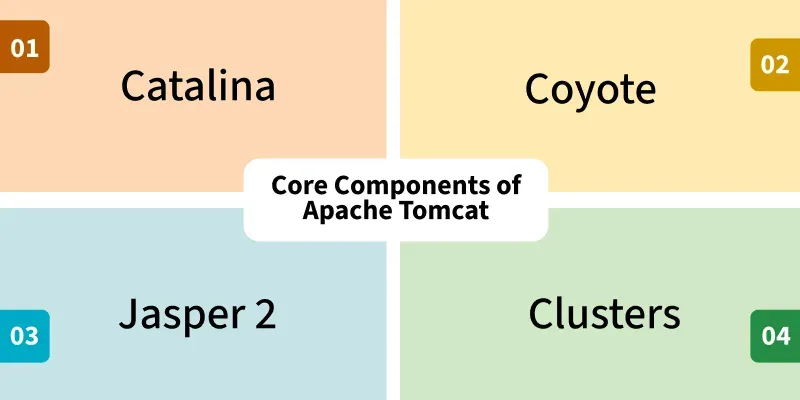
Catalina is the engine that actually implements the Java Servlet specification. It manages the lifecycle of your servlets (init, service, destroy). When you deploy a .war file, Catalina unpacks it and loads the classes.
Coyote handles the network communication. It supports HTTP/1.1, HTTP/2, and AJP protocols. It manages the thread pool, creating threads to handle incoming requests efficiently.
If your application uses .jsp files (JavaServer Pages), Jasper is responsible for parsing them. It compiles the JSP file into a standard Java Servlet (.class file) so that Catalina can execute it. This is why the first load of a JSP page is slow (compilation) but subsequent loads are fast.
Tomcat is built hierarchically. Understanding this hierarchy is key to configuring it correctly.
1. Server: The top-level component. It represents the entire Tomcat instance (JVM). It listens for a shutdown command on a specific port (default 8005).
2. Service: A grouping of one or more Connectors that share a single Engine.
3. Connector (Coyote): The component that listens for incoming connections.
4. Engine (Catalina): The brains of the operation. It represents the request processing pipeline. It examines the incoming request headers to determine which Host and Context should handle it.
5. Host: Represents a virtual host (e.g., www.example.com). You can have multiple hosts on one Tomcat server.
6. Context: Represents a single Web Application (e.g., /my-app).
What happens when a user types http://localhost:8080/my-app/hello?
HttpServletRequest and HttpServletResponse objects.localhost)./my-app) and passes the request to the correct Context (your application)./hello) and invokes the corresponding Java Servlet code.Knowing where files live is critical for administration.
/bin: Startup (startup.sh) and shutdown (shutdown.sh) scripts./conf: Configuration files.server.xml: The main config (Ports, Connectors, Hosts).web.xml: Default settings for all apps (MIME types, session timeout).tomcat-users.xml: Users and roles for the Tomcat Manager GUI./lib: Global JAR files shared by all applications (e.g., database drivers)./logs: Server logs (catalina.out, localhost_access_log)./webapps: This is where you deploy your applications. Drop a .war file here, and Tomcat will automatically deploy it./work: Temporary directory where Jasper stores compiled JSP servlets.The following are some important use-cases of Apache Tomcat:
.war based Java applications that use Servlets and JSPs.