How to Monitor Containers with the Podman "ps" Command
Last Updated : 23 Jul, 2025
In the realm of containerization, where applications are bundled into units, for deployment it's crucial to have insight into the operational status of these containers. The Podman 'ps command provides a perspective, on this landscape enabling you to oversee and control your active containers.
Terminologies
Podman: Podman is a user container engine that operates without a daemon offering a versatile option, for creating, running, and managing containers on Linux systems.
Container: A container is like a self-contained software package that houses an application along with all its components ensuring performance across different environments.
Image: An image serves as a design or model for constructing containers. It includes the application file system, settings, and operational instructions.
PS Command: The 'ps command in Podman functions as a tool that displays real-time information on containers, similar, to the 'ps command found in Unix-based systems.
Podman ps Command Overview
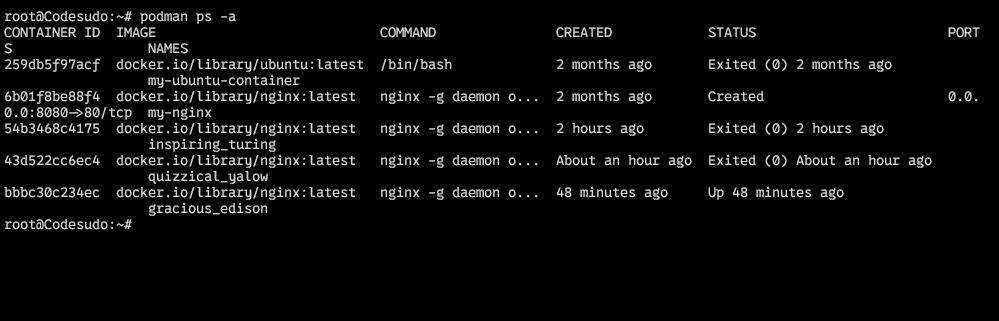
The 'ps' command in Podman works like a window into your world showing you the current status of all active containers and a bunch of related details. Like the command in classic Unix systems, Podmans 'ps command gives you a rundown of running containers packed with key info, like IDs original images, status, port configurations, and more.
Differences between Podman ps and Docker ps
Both Podman and Docker provide containerization features. There are slight differences, in how their 'ps commands work due to their architectural variances. Podman's approach without a daemon leads to an output format that emphasizes user interactions and efficient container handling. In contrast, Dockers 'ps command might include information related to its reliance on a daemon, for operations.
Web Server Monitoring: Regularly checking with the command "podman ps f 'name=my_web_server'" helps in keeping the web server container and running smoothly.
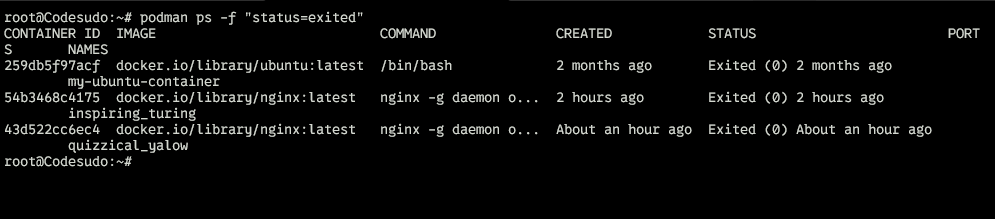
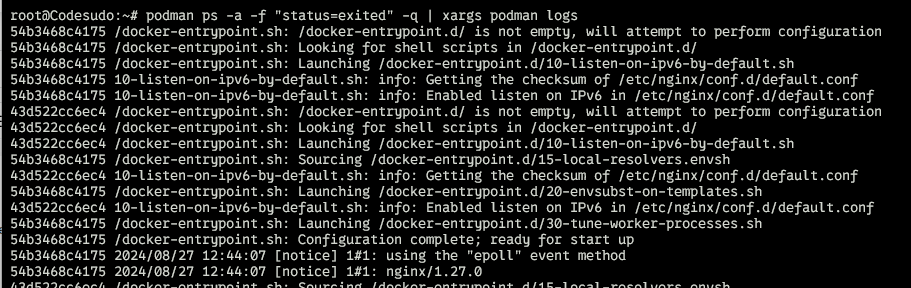
Debugging a Crashed Application: When troubleshooting an application using "podman ps a f 'exited=0'" can help locate containers that exited due, to errors allowing for an investigation.
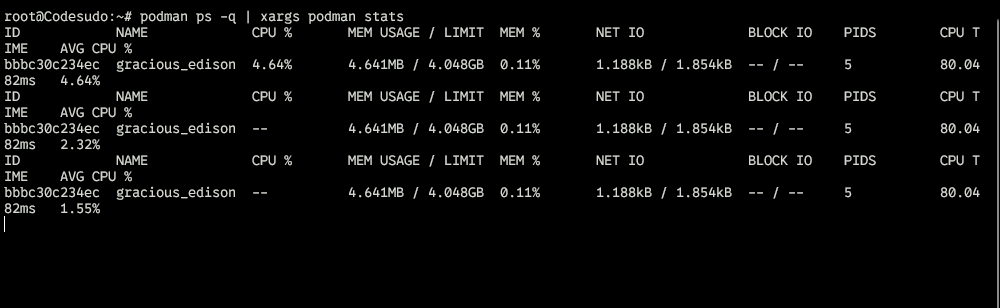
Resource Optimization: For optimizing resources utilizing podman ps along with monitoring tools can assist in identifying containers that are consuming resources enabling optimization opportunities.