|
VOOZH | about |
|
VOOZH | about |
Podman is daemonless, open-source, and natively runs on Linux. Podman makes it easy to identify, execute, develop, share, and deploy applications using Open Containers Initiative (OCI) containers and container images. Podman has a command-line interface that is well-known to everyone who uses the Docker Container Engine.
CRI-O is an open-source, community-driven container engine focusing on replacing the Docker service as the container engine for Kubernetes implementations such as the OpenShift Container Platform. This means the runtimes provided by the CRI-O container engine, container runtime/OCI compliant are stable, secure, and perform better than the current runtimes. Any runtimes can be utilized by the CRI-O container engine that is OCI compliant. This encompasses runs, for example, and is the default OCI runtime.
First, you need to install podman, to install this you can follow the below command.
sudo dnf install podman -yOutput:
Add the desired Kubernetes version's CRI-O repository, then update the version as necessary.
sudo systemctl enable crio --nowOutput:
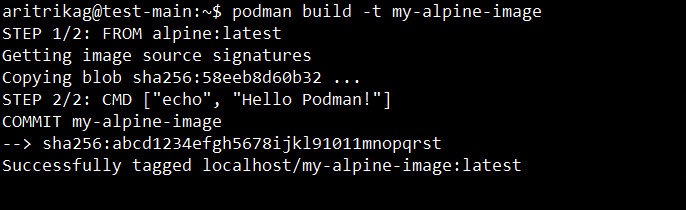
Podman builds images using commands that are compatible with Docker.
podman build -t my-alpine-image Output:
You can run the container after it has been built.
# Running a container
podman run --name mycontainer -d my-alpine-image
Output:
Many Docker-like management commands are available in Podman.
podman ps -a Output:
Podman supports different network modes by default.
podman network create mynetworkOutput:
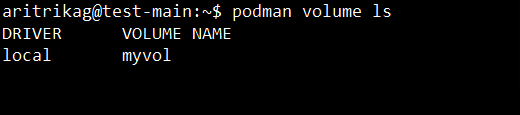
Podman and Docker both use storage in comparable ways.
podman volume lsOutput:
Podman:
With Podman, you may view the logs for any stopped or running containers.
podman logs mycontainerOutput:
CRI-O:
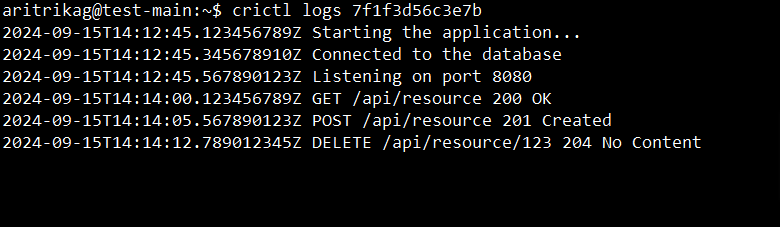
To check logs with CRI-O, use crictl or Kubernetes tools like kubectl.
crictl logs container-idOutput:
This command makes sure that whenever your computer restarts, CRI-O launches automatically.
sudo systemctl enable crioOutput:
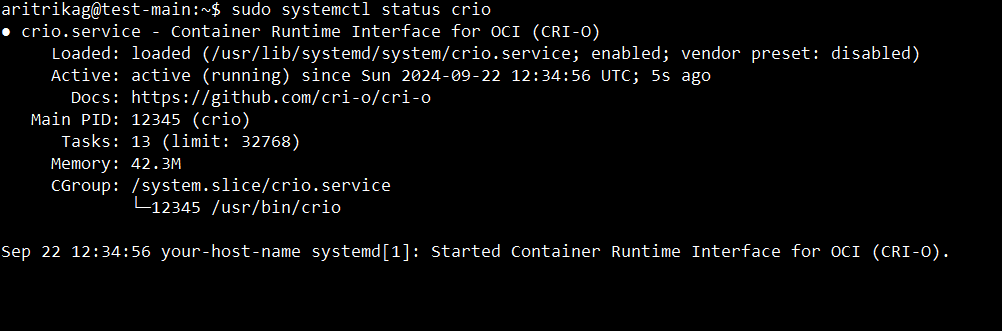
This command helps in determining if CRI-O is operating properly.
sudo systemctl status crioOutput:
Check whether Kubernetes nodes are utilizing CRI-O: to verify correct integration of the CRI-O runtime.
kubectl get nodes -o wideOutput:
The next stage is managing and deploying Kubernetes pods using CRI-O as a runtime.
kubectl run nginx --image=nginxOutput:
To list the active containers within CRI-O follow the below command.
sudo crictl psOutput:
Get logs from a container that is currently operating.
sudo crictl logs <container-id>Output:
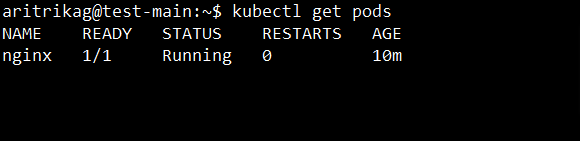
Lastly, you can check kubernetes pod status.
kubectl get podsOutput:
Both Podman and CRI-O offer ways to build, run, and manage containers very powerfully, efficiently, and securely, especially in Kubernetes deployments. It is only through the amalgamation of Podman's rootless architecture combined with CRI-O's Kubernetes-native approach that offers flexibility with security.