|
VOOZH | about |
|
VOOZH | about |
Amazon Polly is a managed service provided by AWS that makes it easy to synthesize speech from text. In this article, we will learn how to use Polly through the AWS CLI. We will learn how to use all the commands available in Polly along with some examples.
Make sure you have the latest version of AWS CLI and configured your access keys before proceeding further.
Use the help command to get a list of commands that are available in AWS Polly CLI.
aws polly helpTo get help, for a specific command in Polly:
aws polly COMMAND help
For example,
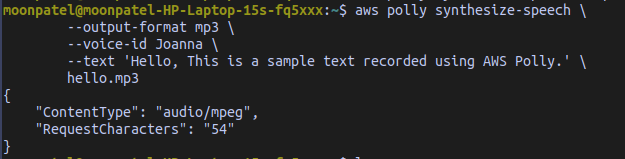
aws polly synthesize-speech helpTo synthesize speech use the `synthesize-speech` command.
aws polly synthesize-speech \
--output-format mp3 \
--voice-id Joanna \
--text 'Hello, This is a sample text recorded using AWS Polly.' \
hello.mp3
This command generates a file named hello.mp3. In addition to the MP3 file, the operation sends the following output to the console.
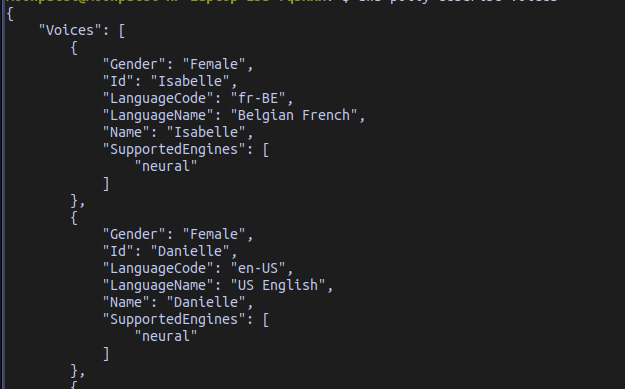
The --voice-id is the voice that should be used in the audio file. There are many voices available in AWS Polly for each of the language. You can get a list of voice id using the aws polly synthesize-speech help command and look in the --voice-id section or the describe-voices command.
To generate a speech in another language use the --language-code option. This command produces audio in Indian English with the voice id as Aditi. You can get the list of the language codes with the help command.
aws polly synthesize-speech \
 --output-format mp3 \
 --voice-id Aditi \
 --text 'Hello, This is a sample text recorded using AWS Polly.' \
 --language-code en-IN \
 hello2.mp3
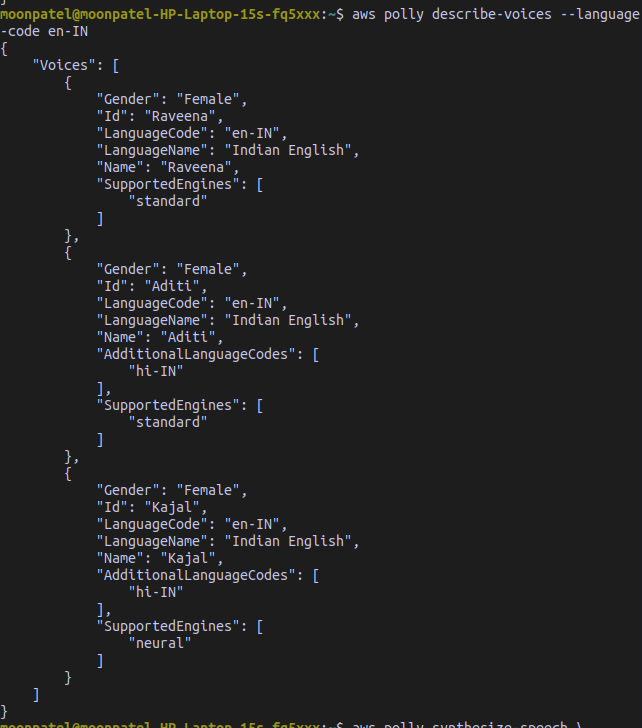
Find the voice ids related to a specific language. This command prints all the available voices for Indian English.
aws polly describe-voices --language-code en-INAWS Polly has three kinds of text to speech engines: standard, neural and long-form. Use the --engine option to configure the engine used to produce speech. This command uses the neural engine with Kajal voice id to produce speech.
aws polly synthesize-speech \
 --output-format mp3 \
 --voice-id Kajal \
 --engine neural \
 --text 'Hello, This is a sample text recorded using AWS Polly.' \
 --language-code en-IN \
 hello3.mp3
Not all voices supports the neural engine. If you use an unsupported voice id for neural engine then it will cause an error.
The synthesize-speech command has many options available that supports multiple languages, file formats, voices, engines, SSML etc. which can be found in the AWS documentation or aws polly synthesize-speech help command.
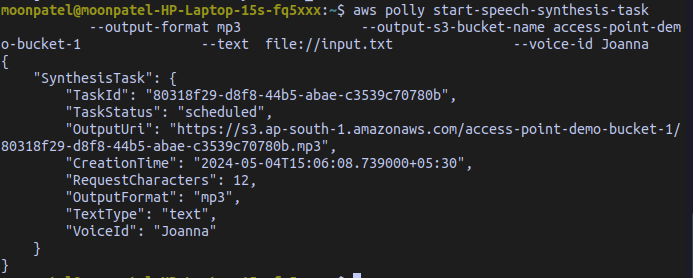
A speech synthesis task is an asynchronous operation that allows you to create speech synthesis tasks. These are suitable for long texts which can take a while to produce the results. The generated audio files are stored in an S3 bucket. Once the task is created you will get a SpeechSynthesisTask object, which includes id of the task and other details. This object is available for 72 hours after starting the task.
This command starts a speech synthesis task that gets its input from the input.txt (input.txt should be in the same directory) file and stores the file in `my-s3-bucket`. (Make sure you have created a bucket and use that bucket name in --output-s3-bucket-name option.)
aws polly start-speech-synthesis-task \
 --output-format mp3 \
 --output-s3-bucket-name my-s3-bucket \
 --text file://input.txt \
 --voice-id Joanna
Output:
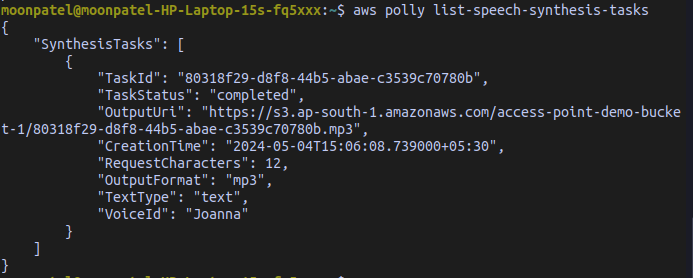
To list all the speech synthesis tasks use the `list-speech-synthesis-tasks` command.
aws polly list-speech-synthesis-tasksOutput:
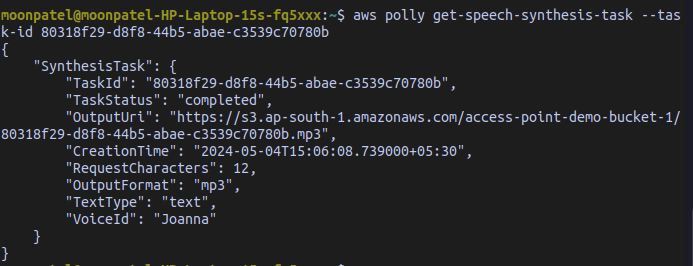
👁 Screenshot-from-2024-05-04-15-15-53To get a specific speech synthesis task based on its TaskId use the `get-speech-synthesis-task` command.
aws polly get-speech-synthesis-task \
 --task-id <Enter SPEECH_SYNTHESIS_TASK_ID here>
Output:
Pronunciation lexicons allows you to customize the pronunciation of words. For example, you can use lexicons pronounce AWS as Amazon Web Services. You can generate lexicons in an AWS region. Those lexicons are then specific to that region. You can manage lexicons using the `list-lexicons`, `put-lexicon`, `get-lexicon` and `delete-lexicon` commands.
Create a file named lexicon1.pls and add below text to it.
<?xml version="1.0" encoding="UTF-8"?>
<lexicon version="1.0"
 xmlns="https://www.w3.org/2005/01/pronunciation-lexicon"
 xmlns:xsi="https://www.w3.org/2001/XMLSchema-instance"
 xsi:schemaLocation="https://www.w3.org/2005/01/pronunciation-lexicon
 http://www.w3.org/TR/2007/CR-pronunciation-lexicon-20071212/pls.xsd"
 alphabet="ipa"
 xml:lang="en-US">
 <lexeme>
 <grapheme>AWS</grapheme>
 <alias>Amazon Web Services</alias>
 </lexeme>
</lexicon>
The <lexeme> tags describes the mapping between <grapheme> and <alias>. <graphene> describes the which text needs modified pronunciation and <alias> defines how it should be pronounced. In this example, AWS will be pronounced as Amazon Web Services in the synthesized speech when this lexicon is used during speech synthesis.
To add this lexeme use the put-lexicon command. The --name option is used to specify the name of the lexicon. You can use it to refer to it during speech synthesis.
aws polly put-lexicon \
 --name awslexicon \
 --content file://lexicon1.pls
Now generate speech using the lexicon.
aws polly synthesize-speech \
 --text 'Hello, This is a sample text recorded using AWS Polly.' \
 --voice-id Joanna \
 --output-format mp3 \
 --lexicon-names="awslexicon" \
 speech.mp3
Now AWS is synthesized as Amazon Web Services in speech.mp3
You can also include multiple lexeme in a single lexicon. For example,
<?xml version="1.0" encoding="UTF-8"?>
<lexicon version="1.0"
 xmlns="https://www.w3.org/2005/01/pronunciation-lexicon"
 xmlns:xsi="https://www.w3.org/2001/XMLSchema-instance"
 xsi:schemaLocation="https://www.w3.org/2005/01/pronunciation-lexicon
 http://www.w3.org/TR/2007/CR-pronunciation-lexicon-20071212/pls.xsd"
 alphabet="ipa"
 xml:lang="en-US">
 <lexeme>
 <grapheme>AWS</grapheme>
 <alias>Amazon Web Services</alias>
 </lexeme>
 <lexeme>
 <grapheme>CLI</grapheme>
 <alias>Command Line Interface</alias>
 </lexeme>
</lexicon>
If two lexemes have same grapheme then the synthesis engine uses the one that comes first.
You can even use multiple lexicons in a single command.
aws polly synthesize-speech \
 --text 'Hello, This is a sample text recorded using AWS Polly.' \
 --voice-id Joanna \
 --output-format mp3 \
 --lexicon-names '["lexicon1","lexicon2"]' \
 speech.mp3
Here, lexicon1 and lexicon2 are two lexicons. If any grapheme in both of them are same, the ones in the first lexicon that is lexicon1 will be used.
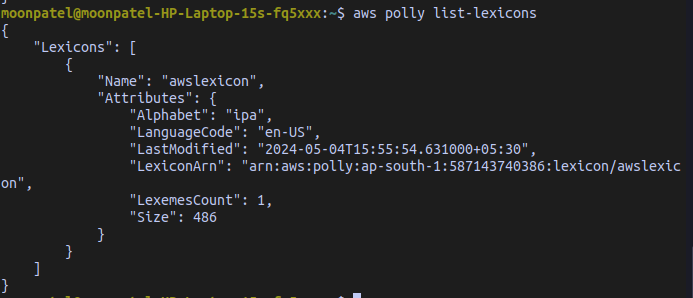
List all the available lexicons using the list-lexicons command
aws polly list-lexiconsOutput:
Get a single lexicon by name using the get-lexicon command
aws polly get-lexicon --name awslexiconDelete a lexicon using the `delete-lexicon` command
aws polly delete-lexicon --name awslexicon