|
VOOZH | about |
|
VOOZH | about |
Azure Repos, part of the Azure DevOps suite, is a robust version control service enabling teams to manage their codebase, collaborate on projects, and maintain a secure, centralized repository for software development. This article explores the key features and benefits of Azure Repos, including creating and managing repositories, working with branches, handling merge conflicts, and integrating with other Azure services. Whether you're new to version control or an experienced developer, this guide offers a comprehensive understanding of how Azure Repos can enhance your development workflows.
Version control systems (VCS) are a term used in the software development industry to describe a class of VCS tools that may show project managers or developers a history of the changes made to source code or files. The reason the VCS is regarded as the cornerstone is that both project managers and developers understand how important it is to retain upwards of many versions of an application. Managing different versions is a necessary necessity. The purpose of VCS is to make these efforts easier to modify. VCS also serves as a tool to help software development teams coordinate their activities when working together to create a project or application. Several VCS branches develop over time, maintaining unique snapshots at various points in time that may diverge or combine.
Repository Servicesstands for the repository, which is the data store that serves as a VCS's backend and stores all source code and configuration artifacts, including configurable artifacts that might not contain source code or software development. In order for the build system to choose the desired source files for the creation of an application from the repository, it frequently includes properties, parameters, environment variables, and scripts. Celebrity support is becoming a crucial component of VCS for project managers, employers, and other stakeholders.
Step 1 :
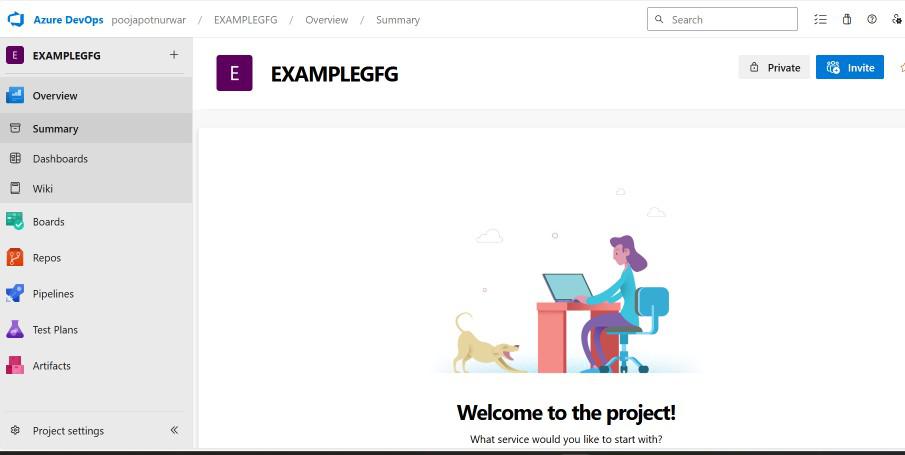
Open the DevOps Portal for Azure: Start by going to https://dev.azure.com/, the Azure DevOps interface, and logging in with your company credentials.
Select the project for which the new repository is to be created. You can start a new project if you don't already have one.
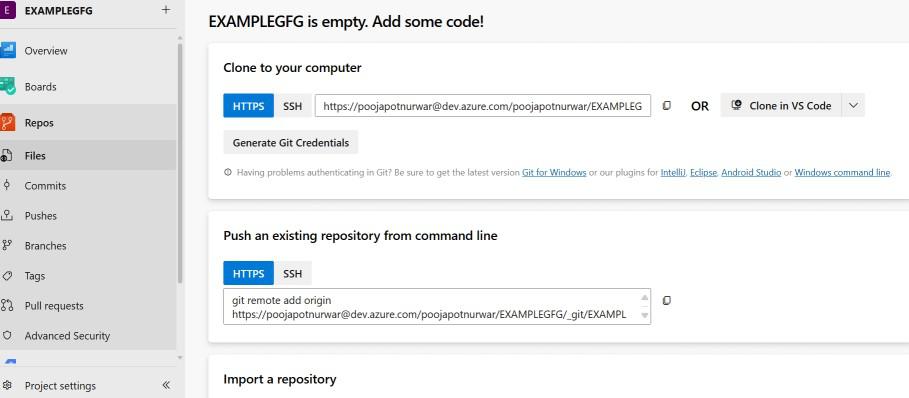
To access Repos, find and select the "Repos" area from the menu on the left.
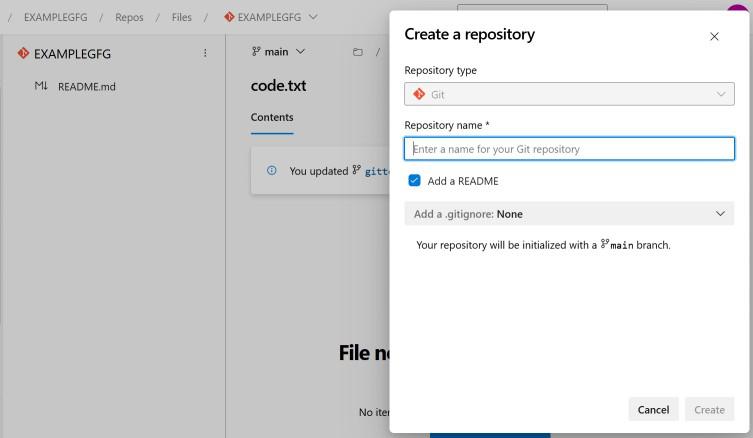
On the Repos page, click on the "New repository" button
Configuration of the Repository: To initiate the "Create a new repository" dialog, you must enter the following information:
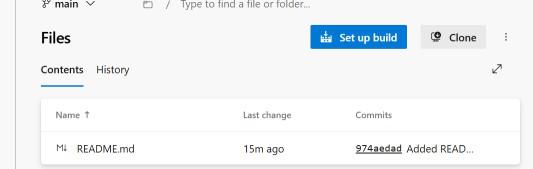
Create the Repository To finish creating the repository, check the parameters and then click the "Create" button.
Step 1:
Find the "Clone" button on the repository page, then copy the URL that appears.
Step 2 :
Launch the Git client: Start the Git client of your choice, such as Git Bash, Git CMD, or an IDE that supports Git like Visual Studio Code.
Step 3:
To clone the repository to your local workstation, use the Git clone command. For instance, you can type the following command into the Git Bash terminal.
git clone <repository_url>Instead of <repository_url>, enter the URL you copied in the first step.
After the cloning procedure is finished, navigate to the newly created repository folder in your current directory.
Version control solutions that are adaptable are provided by Azure Repos to help your software development process. Depending on the requirements of your project, you can select from a variety of branching models, such as Centralized or Feature Branching. Additionally, Azure Repos offers tools for managing rights and policies. Before merging changes, you can establish prerequisites like review approvals or successful builds. You may manage who is able to create and merge branches with permissions. An additional degree of control is added by security features like conditional access and protected branches. You can utilize Azure Repos to simplify your development process and preserve the integrity of your projects by being aware of these version control features.
What is AZURE Repos ?
Git and team foundation Version Control for software projects are provided by azure repos.
What are the key features of Azure Repos?
Version control, branching and merging, work item tracking, code reviews, and support for the Git and TFVC version control systems are some of the main characteristics of Azure Repos
How can I set up an Azure Repos repository?
Within your Azure DevOps organization, you may establish a new repository, select Git or TFVC.
Can you integrate Azure Repos with other Azure services?
Yes, Azure Repos can be integrated with various other Azure services and including Azure Boards.