|
VOOZH | about |
|
VOOZH | about |
Podman (Pod Manager) is an open-source tool developed by Red Hat that helps developers containerize their applications. Compared to Docker, Podman is light and lean, eliminating resource overhead from the central daemon, and allowing containers to start faster and with fewer resources. This efficiency is critical in contexts where resource efficiency and rapidity are paramount. Unlike Docker, which relies on a central daemon (docker daemon), Podman offers a daemonless architecture, providing no single point of failure.
Infra containers are lightweight containers created by Podman to hold a pod's state, including shared namespaces like network, PID, and IPC. They ensure the stability and resource management of the pod, maintaining the pod environment even if application containers restart.
podman pod create --name mypod
This command creates a pod named mypod with an infra container to manage the pod's network namespace and other shared resources.
Let's add two containers inside the pod. These will share the network namespace that will be managed by the infra container.
podman run -dt --pod mypod --name webserver nginx
podman run -dt --pod mypod --name database postgres
The first command deploys an Nginx web server container inside mypod. The next command creates a PostgreSQL database container in the same pod.
- podman exec -it webserver ping database
This command allows the webserver container to ping the database container using the shared network namespace.
podman exec -it webserver ping database
Conmon (container monitor) is a process monitoring application that observes the lifecycle of container processes, handles logging, proxies signals, and captures exit statuses.
While containers are inherently Linux-based, Podman can also be used on Mac and Windows. For Windows, it involves using the Windows Subsystem for Linux (WSL) and the Podman machine command.
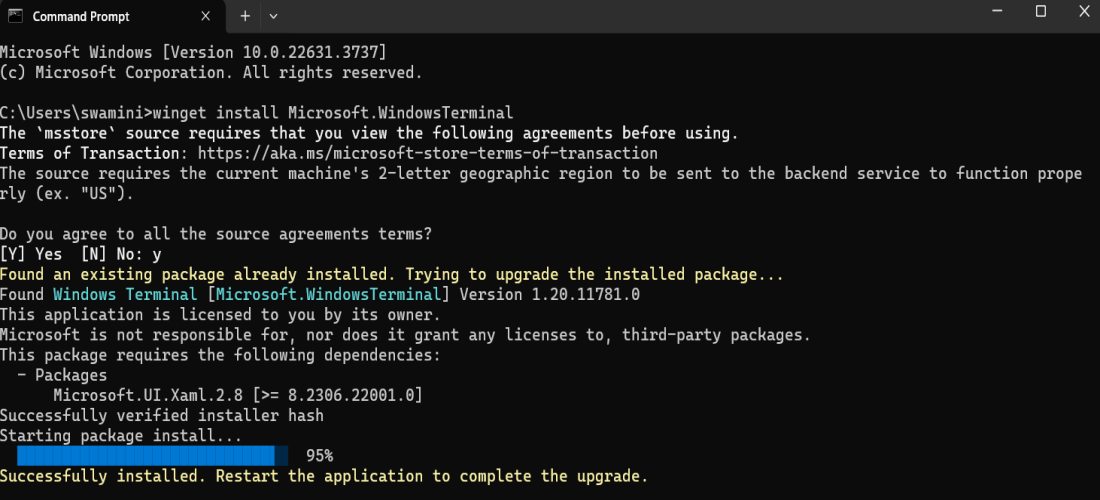
winget install Microsoft.WindowsTerminalCommand:
winget install Microsoft.WindowsTerminal
Example:
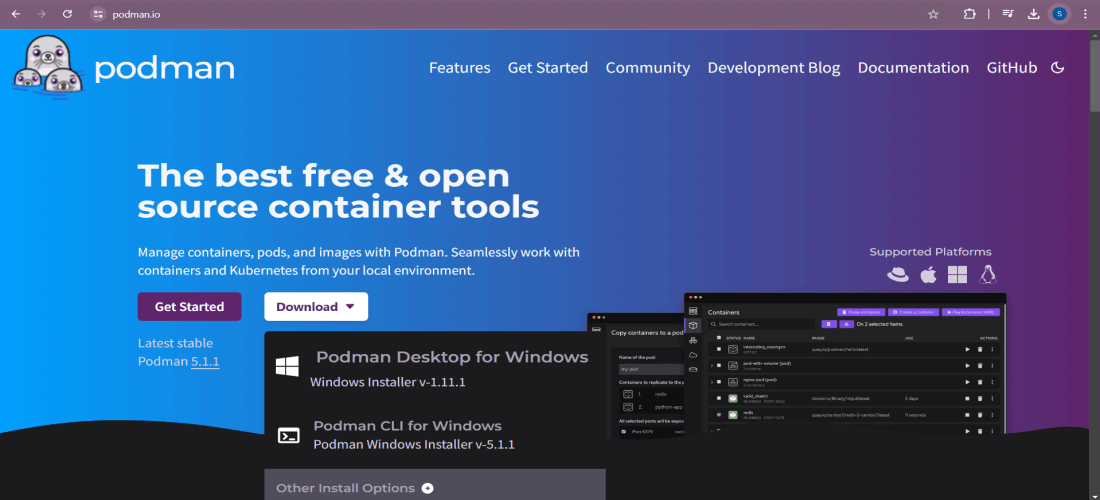
1. To begin the installation process of the Windows Podman client, the first task requires is to download the Windows installer of Podman. Naturally, every Podman release comes with a Windows installer, which can be downloaded from podman. io.
Select Podman CLI for Windows
Click on Install
Restart your computer by clicking restart.
After restart WSL Kernel Installation will start and installation will be completed.
podman machine start command
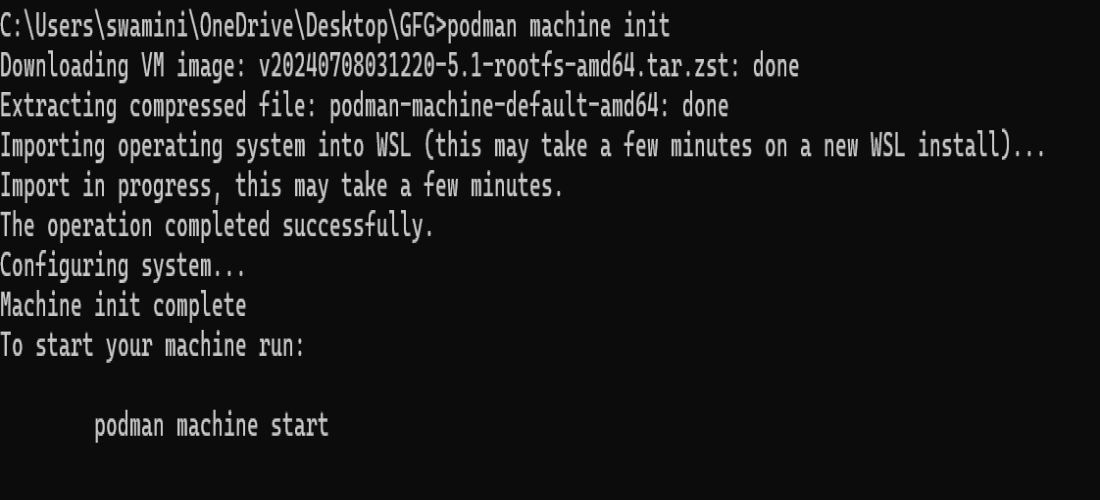
podman machine initAfter podman machine init process completes machine can be started using following command.
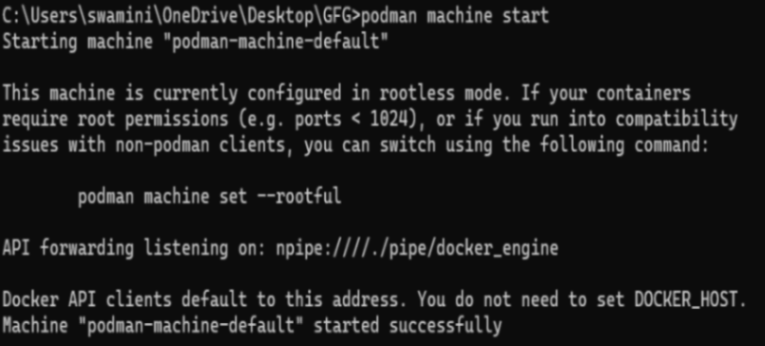
podman machine startExample:
Running a Container:
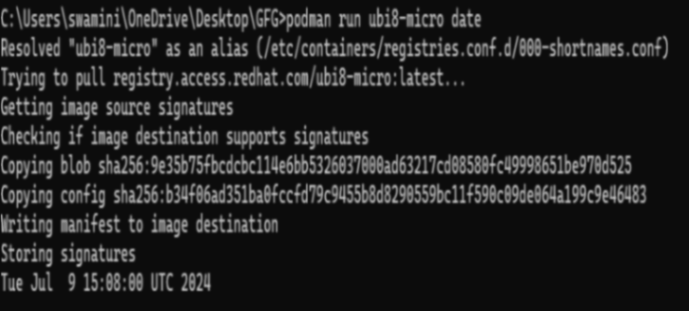
podman run ubi8-micro dateSetting Rootful or Rootless:
podman machine stop
podman machine set --rootful
podman machine set --rootful=false
Example:
podman machine set --rootful=false
Example:
Podman machine ls command
Use the podman machine ls command to view a list of all available podman machine instances along with their current resource usage.
podman machine ls
Example:
Access the embedded WSL distribution:
podman machine ssh
Example:
Podman version
podman --version
Example:
Stop command
The machine is halted by using the podman machine stop command.
podman machine stop
Example:
rm command
Using podman machine rm command the machine can be removed.
podman machine rm
Example:
Run Rootless Containers: Reduce security risks by running containers without root privileges.Use-Cases of Podman
--cap-drop and --cap-add flags to limit container capabilities.Differences between Podman and Docker
Feature | Podman | Docker |
|---|---|---|
Daemon | It has Daemonless architecture and runs in rootless mode | It requires a running daemon (dockerd) |
Rootless Operation | Yes, it supports running as non-root | It has limited rootless support |
CLI Commands | It s compatible with Docker CLI | Docker-specific commands |
Container Runtime | It uses CRI-O or other runtimes | It uses containerd as its runtime |
Systemd Integration | It has better integration with systemd | It requires additional configuration |
Kubernetes Support | It uses CRI-O for Kubernetes | It uses containerd, supports Kubernetes |
Image Management | It directly manipulates OCI images | It manages images via Docker daemon |
Networking | It uses CNI plugins for networking | It has built-in networking via dockerd |
Security | It is focused on enhanced security | It is secure, but daemon introduces attack surface |
Compatibility | It is compatible with Docker containers | It has native support for Docker containers |
Installation | It us typically installed separately | It is often bundled with Docker Compose, Swarm, etc. |
API | No API, direct command execution | REST API provided by Docker daemon |
Resource Management | It is managed by the kernel, cgroups | It is managed by Docker daemon |
Reduce security risk—most containers should not be run as root. To reduce the potential exposure to privilege escalation attacks, Podman fully supports running rootless.
The `--cap-drop` and `--cap-add` flags are available to restrict only those container capabilities that your deployment scenario requires. This helps reduce the attack surface by providing only what is truly required.
Run only a few images in containers to minimize attack surfaces and maximize efficiency. Your images must be light and secure; hence, clear the extra equipment and files.
Manage persistent data with volumes. Another good development practice is to use lemma named volumes or bind mounts for the persistence of data across container restarts. This helps in managing data and makes containers stateless.
Keep Podman and the dependencies on top of the latest updates. Doing this ensures you are running with the latest security patches and features in place. Regular updating guarantees that you are running the most secure and full-featured version of the software.
podman versionsysctl -w "net.ipv4.ping_group_range=0 2000000"storage.conf file.newuidmap: Install a compatible version of shadow-utils.Podman offers a robust and secure alternative to Docker for container management, featuring a daemonless architecture, enhanced security with rootless containers, Kubernetes compatibility, and Docker interoperability. Whether you're transitioning from Docker or starting fresh, Podman provides a flexible and efficient solution for managing your containerized applications.

.png)
.png)
.png)
.png)