|
VOOZH | about |
|
VOOZH | about |
Amazon DynamoDB a fully managed NoSQL database service by Amazon Web Services (AWS), provides simple scalability and high performance for applications of any scale. Managing data in DynamoDB is important sometimes we need to delete specific items from a table to maintain data integrity or changes in our application requirements.
In this article, We will about provide a comprehensive guide on how to delete items in DynamoDB tables using different methods.
In DynamoDB, managing data is fundamental and sometimes we may need to remove specific items from a table to maintain data integrity or accommodate changes in our application requirements. We can delete items from DynamoDB tables using different methods used for different purposes.
Step 1: Login into AWS
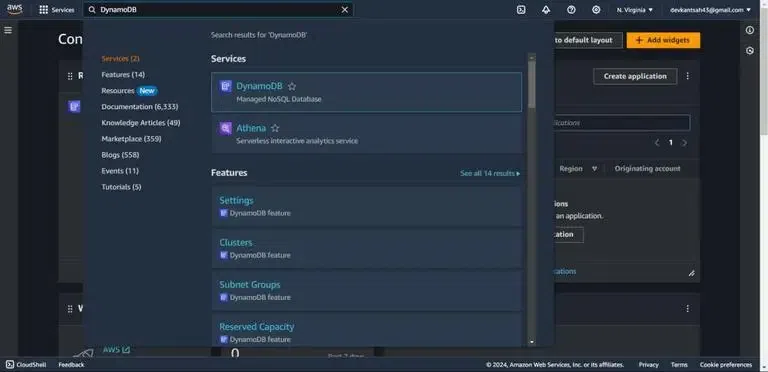
Step 2: After signing-in, We will land on the AWS Management Console page and search for DynamoDB as shown below.
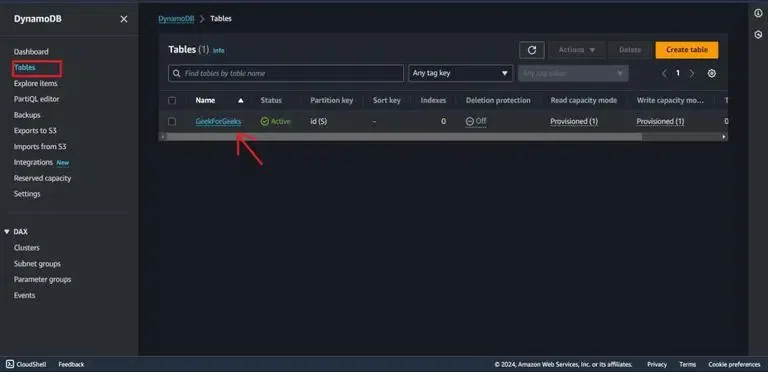
Step 1: After landing on the DynamboDB dashboard, go to Tables from the sidebar and click on your table name (in my case ‘GeekForGeeks’).
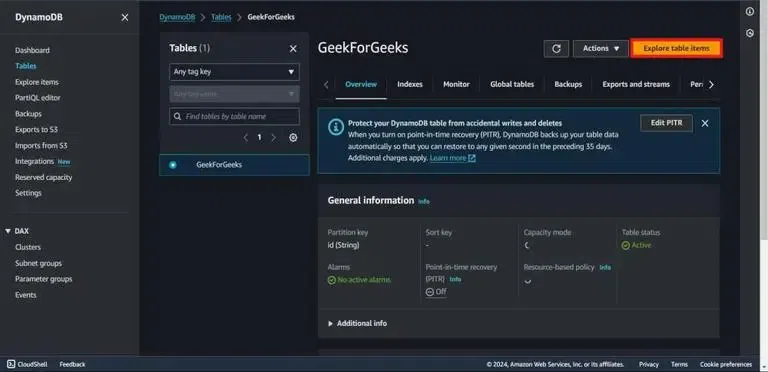
Step 2: From the Top right go to Explore table items. This will allow us to perform CRUD operations on table.
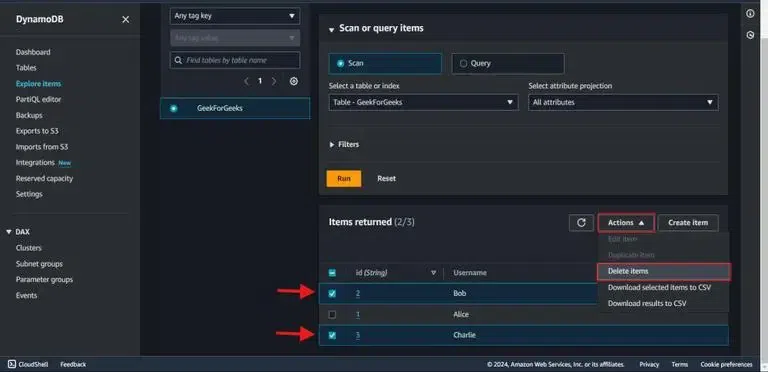
Step 3: Select the items desired for deletion, and select Actions | Delete items.
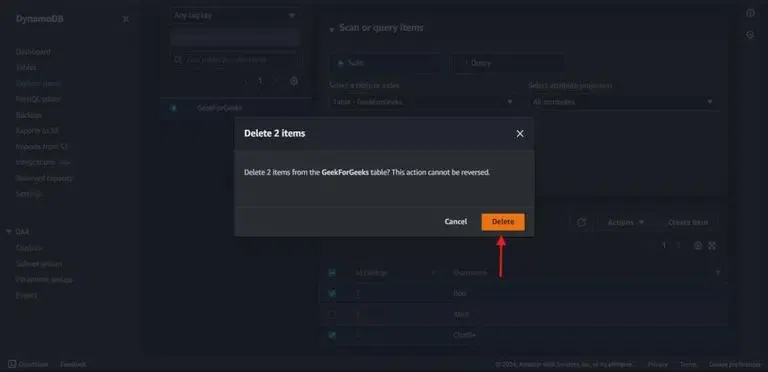
Step 4: A Delete Items dialog box then appears as shown in the following screeshot. Choose "Delete" to confirm.
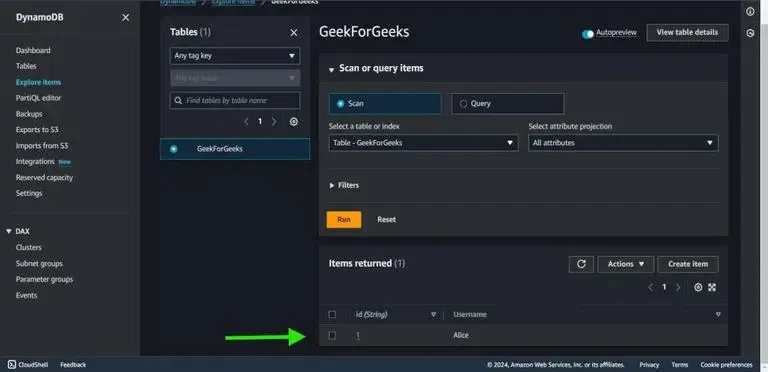
Step 5: After refreshing exploring items page you can see deleted items are removed from tabel.
2. Delete an item Using the Amazon CLI (Command Line Interface)
Step 1: Select Cloudshell from the bottom left or just Install and Configure AWS CLI on your system.
Syntax:
aws dynamodb delete-item --table-name TABLE-NAME --key '{"PrimaryKeyName": {"DATATYPE": "PrimaryKeyValue"}}'PrimaryKeyValue: add ypur Primary key values( ex: id:1)
For Example:
aws dynamodb delete-item --table-name GeekForGeeks --key '{"id": {"N": "1"}}'We have successfully deleted some items from the DynamoDB table ('GeekForGeeks') using two methods Amazon Management Console and CloudShell (AWS CLI). Using GUI you can easily delete items by just filling fields but if you want to delete an item from outside Amazon Management Console we can use AWS CLI.