|
VOOZH | about |
|
VOOZH | about |
When developing any project we must host it somewhere so that the whole world can see our hard-work. Hosting websites can be hectic sometimes, but you don't need to worry as we can now host our React project on Firebase within a minute or two with a very simple setup.
The Steps to deploy react project on firebase are:
Follow the below steps or specially needed to Setup a Firebase for your React Project.
Step 1: First we shall set up our Firebase project, go to its official website, and create a project as shown below.👁 Image
Step 2: Then we will enable Firebase Hosting by going into the hosting section under Build dropdown.👁 Image
Step 3: Then we will go through the hosting setup as described below.👁 Image
👁 Image
👁 Image
Step 1: Create a React application using the following command:
npx create-react-app react_hostingStep 2
: Install Firebase Tools:
npm install -g firebase-toolsDeploying your React project on Firebase is a great way to host your applications. Below are the steps to depoly your website
Step 1: First, we will initialize a firebase project in our React app by running the following command in the console in our root directory.
firebase initNow type
y
as we are ready to proceed.
👁 ImageStep 2: Select Hosting from the options provided.👁 Image
Step 3: Select the Use an existing project option.👁 Image
Step 4: As the build folder of react apps is generated in the build folder by default, we will use the same as our public directory.👁 Image
Step 5: Type y as we want to configure our app as a single-page app.👁 Image
The initialization is complete, now we just need to run a few commands and our application will be ready to go.👁 Image
Step 6: Now we will run the following command to build our react app.
npm run buildStep 7: Now we just need to run the last command and our application will be deployed.
firebase deployThis will deploy our project and also provide us the
hosting
link which we can visit.
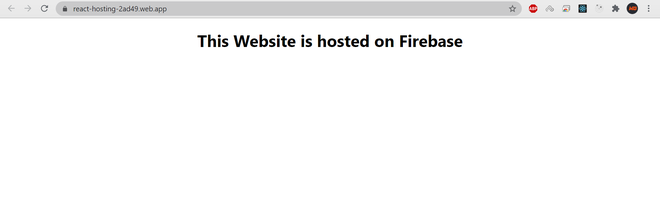
👁 ImageOutput:We can verify that our website was successfully deployed by visiting the hosting link provided by firebase in the console as shown below:
👁 Image