|
VOOZH | about |
|
VOOZH | about |
In the previous article, we have seen on How to Add Data, Read Data, and Update data in Firebase Firestore in Android. Now we will see How to Delete this added data inside our Firebase Firestore. So we will move towards the implementation of this deleting data in Android Firebase.
What we are going to build in this article?
We will be adding a simple button inside our update screen where we were updating our data and inside that screen, we will be adding a new button for deleting the course. After deleting, that course will be deleted from our database.
Step 1: Creating a new button for deleting the data inside the activity_update_course.xml file
As we have created a new Update Course Activity in the previous article. So we will simply add a new button to it. Add the following code snippet to the activity_update_course.xml file.
Below is the updated code for the activity_update_course.xml file.
Step 2: Now we have to initialize this button in the UpdateCourses.java fileand add onClickListener to it
Go to the UpdateCourses.java file and add the following code snippet.
Below is the updated code for the UpdateCourses.java file.
Output:
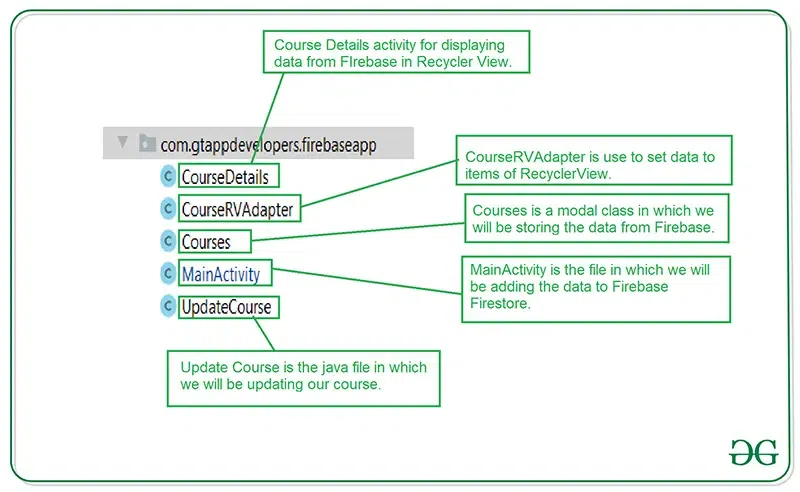
Below is the file structure for Java files:
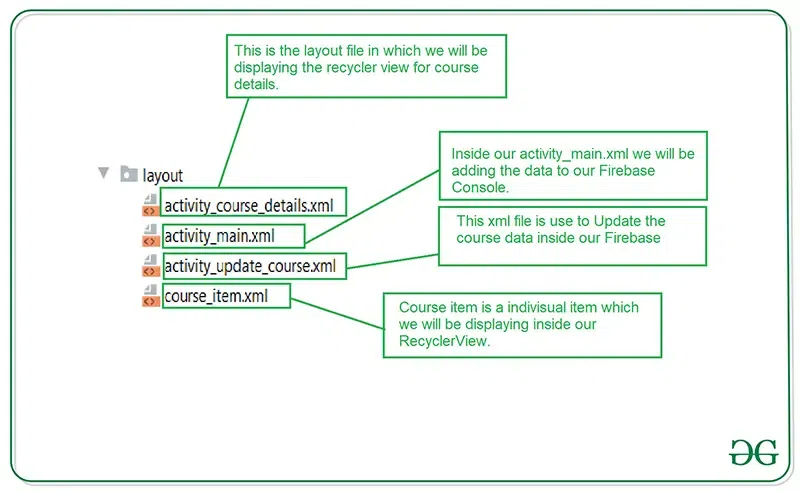
Below is the file structure for XML files: