|
VOOZH | about |
|
VOOZH | about |
In the initial stages of Android development, learners do write codes in such a manner that eventually creates a MainActivity class which contains all the implementation logic(real-world business logic) of the application. This approach of app development leads to Android activity gets closely coupled to both UI and the application data processing mechanism. Further, it causes difficulties in the maintenance and scaling of such mobile applications. To avoid such problems in maintainability, readability, scalability, and refactoring of applications, developers prefer to define well-separated layers of code. By applying software architecture patterns, one can organize the code of the application to separate the concerns. MVP (Model - View - Presenter) architecture is one of the most popular architecture patterns and is valid in organizing the project.
MVP (Model - View - Presenter) comes into the picture as an alternative to the traditional MVC (Model - View - Controller) architecture pattern. Using MVC as the software architecture, developers end up with the following difficulties:
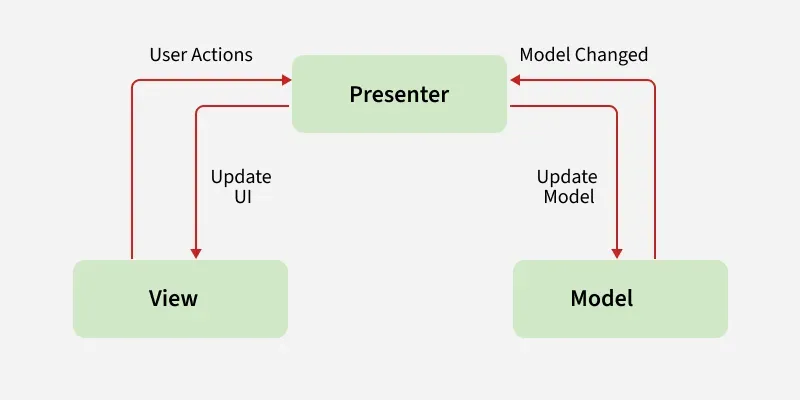
MVP pattern overcomes these challenges of MVC and provides an easy way to structure the project codes. The reason why MVP is widely accepted is that it provides modularity, testability, and a more clean and maintainable codebase. It is composed of the following three components:
To show the implementation of the MVP architecture pattern on projects, here is an example of a single activity android application. The application will display some strings on the View(Activity) by doing a random selection from the Model. The role of the Presenter class is to keep the business logic of the application away from the activity. Below is the complete step-by-step implementation of this android application. Note that we are going to implement the project using both Java and Kotlin language.
Note: Following steps are performed on Android Studio Ladybug 2024.2.2
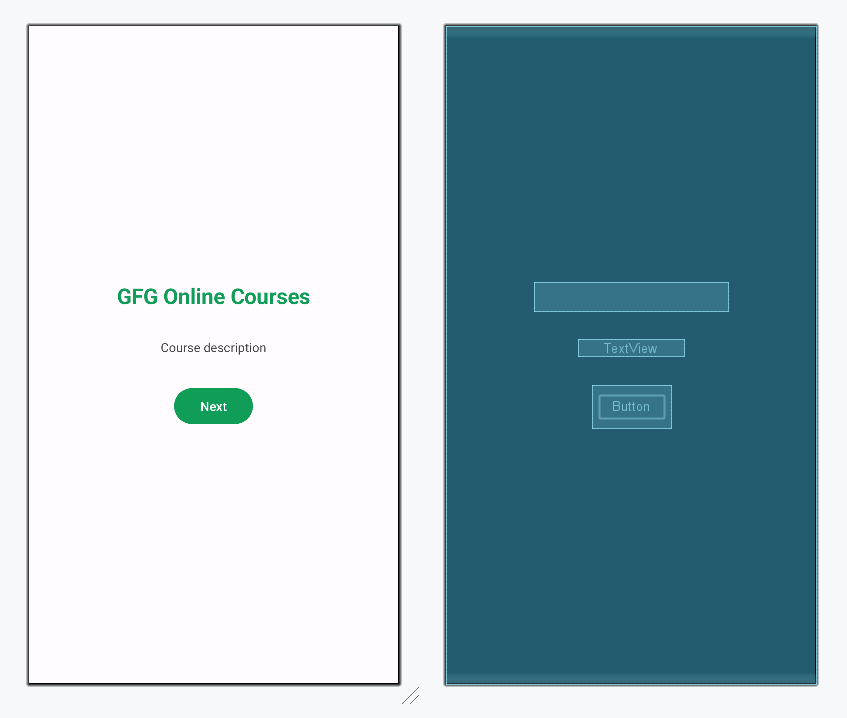
Open the activity_main.xml file and add a Button, a TextView to display the string, and a Progress Bar to give a dynamic feel to the application. Below is the code for designing a proper activity layout.
activity_main.xml:
Design UI:
To establish communication between View-Presenter and Presenter-Model, an interface is needed. This interface class will contain all abstract methods which will be defined later in the View, Model, and Presenter class.
View:
Create a new class named Model to separate all string data and the methods to fetch those data. This class will not know the existence of View Class.
Model:
The methods of this class contain core business logic which will decide what to display and how to display. It triggers the View class to make the necessary changes to the UI.
Presenter:
The factory object declares a singleton object. This object is responsible for creating and providing Presenter instances, so that the View doesn't need to directly create the Model.
PresenterFactory:
The View class is responsible for updating the UI according to the changes triggered by the Presenter layer. The data provided by the Model will be used by View and the appropriate changes will be made in the activity.
MainActivity File: