|
VOOZH | about |
|
VOOZH | about |
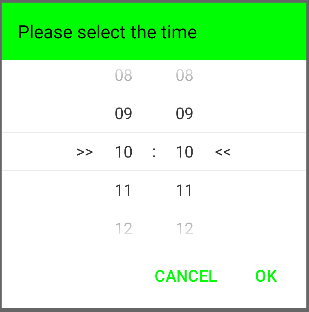
Android TimePicker is a user interface control for selecting the time in either 24-hour format or AM/PM mode. It is used to ensure that users pick a valid time for the day in the application. The default TimePicker can be customized by using the SnapTimePicker in Android.
Features of SnapTimePicker
Some key features provided by SnapTimePicker are mentioned below:
Add the support Library in build.gradle.kts file and add dependency in the dependencies section.
implementation ("com.akexorcist:snap-time-picker:1.0.3")Add the following code in string.xml file in values directory. In this file add all string used in the app. These string can be referenced from app or some other resource files(such as XML layout).
string.xml:
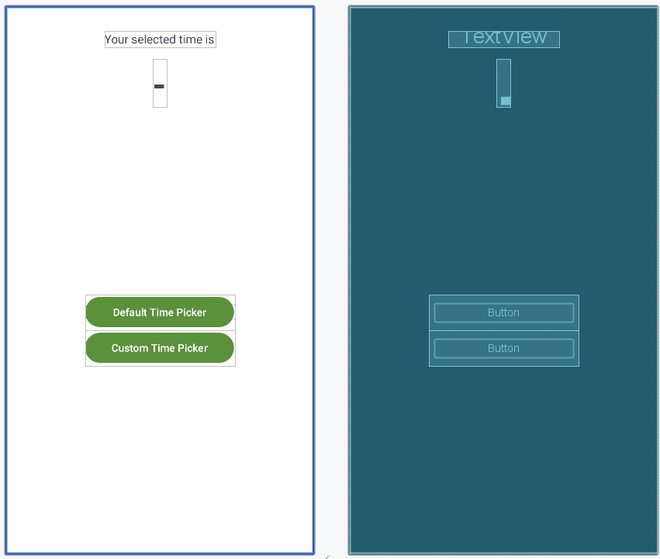
Add the following code in activity_main.xml file. In this file add the Buttons to select the time and the TextView to display the selected time.
activity_main.xml:
Add the following code in MainActivity.kt file. In this file add onClickListener() method to the buttons so that whenever user click on them a TimePicker dialog will be created.
MainActivity.kt:
The advantages of using SnapTimePicker over simple TimePicker are: