|
VOOZH | about |
|
VOOZH | about |
A Toast is a feedback message. It takes very little space for displaying and it is displayed on top of the main content of an activity, and only remains visible for a short time period. This article explains how to create Custom Toast messages, which has custom background, image, icon, etc, which are not provided by the original Toast library.
👁 Image
👁 Image
👁 Image
👁 Image
👁 Image
In this article, the Toasty library of JitPack gradle is used to create a custom toast for the user, as it is a very common library and is used by many apps already.
To create a new project in Android Studio please refer to How to Create/Start a New Project in Android Studio. Note that select Java as the programming language.
Add the support Library in your root build.gradle file (not in module build.gradle file). This library jitpack is a novel package repository. It is made for JVM so that any library which is present in github and bitbucket can be directly used in the application.
Add the support library in your module's build.gradle file and add dependency in the dependencies section. This dependency is added so that directly different styles of toast can be used in the application.
dependencies {
        implementation 'com.github.GrenderG:Toasty:1.5.2'
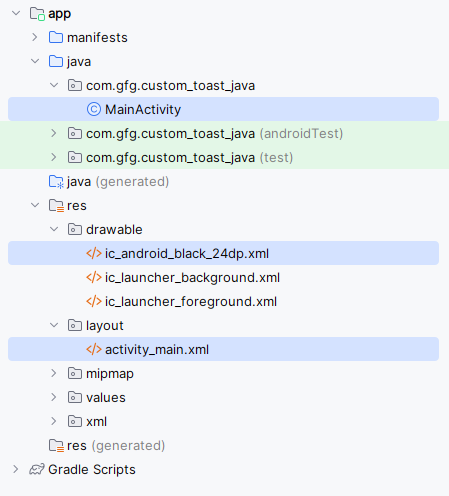
}Navigate to the app > res > layout > activity_main.xml and add the below code to that file. Below is the code for the activity_main.xml file.
Go to the MainActivity file and refer to the following code. Below is the code for the MainActivity file. Comments are added inside the code to understand the code in more detail.
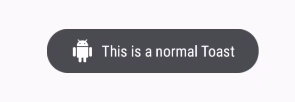
Below Images demonstration of clicking warning, info, success, error and normal respectively.
Note: Custom toast views are no longer recommended. When in the foreground, apps can use the makeText() function to produce a normal text toast, or they can create a Snackbar. Custom toast views will not be displayed when the owning application, targeting API level Build.VERSION_CODES#R or above is in the background. For now, Toasts built using makeText() or its variations will likewise return null here in apps targeting API level Build.VERSION CODES.R or above, unless they called setView with a non-null view.