|
VOOZH | about |
|
VOOZH | about |
Android ExpandableListView is a view that shows items as a vertically scrolling two-level list. The basic difference with ListView is that it allows two levels of the display, which can be easily expanded and collapsed by touching to view and their respective children's items. To show the view, ExpandableListViewAdapter is used in Android. In many apps, an ExpandableListView facility is required. For example:
Methods | Description |
|---|---|
| setChildIndicator(Drawable) | Current state indicator for each item If the child is the last child for a group, the state state_last will be set |
| setGroupIndicator(Drawable) | To represent the state either expanded or collapsed.state_expanded is the state if the group is expanded, state_collapsed if the state of the group is collapsed, state_empty if there are no groups. |
| getGroupView() | Used to get the view for the list group header |
| getChildView() | Used to get the view for list child item |
Interfaces | Description |
|---|---|
| ExpandableListView.OnChildClickListener | When a child in the expanded list is clicked, this is overridden |
| ExpandableListView.OnGroupClickListener | When a group header in the expanded list is clicked, this is overridden |
| ExpandableListView.OnGroupCollapseListener | When a group is collapsed, this method notifies |
| ExpandableListView.OnGroupExpandListener | When a group is expanded, this method notifies |
To create a new project in Android Studio please refer to How to Create/Start a New Project in Android Studio.
Note that select Java/Kotlin as the programming language.
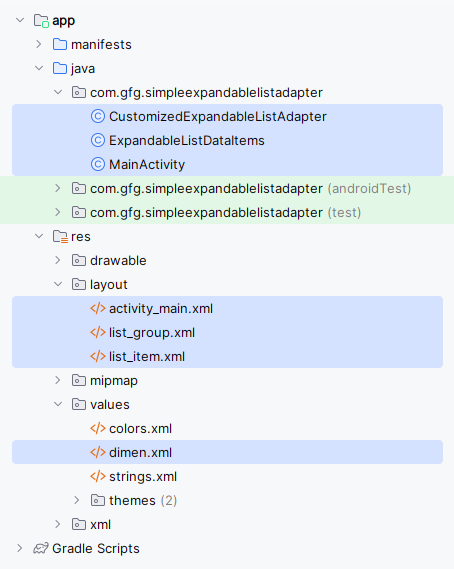
Directory Structure for the Project:
Go to app > res > layout > New > Layout Resource File and name the file list_group. Below is the code for the list_group.xml file.
Next is for layout row for child items. This is done via a list_item.xml file. Go to app > res > layout > New > Layout Resource File and name the file as list_item. Below is the code for the list_item.xml file.
With the above XML, UI design elements are complete. Next is, a java file to populate the contents of the list.
Go to app > java > your package name > Right-click > New > Java/Kotlin Class and name the file ExpandableListDataItems. Below is the code for the ExpandableListDataItems file. Comments are added inside the code to understand the code in more detail.
ExpandableListDataItems File:
Go to app > java > your package name > Right-click > New > Java/Kotlin Class and name the file CustomizedExpandableListAdapter. Below is the code for the CustomizedExpandableListAdapter file. This java class extends BaseExpandableListAdapter and it overrides the methods that are required for the ExpandableListView. Comments are added inside the code to understand the code in more detail.
Note: To learn more about BaseExpandableListAdapter refer to : BaseExpandableListAdapter in Android with Example
CustomizedExandableListAdapter File:
Below is the code for the MainActivity file. Comments are added inside the code to understand the code in more detail.
MainActivity File:
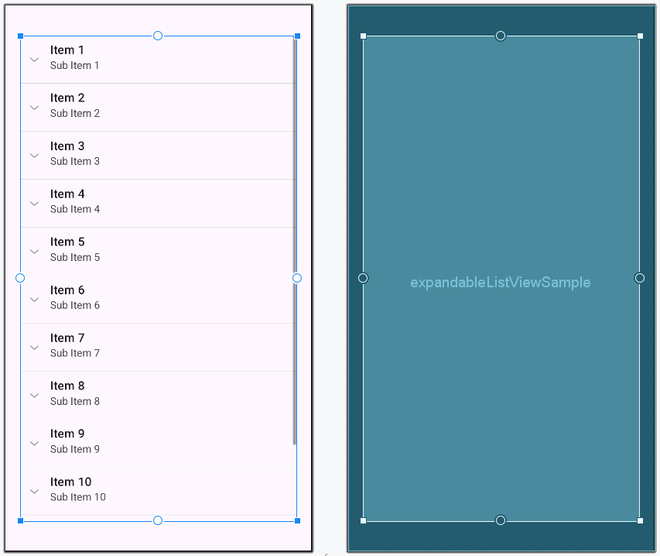
ExpandableListView is a very useful mandatory feature used in many apps. In mobile app sizes and the available space, to show multiple items, one should need features like ExpandableListView and ExpandableListAdapter so the view can fit perfectly. As the scrolling is available, we can keep information on many levels. The methods support expanding the header, collapsing the header, and selecting the child items perfectly as seen in the emulator output. For simplicity, we have provided Toast messages. Depending upon the requirements, we can able to add further coding to match it.