|
VOOZH | about |
|
VOOZH | about |
A ListView in Android is a type of AdapterView that displays a vertically scrollable list of items, with each item positioned one below the other. Using an adapter, items are inserted into the list from an array or database efficiently. For displaying the items in the list method setAdaptor() is used. The setAdaptor() method binds the adapter with the ListView.
ListView in Android is a ViewGroup that is used to display the list of items in multiple rows and contains an adapter that automatically inserts the items into the list dynamically. The main purpose of the adapter is to retrieve data from an array or database and dynamically insert each item into the list for the desired result. Adapters can fetch data from various sources including resources like the strings.xml file.
| Attribute | Description |
|---|---|
| android:divider | A color or drawable to separate list items. |
| android:dividerHeight | Divider's height. |
| android:entries | Reference to an array resource that will populate the ListView. |
| android:footerDividersEnabled | When set to false, the ListView will not draw the divider before each footer view. |
| android:headerDividersEnabled | When set to false, the ListView will not draw the divider before each header view. |
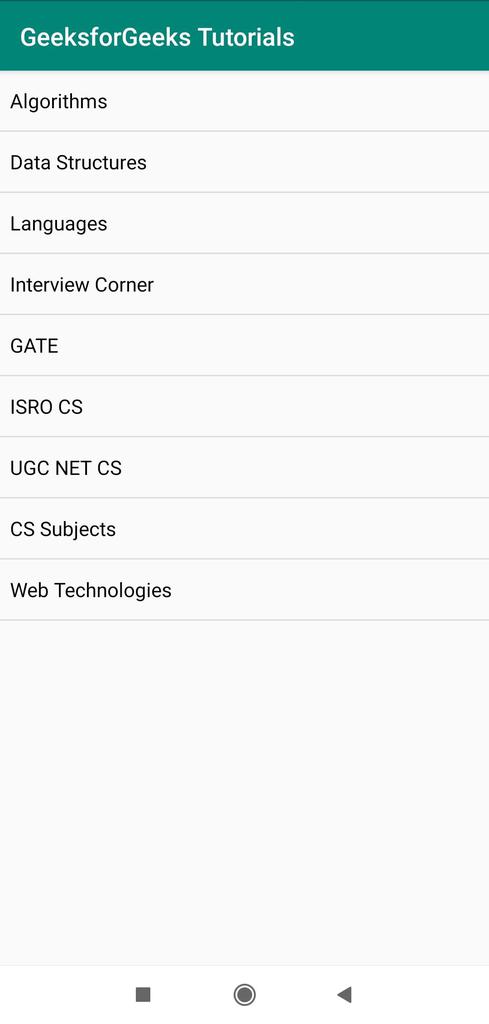
Now let's understand how to use a ListView in an Android application with an example. In the example, let's create an Android application that will display a list of tutorials available in the GeeksforGeeks portal.
Add a ListView in the activity_main.xml file and a file support_simple_spinner_dropdown_item.xml(New resource file created) :
In this section, let's design the backend of the application. Go to MainActivity.java. Now in the java file create a string array and store the values you want to display in the list. Also, create an object of ListView class. In onCreate() method find ListView by id using findViewById() method. Create an object of ArrayAdapter using a new keyword followed by a constructor call.
The ArrayAdaptor public constructor description is below:
public ArrayAdapter (Context context, int Resource, T[ ] objects)According to this pass the argument in ArrayAdapter Constructor and create an object. At last, conjoin the adapter with the list using setAdapter() method.