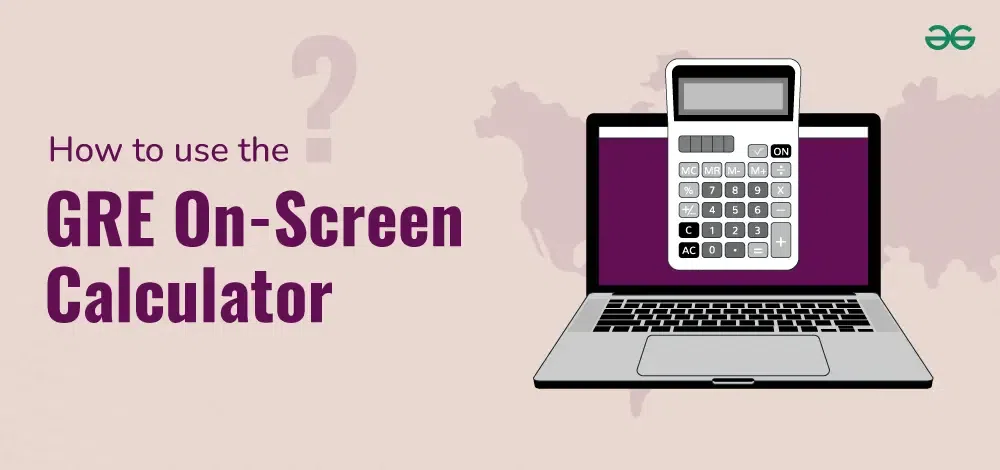
The GRE on-screen calculator is crucial for the GRE Quantitative Reasoning section. While it's not necessary for all the questions, using it wisely can save time and reduce errors. This calculator has its peculiarities, so it's important to understand how to use it properly. In this guide, we'll explore the functionality of the GRE on-screen calculator, explain when and how to use it effectively and provide tips on how to avoid common pitfalls.
When you take the GRE General Test, you can access an on-screen calculator for the Quantitative Reasoning section. This basic calculator performs functions like addition, subtraction, multiplication, division, and square roots, but it's not as advanced as scientific or graphing calculators. It is designed to handle simple arithmetic and certain types of calculations that appear in the exam.
The calculator appears as a pop-up window during the test, and you can either click the buttons or use your keyboard’s numeric pad. While this tool seems convenient, it can slow you down if you overuse it or fail to use it properly.
GRE Calculator Functions
The GRE on-screen calculator has several functions, and understanding these can help improve your performance. Here are the primary features:
Basic Arithmetic Operations: The calculator allows you to perform basic operations such as addition, subtraction, multiplication, and division. These operations are essential for solving questions involving numerical data.
Square Root Function: The square root function can help with problems involving areas or geometric figures, especially when exact square root values are needed.
Memory Functions: This calculator includes memory functions such as M+, M-, MR (Memory Recall), and MC (Memory Clear). These functions allow you to store temporary results for use in multi-step problems, saving you from repeatedly entering numbers.
Decimal Operations: You can use the decimal point for precise calculations. This is especially useful for problems involving proportions or percentages.
Sign Change Button: The +/- button is helpful when switching between positive and negative numbers in equations or inequalities.
Parentheses: Although limited in scope, the calculator can handle basic operations involving parentheses. This feature is useful for maintaining proper order of operations in more complex calculations.
When to Use the GRE On-Screen Calculator?
Knowing when to use the calculator is just as important as knowing how to use it. Not all problems on the GRE require its use, and in some cases, relying on mental math or estimation may be faster. Here are a few scenarios where the calculator can be particularly helpful:
Complex Arithmetic: Use the calculator for calculations involving large or complex numbers. For example, the calculator makes multiplying or dividing numbers like 387 by 56 easier.
Exact Values: When a problem requires an exact value, such as a specific decimal, the calculator ensures accuracy.
Long Equations: For multi-step equations or those involving multiple terms, the calculator can help reduce errors in the middle of calculations. Use memory functions to store interim results.
Root Calculations: When you need to calculate square roots that do not result in whole numbers, the calculator is very useful.
When Not to Use the GRE Calculator?
Despite the calculator’s usefulness, there are several scenarios where it's better to avoid it:
Simple Arithmetic: Avoid using the calculator for simple addition, subtraction, or multiplication problems. Relying too much on the calculator for these basic operations can waste time.
Time-Consuming Problems: Some GRE problems are designed to be solved quickly through estimation or shortcuts. Overuse of the calculator in such questions can lead to losing precious time.
Calculator Limitations: The on-screen calculator is not built for advanced functions such as exponents, trigonometry, or logarithms, so attempting to solve these types of problems with it will lead to frustration and wasted time.
GRE Calculator Strategy: Avoid Overdependence
The most important tip for using the GRE on-screen calculator is to avoid becoming overly dependent on it. The calculator should be viewed as a tool for double-checking your work or for performing difficult calculations, not as a crutch for every problem. Here are a few tips to strike a balance:
Practice Mental Math: For simple calculations, rely on mental math to save time. Problems involving addition or subtraction of small numbers, or multiplication with single digits, can often be solved more quickly in your head.
Use Estimation: Many GRE Quant questions can be solved with estimation. In some cases, you may not need an exact answer—getting close will do. Estimating can help you eliminate wrong answer choices faster than using the calculator.
Use the Calculator for Accuracy: For problems that require exact answers, such as those involving decimal points or ratios, use the calculator to avoid errors. In such cases, manually calculating may lead to mistakes, particularly when you're under time pressure.
Watch the Time: Always be aware of the clock. The Quantitative Reasoning section is timed, and overusing the calculator can eat into the time you need to complete other problems. Use it only when you know it will speed up your solution process.
Common Mistakes with the GRE Calculator
Using the GRE on-screen calculator incorrectly can cost you time and points. Be aware of these common mistakes:
Wrong Order of Operations: If you're solving an equation that involves multiple operations, make sure to follow the correct order of operations. The calculator follows the standard PEMDAS (Parentheses, Exponents, Multiplication, Division, Addition, and Subtraction) rules, so input numbers carefully.
Forgetting to Clear Memory: If you're using the memory functions (M+, M-, MR, MC), make sure to clear the memory (MC) before starting a new calculation. Failing to do so could result in inaccurate answers.
Miskeying Numbers: Typing the wrong numbers into the calculator is a common issue, especially when you're in a hurry. Double-check your input before proceeding with the calculation.
Overuse in Easy Problems: As mentioned earlier, over-reliance on the calculator for easy problems can slow you down. Recognize when it's faster to solve problems mentally or using estimation.
How to Practice Using the GRE On-Screen Calculator
One of the best ways to become proficient in using the GRE on-screen calculator is by practicing with it before the test. The ETS provides a practice version of the on-screen calculator, which you can access through their GRE PowerPrep tools. Here’s how you can prepare:
Practice Using the Calculator on Practice Tests: Take full-length GRE practice tests and use the on-screen calculator when needed. This will help you get used to its functionality in a test-like environment.
Familiarize Yourself with the Buttons: Spend time getting comfortable with the calculator’s buttons and functions. Practice using the memory buttons, square root, and +/- buttons so that you can use them quickly and accurately during the test.
Time Yourself: When practicing, keep an eye on the clock. Track how long it takes you to use the calculator and identify areas where you might be able to speed up.
Take Notes on Calculator Use: After practice tests, review your use of the calculator. Did you overuse it? Did it slow you down? Make adjustments to your strategy for future practice tests.
The GRE Calculator and Data Interpretation
One of the key areas where the GRE on-screen calculator can be especially useful is in the Data Interpretation questions. These questions often involve interpreting graphs, charts, or tables, and calculating averages, percentages, or ratios based on the presented data. Here's how you can effectively use the calculator in these scenarios:
Accurate Calculation of Percentages: Data Interpretation questions often involve finding percentages, and the calculator can help ensure precision.
Ratios and Proportions: These questions sometimes require you to calculate exact ratios or proportions. Using the calculator will help you avoid simple math errors that can lead to wrong answers.
Complex Data Calculations: Some Data Interpretation questions may involve multiple steps or large sets of numbers. In such cases, the calculator can streamline the process by handling large numbers or multi-step arithmetic more quickly than mental math.
Final Thoughts on the GRE On-Screen Calculator
The GRE on-screen calculator is a helpful tool for the Quantitative Reasoning section, but it must be used wisely. It can help you solve complex arithmetic and ensure accuracy in problems requiring precise values. However, over-reliance on the calculator can slow you down, especially if you use it for simple math problems that can be solved mentally or by estimation.