|
VOOZH | about |
|
VOOZH | about |
Progress Bar are used as loading indicators in android applications. These are generally used when the application is loading the data from the server or database. There are different types of progress bars used within the android application as loading indicators. In this article, we will take a look at How to use the ProgressBar in android. A sample video is given below to get an idea about what we are going to do in this article. This Android article covered in both Java and Kotlin languages.
To create a new project in Android Studio please refer to How to Create/Start a New Project in Android Studio.
Navigate to app > res > layout > activity_main.xml and add the below code to it. Comments are added in the code to get to know in detail.
activity_main.xml:
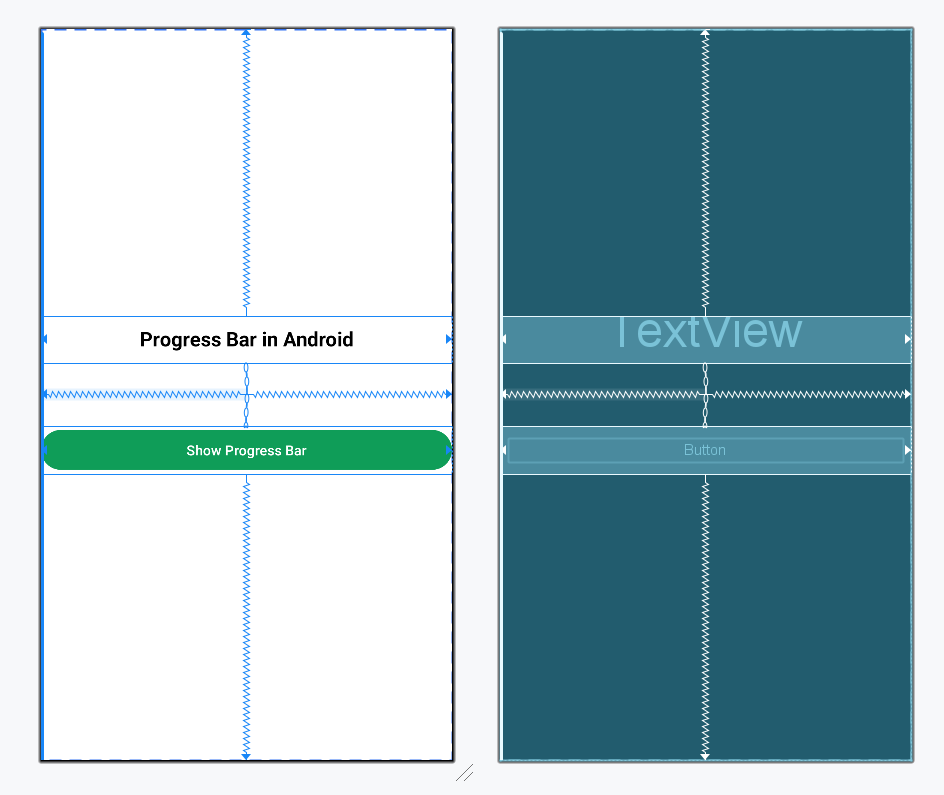
Design UI:
Navigate to app > java > your app's package name > MainActivity file and add the code below. Comments are added in the code to get to know in detail.
MainActivity File:
Output: