|
VOOZH | about |
|
VOOZH | about |
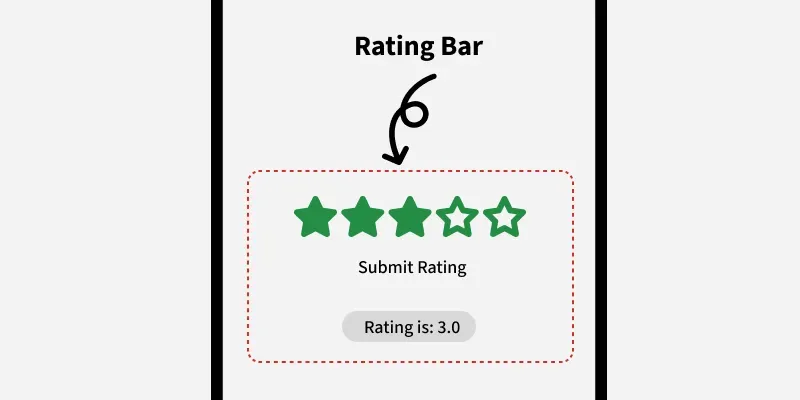
Android RatingBar is a user interface widget which is used to get the rating from the customers or users. It is an extension of SeekBar and ProgressBar that shows star ratings and it allow users to give the rating by clicking on the stars.
In RatingBar, we can set the step size using android:stepSize and it will always return a rating value as floating point number such as 1.0, 2.0, 2.5 etc. By using, android:numStars attribute we can specify the number of stars in RatingBar. RatingBar is used to get ratings form users or customers about the product, movie or hotel experience etc.
| XML Attributes | Description |
|---|---|
| android:id | Used to uniquely identify the control. |
| android:rating | Used to set the default rating value for ratingbar. |
| android:numStars | Used to set number of stars to display. |
| android:background | Used to set the background color for Ratingbar. |
| android:padding | Used to set the padding for left, right, top or bottom of Ratingbar. |
| android:stepSize | Used to set the step size on RatingBar like 0.5 or 1. |
To create a new project in Android Studio please refer to How to Create/Start a New Project in Android Studio.
Note: Select Kotlin as the programming language.
In this file, we add Rating Bar and button in the LinearLayout. Also set attributes for both of the widgets like id, stepSize, background etc.
activity_main.xml:
Design UI:
First, we will declare the variable rBar to access the Rating using the id like
private lateinit var ratingBar: RatingBar
ratingBar = findViewById(R.id.ratingBar)
then, declare another variable button and access the button using its id.
private lateinit var button: Button
button = findViewById(R.id.button)
In the end, to display toast msg while submitting the ratings we code like this
button.setOnClickListener {
 textView.text = "You Rated : " + ratingBar.rating
}
MainActivity.kt: