|
VOOZH | about |
|
VOOZH | about |
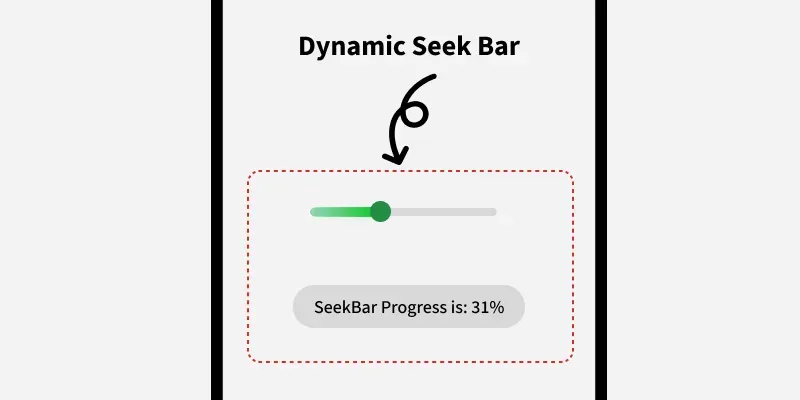
SeekBar in Android is a modified version of progressBar that has a draggable thumb in which a user can drag the thumb back and forth to set the current progress value. We can use SeekBar in our Android Devices like Brightness control, volume control etc. It is one of the important user interface elements which provides the option to select the integer values within the defined range like 1 to 100.
By dragging the thumb in SeekBar, we can slide back and forth to choose a value between minimum and maximum integer value which we defined usingandroid:minand android:max attributes. respectively.
| XML Attributes | Description |
|---|---|
| android:id | Used to uniquely identify the control. |
| android:thumb | Used to set drawable to be used as a thumb that can be moved back and forth. |
| android:thumbTint | Used to set tint to apply to the thumb. |
| android:min | Used to specify the minimum value. |
| android:max | Used to specify the maximum value. |
| android:progress | Used to specify the default progress value between 0 and 100. |
| android:progressDrawable | Used to specify the drawable mode of the progress. |
| android:background | Used to set the background of the specified view. |
| android:padding | Used to set the padding from left, right, top and bottom. |
To Create a New Project in Android Studio please refer to How to Create/Start a New Project in Android Studio.
Here, We will add the SeekBar widget in LinearLayout and set its attributes like id, margin etc.
activity_main.xml:
Layout Design:
Changes will be done where we will view the Seekbar using it's id and then display the Progress using Toast.
1. In the file, we first declare a variable seek and call the SeekBar from the xml file using the id.
val seek: SeekBar = findViewById(R.id.seekbar)2. then, setOnSeekBarChangeListener to perform some action on the SeekBar.
seek.setOnSeekBarChangeListener()3. Display the Toast message when the SeekBar is Updated.
Toast.makeText(this@MainActivity, output , Toast.LENGTH_SHORT).show()MainActivity.kt: