|
VOOZH | about |
|
VOOZH | about |
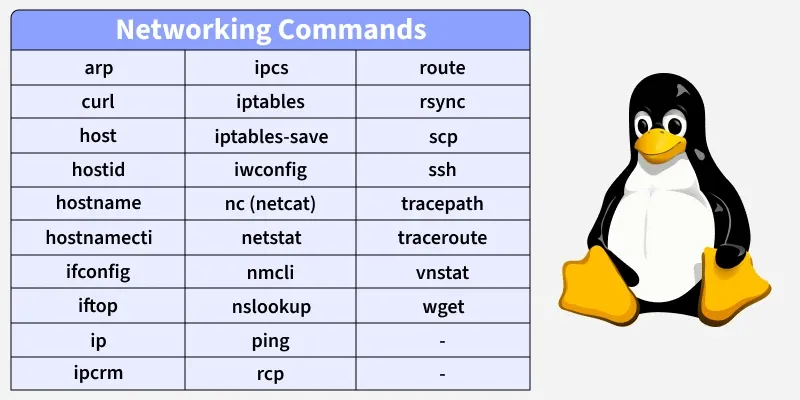
Networking commands in Linux are used to configure, monitor, test, and troubleshoot network connections. These commands help users and administrators manage IP addresses, network interfaces, routing tables, firewall rules, and data transfers across local and remote systems.
Below is a list of commonly used Networking Commands in Linux
The arp command in Linux is used to view and manage the ARP cache, which maps IP addresses to MAC addresses on your local network. It is very useful for troubleshooting local network issues, verifying connectivity, and understanding which devices are currently reachable on your LAN.
Syntax:
arp [options]Example : View ARP Cache
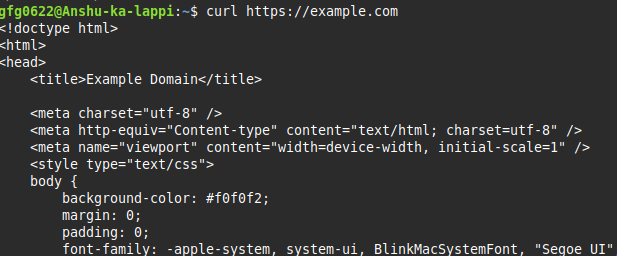
arp -a👁 ImageThe curl command is used to transfer data to or from a server using various protocols like HTTP, HTTPS, FTP, SMTP, and more. It is commonly used for testing APIs, downloading files, and interacting with web services from the terminal.
Syntax:
curl [options] URLExample : Fetch a Web Page
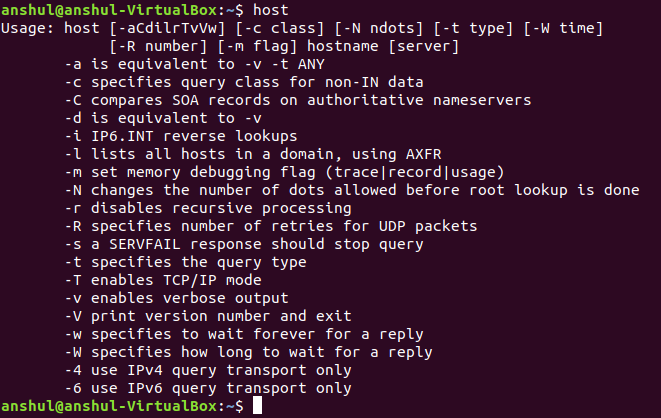
curl https://example.com👁 1The host command is used to perform DNS lookups and resolve domain names into IP addresses. It is useful for troubleshooting DNS issues, checking domain configurations, or verifying DNS records.
Syntax:
host domain_nameExample :
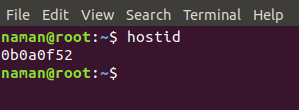
host👁 ImageThe hostid command is used to show the unique identifier of a Linux system. This identifier is usually a 32-bit hexadecimal number tied to the system hardware or configuration. It is mainly used for software licensing, system identification, or network-based authentication.
Syntax:
hostidExample: Display Host ID
hostid👁 ImageThe hostname command in Linux is used to view or temporarily change the system’s hostname. The hostname is the name that identifies your system on a network, making it easier to recognize and manage computers, especially in servers or multi-machine setups.
Syntax:
hostname [name]Example : Display Current Hostname
hostname👁 hostnameThe hostnamectl command in Linux is used to view and permanently manage the system hostname on modern systems that use systemd. Unlike the hostname command, changes made with hostnamectl persist across reboots.
Syntax:
hostnamectl set-hostname nameExample : View Current Hostname Information
hostnamectlThe ifconfig command in Linux is used to display and configure network interfaces. It’s one of the older networking utilities but still widely used for quickly checking interface status and IP configuration. On modern systems, it has mostly been replaced by the ip command, but it remains useful for simple tasks and troubleshooting.
Syntax:
ifconfig [interface]Example : Display All Active Network Interfaces
ifconfig👁 Finding IP Address in Linux Using `ifconfig`The iftop command in Linux is a real-time network monitoring tool that shows bandwidth usage per interface. Unlike ifconfig, which displays static information, iftop actively monitors network traffic and shows which hosts are communicating and how much data is being transferred. It is extremely useful for identifying bandwidth hogs, troubleshooting network congestion, and observing live traffic.
Syntax:
iftopExample : Monitor Traffic on Default Interface
iftop👁 LightboxNote : After running the command, this interface will show
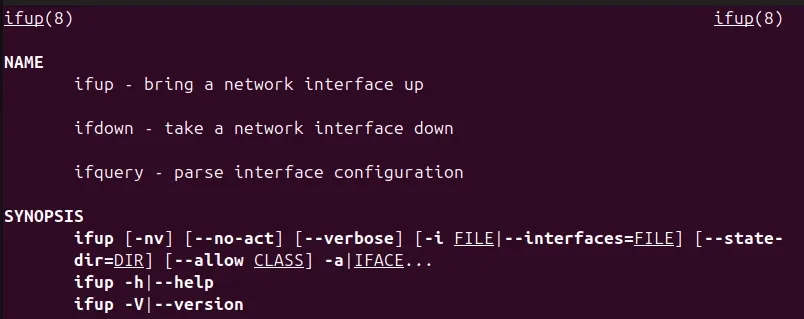
The ifup command in Linux is used to activate or enable a network interface that is configured in the system. It reads network interface configurations (typically from /etc/network/interfaces on Debian-based systems or /etc/sysconfig/network-scripts/ on RedHat-based systems) and brings the interface up so it can start sending and receiving data.
Syntax:
ifup interface_nameExample:
ifupThe ip command in Linux is a powerful and versatile tool for managing network interfaces, addresses, routes, and tunnels. It is a modern replacement for older commands like ifconfig, route, and arp, and is part of the iproute2 package.
Syntax:
ip [options]Example : Show IP Addresses of All Interfaces
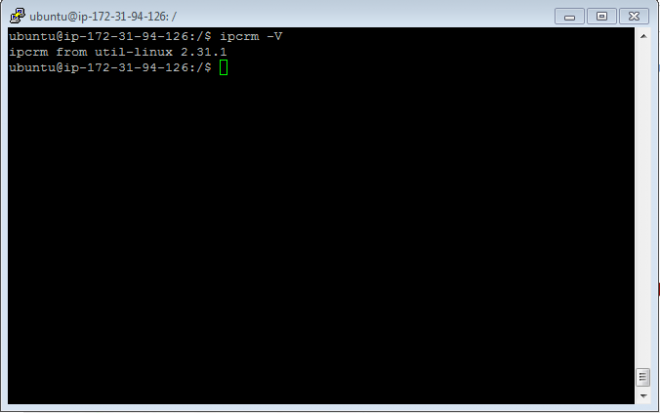
ip addr show👁 displaying network interface The ipcrm command in Linux is used to remove System V Inter-Process Communication (IPC) resources. These resources include shared memory segments, message queues, and semaphores, which are used for communication between processes. Over time, unused IPC resources can accumulate and need cleanup, especially on servers or long-running systems.
Syntax:
ipcrm [options]Example:
ipcrm -V👁 ipcrm-1-660x413The ipcs command in Linux is used to display information about System V Inter-Process Communication (IPC) resources. It helps administrators and users see what shared memory segments, message queues, and semaphores exist on the system. This is often used in combination with ipcrm to clean up unused resources.
Syntax:
ipcsExample : Display All IPC Resources
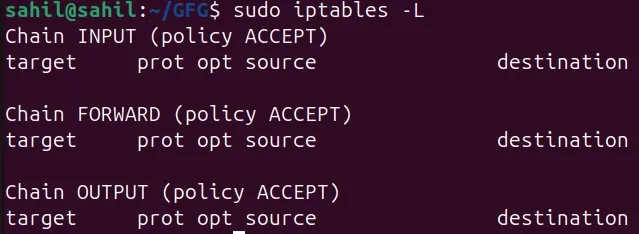
ipcs -a👁 ImageThe iptables command in Linux is a powerful tool to configure, manage, and monitor firewall rules. It operates at the kernel level and allows you to control incoming, outgoing, and forwarded network traffic. System administrators use it to implement security policies, block unwanted traffic, and protect servers from attacks.
Syntax:
iptables [options]Example : View Current Firewall Rules
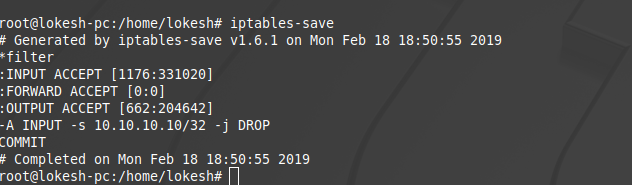
sudo iptables -LThe iptables-save command in Linux is used to export the current iptables configuration to a file. This is particularly useful for backing up firewall rules or transferring them to another system. The saved rules can later be restored using iptables-restore.
Syntax:
iptables-save > file_nameExample : Save Firewall Rules to a File
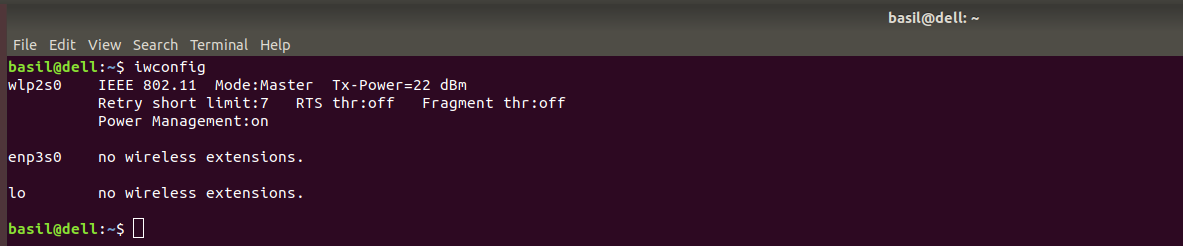
iptables-save👁 iptables3The iwconfig command in Linux is used to view and configure wireless (Wi-Fi) network interfaces. It is similar to ifconfig but specifically for wireless devices. This command helps monitor Wi-Fi parameters, check connection quality, and set wireless options like SSID, mode, and frequency.
Syntax:
iwconfigExample : View Wireless Interface Information
iwconfig👁 ImageThe nc command, commonly known as Netcat, is a versatile networking utility used to read and write data over TCP or UDP connections. It is often called the “Swiss Army knife of networking” because it can perform port scanning, network debugging, file transfers, and even act as a simple server or client.
Syntax:
nc [options] host portExample:
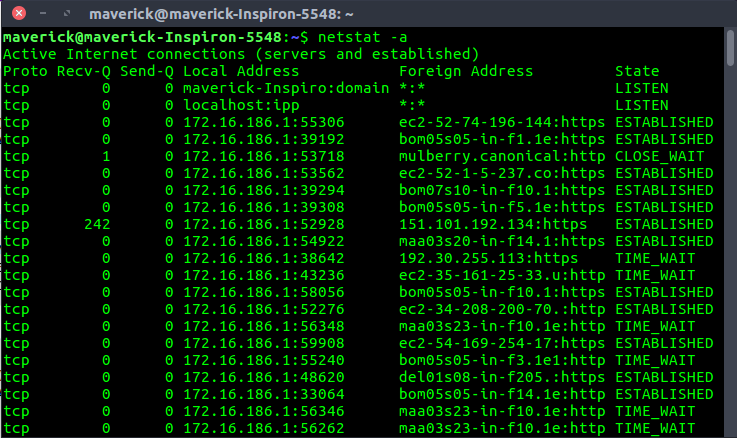
nc -zv google.com 80The netstat command in Linux is a powerful utility used to monitor network connections, routing tables, interface statistics, and more. It helps users and administrators diagnose network issues, check active connections, and analyze traffic on the system.
Syntax:
netstat [options]Example : Display All Active Connections
netstat -a👁 ImageThe nmcli command in Linux is a command-line tool for managing NetworkManager, which handles network connections and devices. It is widely used on desktop and server systems to configure, monitor, and troubleshoot network connections without using a graphical interface.
Syntax:
nmcli [options]Example : Check Status of All Network Devices
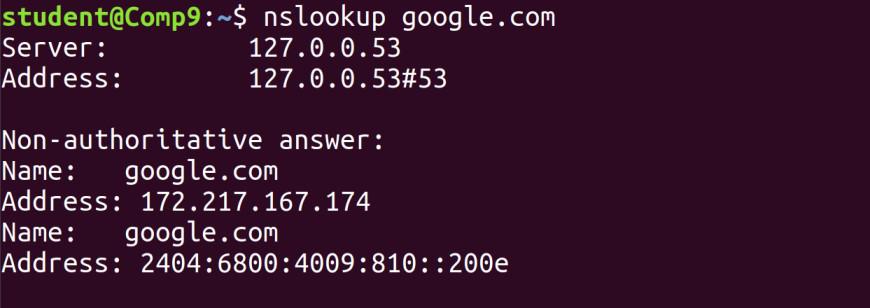
nmcli dev status👁 check device statusThe nslookup command in Linux is used to query Domain Name System (DNS) servers and retrieve information about domain names, IP addresses, and DNS records. It is a helpful tool for network troubleshooting, diagnosing DNS issues, and verifying domain resolution.
Syntax:
nslookup domain_nameExample : Basic Domain Lookup
nslookup google.com👁 nslookup google.comThe ping command in Linux is used to test the reachability of a host or IP address on a network. It is one of the most common network troubleshooting tools used to verify whether a system is online, measure round-trip time, and detect packet loss.
Syntax:
ping hostExample : Basic Connectivity Test
ping www.google.com👁 testing internet connection using ping commandThe rcp command in Linux is used to copy files between remote systems over a network. It is part of the r-command suite (like rlogin and rsh) and works over the TCP/IP protocol, but it is less secure than modern alternatives like scp or rsync because it does not encrypt data.
Syntax:
rcp source destinationExample : Copy Local File to Remote System
rcp file.txt user@192.168.1.10:/home/user/“An older remote copy command, largely replaced by SCP.”
The route command in Linux is used to view and manipulate the system’s routing table. The routing table determines how network packets are forwarded to their destinations, making this command essential for network configuration, troubleshooting, and debugging.
Syntax:
route [options]Example : Display Routing Table
route👁 routeThe rsync command in Linux is a fast and versatile tool for copying and synchronizing files and directories between local and remote systems. It is widely used for backups, incremental transfers, and server-to-server file synchronization because it only transfers the differences between the source and destination, saving bandwidth and time.
Syntax:
rsync [options] source destinationExample:
rsync foo/👁 378The scp (Secure Copy) command in Linux is used to transfer files securely between local and remote systems over SSH. Unlike older commands like rcp, scp encrypts data in transit, making it safe for transferring sensitive files.
Syntax:
scp source destinationExample : Copy a File to a Remote System
$ scp file.txt user@remote:/home/user/
file.txt 100% 12KB 12.0KB/s 00:01
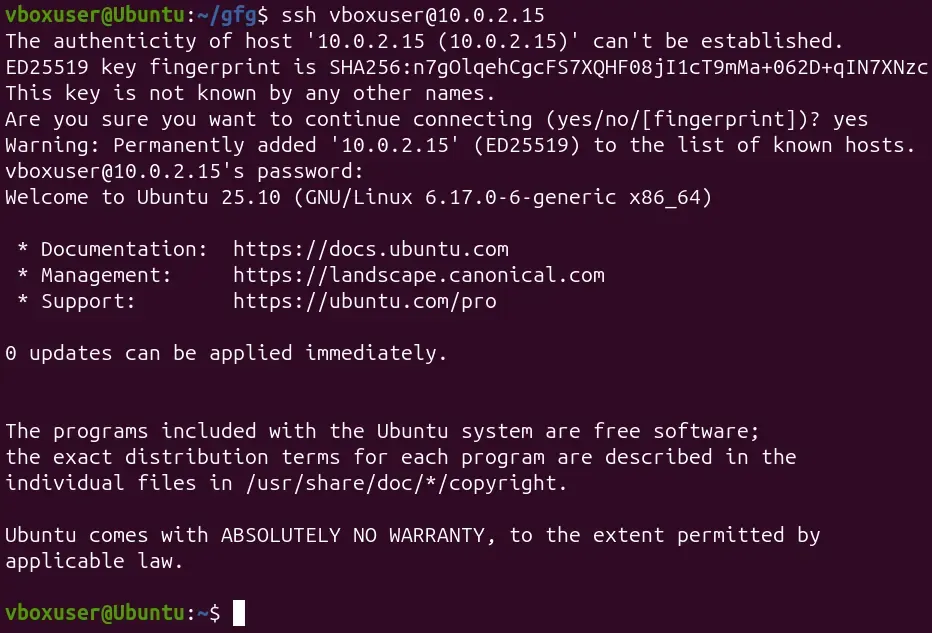
The ssh (Secure Shell) command in Linux is used to connect securely to remote systems over the network. It provides an encrypted channel for logging into a remote machine, executing commands, and transferring files, replacing older, insecure protocols like telnet or rsh.
Syntax:
ssh user@hostExample : Connect to a Remote System
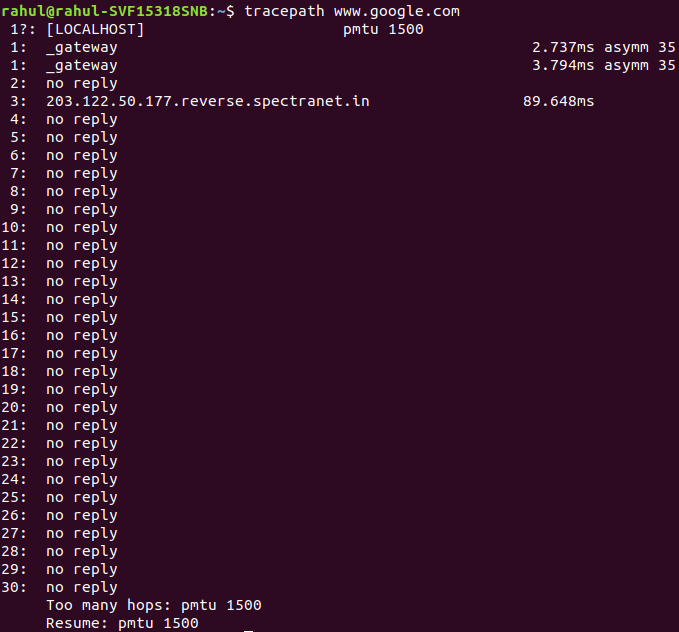
ssh vboxuser@10.0.2.15👁 image---2025-11-19T172157603The tracepath command in Linux is used to trace the network route from your system to a destination host. It helps identify the path packets take, including the intermediate routers, and can also detect Maximum Transmission Unit (MTU) issues along the path. Unlike traceroute, tracepath does not require superuser privileges, making it easy for general users to diagnose network issues.
Syntax:
tracepath hostExample : Trace Path to Google
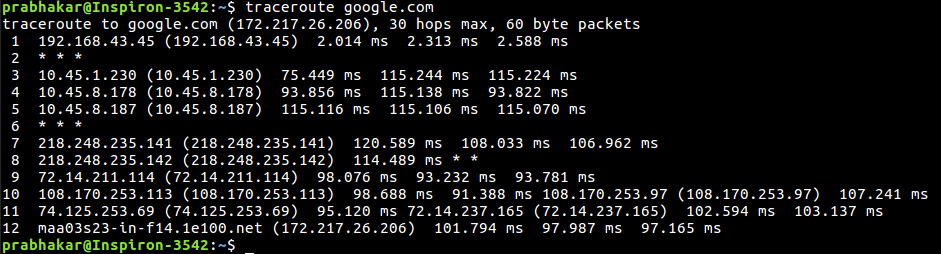
tracepath www.google.com👁 ImageThe traceroute command in Linux is used to display the route packets take from your system to a destination host. It shows all the intermediate hops (routers) along the path, helping users diagnose network connectivity issues, bottlenecks, or routing loops. Unlike tracepath, traceroute provides more advanced options and detailed control, but it may require root privileges to see full results in some cases.
Syntax:
traceroute hostExample : Trace Route to Google
traceroute google.com👁 Basic Traceroute UsageThe vnstat command in Linux is a lightweight network monitoring tool that tracks the amount of data transmitted and received over network interfaces. Unlike real-time monitors like iftop, vnstat logs historical traffic statistics, making it useful for analyzing bandwidth usage over time without consuming much system resources.
Syntax:
vnstatExample : Show Statistics for All Interfaces
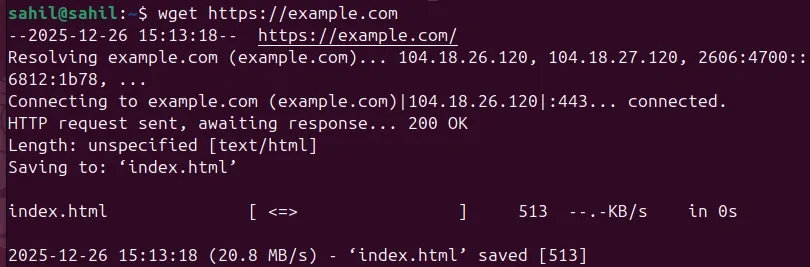
vnstat👁 To-get-basic-stats-of-all-network-interfacesThe wget command in Linux is a non-interactive network downloader used to retrieve files from web servers. It supports protocols like HTTP, HTTPS, and FTP and is highly versatile for automated or scripted downloads. Because it works non-interactively, wget can run in the background and resume downloads if interrupted.
Syntax:
wget URLExample : Download a Single File
wget https://example.com

.webp)