|
VOOZH | about |
|
VOOZH | about |
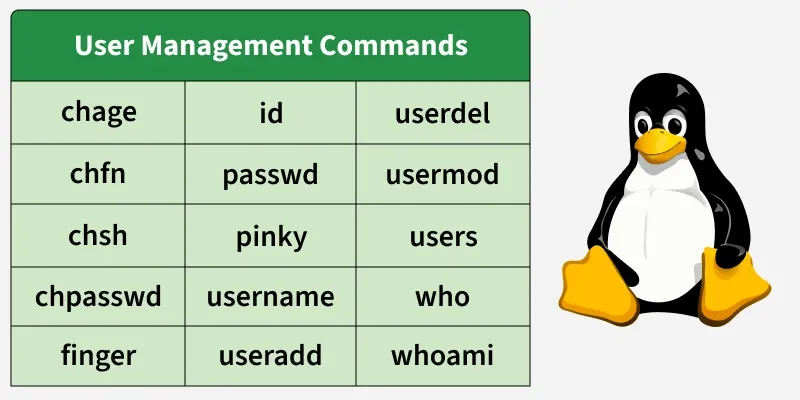
User management commands in Linux are used to create, modify, and manage user accounts on the system. These commands help administrators control user access, manage passwords, view user information, and maintain a secure multi-user environment.
The following commands are used for user management in Linux.
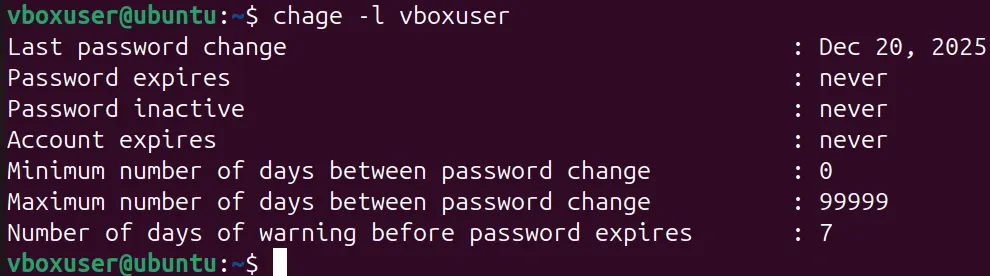
The chage command is used to view and modify password aging information for a user account. It helps enforce password expiry and security policies.
Syntax:
chage [options] usernameExample:
chage -l vboxuserThe chfn command is used to change user information such as full name and contact details. It updates the user’s finger information.
Syntax:
chfn usernameExample:
chfn👁 Basic 'chfn' command ExampleThe chsh command is used to change a user’s default login shell. It defines which shell starts when the user logs in.
Syntax:
chsh usernameExample:
chsh vboxuserThe chpasswd command is used to change passwords for multiple users in batch mode. It reads user and password pairs from standard input.
Syntax:
chpasswdExample:
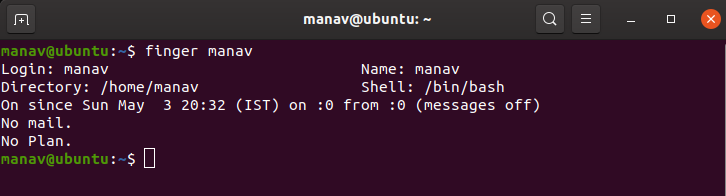
echo "vboxuser:newpass" | chpasswdThe finger command displays detailed information about user accounts. It shows login name, home directory, and last login.
Syntax:
finger usernameExample:
finger manav👁 To-finger-or-get-details-of-a-userThe id command displays user ID (UID), group ID (GID), and group memberships. It helps identify user privileges.
Syntax:
id usernameExample:
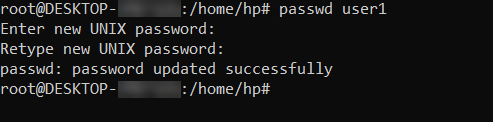
id master👁 ImageThe passwd command is used to change a user’s password. Users can change their own password, while administrators can change others’.
Syntax:
passwd usernameExample:
passwd user1👁 How to change another user passwordThe pinky command is a lightweight version of finger. It displays brief user information.
Syntax:
pinky usernameExample:
pinky manav👁 To-get-the-report-of-a-single-userThe username command is used to fetch username-related information from the system. It helps identify user-related configurations.
Syntax:
<command> usernameExample:
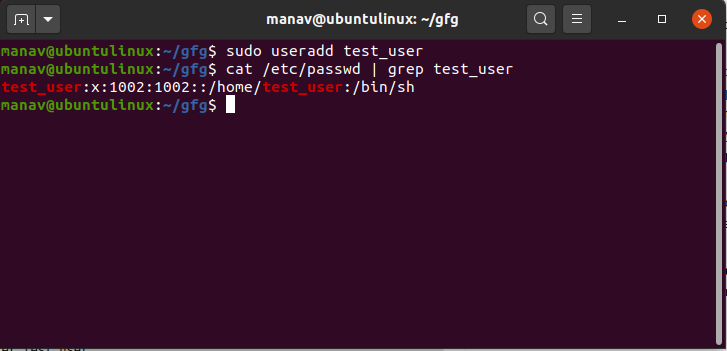
id vboxuserThe useradd command is used to create a new user account on the system. It sets up the user’s home directory and default settings.
Syntax:
useradd usernameExample:
useradd test_user👁 ImageThe userdel command is used to delete an existing user account. It can also remove the user’s home directory.
Syntax:
userdel usernameExample:
userdel user1The usermod command is used to modify existing user account properties. It can change username, groups, and login options.
Syntax:
usermod [options] usernameExample:
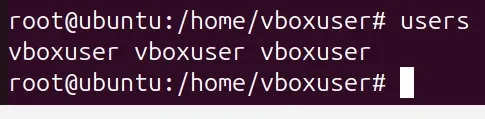
usermod -aG sudo user1The users command displays the usernames of currently logged-in users. It gives a quick overview of active users.
Syntax:
usersExample:
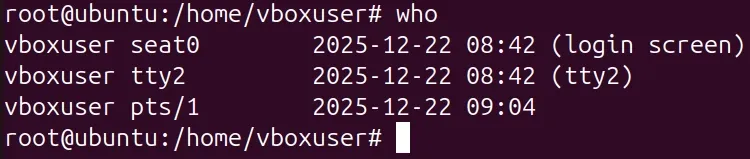
usersThe who command shows detailed information about logged-in users. It displays login time and terminal details.
Syntax:
whoExample:
whoThe whoami command displays the username of the currently logged-in user. It is useful in scripts and multi-user systems.
Syntax:
whoamiExample:
whoami