|
VOOZH | about |
|
VOOZH | about |
Discord is known as an online gaming platform that gives us a lot of features that we use in many ways such as texting, calling, sharing media in private chats, and so on. Discord servers consist of many roles that manage the whole server and maintain the decorum in the server, in this case, if we want to make a mute role that cannot be any message and call then we can also establish the role in the server. A mute in Discord is a role in which we can take the abilities of a member by assigning the role to it.
So, in this article, we will explore how we can create a mute role in Discord with some easy steps.
Follow the below detailed steps to create a mute role in Discord on mobile devices.
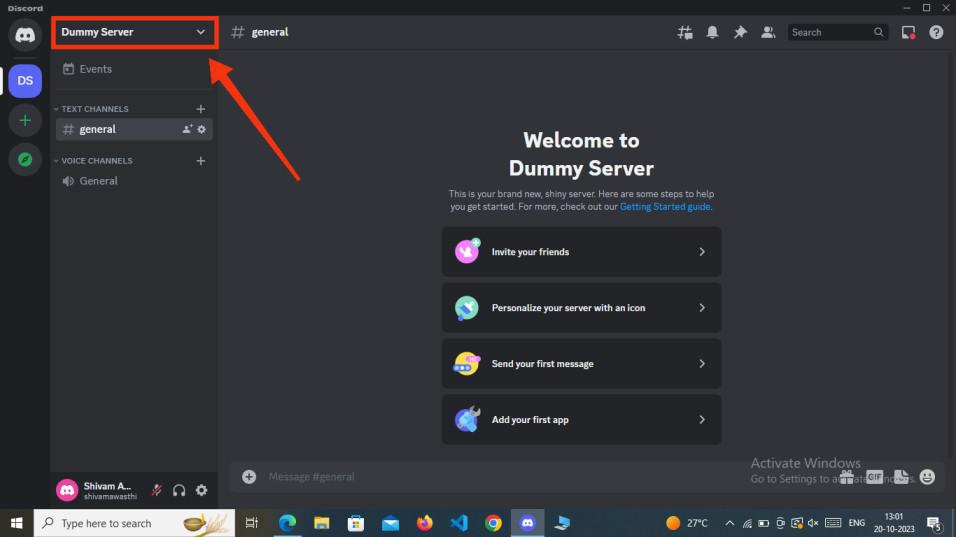
Launch the Discord App on your Desktop or open the Discord Web App you can simply access Discord directly through any web browser on your desktop.
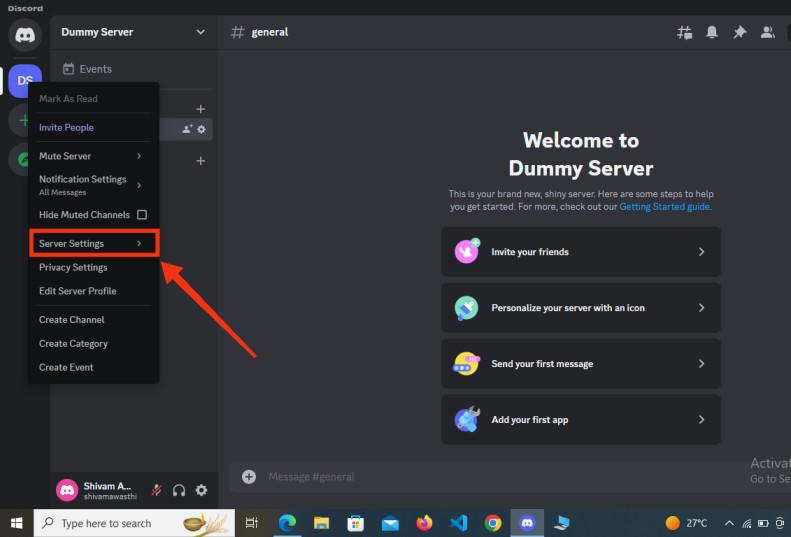
After opening the Discord app go to your desired server in which you want to make a mute role and click on the server's name.
After clicking on the Server's name a drop-down menu will appear, from the drop-down menu select the "Server Settings" option to open the Server settings.
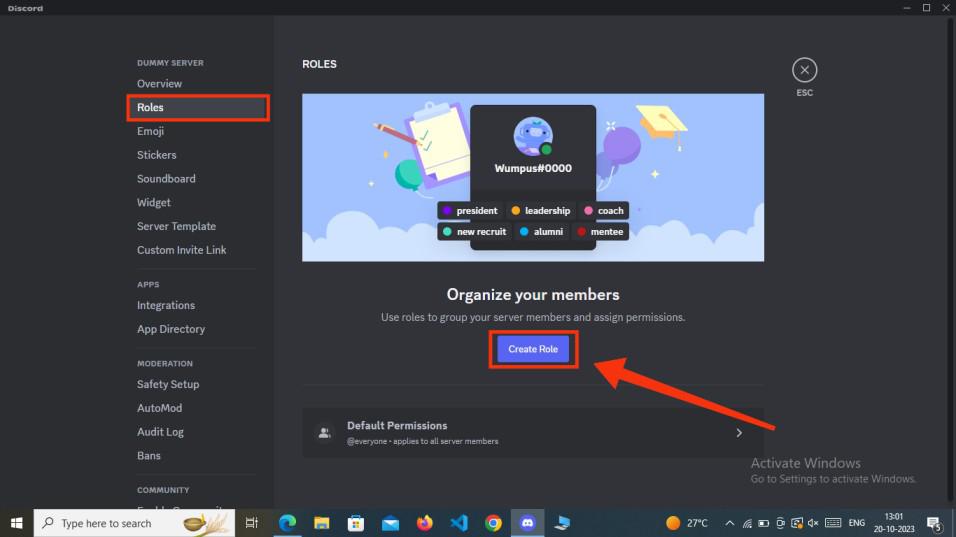
After encountering to the server settings among of all tabs present in the right side of the interface select the roles tab and then click on the "Create role" button to create a new role.
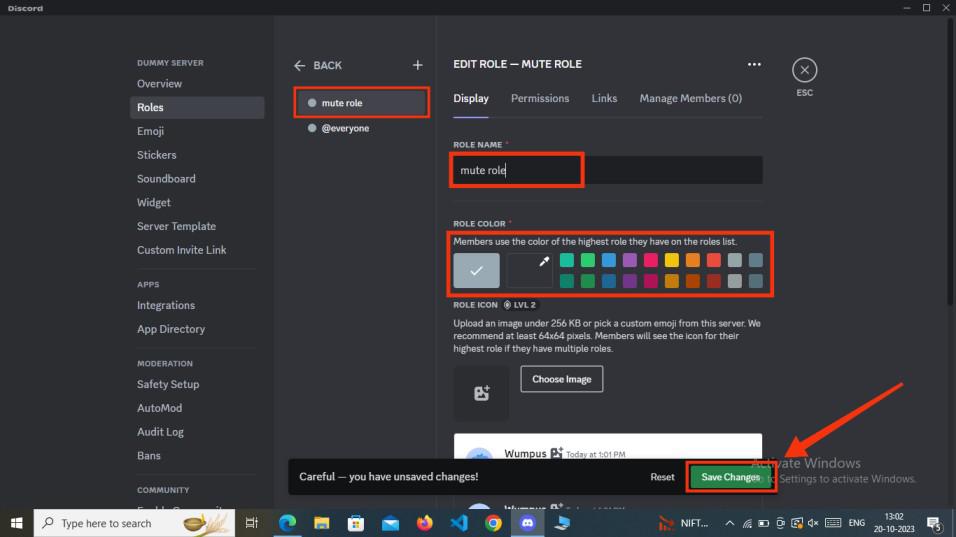
In the first step of creating a role you have to give a name to your role and also have to select a color for your role. Remember to click on "Save Changes" to save all the process.
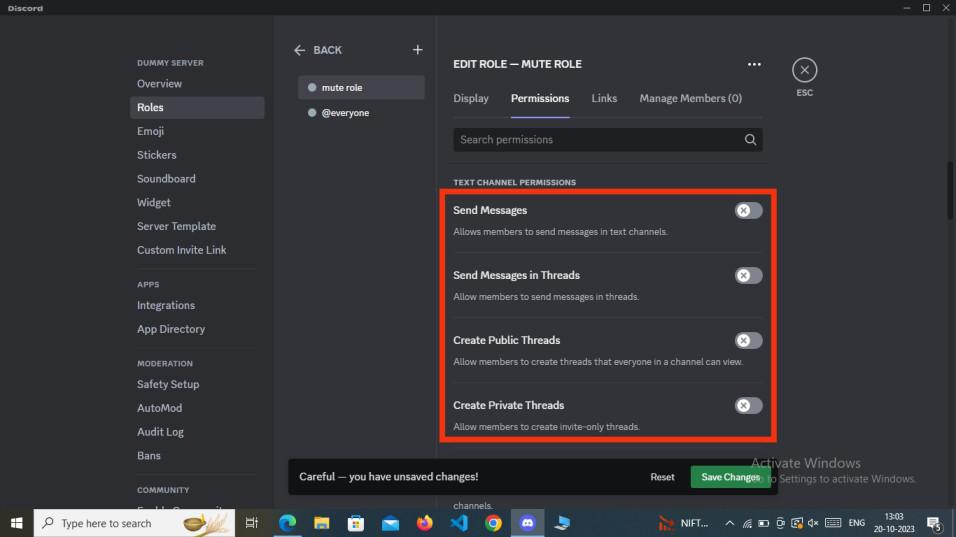
Now in order to create a mute role you have disable all the permissions to the role so that it can be called as a mute role. So just disable the permissions of sending messages, making call and all the permissions which are necessary to make a mute role.
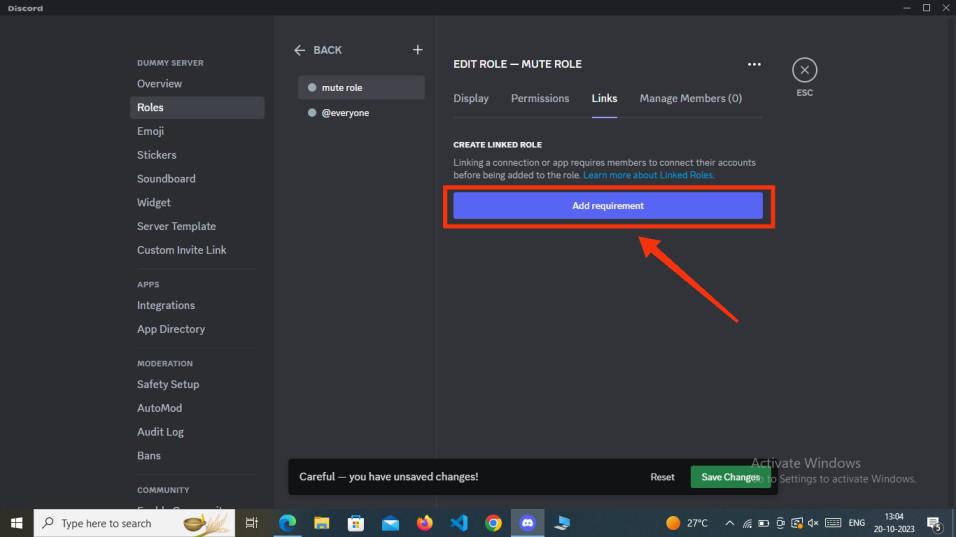
Now in the third you need to link a connection to the person whom you will assign the role. It is not so necessary to link a connection you can also just skip the step and move towards the next step.
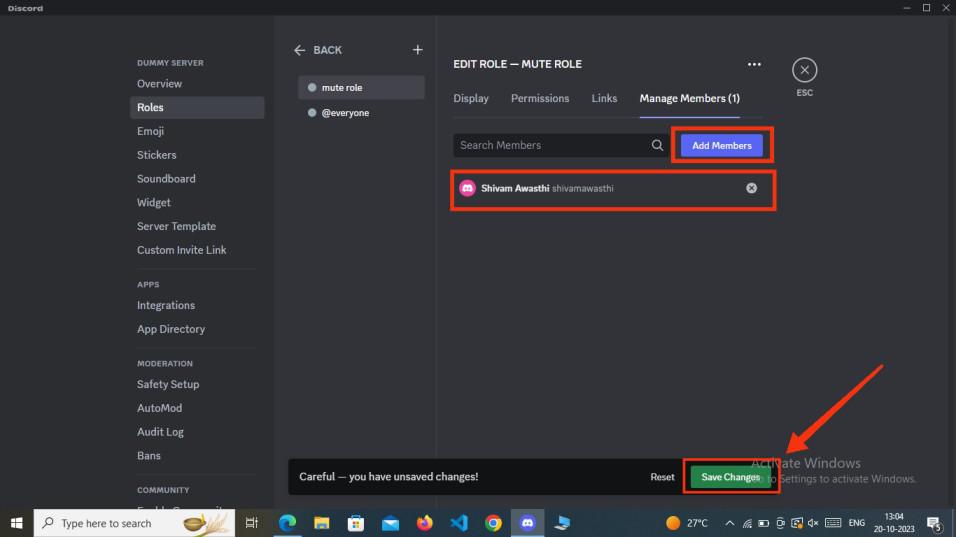
Now in the last step all you have to do is assign the role to a member, to do so click on "Add Members" button to add a member and click "Save Changes" to save the progress.
Click on the Discord Icon to open the Discord Mobile App.
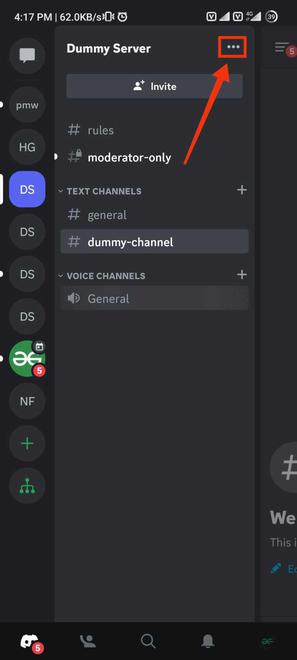
After opening the discord app open your server in which you want to create a mute role and click on Three dots present next to your server name to open a menu.
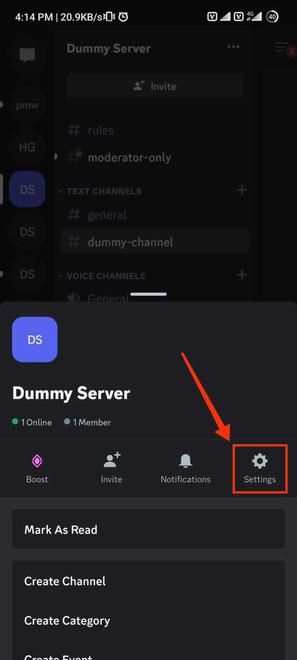
Go to the server settings to create a role for your discord server.
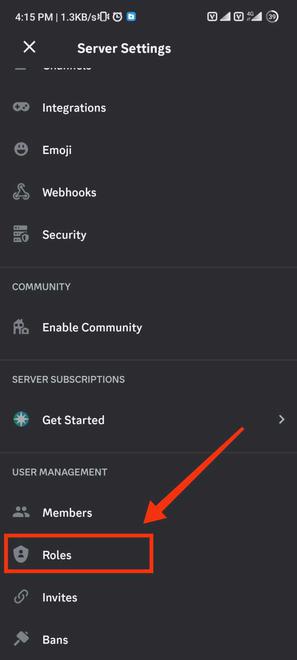
After encountering to the server settings find the roles option and give it a click to get into the roles section of Discord.
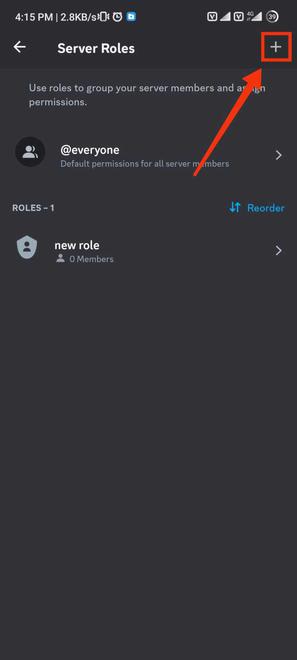
Now to create a new role click on the '+' icon present at the top-right corner of the interface.
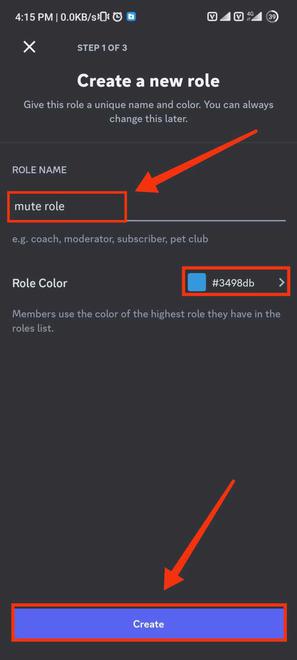
Now in this step you have to name your role, just name anything to the role and select the color you want give to your color. After giving name and color to your role click on the "Create" button to create the role.
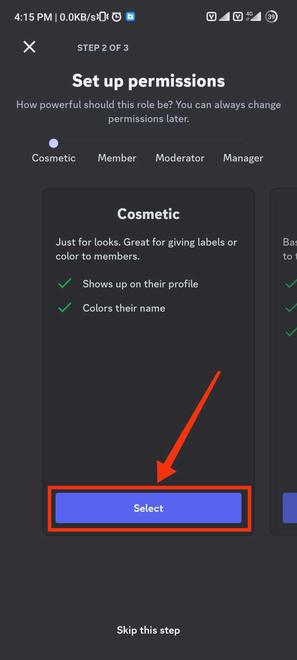
Now disable the permissions for your mute role as it is mute so he/she cannot make message or call in the channel. So you have to disable the permission of sending messages, making calls and anything you want.
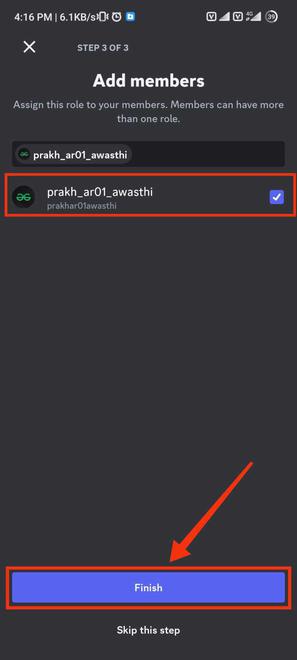
Now assign the created role to your desired member of the server.
A Mute role in Discord is a role within a channel that can view everything but cannot react to messages or calls. Making a mute role in Discord is simple. Just head to your Discord server's settings and find the roles tab. From there, follow three easy steps: give the role a name and color, set permissions, and assign it to a member. Once done, your mute role is created.


-660.jpg)