|
VOOZH | about |
|
VOOZH | about |
A Discord server is a digital space where people communicate through text, voice, and video channels. Servers can be public or private and support features such as roles, permissions, bots, and integrations. They are commonly used for gaming communities, creator groups, businesses, and social interactions.
When a Discord server is deleted:
NOTE: There is no way to recover a deleted server. Back up any important data before deleting.
Here are the steps on how to delete a Discord server on desktop.
Step1: Open the Discord app or web version
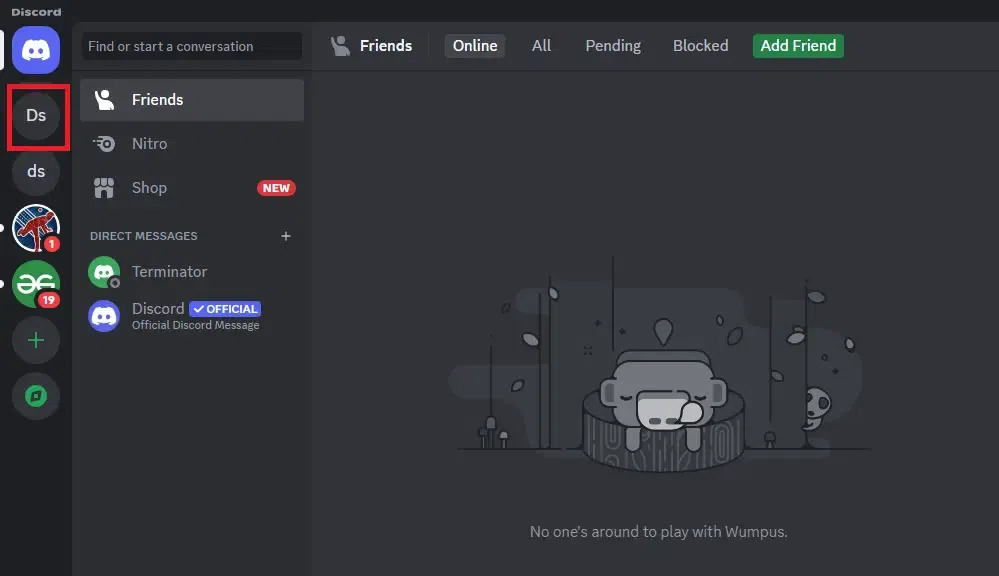
Step 2: Select the server you want to delete
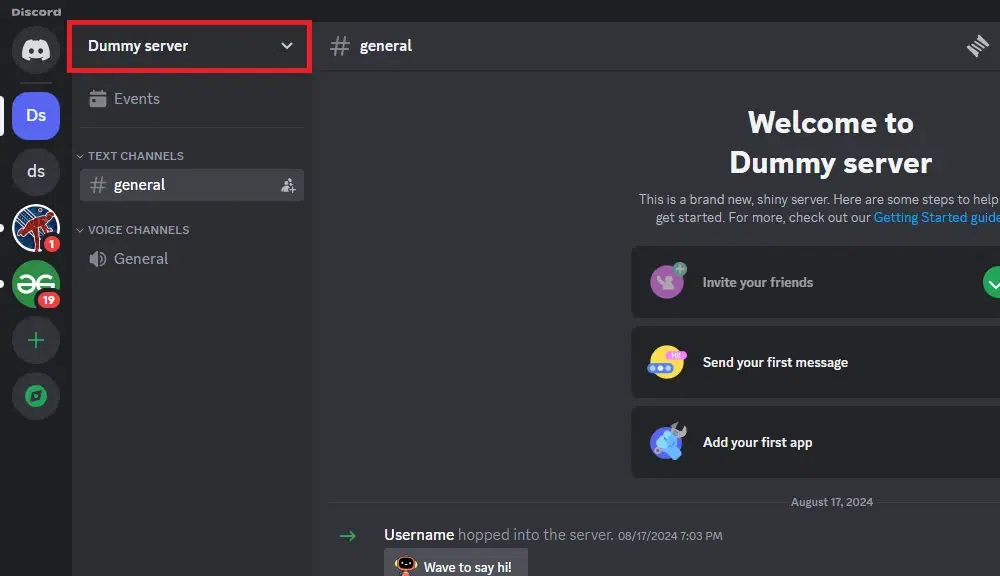
Step 3: Click the server name at the top-left
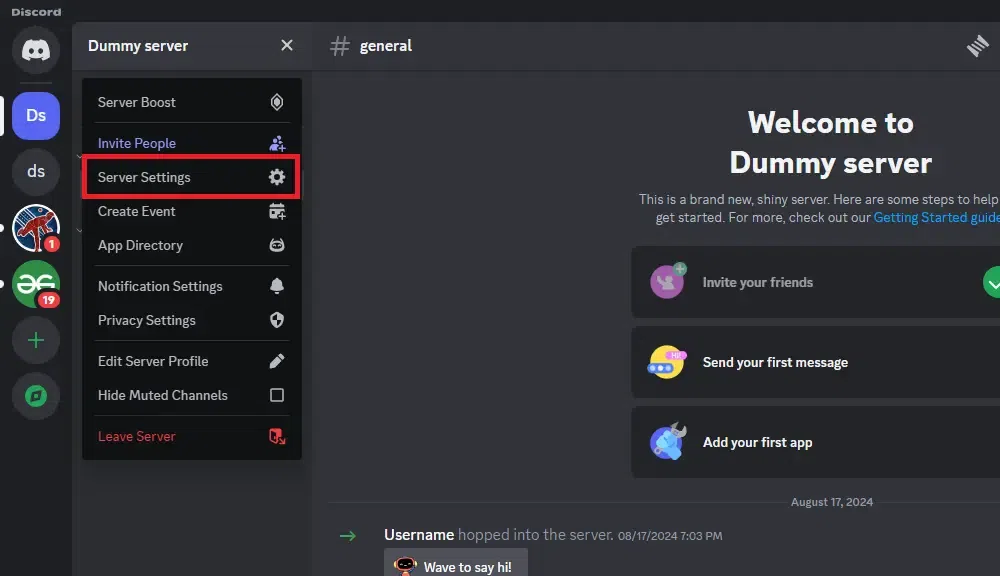
Step 4: Choose Server Settings
Step 5: Scroll down and click Delete Server
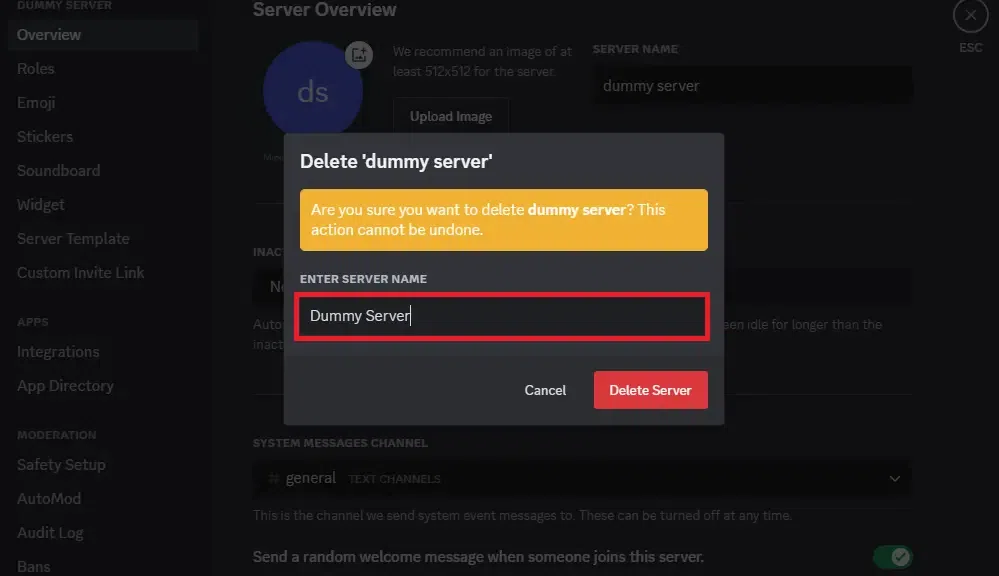
Step 6: Enter the server name to confirm
Learn how to delete a Discord server using your mobile device.
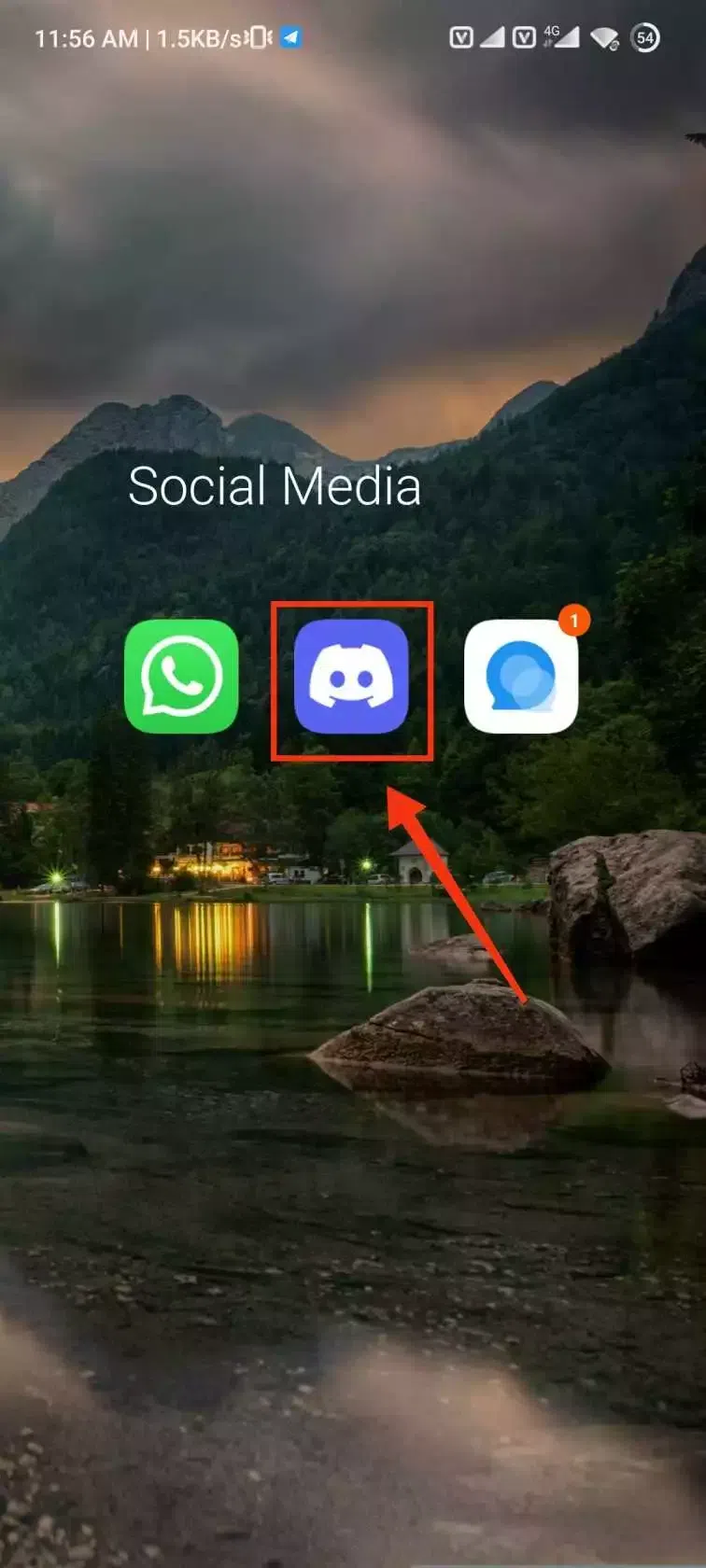
Step 1: Open the Discord mobile app
Step 2: Select the server
Step 3: Tap the Settings icon
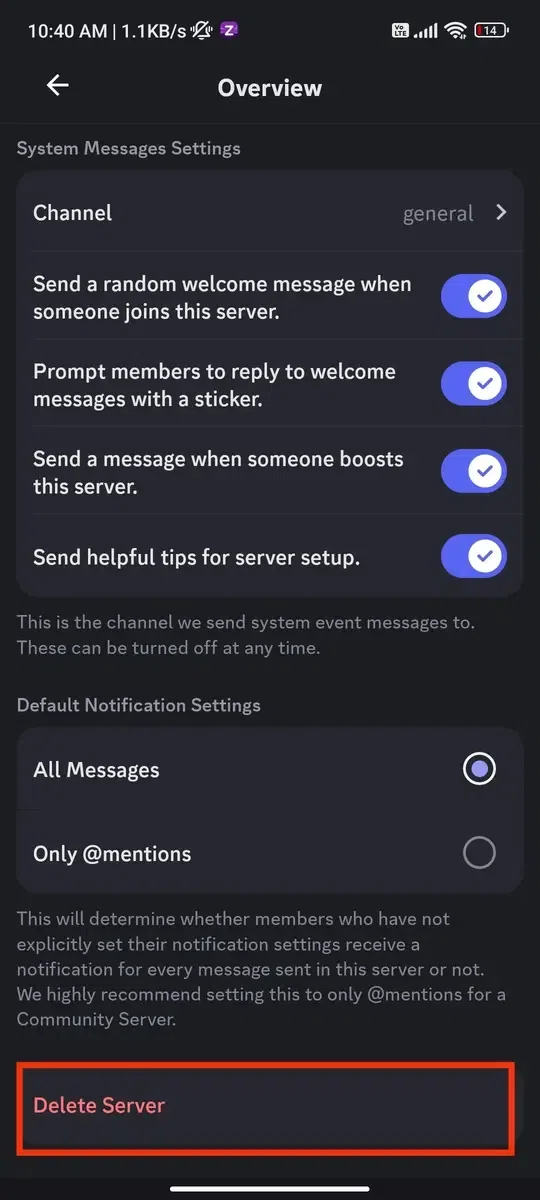
Step 4: Select Overview
Step 5: Scroll down and tap Delete Server
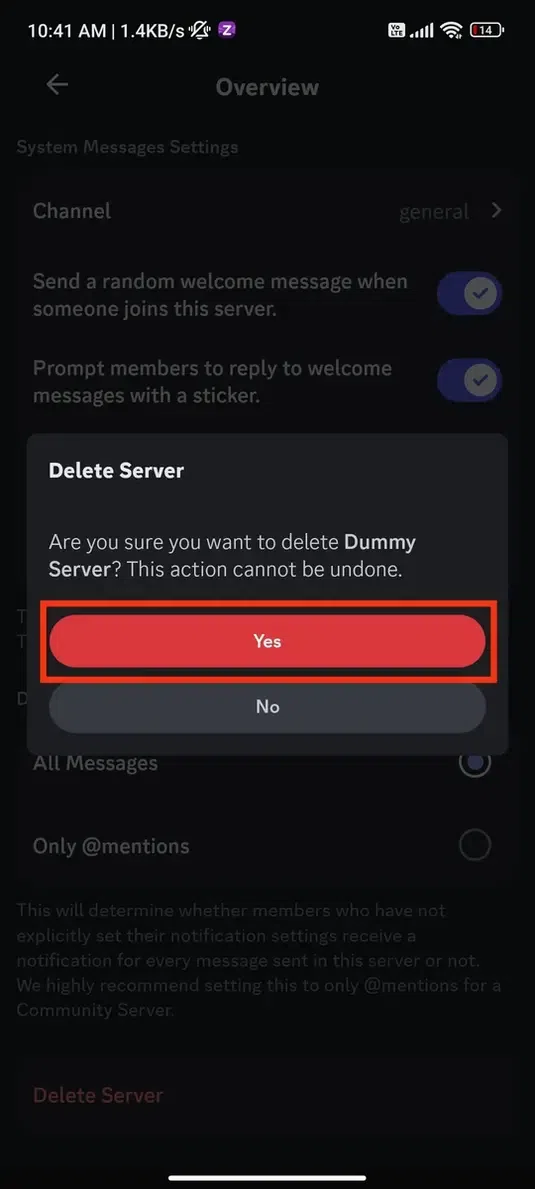
Step 6: Confirm by tapping Yes
Also Read: