|
VOOZH | about |
|
VOOZH | about |
11 min
read
Learn how to build mobile apps using Glide, what it can and can’t do, pricing limits, and when it makes sense for real business use cases in 2026.
By
Jesus Vargas
Updated on
May 29, 2026
.
Reviewed by
Thinh Dinh
Senior Developer
Real-World Experience with No-Code Tools: With over 320 apps built, we know firsthand what works—and what doesn't—when using no-code platforms like Glide, Bubble, FlutterFlow and Webflow.
Expert Team with 40+ Years of Combined Experience: Our team has deep technical knowledge, with experts who use no-code tools to solve real-world problems for clients every day, ensuring our advice is actionable and reliable.
Detailed Guides Based on Actual Projects: We don’t just talk about no-code; we use it daily to solve real business problems for our clients, from MVPs to complex automations.
Take a deeper look at our editorial guidelines
Yes, you can build a mobile app using Glide, and it is faster than most people expect. But before you start, you need to understand what kind of mobile app Glide actually produces, where it performs well, and where it hits real limits.
This guide gives you a complete, honest picture so you can build with confidence or choose a better tool if Glide is not the right fit. At LowCode Agency, we have built 350+ apps across no-code and custom stacks, and we will tell you exactly what we tell our clients.
Glide App Development
Turn Sheets Into Apps
As the largest Glide agency, we help businesses transform spreadsheets into powerful internal tools, CRMs, and mobile apps
Yes. Glide lets you build fully functional mobile apps without writing code. These apps run as Progressive Web Apps (PWAs), meaning they work in mobile browsers on iOS and Android and can be installed directly to the home screen, but they are not native App Store binaries by default.
For internal tools, portals, and business workflow apps, the PWA format is often perfectly sufficient. For consumer apps requiring App Store discovery, this is a meaningful constraint.
Understanding the mechanics helps you build better apps and set realistic expectations before you write a single workflow.
Glide apps are driven entirely by your data source. You connect Glide to Glide Tables, Google Sheets, Airtable, or a SQL database, and your data automatically becomes the structure for your app's screens and logic.
For enterprise setups, here’s how teams approach connecting Salesforce to Glide.
Glide's builder uses a drag-and-drop interface with a real-time mobile preview. You build screens by selecting components, connecting them to data columns, and arranging layouts without touching code.
Many teams accelerate builds using curated Glide app templates.
Glide handles conditional logic, role-based visibility, form submissions, and simple automation triggers through its Actions system. It is powerful enough for most business workflows but has limits for complex branching logic.
For more advanced automation patterns, see real Glide AI features in action.
Building a Glide mobile app follows seven core steps, from defining your idea through publishing. The process can take hours for simple apps or a few weeks for complex ones.
Step 1: Define your app idea and user flow Map out who uses the app, what they need to do, and what data drives each action. Sketch the core screens before touching Glide. Reviewing real Glide app examples can help clarify realistic scope before building.
Step 2: Structure your data properly Set up your data source (Glide Tables recommended) with a clean schema. Each table should represent one entity. Avoid stuffing everything into a single sheet.
Step 3: Connect your data to Glide Create a new project in Glide and connect your data source. Glide will auto-generate an initial app structure from your table columns.
Step 4: Design your screens Use the builder to customize layouts, choose components, and connect each element to the correct data column. Build mobile-first from the start.
Step 5: Add actions and workflows Configure buttons, forms, and navigation. Set up conditional visibility for role-based access. Add any automation triggers you need.
Step 6: Test on a real mobile device Use Glide's share link to open the app on your actual phone. Test every user flow, form submission, and edge case on mobile, not just in the builder preview.
Step 7: Share or publish Share via link, configure a custom domain, or enable home screen installation for your users. For external users, configure access controls and user-specific data visibility.
Glide is best suited for internal business tools, field service apps, client portals, and operational workflow apps. It is not designed for high-performance consumer apps or animation-heavy experiences.
Glide works well for:
Glide is not the right fit for:
This is the question most articles avoid answering directly. Here is the honest answer.
Glide apps can be installed to the home screen on both iOS and Android, giving users an app-like icon, launch experience, and full-screen interface without a browser address bar.
A well-optimized Glide app feels smooth and responsive on modern devices. Performance is primarily determined by your data structure, not by the PWA format itself.
We’ve broken down performance ceilings in our guide to Glide scalability.
Glide offers limited offline capability. Basic data can be cached for viewing, but most functionality requires an internet connection. Glide is not suitable for apps that need full offline reliability.
No, not directly. Glide does not generate native iOS or Android binaries. Publishing to the Apple App Store or Google Play requires a third-party wrapper service that packages your PWA into a native shell, adding cost and complexity.
Glide's paid plans start at around $49/month and scale based on users, data volume, and features. The free plan is useful for testing but too limited for any real deployment.
Model your expected users and monthly data writes before committing to a plan. Apps with high user counts or frequent data writes cost more than the base plan price suggests.
Glide's main limitations are its PWA format (no native App Store binary), restricted UI customization, no complex relational database logic, limited device hardware access, and performance tied directly to data structure quality.
For a full trade-off breakdown, see our analysis of Glide advantages and disadvantages.
If you're comparing tools, review our structured breakdown of leading Glide alternatives before committing.
Glide is the right choice when you need a fast, affordable mobile app for an internal or controlled audience, especially if your team lacks developers and your primary need is business workflow automation.
Reviewing documented Glide use cases helps confirm strategic fit.
Avoid Glide when you need App Store distribution, high-traffic consumer scale, complex backend logic, advanced offline support, or a data model that relies on deep relational database architecture.
Teams that outgrow Glide typically rebuild in Bubble, FlutterFlow, or custom code. There is no migration path, so apps must be rebuilt from scratch. Planning your architecture early reduces long-term risk.
The smartest approach: build in Glide to validate your concept quickly, document your logic and user flows thoroughly, and design your data schema with future migration in mind. Do not let Glide's convenience lead you into a schema that is painful to recreate elsewhere.
Glide App Development
Turn Sheets Into Apps
As the largest Glide agency, we help businesses transform spreadsheets into powerful internal tools, CRMs, and mobile apps
Glide is a genuinely capable mobile app builder for the right use cases. It gives non-developers the ability to ship real, usable mobile apps in days rather than months, at a fraction of the cost of custom development.
Use it for internal tools, business workflow apps, client portals, and MVPs. Approach it carefully for consumer-facing apps where App Store presence, offline reliability, or high performance are core requirements.
If you are not sure which tool fits your project, that is the most important question to answer before you build anything. At LowCode Agency, we help teams make that call every week, whether the answer is Glide, Bubble, FlutterFlow, or something custom entirely.
If you'd rather work with experienced builders, review our list of top Glide experts.
Last updated on
May 29, 2026
.
Jesus Vargas
-
Founder
Jesus is a visionary entrepreneur and tech expert. After nearly a decade working in web development, he founded LowCode Agency to help businesses optimize their operations through custom software solutions.
Custom Automation Solutions
Save Hours Every Week
We automate your daily operations, save you 100+ hours a month, and position your business to scale effortlessly.
Our AI — trained on 300+ shipped products — tells you what to build, what to skip, and what it'll actually cost. No fluff.
Assess My Idea"Working with LowCode Agency was the best decision I made in 2025"
Franklin Frith
CEO at HRM
Yes. Glide is one of the best no-code tools for mobile app development. The visual builder, pre-built components, and data-driven architecture let non-developers build functional mobile apps without writing a line of code.
Only partially. Glide apps can cache some data for offline viewing, but data writes, form submissions, and most interactive features require an active internet connection. For field apps in low-connectivity environments, Glide's offline support is not reliable enough.
Not directly. Glide produces PWAs, not native iOS binaries. You can use a third-party wrapper service to package your Glide app for App Store submission, but this adds cost, complexity, and is subject to Apple's review process with no guaranteed approval.
For speed and cost, yes, in the right context. A Glide app can be built in days for a fraction of native development cost. For performance, device access, and App Store presence, native development is superior. The right answer depends entirely on your use case.
Glide plans start at $49/month for the Maker tier. Business plans with advanced features cost more, and external user pricing adds to the total. A simple internal tool might run $50 to $100/month. A larger deployment with many users and data needs can reach $300 to $800/month or more.
Glide handles simple-to-moderate business logic well, including conditional visibility, role-based access, form workflows, and basic automation. Complex multi-step logic, server-side processing, and advanced branching workflows are better handled with external automation tools or a more capable platform like Bubble.
Mobile App Development
Mobile App Contract Terms You Need to Know
Before signing a mobile app development contract, know what every clause means. Learn the key terms to protect your project and IP.
Mobile App Development
Agency vs Freelancer vs In-house for Mobile App Development
Unsure who to hire for your mobile app? Compare agencies, freelancers, and in-house teams to find the best fit for your budget and goals.
Mobile App Development
How to Pause or Cancel a Mobile App Project
Need to pause or cancel your mobile app project? Learn how to do it cleanly, protect your investment, and plan for what comes next.
Glide
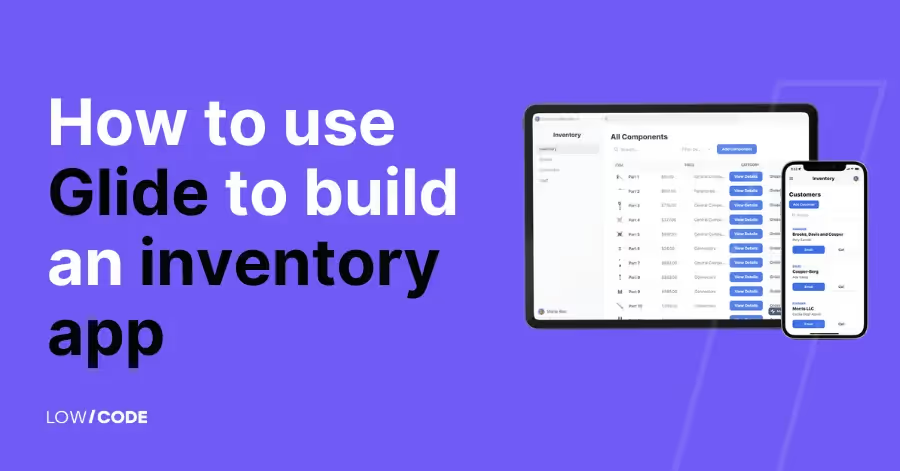
How to Build a Glide Inventory App (Step-by-Step Guide)
Build a Glide inventory app step by step. Learn setup, data structure, workflows, barcode scanning, user roles, and best practices to launch fast.
Mobile App Development
Mobile App Agency Portfolio: What to Check
Reviewing a mobile app agency's portfolio? Learn what to look for beyond pretty screens to find a team that can actually deliver.
Mobile App Development
Mobile App Scope Changes & Change Orders Guide
Scope creep can derail any mobile app project. Learn how change orders work and how to manage scope changes without blowing your budget.