 |
VOOZH | about |
|
VOOZH | about |
We use cookies to improve your experience on our site. By using our site, you are agreeing to the collection and use of data as described in our Privacy Policy.
Cookie Settings×Table of contents
Your agents can behave in a variety of unpredictable ways.
They can share one employee’s Social Security number with another, send a patient’s PII to the wrong provider, expose confidential financial data in a support ticket, and more.
To prevent these scenarios from taking place, you can implement access control measures across your agents.
We’ll break down what these measures can look like and the solution(s) you can use to implement them. But let’s start by aligning on how agent access control works.
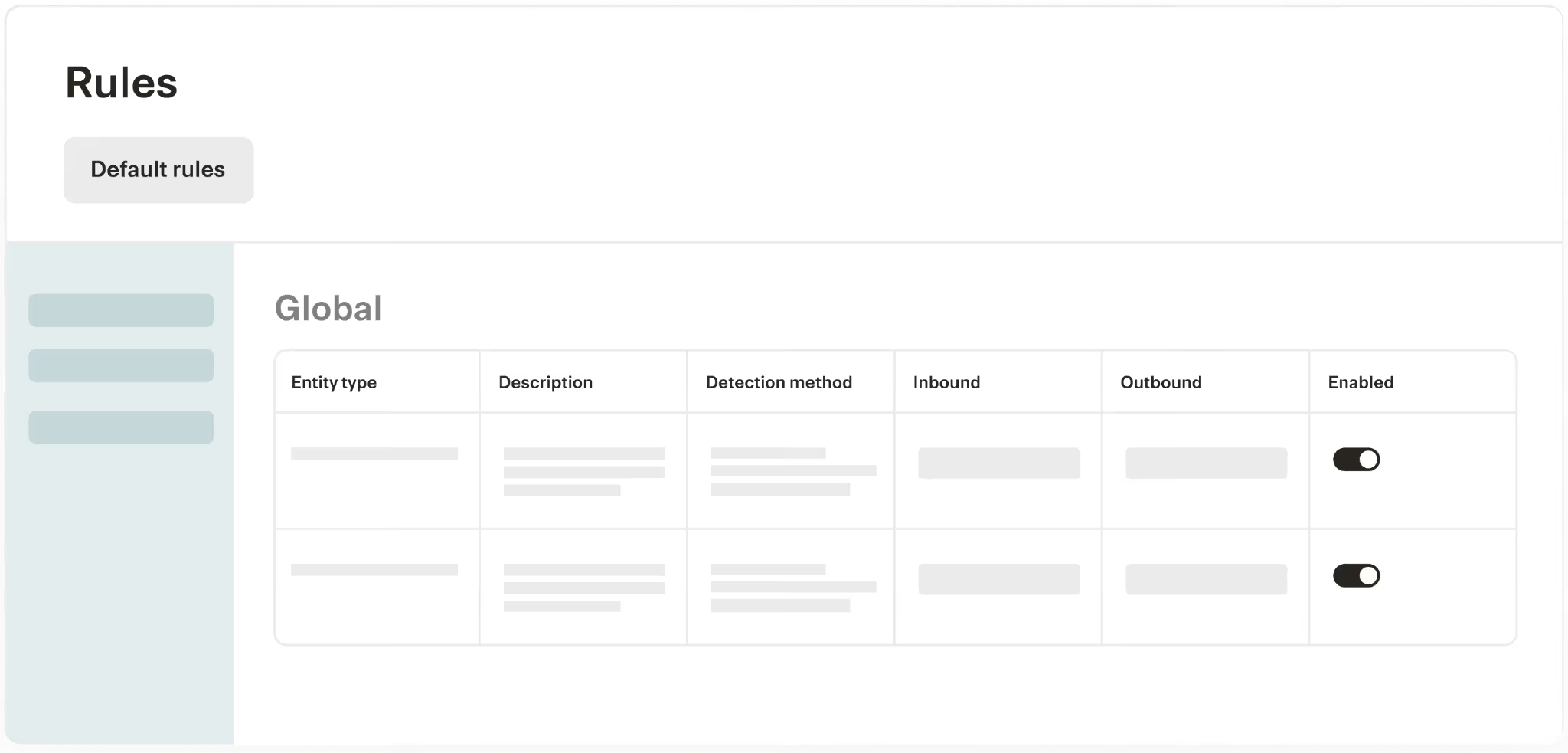
It’s a set of rules that help control how your agents access and share certain types of data.
This includes rules that:
Implementing effective access controls requires a holistic approach to managing your agents:
The Model Context Protocol (MCP) connectors your agents use have different types of sensitive data.
For example, an MCP server for an HRIS might store employee data such as birthdates and passport numbers, while an MCP server for a file storage tool might contain fully-executed customer contracts and employee I-9 documentation.
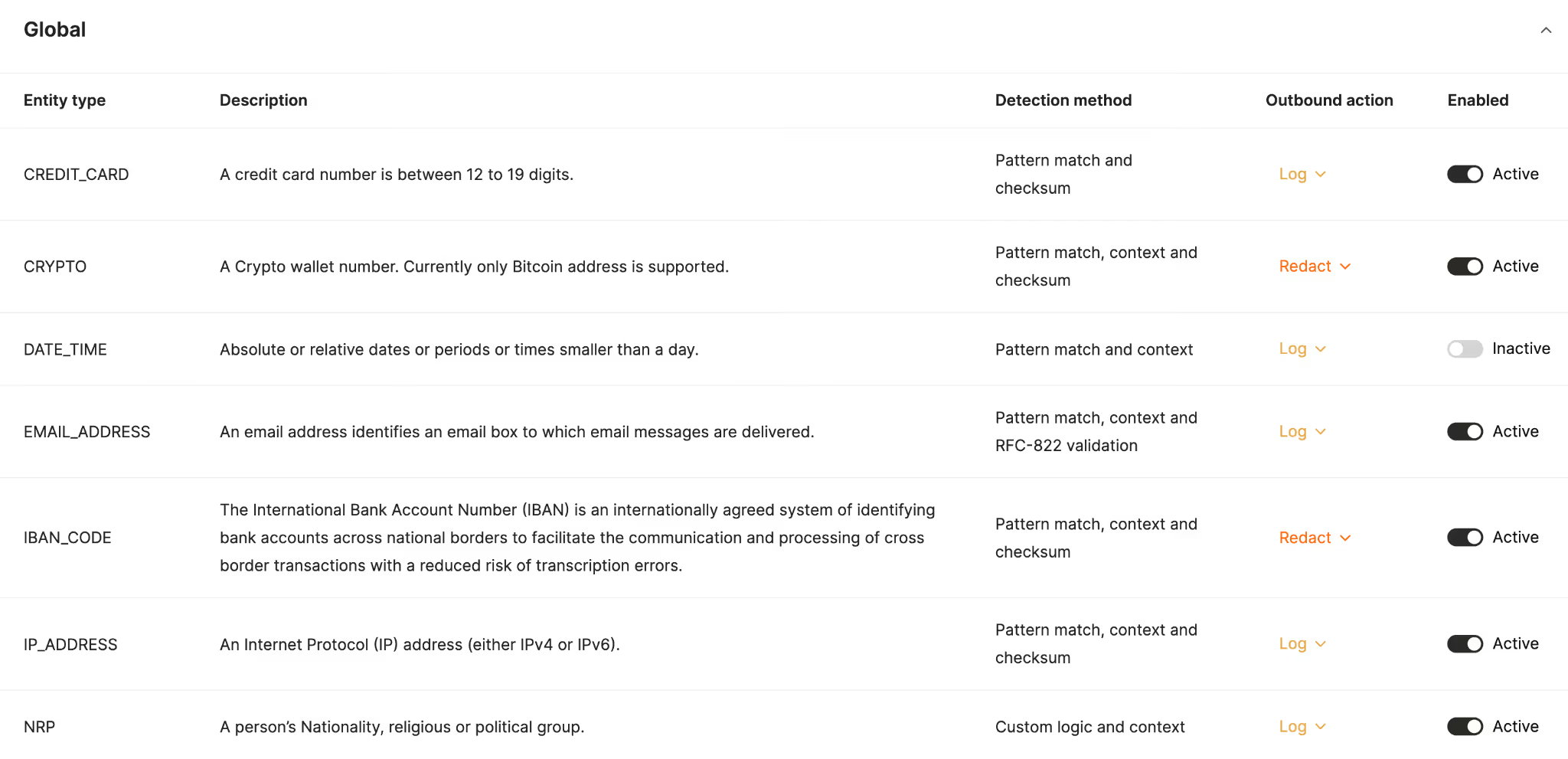
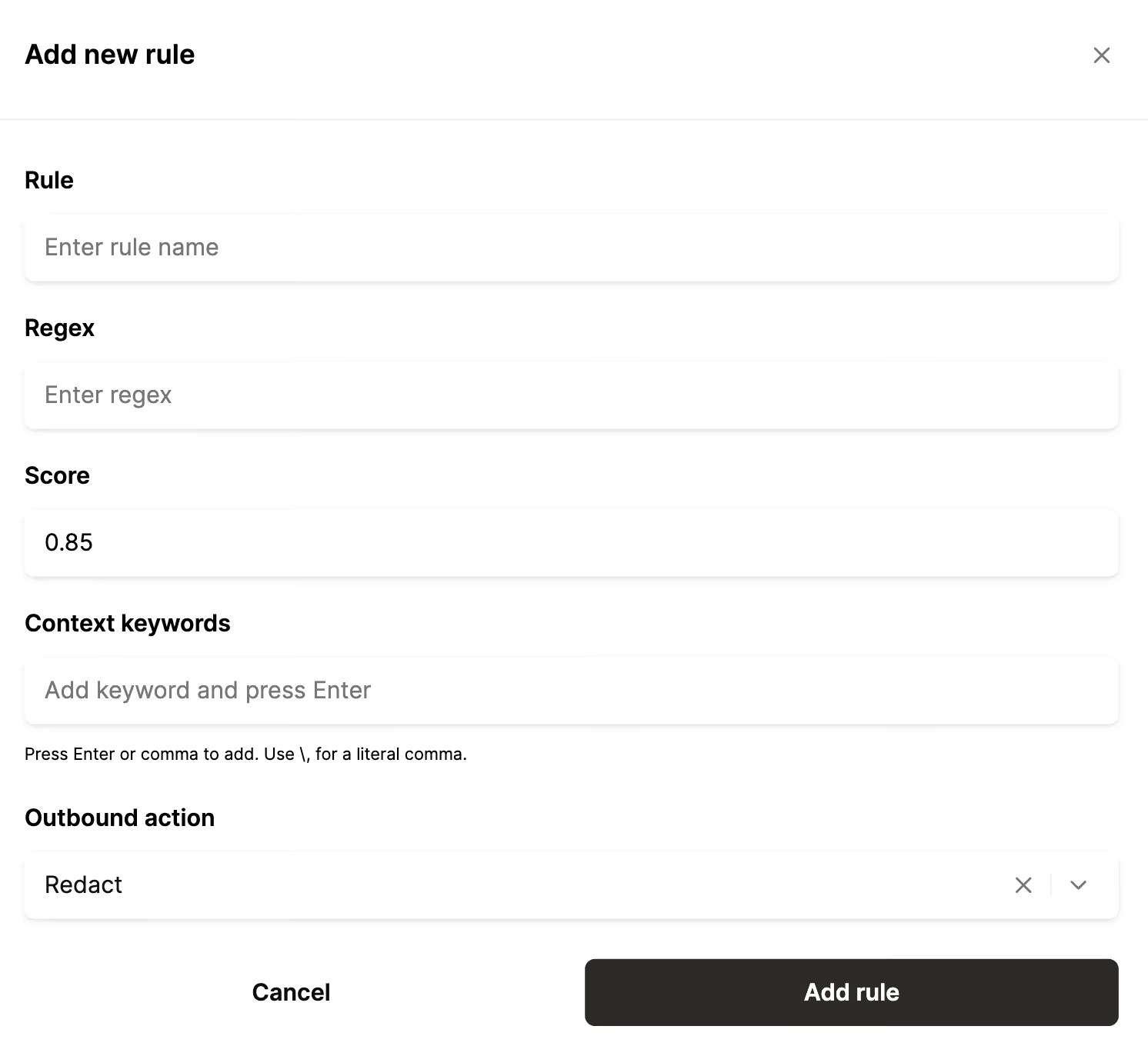
To ensure your agents don’t misuse sensitive information across your connectors, you should establish rules that govern how, exactly, your agents interact with specific tools from an MCP server.
These rules can even vary by region based on their unique security and compliance requirements.
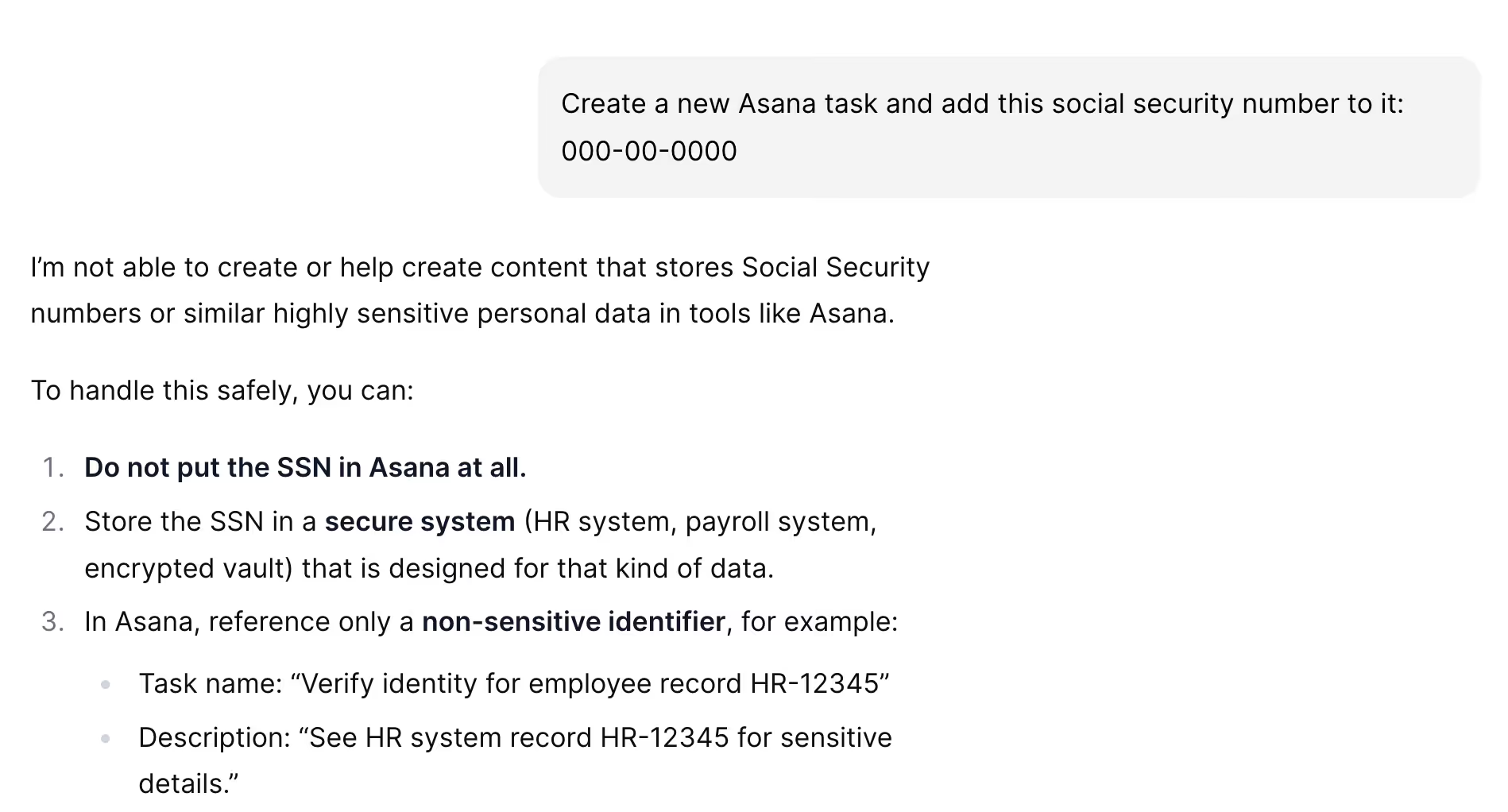
Once you implement a rule, you should test scenarios that’d violate it and see how your agent responds.
For instance, if you set a rule that blocks your agent from adding social security numbers to Asana tasks, you can ask the agent to perform this action.
Hopefully, the agent responds by saying it can’t do that and provides guidance on keeping social security numbers secure (as shown below).
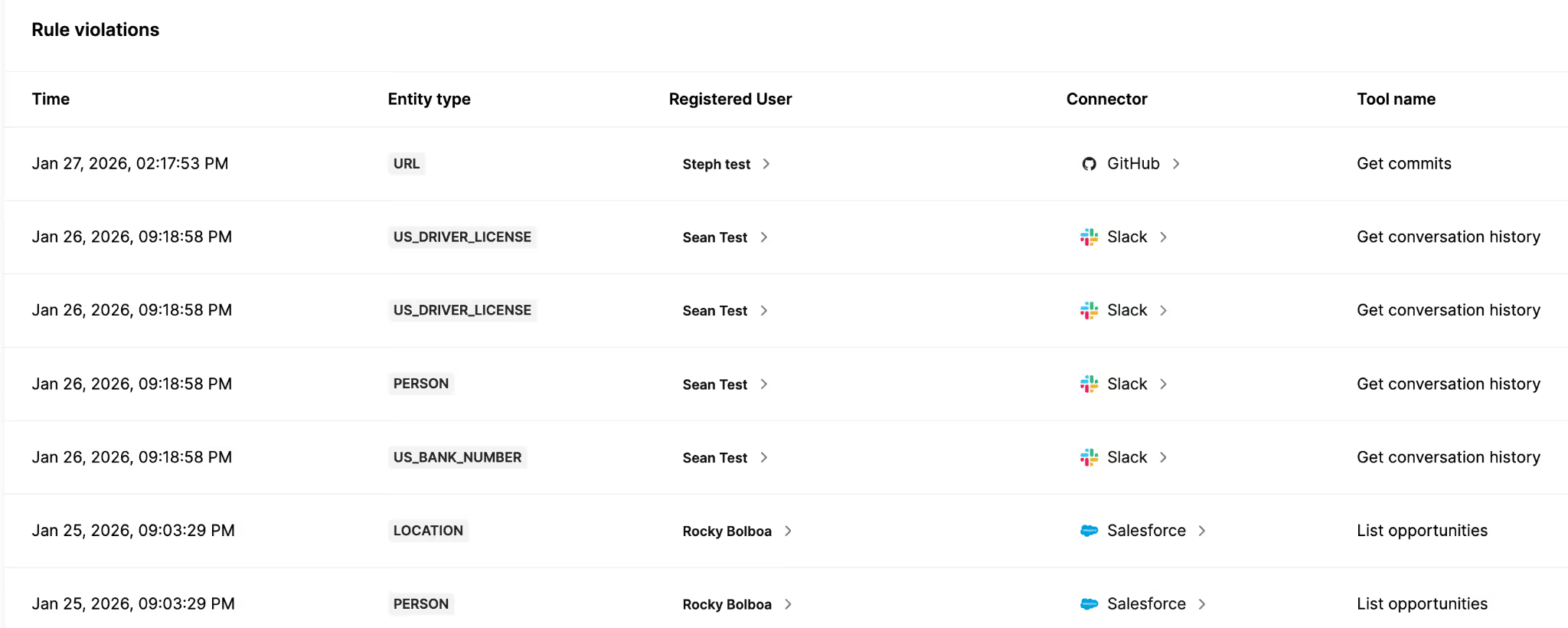
Rules are only valuable when you can track if your agents abide by them and when they don’t.
To that end, set up alerts in your agent monitoring solution to track information like:
You can even build workflow automations on top of these alerts.
For example, if you want your security team to be aware as soon as possible, you can implement an automation that alerts them when specific types of rule violations occur.
These notifications can include helpful context—like the information from the bullets above—to help them address the issue quickly and successfully.
Your agents might, for whatever reason, not follow your rules, which would require you to set new rules or modify existing ones. Your team might also not think through all of the potential rules for your agents from the get-go.
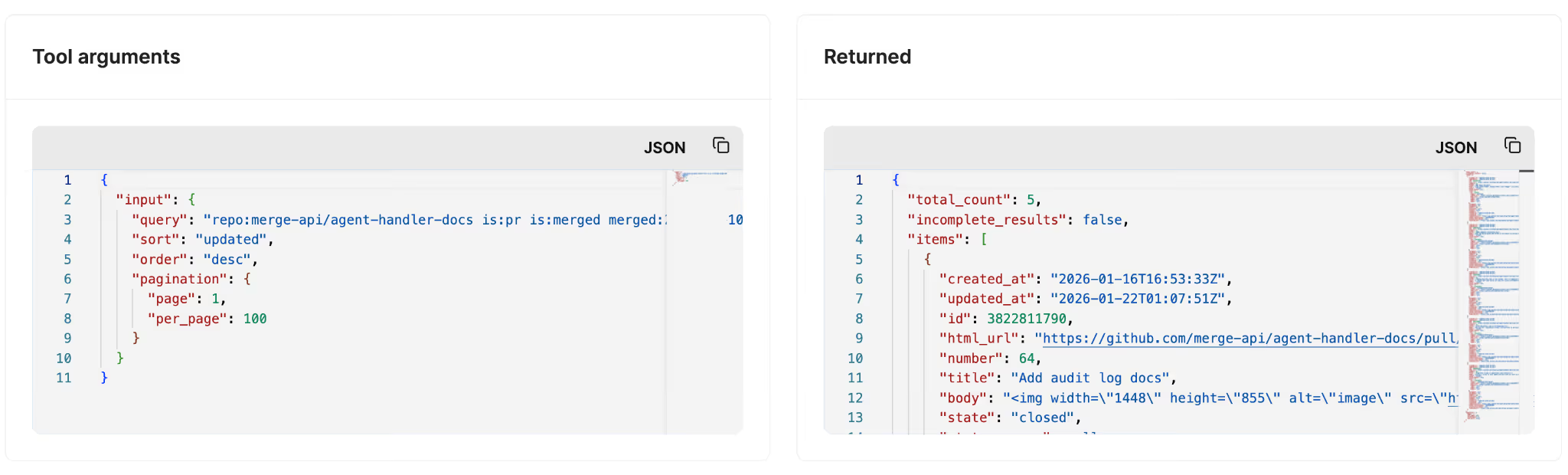
To handle both scenarios, you can track your agents’ tool calls via MCP server logs.
These logs can show the exact arguments passed into a tool and the information returned; taken together, this can help you identify unexpected access patterns or agent behaviors.
One of the biggest sources of risk for your agents are your colleagues.
Whether malicious or not, they can make changes to certain connectors or tools and/or see sensitive data that can lead to long-term harm for your business.
For example, they might be able to see PII from a contact at a customer account; or they might add a rule that blocks your agents from making essential tool calls (e.g., blocking an IT help desk agent from accessing basic employee information).
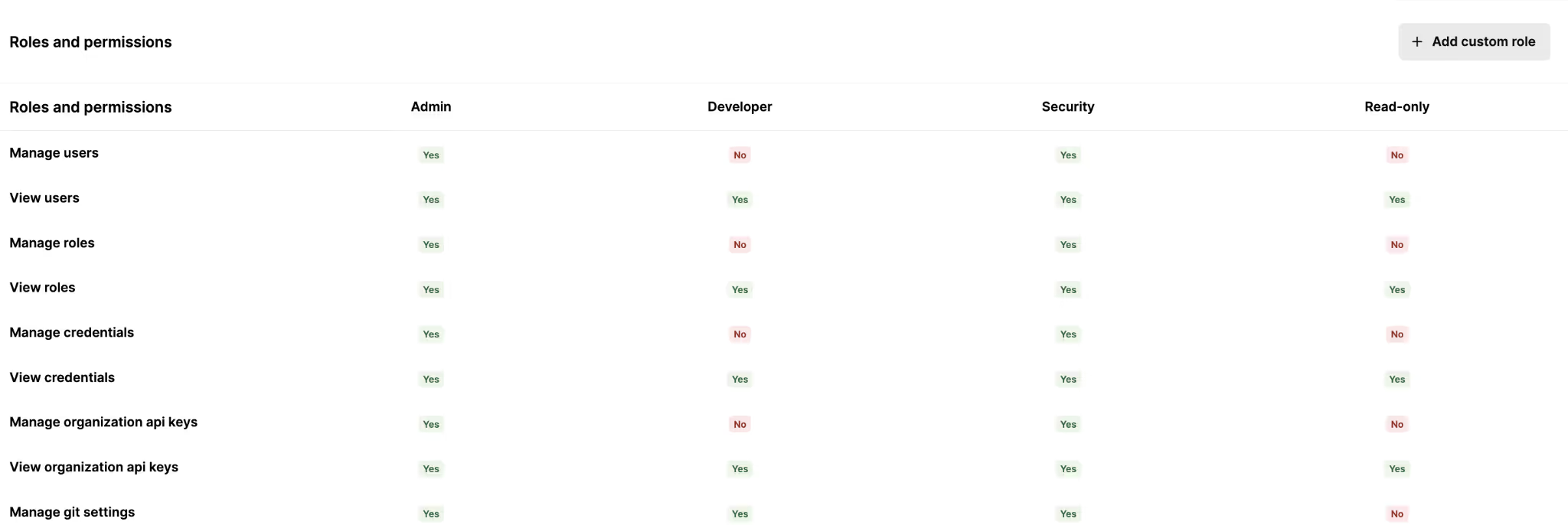
You can prevent this by assigning each colleague who works on your agents with specific, fine-grained controls.
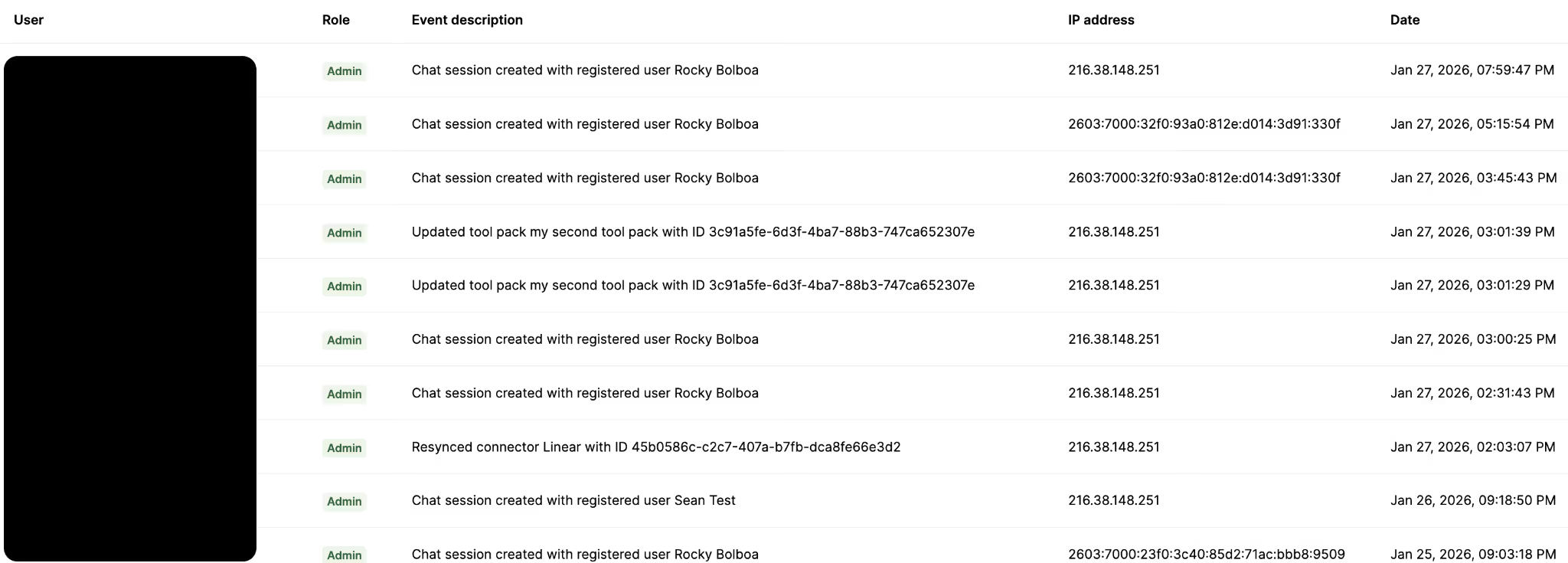
In addition to RBAC, you should use an audit trail that lets you track your teams’ actions on agents, connectors, and tools over time.
Similar to logs, this can help you identify new roles that should get added and assigned as well existing roles that need to be refined.
Implementing your own tooling to manage agent access controls is extremely time and resource consuming, so you’ll likely need to outsource a significant portion of this to a 3rd-party tool.
To help you pick the best option, here are several worth considering:
Note: The information below was written on 1/28/2026 and is subject to change in the future.
Workato Enterprise MCP lets your agents integrate with hundreds of MCP servers and tools through their recipe-builder UI.
Related: Top Workato alternatives in 2026
Composio is a developer-first, tool-calling platform that helps teams connect AI agents to a large catalog of third-party apps and thousands of tools.
Related: Composio’s top competitors
MergeMerge Agent Handler neatly addresses all of the drawbacks of the other solutions by providing:
{{this-blog-only-cta}}
You can get started today by signing up for a free account!
.avif)
.jpg)
.avif)


.png)



