 |
VOOZH | about |
|
VOOZH | about |
We use cookies to improve your experience on our site. By using our site, you are agreeing to the collection and use of data as described in our Privacy Policy.
Cookie Settings×Table of contents
As you build AI agents and take them to market, you’ll need an easy way to monitor their activities and uncover potential issues.
Model Context Protocol (MCP) servers' logs should be your primary source of information.
We’ll explain why and walk through how you can use these logs effectively, but first, let’s align on what they are.
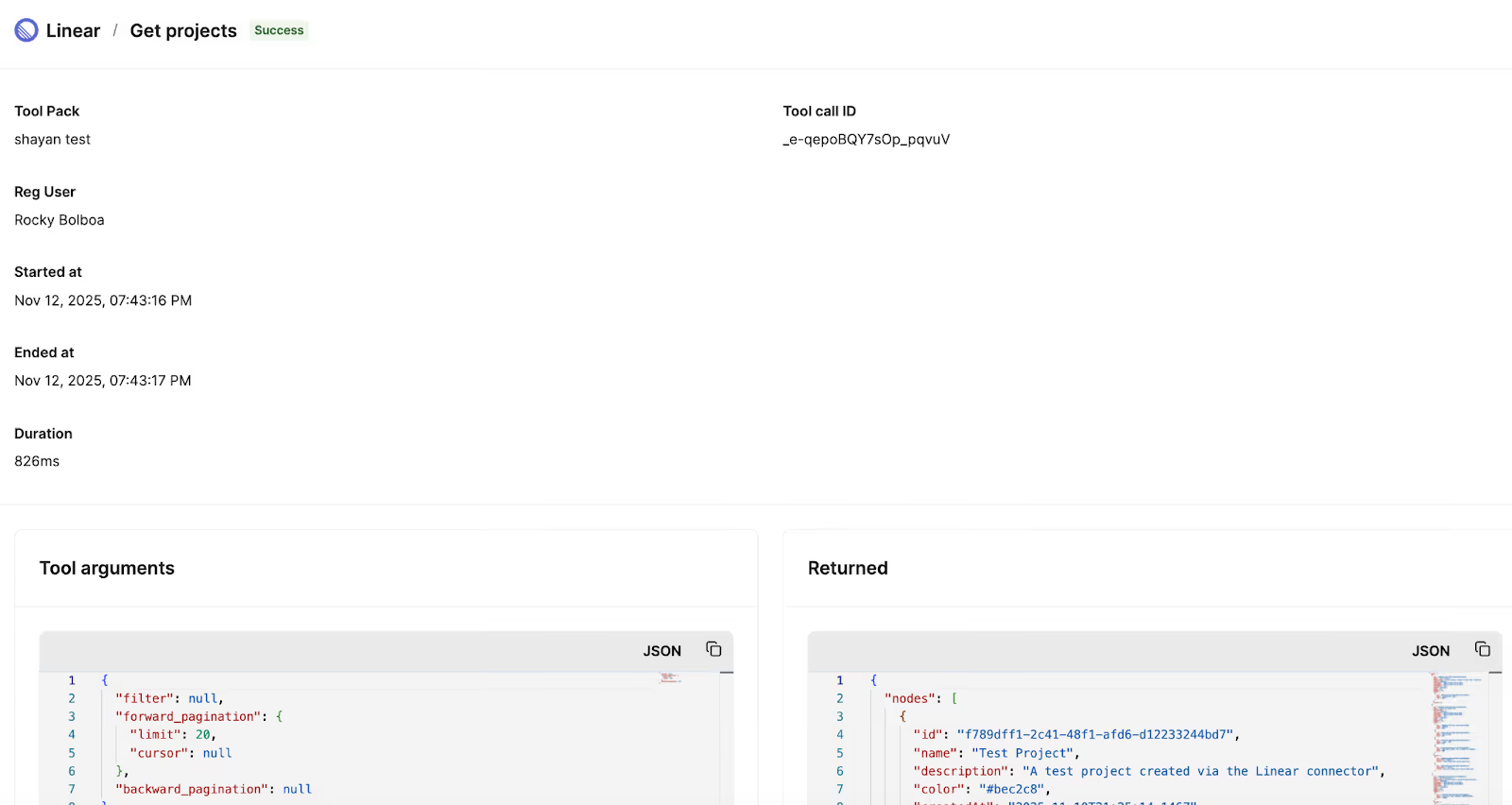
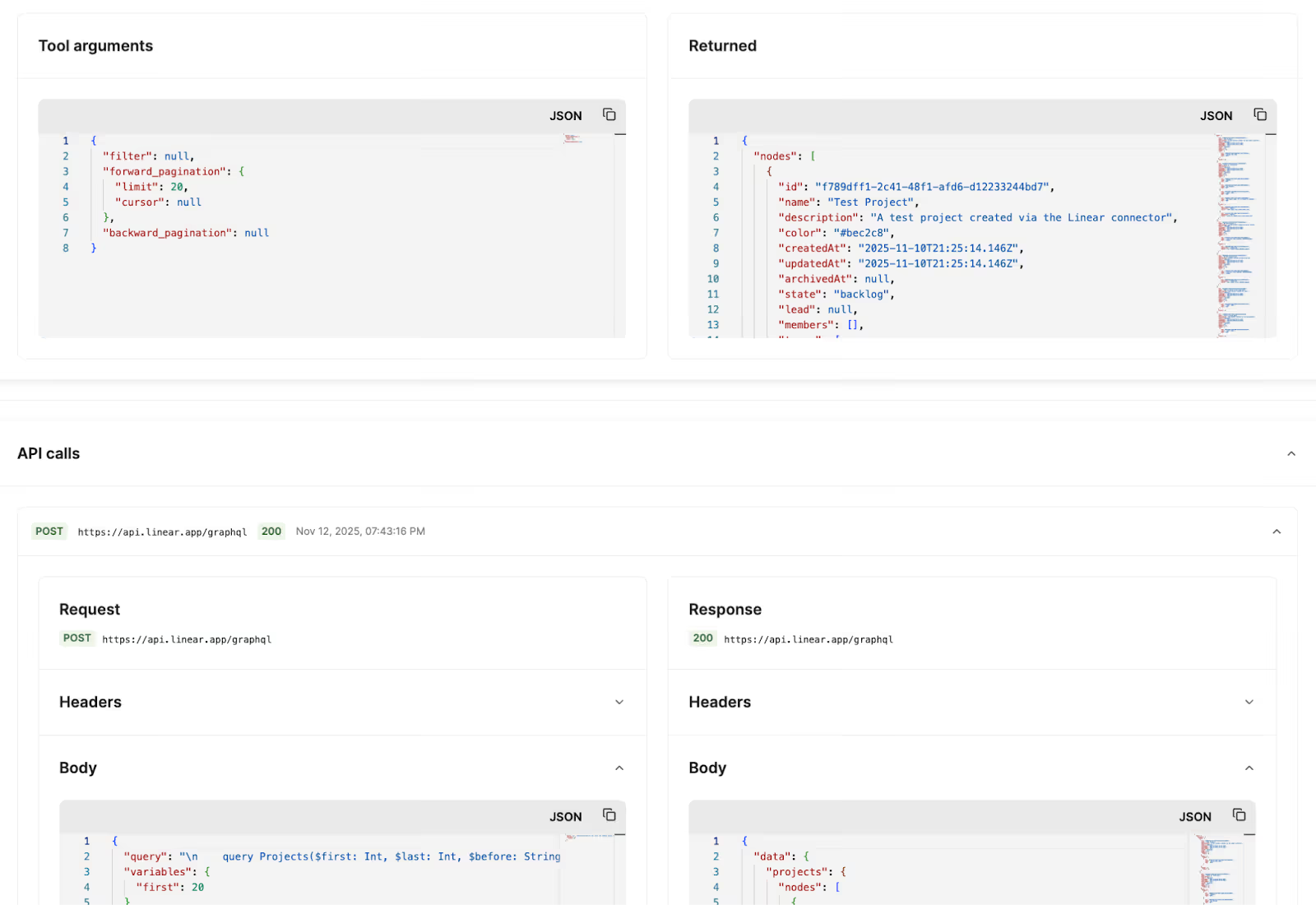
It’s a record of a tool call executed by an MCP server. It typically includes timestamps, input arguments, output data, and a success or failure status.
If the tool triggers outbound API requests, the server may also log details of those requests and responses, such as the endpoints used and the status codes returned.
Related: What is MCP tool schema?
MCP server logs play a critical role in preserving your agent’s health. Here’s why:
MCP server logs can include the reasons why a tool call failed. For example, it can display the following error message in its returning JSON body:
 {
 "reauth_needed": true,
 "error": "Authentication failed with Linear (401). Please reauthenticate."
}
This makes it easy to pinpoint the cause of a failure. And since MCP tools return structured JSON, these logs can enable automated error-handling workflows that react intelligently to specific error types (e.g., a 401 Unauthorized error code).
MCP server logs can show you which tools are most in demand, the users or teams invoking them most frequently, and how usage changes over time.
These insights can help you decide which tools to add next, the features to prioritize in your agent roadmap, and the types of customers or internal teams that are strong candidates for deeper engagement with your agentic solution.
For example, if you’re building an AI agent for go-to-market teams and notice that demand for your <code class="blog_inline-code">create_ticket</code> and <code class="blog_inline-code">update_ticket</code> tools is highest, you may want to target your sales efforts toward customer success and support teams and double down on building agentic capabilities for post-sales ticketing workflows.
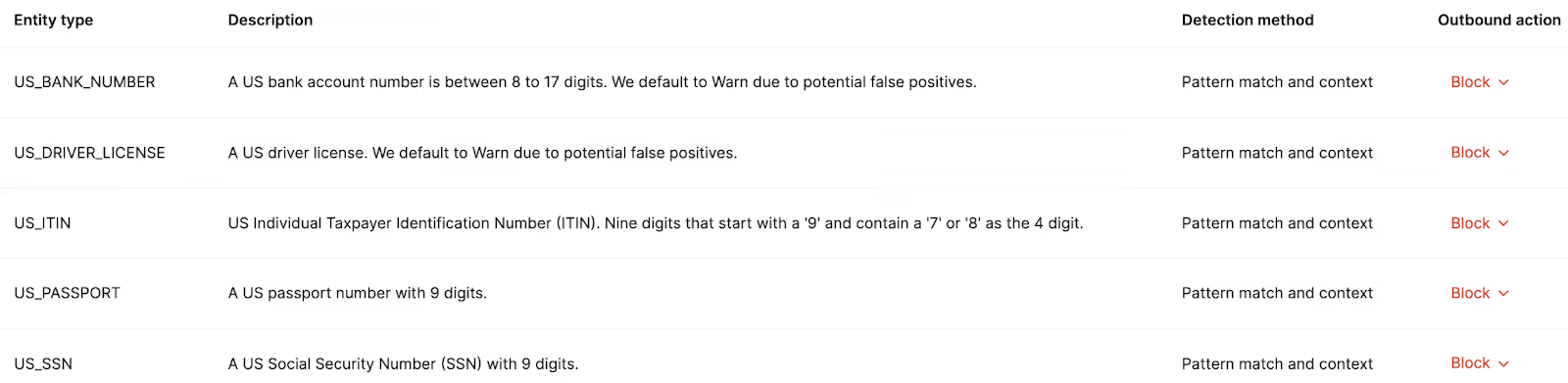
If your tools involve interacting with sensitive information, whether that’s employees’ social security numbers or prospects’ contact information, you’ll need to take the appropriate steps to keep this data safe.
This isn’t just to preserve trust with key stakeholders; it's also to comply with data protection frameworks like GDPR and ISO 27001 and pass audits like SOC 2 Type II.
To help you reap the full benefits of MCP server logs, it’s worth adopting the following measures:
As your MCP connectors gain adoption, your volume of logs will quickly balloon.
This complicates your team’s ability to find specific logs quickly and easily and, in turn, address any issues in your tools.
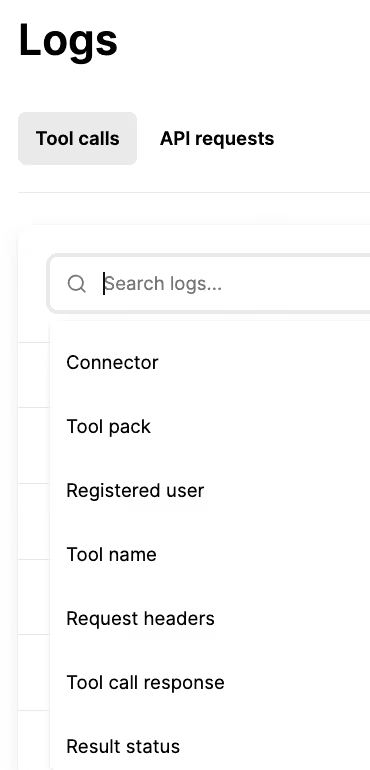
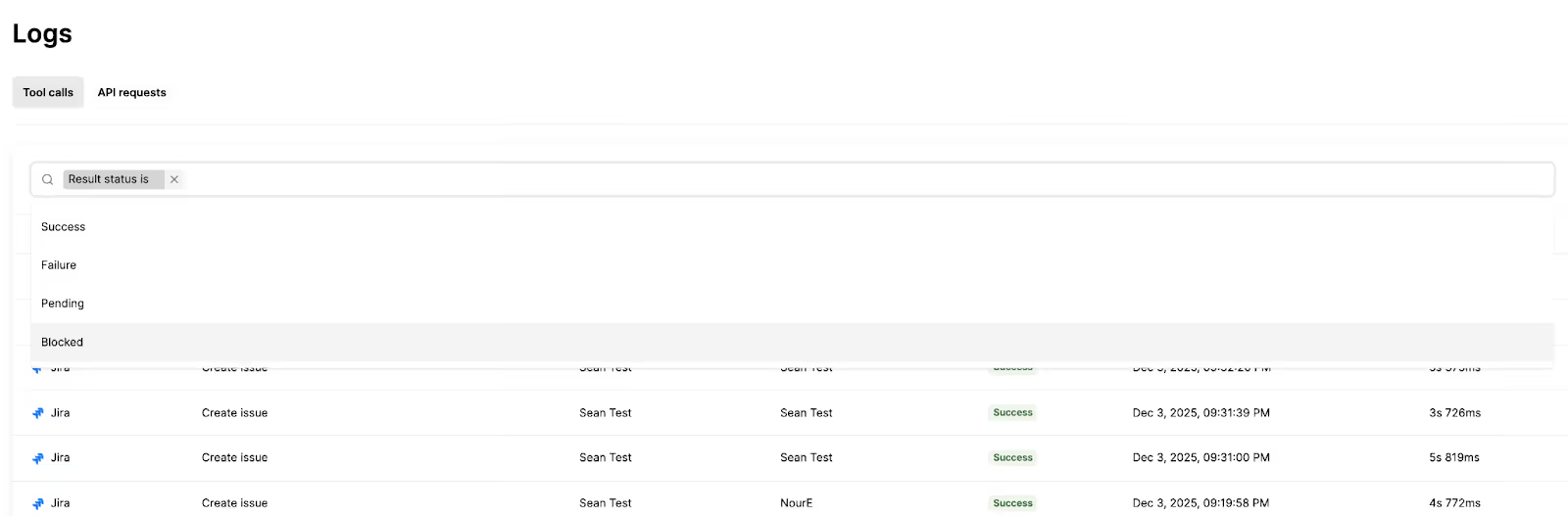
To help your team comb through the logs with ease, you can implement a wide range of filters.
Here are just a few options:
Once implemented, your logs may not capture tool calls correctly or contain gaps that prevent your team from diagnosing and troubleshooting issues.
To mitigate this risk and ensure your logs are both comprehensive and reliable, you should test them against every prompt and interaction pattern you expect your agents to handle.
This includes:
Related: How to test MCP servers
There may be certain tool call scenarios that are OK, but can potentially be harmful if they continue.
For example, if you notice that your agents are repeatedly sharing phone numbers with a user, a malicious actor might be using a tactic like prompt injection to fetch a phone directory.
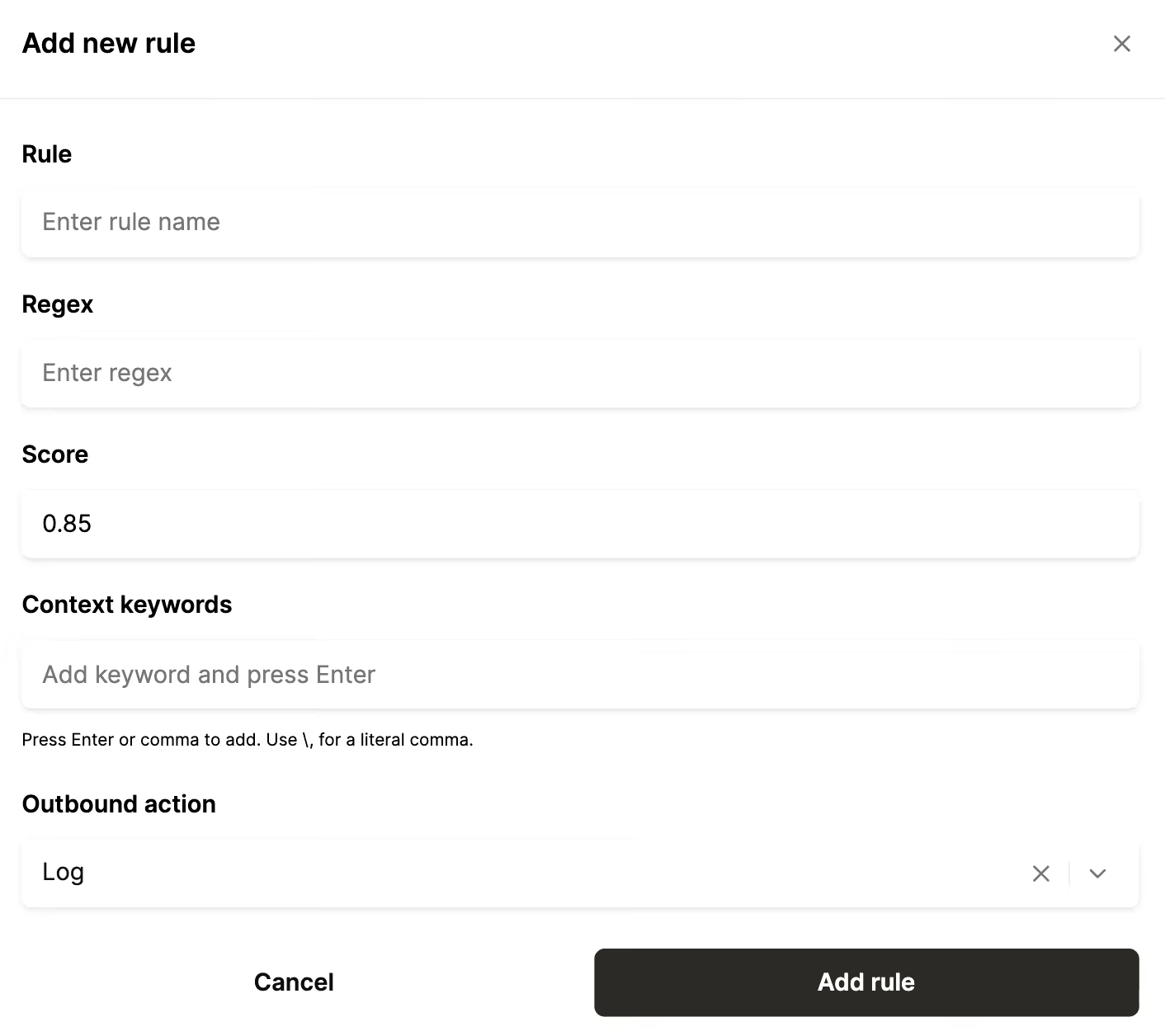
For scenarios like these, you should implement an agent access control rule that logs these tool requests. You should then send these logs to the security Information and event management (SIEM) platform your security team uses to monitor potential security threats, such as Splunk or Datadog.
As your usage of MCP servers grows, maintaining the infrastructure to collect, store, search, and monitor the logs creates significant operational overhead, which can quickly distract your engineers from their core initiatives.
By shifting this to a hosted MCP platform that’s (at least in part) built for handling MCP server logs, you'll get scalable reliability, strong security, and powerful insights.
Merge Agent Handler offers this and more.
It not only lets you access fully-searchable logs but also provides thousands of enterprise-grade tools for your AI agents, lets your team set customizable rules and alerts for any type of data, and more.
{{this-blog-only-cta}}
In case you have any more questions on MCP server logs, here are more commonly-asked questions.
The best practice is to set rules that prevent your agents from accessing and sharing this type of information in the first place. For example, if you set a rule that blocks your agents from accessing passport numbers, you’ll never see them in your MCP server logs.
However, if your agents need to use PII or PHI, you can still mask and/or redact this data in MCP server logs in several ways:
Retention and residency requirements vary based on the type of data your agents access and your businesses' and/or customers' security expectations.
In general, larger enterprises enforce stricter policies. They may require:
Smaller companies, on the other hand, often have more flexible expectations. For example, the following might suffice:
Yes. You can use smart sampling so that you always keep the important logs, like errors, retries, and security-related events, while only sampling a portion of the routine “Success” logs.
That said, if you suspect that there are subtle, intermittent issues occurring in your routine logs, you can always turn on a temporary debug mode that captures all of your logs.
Learn how Merge Agent Handler can help by testing the platform on a free account.

.avif)
.avif)


.png)



