 |
VOOZH | about |
|
VOOZH | about |
We use cookies to improve your experience on our site. By using our site, you are agreeing to the collection and use of data as described in our Privacy Policy.
Cookie Settings×Table of contents
While AI agents have unique build requirements, there’s generally a common set of steps you'll need to follow when building any.
We’ll break down each of these steps so that you can build any agent effectively.
Aligning on an AI agent’s purpose can help you scope the Model Context Protocol (MCP) connectors you need to use, and the tools your agent needs to call—both of which are foundational to building any agent.
For example, say you're working on an AI agent that sends weekly product updates to the executive team.
The goal is for your agent to share these updates in an easily-accessible place, with each message providing enough context for executives to quickly understand the team’s recent progress.
With this in mind, you’ll need to use:
Related: Why SCIM is critical for AI
Once you have goals in place, you can better decide on your integration approach for your AI agents. Namely, whether to use API endpoints or MCP servers.
As general rules of thumb:
For example, one of our customers, Mistral AI, offers Le Chat, an AI chatbot that can function as an enterprise search solution for companies of all sizes and industries.
They can connect Le Chat to applications rich with company context via APIs, like Google Drive, to answer a wide range of questions for employees.
Le Chat also uses ACLs to prevent answers from including information that falls beyond users' access levels in the underlying applications (e.g., information from a file the user can’t access in Google Drive).
For instance, another one of our customers, Perplexity, uses MCP-based integrations with customers’ project management tools (e.g., Linear) to help their agents create issues, update users, and more within Perplexity.
Your agents will probably need to access and share sensitive information, whether it’s on your business’ financials, your customers, or your prospects.
To prevent unauthorized access or data exposure, implement user authentication upfront.
Once your agents are live, users can then only access data or perform actions that fall within their existing permission scope in the underlying applications.
For example, say your team gets access to an agent and they want to use it to create a specific pages in various Notion workspaces.
To confirm they have permissions to create pages in particular workspaces, the agent can prompt each user to authenticate via an OAuth 2.0 flow (as shown below).
You can also enable shared auth, where an admin configures a connector to use a shared (service-level) token so multiple end users can use the connector without authenticating themselves.
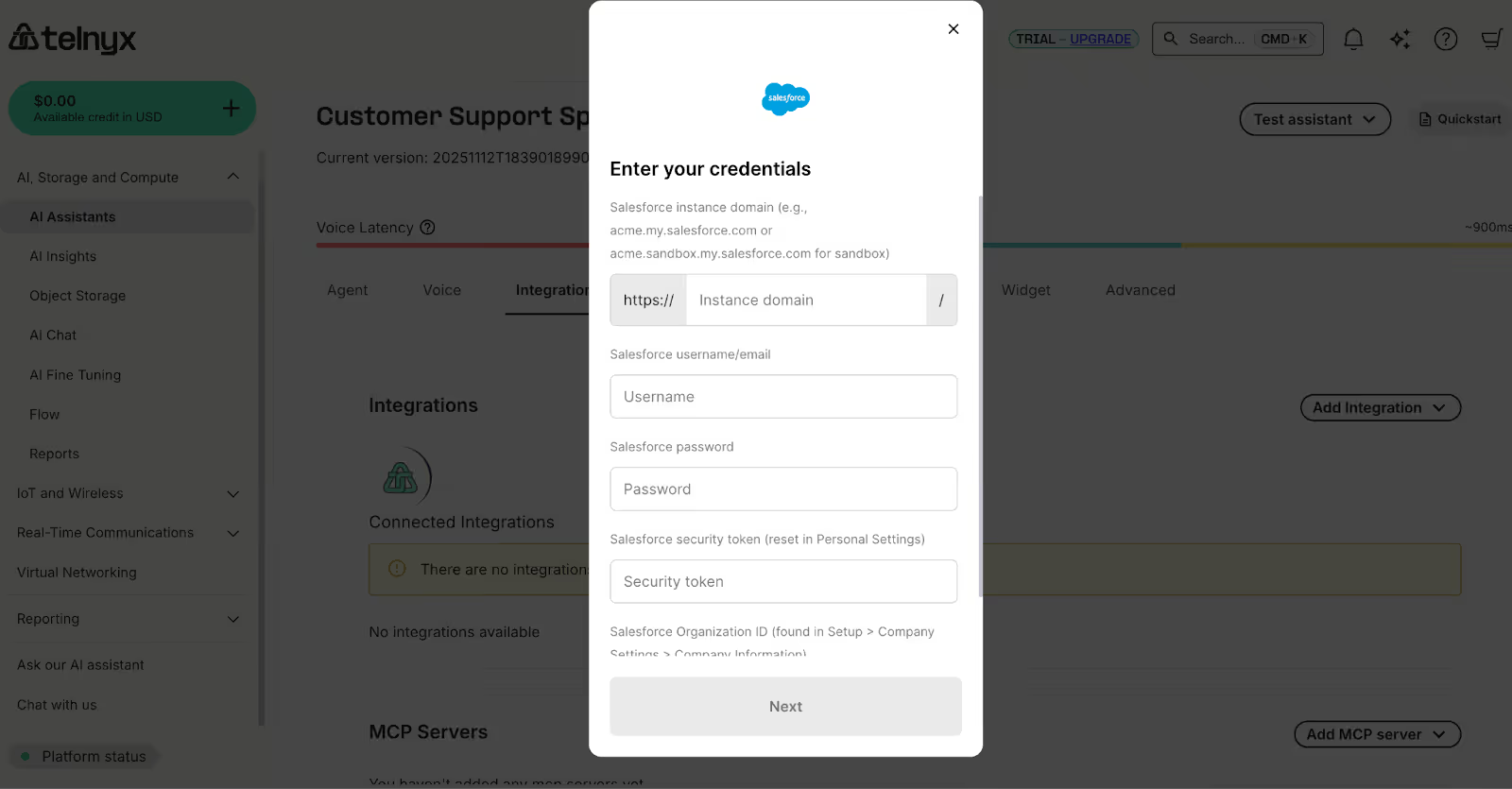
This is exactly what one of our customers, Telynx, has implemented for their voice AI agents, which can create and update cases in CRMs, tasks in project management platforms, and even candidates in ATSs—all based on an individual’s conversation with Telnyx’s agent.
An admin user of Telnyx would simply log into the platform, select the connector they want to add to the agent, and then authenticate that connector. From there, the admin’s colleagues can use the connector without having to authenticate.
Even if your agent successfully authenticates a user, the agent can still hallucinate and be vulnerable to malicious tactics (e.g., prompt injection) that lead to harmful activities—like sharing social security numbers with unauthorized users.
To proactively manage and mitigate the most severe security scenarios, you should:
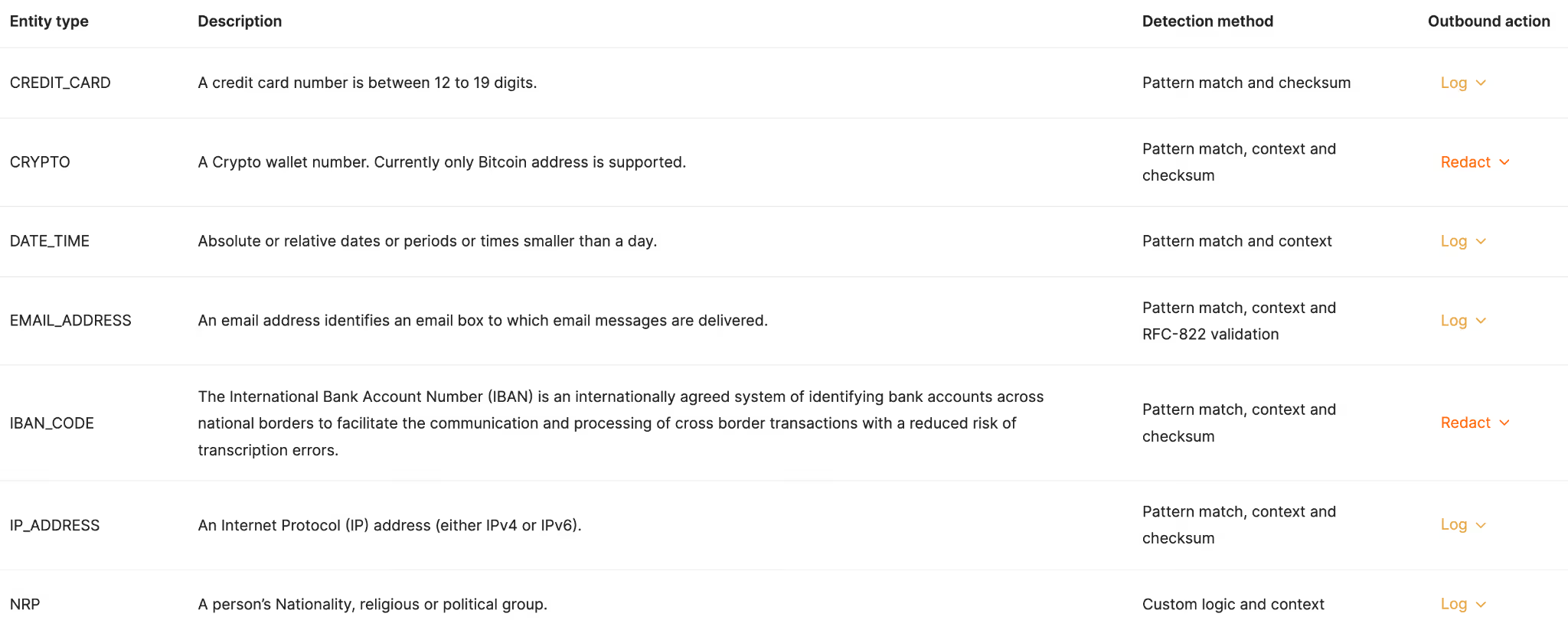
1. Set up concrete rules that define the data your agents can’t receive and/or share. You can also go a step further by allowing an agent to access or share a redacted version of a data type.
2. For each rule that’s violated, you should assign a follow-up activity, such as alerting a specific Slack Channel or simply logging the action in your observability tool.
Related: How agents can use APIs
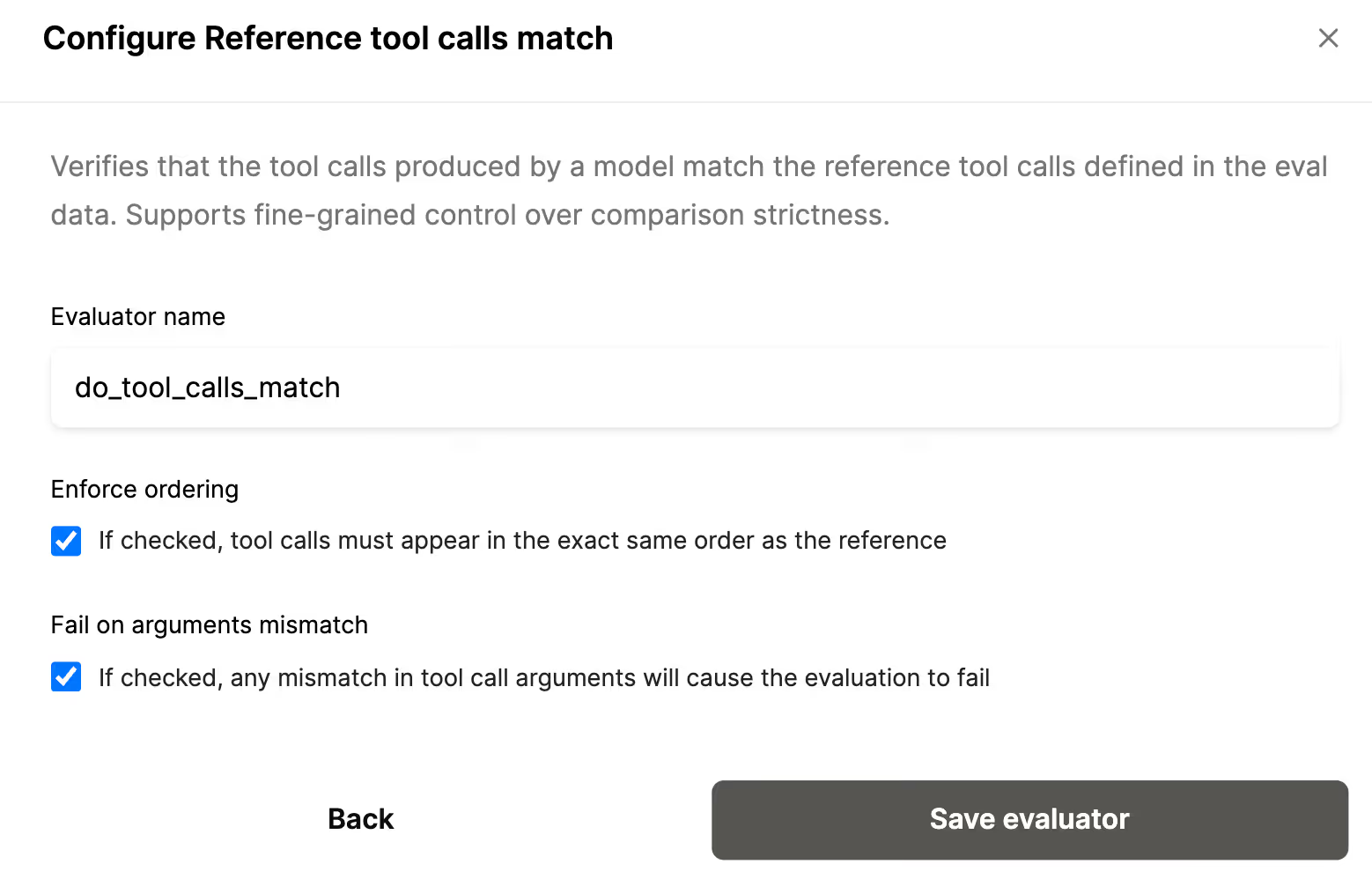
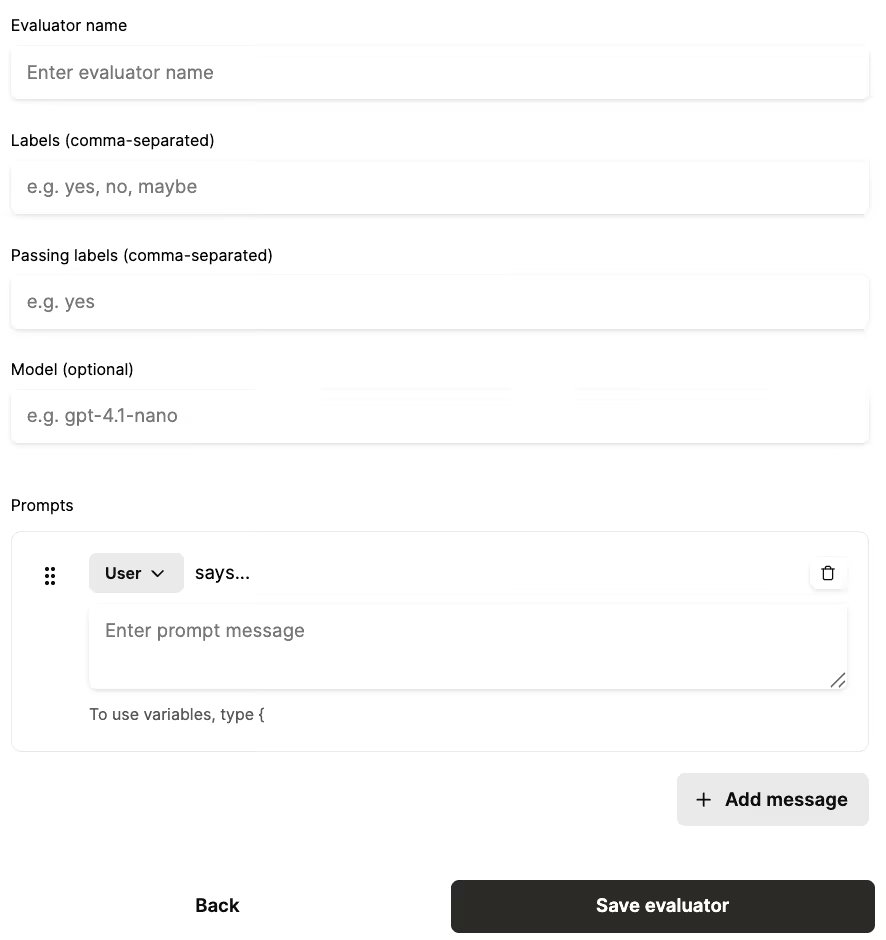
You’ll need to test all your MCP connectors and tools across a variety of potential user prompts and large language models (LLMs) to validate your implementation.
These tests can also be wide ranging. Here are just a few worth using:
Related: A guide to using MCP server tools
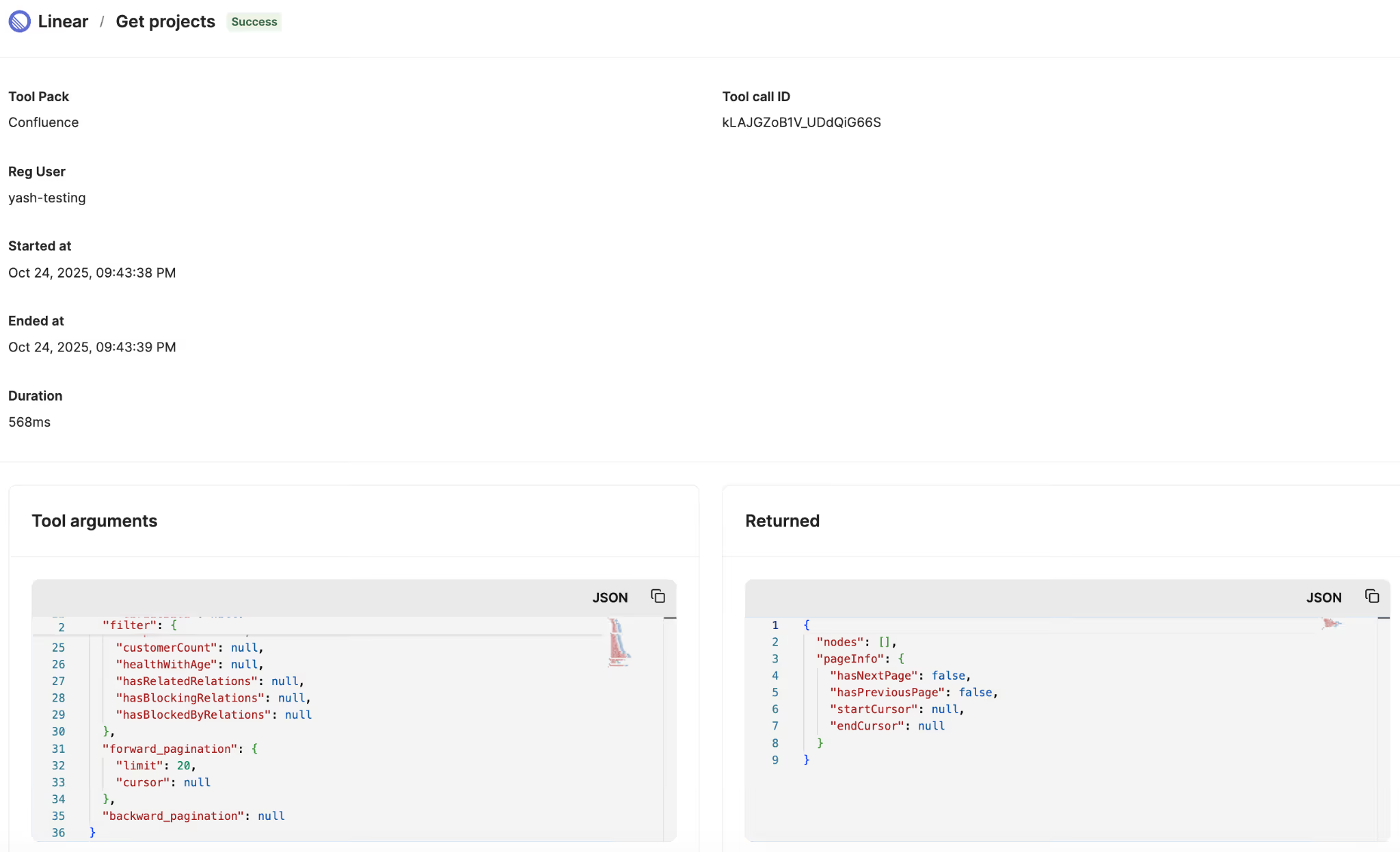
You’ll need your agents to log every tool call once they’re moved to production.
That way, you can troubleshoot specific issues from the get-go and identify usage patterns that inform future improvements (e.g., based on the tools that get invoked most often, you can build complementary ones sooner).
MCP server logs should show the:
Related: How to observe your AI agents
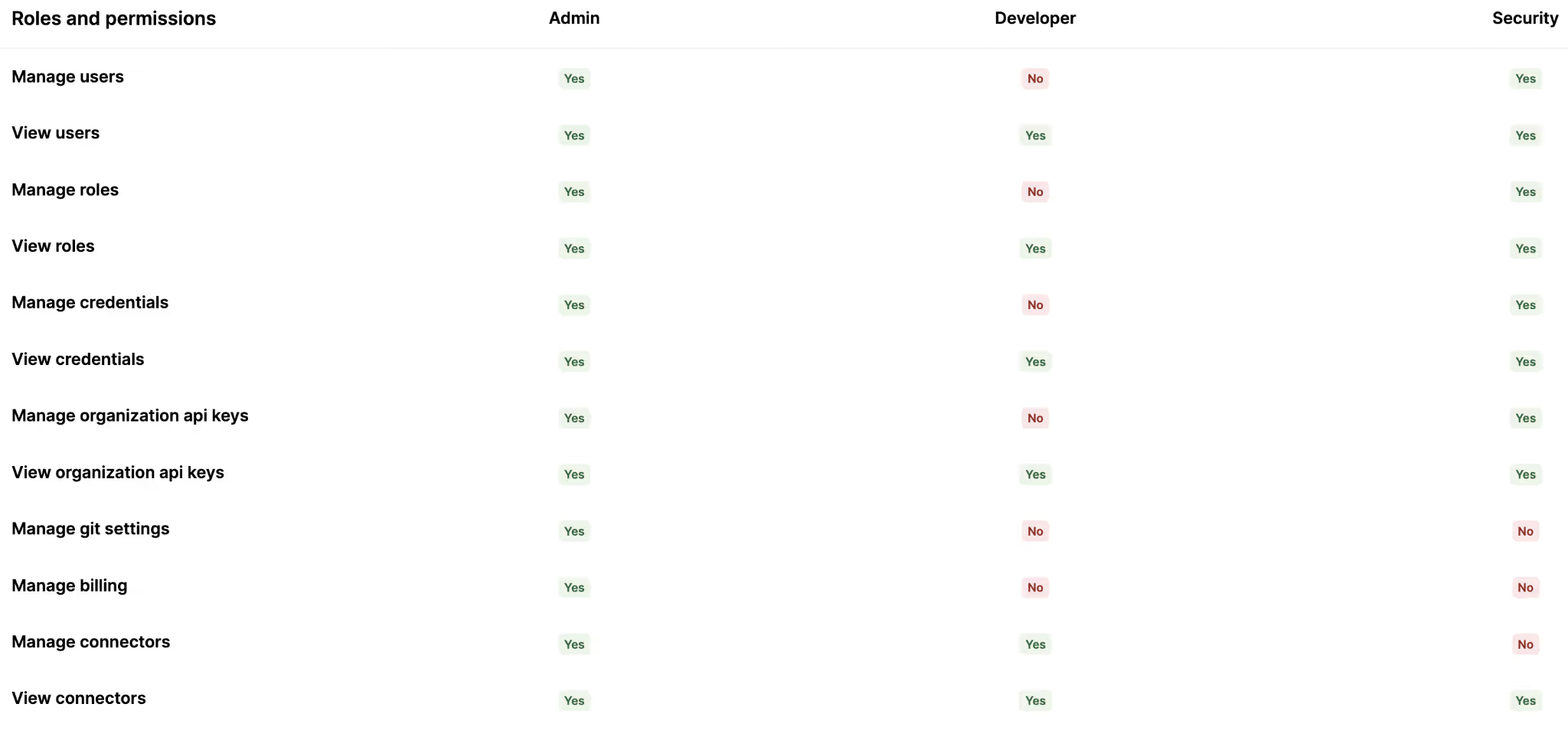
You’ll likely only want certain employees to have permissions to modify the connectors and tools an agent can access. In addition, you may only want a select group of employees to see the agents’ activities (e.g., logs).
With this in mind, you should set up role-based access controls (RBAC) that determine who can view and modify certain aspects of an agent.
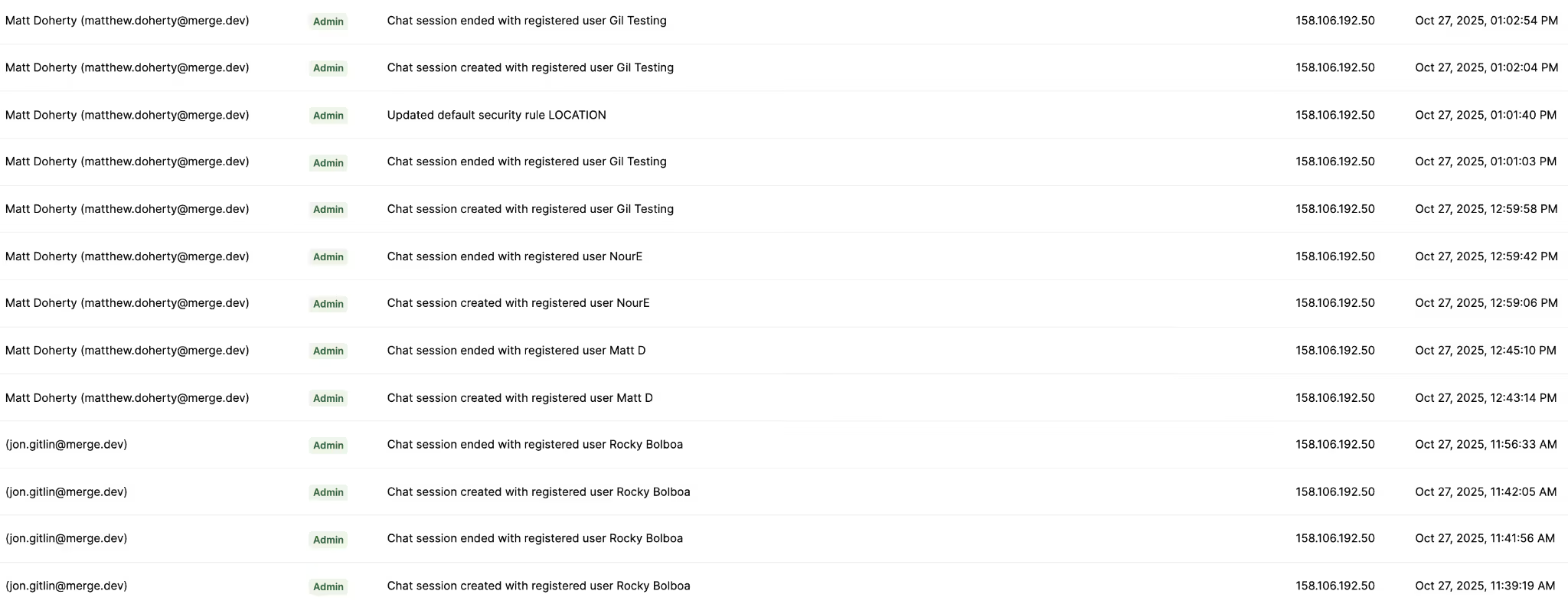
You should also have visibility on the actions colleagues take on your agents in case your RBAC isn’t implemented effectively and/or your colleagues find harmful workarounds (whether intentional or not).
To that end, you should develop audit trails before launching your agents that provide visibility on the employees who perform actions on agents, where they performed the actions from, when they were performed, and more.
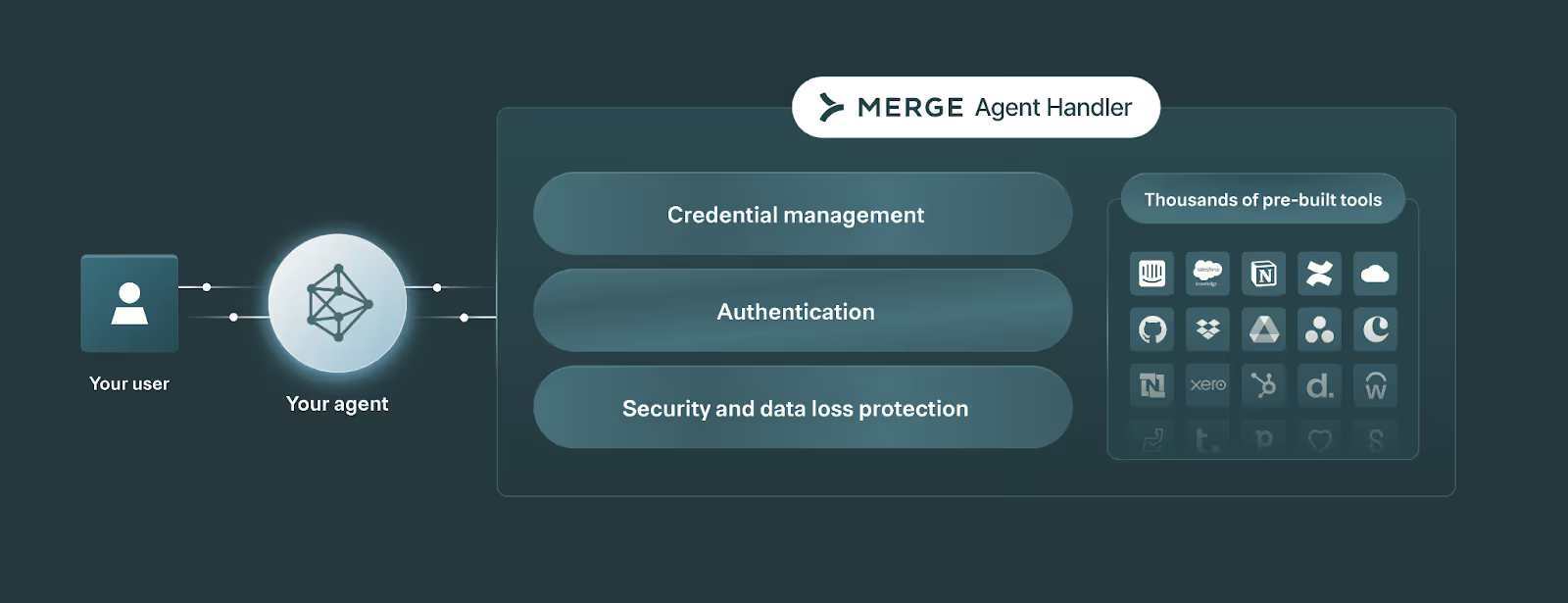
To help your engineers save time and focus on the core parts of developing your AI agents, you can use a 3rd-party platform that handles the more tedious and less unique aspects of building your agents.
This includes everything from the connectors and tools your agents can use to the observability and security features necessary to keep your agentic workflows performing smoothly.
Merge Agent Handler offers just that.
It allows leading AI companies like Perplexity to securely connect their agents to thousands of tools, and manage and maintain every tool call through fully-searchable logs, customizable rules and alerts, audit trails, and more.
Get started with Merge Agent Handler for free by signing up for a free trial.
.avif)
.jpg)




.png)



