 |
VOOZH | about |
|
VOOZH | about |
We use cookies to improve your experience on our site. By using our site, you are agreeing to the collection and use of data as described in our Privacy Policy.
Cookie Settings×Table of contents
As you look to build AI agents in your product, you’ll inevitably need to support integrations that can access and interact with your customers’ data.
To help you navigate this successfully, we’ll break down examples of AI agents that use integrations and your options for building and maintaining any integration.
But first, let’s align on why AI agents require integrations.
{{this-blog-only-cta}}
It comes down to a few key reasons.
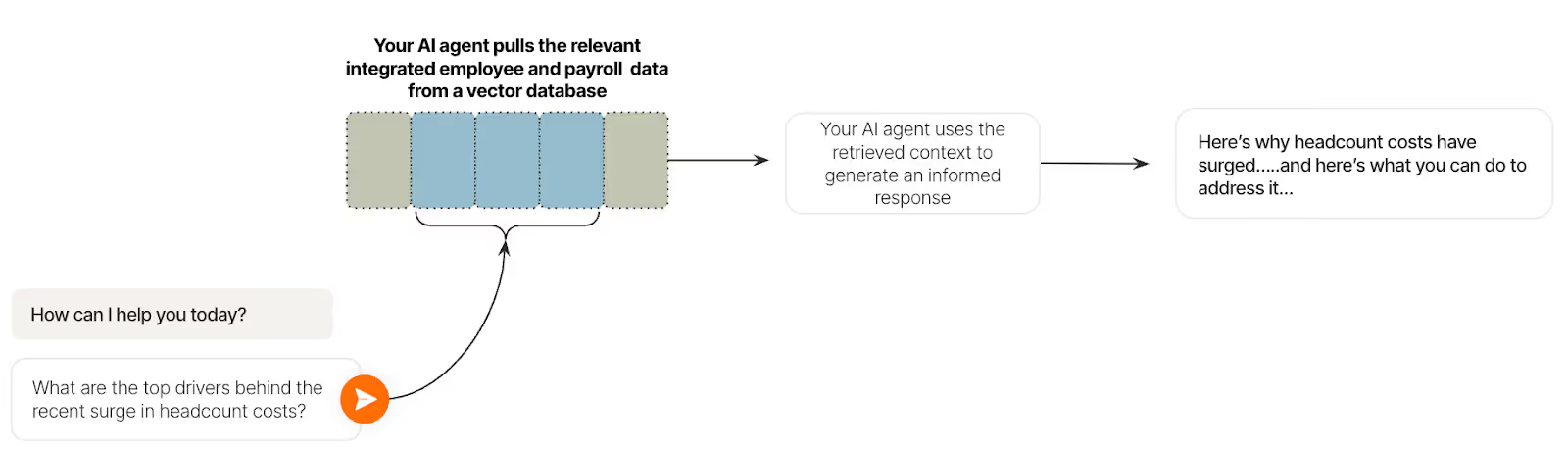
Integrations form the foundation of retrieval-augmented generation (RAG) pipelines, enabling AI agents to retrieve the context needed to effectively take actions on behalf of each user.
For example, say you offer a headcount analysis solution and support an AI agent to help users get more value from your platform.
Using RAG, your AI agent can take a question (e.g., “What are the top drivers behind the recent surge in headcount costs?”) and use the customer’s integrated employee and payroll data to provide an answer—along with recommended next steps.
Related: How AI agents can use APIs
Each type of data can be valuable.
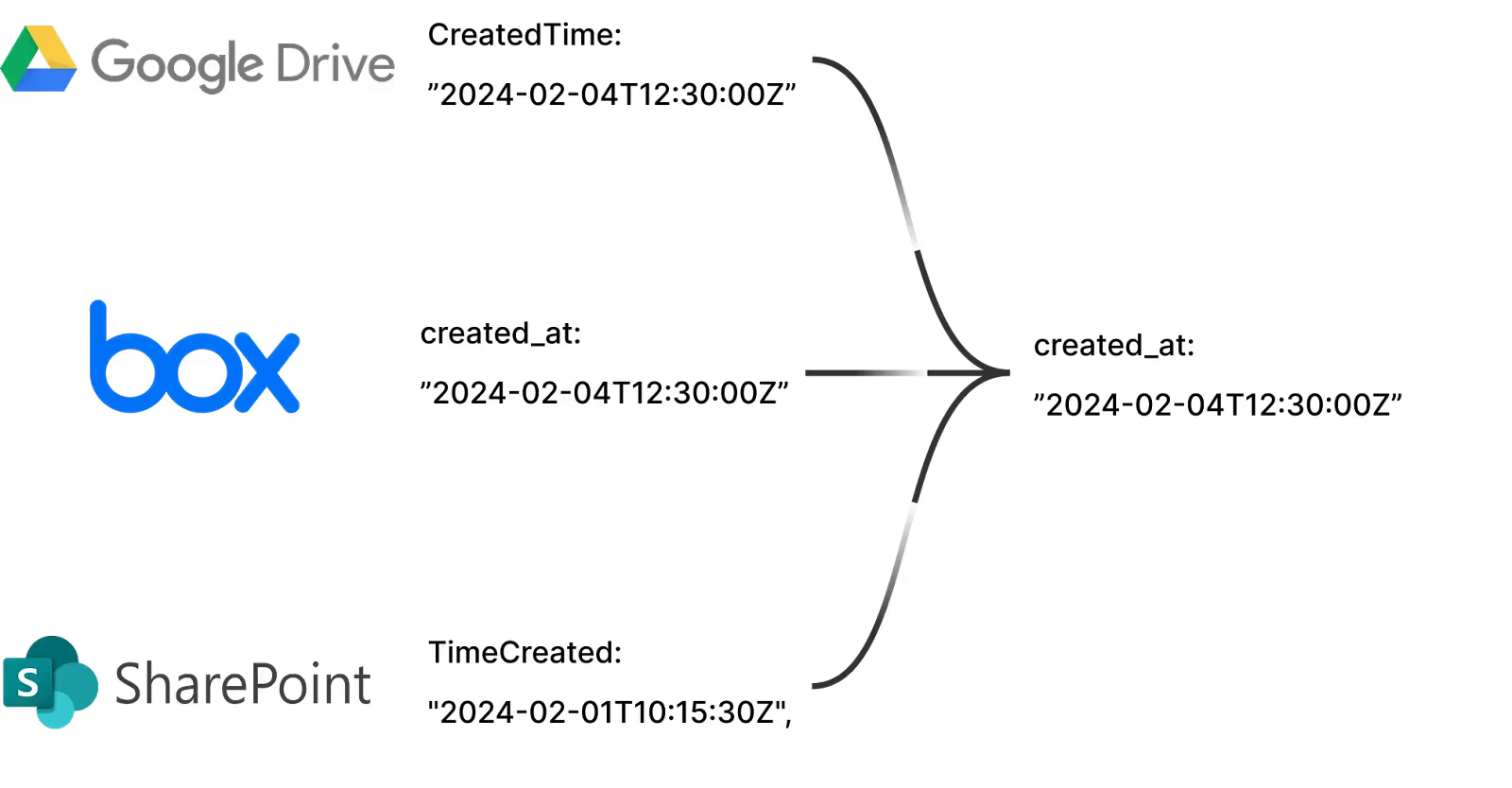
Normalized data, or data that’s transformed to fit a predefined data model, can remove sensitive information, unnecessary details, and duplicate data.
This clean, consistent data enables embedding algorithms to generate accurate vector representations before storing them in a vector database. This, in turn, lets your AI agent retrieve the most relevant data across supported workflows consistently.
Raw data, or data that isn’t altered from the customer’s application, helps your AI agent support unique workflows for individual customers.
For example, imagine you offer a product intelligence platform with an AI agent that listens to customer conversations. Based on those conversations, the agent generates recurring reports highlighting key themes.
Now say that a specific customer has a custom CRM object they’d like included and populated in these reports—”Use case(s).” Based on the use case(s) that keeps coming up, this customer’s product team could better prioritize which features to build over time.
Related: The best agent integration platforms in 2026
Your AI agents may need to support time-sensitive workflows, like routing leads, de-provisioning a departing employee’s applications, creating and assigning tickets for a product bug, and more.
Integrations can help facilitate these use cases, among countless others, by supporting real or near real-time syncs with your customers’ systems.
To better understand how AI agents can use integrations, let’s break down a few real-world examples.
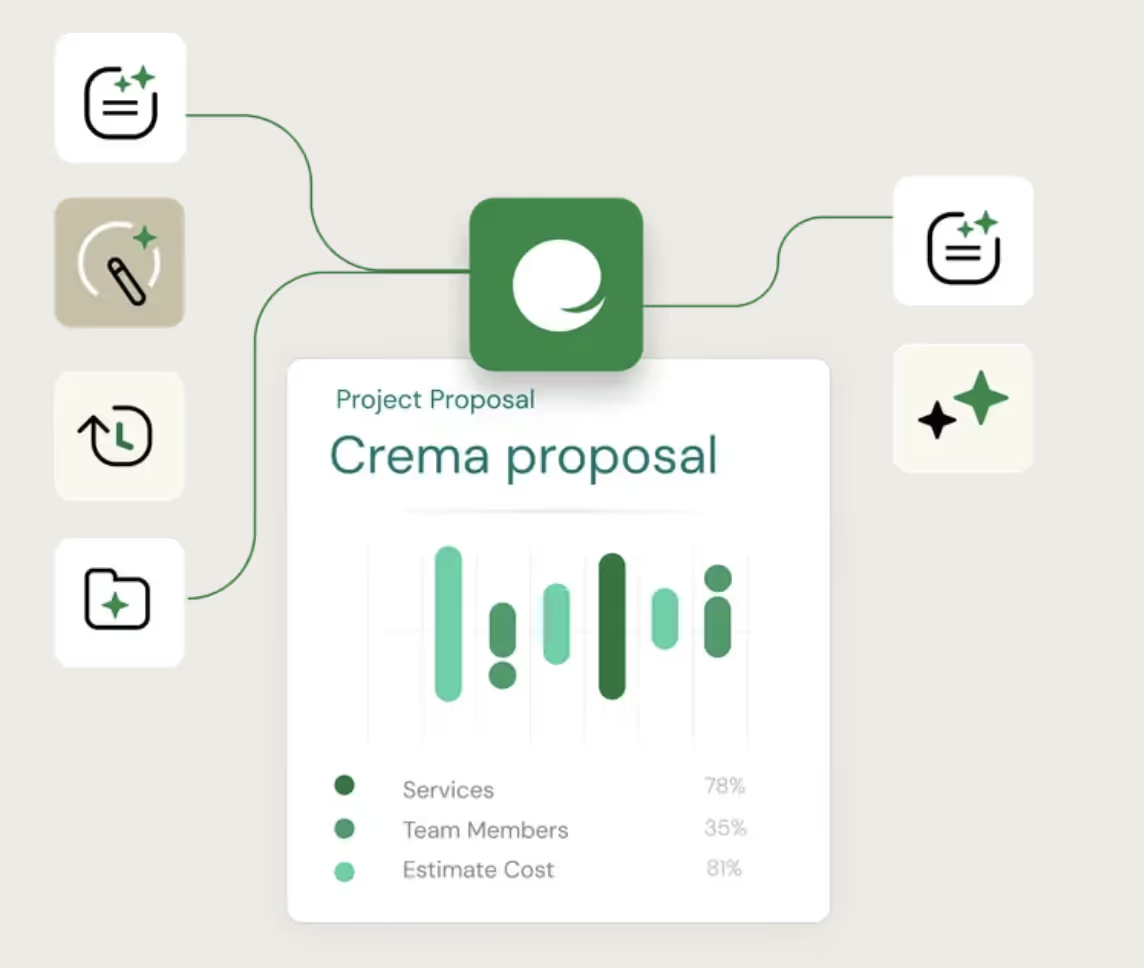
Ema, which lets you build and manage AI agents across teams, offers a Proposal Writer agent that takes customers’ prompts (e.g., write a proposal for a customer in X industry that needs Y plan) and uses integrated data, among other context, to generate compelling proposals within seconds.
It does this by leveraging similar proposals in the customer’s file storage system and by evaluating the notes, along with other helpful information, within the prospect’s opportunity page in the CRM.
https://www.merge.dev/blog/rag-vs-ai-agent?blog-related=image
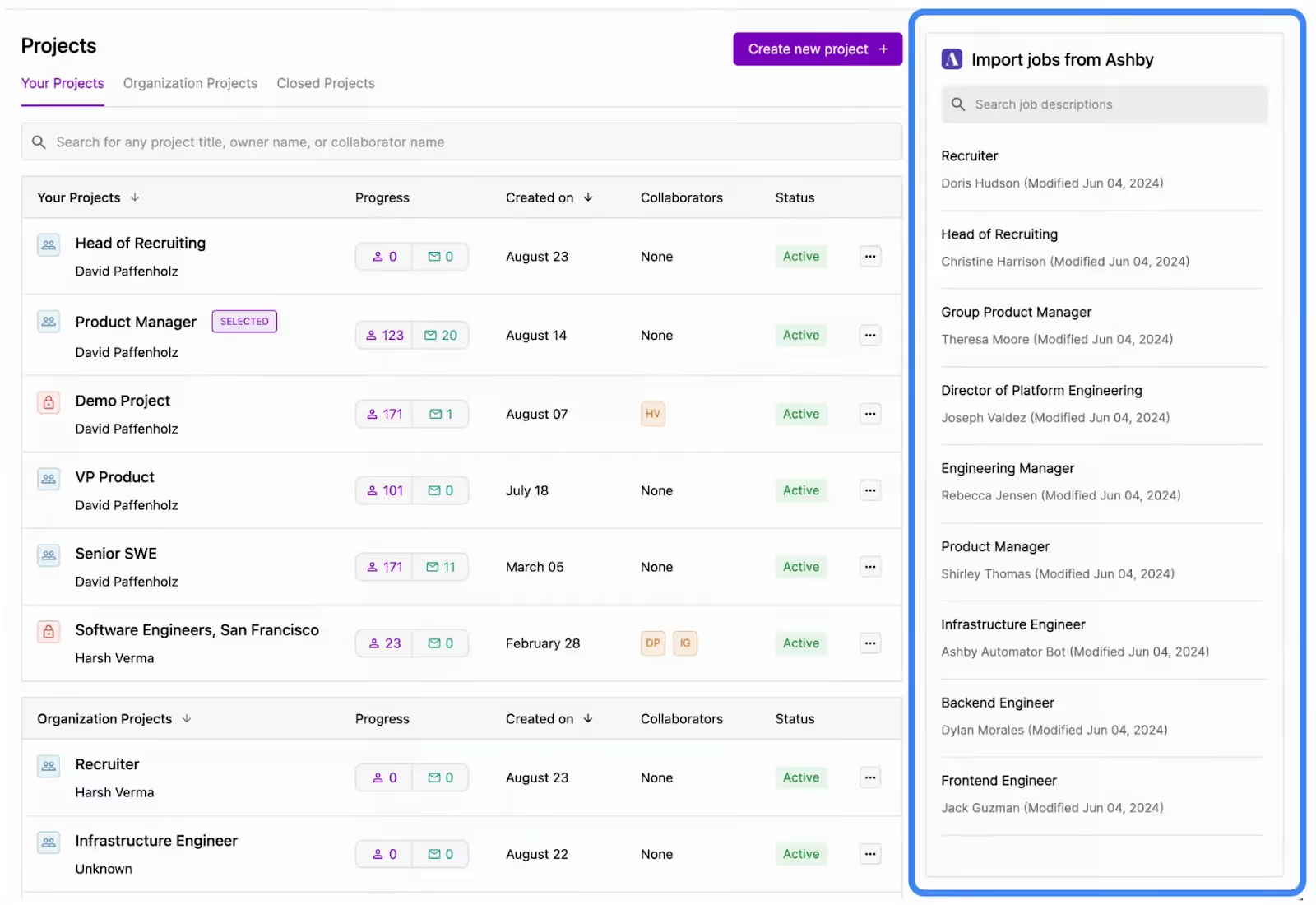
Juicebox, which lets recruiters find and bring in talent, offers an agent that can surface thousands of high-fit candidates in seconds.
Here’s how it works: A user would click on a role they want candidates for (existing open roles are surfaced in Juicebox via the integrated applicant tracking system).
The agent then uses the integrated job description associated with the selected role, along with additional context, to kickoff its search.
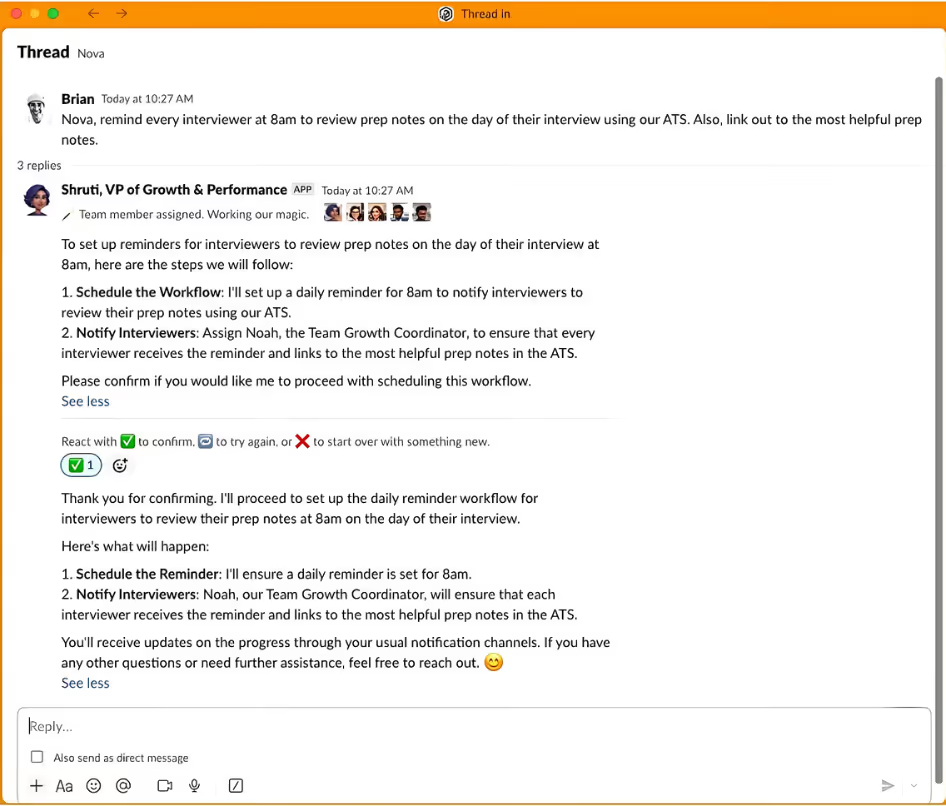
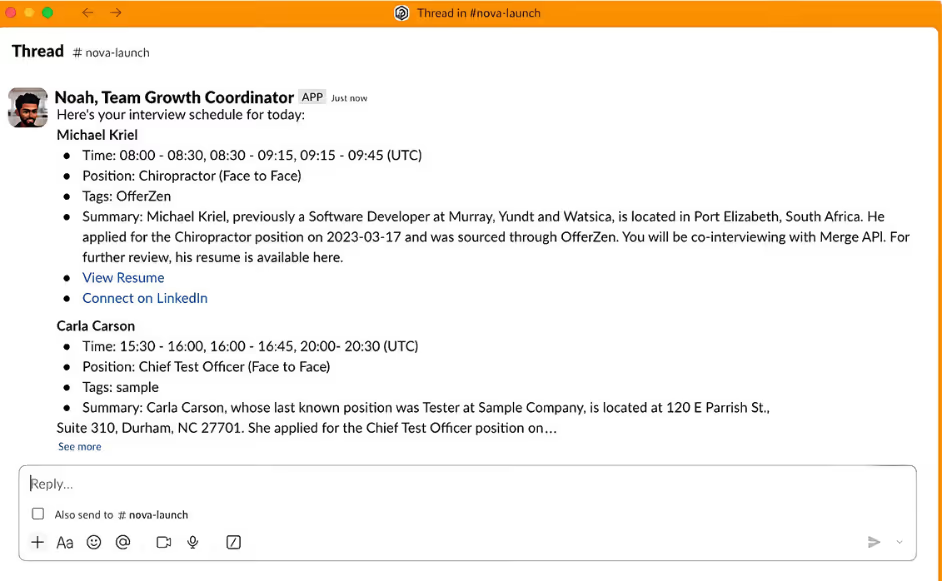
Peoplelogic, the AI for HR platform, offers Nova, a suite of AI agents that can help HR teams perform specific tasks in Slack.
To help their agents execute tasks on behalf of users successfully, they use integrated candidate and employee data.
For example, a people ops leader can ask a Nova agent (“Shruti”) to remind every interviewer about their upcoming interviews that day on Slack. The people ops leader can also clarify when the messages should be sent and what context can be included.
Shruti can then determine which agent should take on the task (it would be “Noah”). And the assigned agent can use the integrated candidate data to send the messages on time, along with the appropriate context from their applications.
https://www.merge.dev/blog/how-to-build-ai-chatbot?blog-related=image
Before you begin investing resources on integration development, it’s worth considering the following.
In most cases, tasking your own engineers with implementing these integrations isn’t worth it. It prevents them from developing your AI agents—and working on other core projects—which is likely what they’re uniquely qualified to tackle and what’ll differentiate your AI product long-term.
That said, if your agents need to support highly-custom integration use cases and/or you have resources you can afford to allocate towards integration projects, it can be worth implementing them in-house.
The following section—which breaks down all of your options for building and maintaining integrations for AI agents—can help you decide on the best approach.
The last thing you want is your AI agents performing actions on behalf of users in integrated applications without respecting the users’ permission levels.
For example, if one of your users requests information about an integrated file they don’t have access to, your AI agent should never reveal any details from that file—regardless of the user’s prompt.
To prevent your AI agents from inadvertently exposing sensitive data, it’s essential to implement ACLs across all integrations you develop.
Certain use cases require an immediate response from your AI agent.
For example, if one of your customer’s prospects becomes a marketing qualified lead, your AI agent should perform something like the following in real time:
1. Use integrated CRM data to identify the assigned sales rep.
2. Analyze the account’s activity history—stored in the marketing automation platform and/or CRM—to determine the best follow-up steps and messaging for the rep.
3. Notify the rep via an app like Slack with this information to enable them to follow up quickly and effectively.
To facilitate these time-sensitive, agentic workflows, implement webhooks that send notifications to your AI agents when specific events occur—such as a prospect in one of your customer’s integrated apps reaching marketing qualified lead status.
No matter how many best practices you follow, implementing integrations with any AI agents can still prove difficult. Here’s why:
Note: This was recently the case with GitHub. The developer platform’s MCP server experienced a prompt injection attack that led to data from private repositories getting leaked.
For example, the field “WorkerStatus” in a customer’s HRIS software could have several interpretations (such as employment type or whether an employee is still active). This can lead the AI agent to use the wrong interpretation and take a problematic set of follow-up actions (e.g., offboarding an employee in the customer’s HRIS software).
Depending on the solution you adopt to build and maintain integrations with AI agents, you may be able to prevent many of the issues described above. To that end, we’ll review each approach carefully.
Related: The relationship between AI agents and MCP
Here are your options for building integrations for customer-facing AI agents.
This simply involves your developers building and maintaining the integrations themselves.
For example, Will Decker, the Head of Engineering at BrightHire. by Zoom, an interview intelligence platform, shared the insight below in our case study:
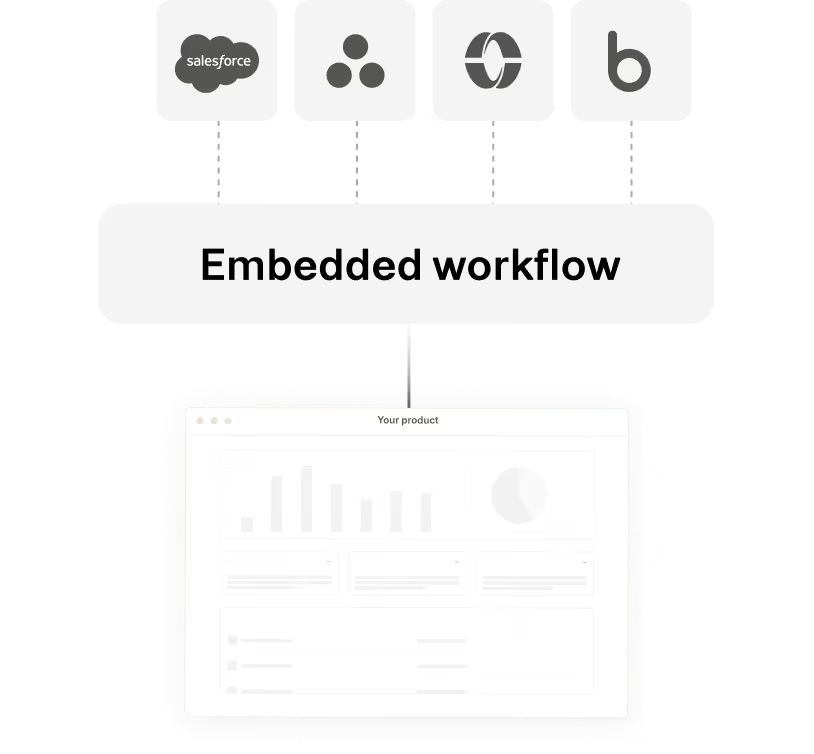
An embedded integration platform as a service (iPaaS) lets you build customer-facing integrations and automations through a workflow builder interface.
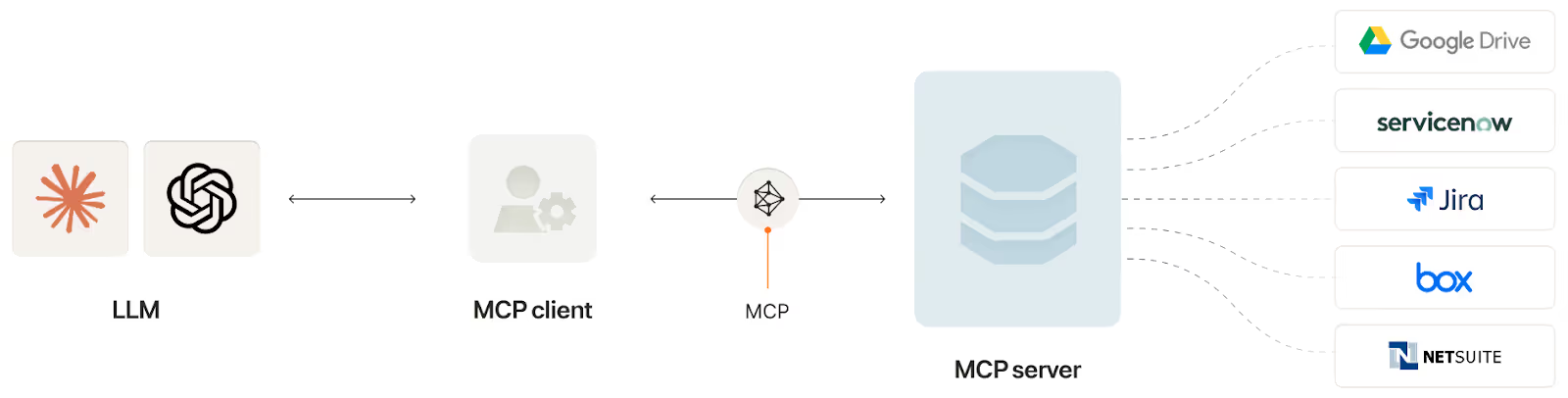
Anthropic’s Model Context Protocol (MCP) lets AI agents interact with customers’ data via tools, or specific functionality and data exposed in an MCP server.
A unified API solution lets you add hundreds of cross-category integrations through a single integration build.
Given all the integration methods to choose from, it can be hard to pinpoint the best option for your AI agent’s use cases (and, by extension, the best AI integration platform).
You can follow the principle below as a general rule of thumb:
So, going back to our examples, Juicebox can use the unified API approach since their agent follows the same process every time when using integrated ATS data. On the other hand, Peoplelogic may want to leverage MCP because their agents’ workflows for executing tasks are less defined.
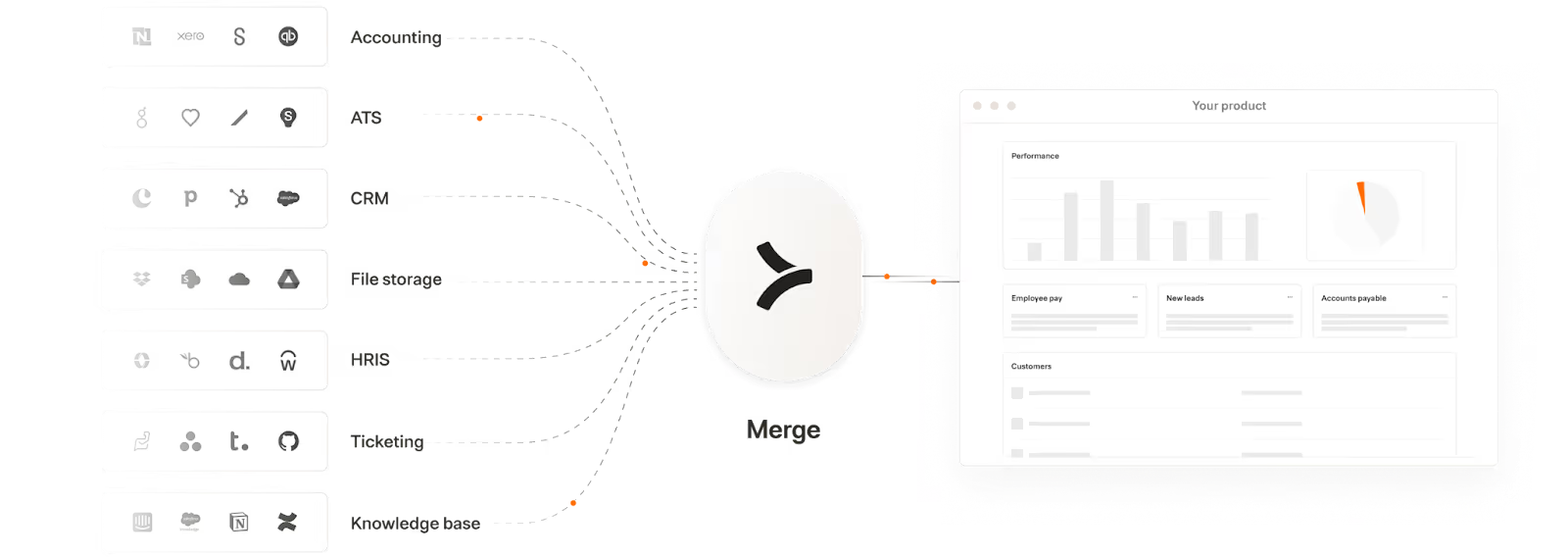
Merge lets you add hundreds of integrations to your AI products and AI agents through two products: Merge Unified and Merge Agent Handler.
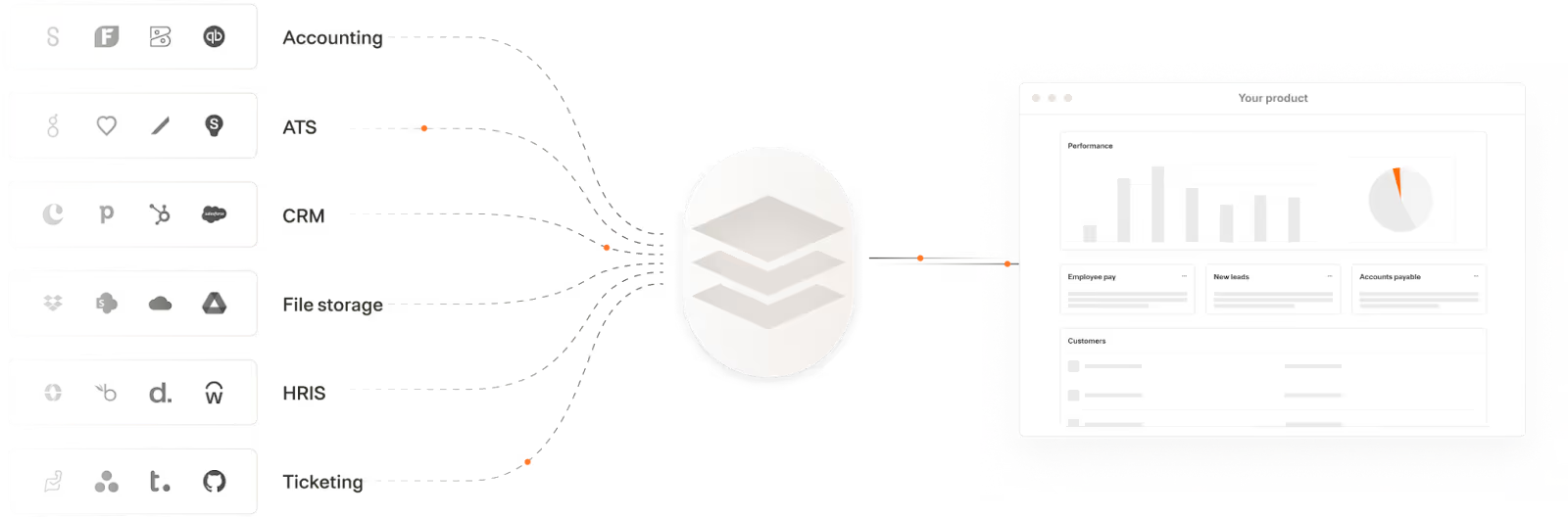
Merge Unified enables you to integrate your product with hundreds of 3rd-party applications through a Unified API. The integrated data is also normalized automatically—enabling your product to support reliable RAG pipelines.
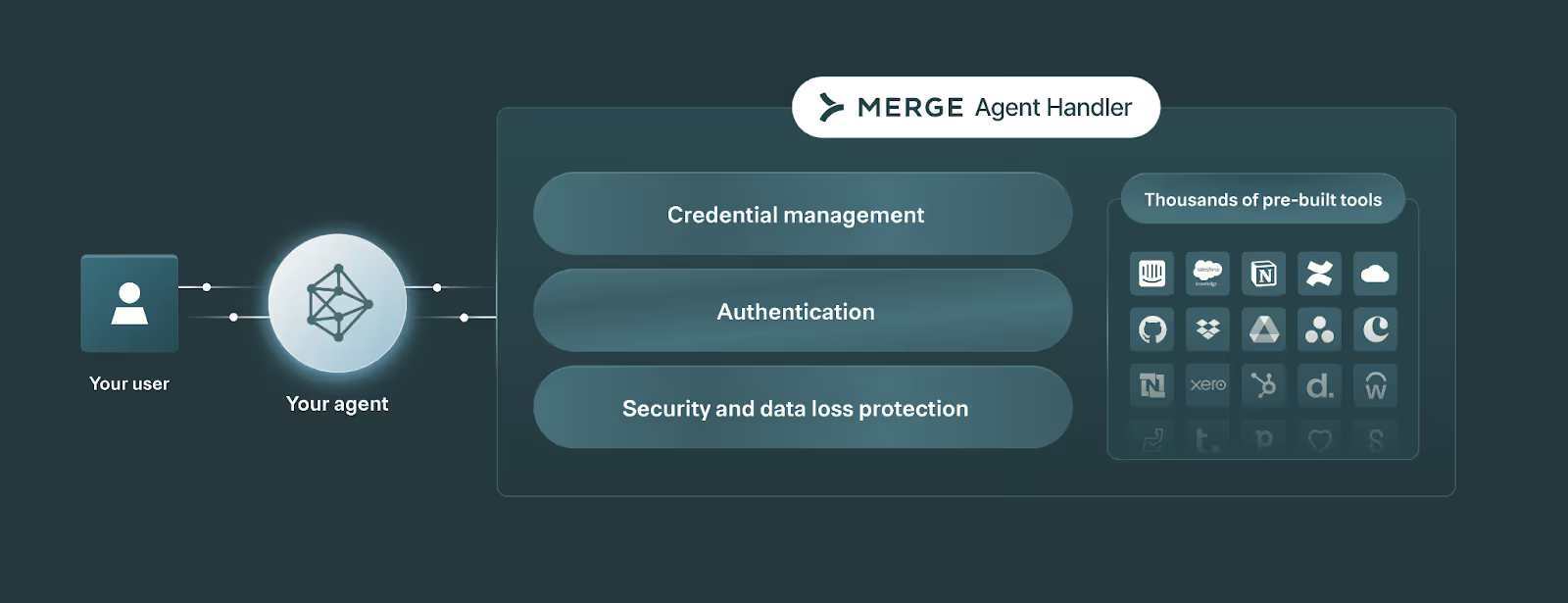
Merge Agent Handler lets you integrate any of your AI agents to thousands of tools, as well as monitor and manage any AI agent.
Learn how Merge can support your product and agentic integration needs by scheduling a demo with an integration expert.
Leverage Merge Agent Handler to securely connect your agents with more than a thousand tools.

.avif)



.png)



