
User Directory or Userdir is an Apache module, which allows user-specific directories to be retrieved through an Apache web server using the http://example.com/~user/ syntax.
For example, when the mod_userdir module is enabled, users accounts on the system will be able to access content in their home directories with the world via Apache web server.
In this article, we will show you how to enable Apache userdirs (mod_userdir) on RHEL, CentOS, and Fedora servers using Apache web server.
This tutorial presumes that you already have Apache web server installed on your Linux distribution. If you haven’t, you can install it using the following procedure…
Step 1: Install Apache HTTP Server
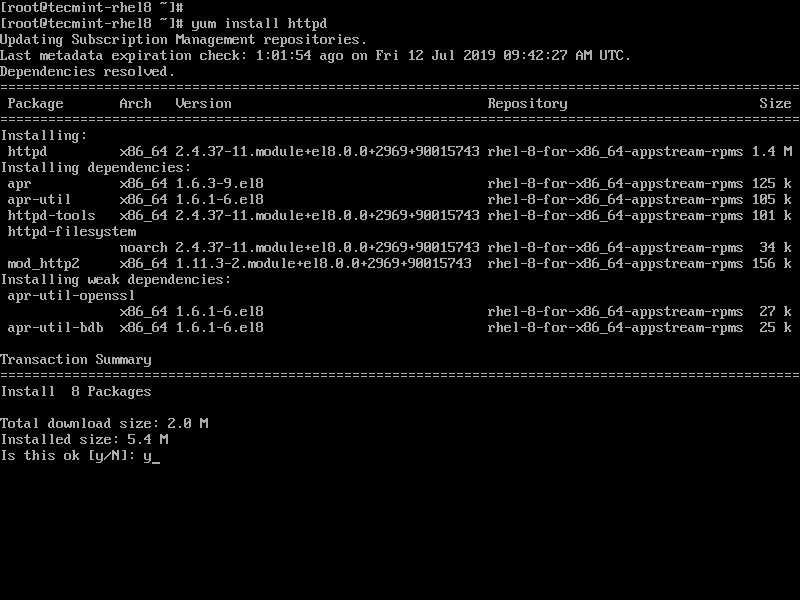
To install Apache web server, use the following command on your Linux distribution.
# yum install httpd [On CentOS/RHEL]
# dnf install httpd [On Fedora]
Step 2: Enable Apache Userdirs
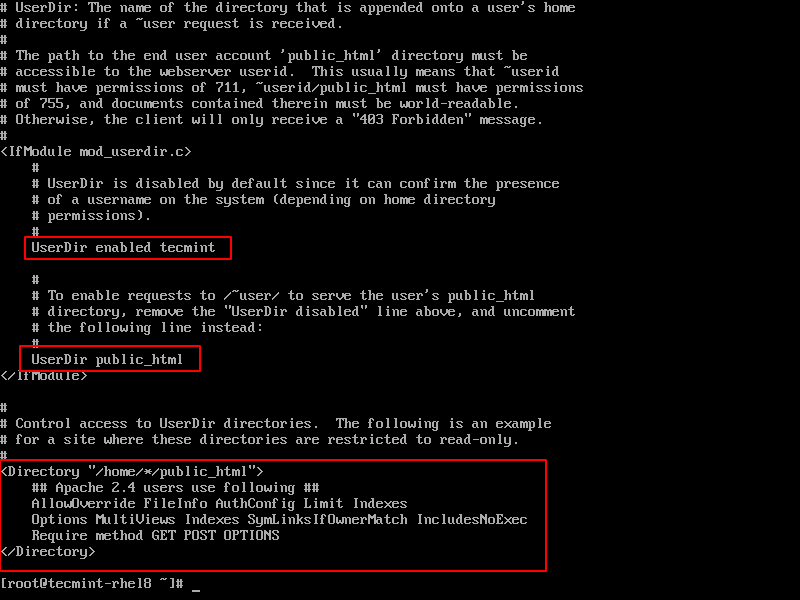
Now you need to configure your Apache web server to use this module in the configuration file /etc/httpd/conf.d/userdir.conf, which is already configured with the best options.
# vi /etc/httpd/conf.d/userdir.conf
Then validate the content something like below.
# directory if a ~user request is received.
#
# The path to the end user account 'public_html' directory must be
# accessible to the webserver userid. This usually means that ~userid
# must have permissions of 711, ~userid/public_html must have permissions
# of 755, and documents contained therein must be world-readable.
# Otherwise, the client will only receive a "403 Forbidden" message.
#
<IfModule mod_userdir.c>
 #
 # UserDir is disabled by default since it can confirm the presence
 # of a username on the system (depending on home directory
 # permissions).
 #
 UserDir enabled tecmint

 #
 # To enable requests to /~user/ to serve the user's public_html
 # directory, remove the "UserDir disabled" line above, and uncomment
 # the following line instead:
 #
 UserDir public_html
</IfModule>

#
# Control access to UserDir directories. The following is an example
# for a site where these directories are restricted to read-only.
#
<Directory "/home/*/public_html">
 ## Apache 2.4 users use following ##
 AllowOverride FileInfo AuthConfig Limit Indexes
 Options MultiViews Indexes SymLinksIfOwnerMatch IncludesNoExec
 Require method GET POST OPTIONS

## Apache 2.2 users use following ##
 Options Indexes Includes FollowSymLinks
 AllowOverride All
 Allow from all
 Order deny,allow
</Directory>
To permit a few users to have UserDir directories accessed, but not anyone else, use the following setting in the configuration file.
UserDir disabled
UserDir enabled testuser1 testuser2 testuser3
To permit all users to have UserDir directories accessed, but disable this to a few users, use the following setting in the configuration file.
UserDir enabled
UserDir disabled testuser4 testuser5 testuser6
Once you’ve made the configuration settings as per your requirements, you need to restart the Apache web server to apply recent changes.
# systemctl restart httpd.service [On SystemD]
# service httpd restart [On SysVInit]
Step 3: Creating User Directories
Now you need to create a public_html directory/directories in user/users home directories. For example, here I am creating a public_html directory under tecmint‘s user home directory.
# mkdir /home/tecmint/public_html
Next, apply the correct permissions on the user home and public_html directories.
# chmod 711 /home/tecmint
# chown tecmint:tecmint /home/tecmint/public_html
# chmod 755 /home/tecmint/public_html

Also, set correct SELinux context for Apache homedirs (httpd_enable_homedirs).
# setsebool -P httpd_enable_homedirs true
# chcon -R -t httpd_sys_content_t /home/tecmint/public_html
Step 4: Test Enabled Apache Userdir
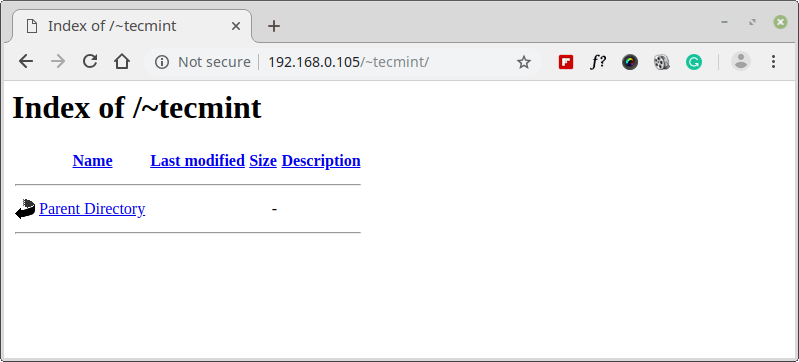
Finally, verify the Userdir by pointing your browser to the server hostname or IP address followed by the username.
http://example.com/~tecmint
OR
http://192.168.0.105/~tecmint
If you want, you can also test HTML pages and PHP info by creating the following files.
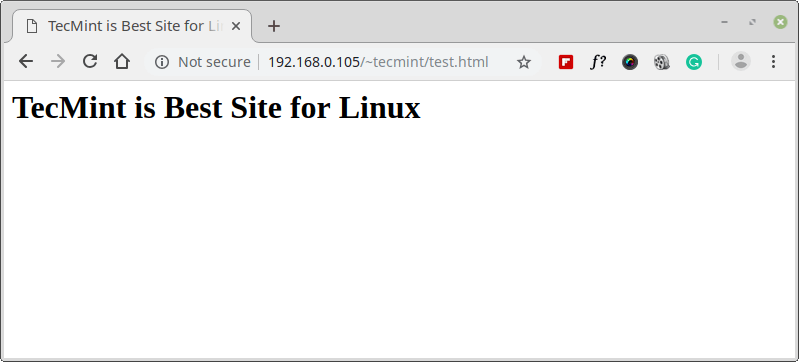
Create /home/tecmint/public_html/test.html file with the following content.
<html>
 <head>
 <title>TecMint is Best Site for Linux</title>
 </head>
 <body>
 <h1>TecMint is Best Site for Linux</h1>
 </body>
</html>
Create /home/tecmint/public_html/test.php file with the following content.
<?php
 phpinfo();
?>
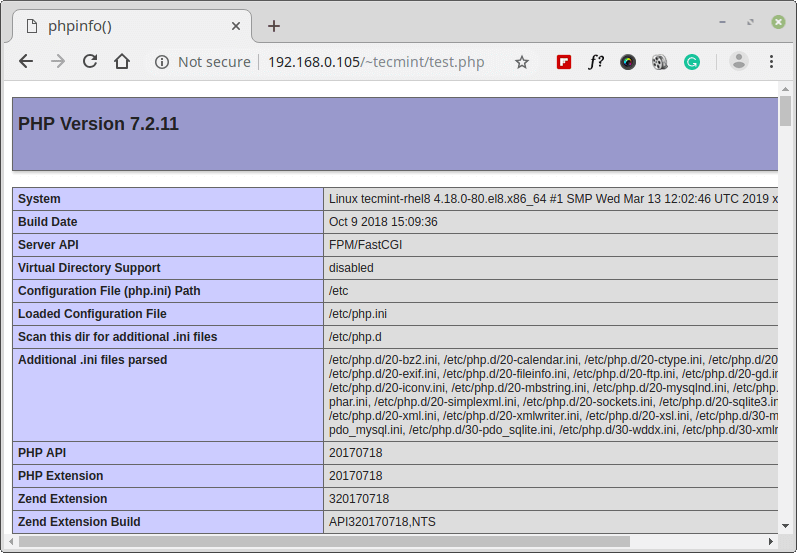
That’s all! In this article, we have explained how to enable Userdir module to allow users to share content from their home directories. If you have queries regarding this article, feel free to ask in the comment section below.
If this article helped you solve a problem, consider buying a coffee. It helps keep TecMint free, supports the authors, and keeps the project going.


Got Something to Say? Join the Discussion... Cancel reply