VOOZH about

URL: https://www.truefoundry.com/blog/mcp-servers-in-claude-code

⇱ MCP Servers in Claude Code


πŸ‘ Blank white background with no objects or features visible.

TrueFoundry recognized in Gartner Hype Cycle for Platform Engineering 2026. Read the full report β†’

Join our VAR & VAD ecosystem β€” deliver enterprise AI governance across LLMs, MCPs & Agents. Become a Partner β†’

πŸ‘ logo
Sign Up
Login
πŸ‘ Three horizontal black bars of varying lengths on a white background, menu or list icon symbol.

MCP Servers in Claude Code

πŸ‘ Image
By Ashish Dubey

Published: April 25, 2026

Built for Speed: ~10ms Latency, Even Under Load

Blazingly fast way to build, track and deploy your models!

  • Handles 350+ RPS on just 1 vCPU β€” no tuning needed
  • Production-ready with full enterprise support

What is MCP

MCP is defined as "USB-C for AI applications." MCP provides a consistent protocol for linking AI models with external tools.

With MCP, AI applications like Claude or ChatGPT aren’t limited to just generating text. They can connect directly to data sources (such as local files or databases), tools (like search engines or calculators), and structured workflows (specialized prompts or automations).

When MCP is not yet available.

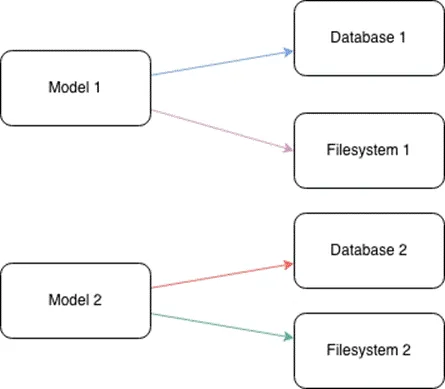
When there is no protocol like MCP, each AI application has to integrate with every external tool separately. This makes the process very complex, time-consuming, and costly

When we have multiple AI applications and many tools, the number of required integrations becomes extremely large

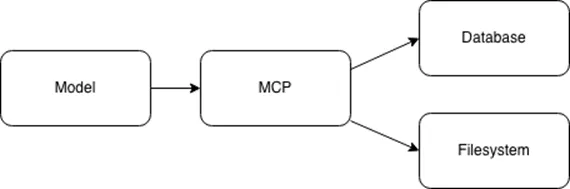
When MCP is available

MCP solves the M Γ— N integration problem by transforming it into an M + N model through a standardized connection protocol. Each AI application integrates once on the MCP client side, and each tool or data source integrates once on the MCP server side.

Key Terminology of MCP

Components

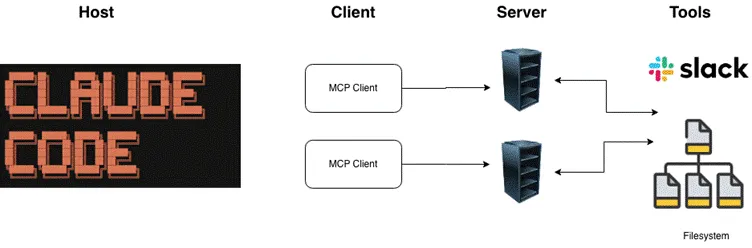
Similar to the client–server model in the HTTP protocol, MCP also follows a client–server architecture.

  • Host: The environment where the user directly interacts with the AI application (e.g., Claude Desktop, Cursor).
  • ‍Client: A component within the Host responsible for establishing and managing the connection to the MCP Server.‍
  • Server: An external application or service that provides capabilities (such as tools, resources, and prompts) through the MCP protocol.

Capabilities

Although MCP can connect to many different tools, there are common tools that are shared across multiple AI applications. Below are the main categories of tools commonly used across AI systems:

  • ‍Tools: Executable functions that an AI model can call to perform actions or computations (e.g., a calculate_summary tool).‍
  • Resources: Read-only data sources that provide contextual information without requiring significant computation (e.g., company documentation pages).‍
  • Prompts: Templates or predefined workflows that guide interactions between users, AI models, and external tools.

MCP Architecture Components

After understanding the key concepts and terminology of MCP, we can now look at its architecture.

The Model Context Protocol (MCP) is built on a client–server architecture that enables AI models to interact with external tools and services.

Host

The Host is the environment where end users directly interact with the AI application (e.g., Claude Desktop, Cursor).

The Host is responsible for:

  • Managing user interactions and permissions
  • Initiating connections to MCP Servers through MCP Clients
  • Processing user requests and routing them to appropriate external tools
  • Returning results back to the user

Client

The Client is a component inside the Host that manages the connection to a specific MCP Server.

Key characteristics:

  • Each Client maintains a 1:1 connection with a single Server
  • Handles MCP protocol-level communication
  • Acts as an intermediary between the Host and the Server

Server

The Server is an external program or service that provides capabilities to the AI model via the MCP protocol.

The Server is responsible for:

  • Providing access to external tools, data sources, or services
  • Running either locally (on the same machine as the Host) or remotely (over the network)
  • Exposing standardized interfaces so Clients can interact with its capabilities

Building the simple MCP Server

Install fastmcp

pip install fastmcp

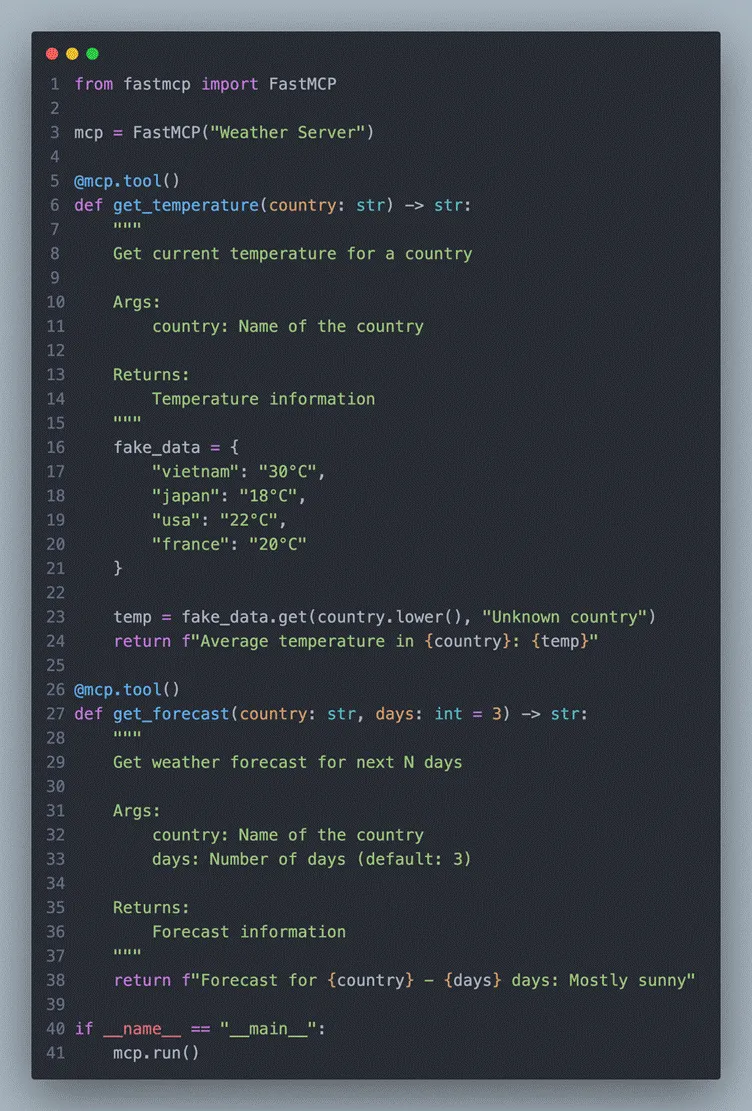
Basic MCP Server: Weather Tool

That’s it! FastMCP handles everything, including:

  • JSON-RPC protocol
  • Tool registration
  • Type validation
  • Error handling

Connecting to Claude Code

claude mcp add weather --command python --args /full/path/to/get_weather.py

Restart Claude Code β†’ the MCP servers will automatically connect.

Now you can ask Claude things like:

  • β€œWhat’s the temperature in Japan?”
  • β€œRead the file at ~/documents/report.txt”

Claude will automatically invoke the tools from your MCP servers seamlessly.

Setting up MCP with Claude Code

Basedon the Claude docs (https://code.claude.com/docs/en/mcp), setting up

MCPin Claude Code is pretty straightforward β€” just run

claude  mcp add

andit handles the configuration for you automatically

Tolist and verify all configured MCP servers in Claude Code, try to run:

claude mcp list 

Claude Code & MCP: Best Practices

1. Serena MCP

Link: https://github.com/oraios/serena

I’ve been experimenting with an AI-driven workflow and plugged Serena MCP straight in (just using Sonet 4.5).

Honestly, it feels kind of β€œwow.” Instead of dumping a bunch of files on the AI and hoping it figures things out, it actually reads the codebase like a senior dev on the team.

Why it works so well?

  • ‍RAG: It indexes the whole codebase, uses semantic search to pull only the most relevant parts, and feeds clean context to the model β†’ less noise, better answers.
  • Built on Language Server Protocol, so it understands code structurally, not just as raw text.‍
  • Deep memory: It remembers the indexed codebase, so you don’t have to keep reloading tokens every time.‍
  • Semantic search is β€” ask β€œWhere is authentication handled?” and it finds related functions/classes even if the naming is weird. On big projects, that’s a lifesaver.

Overall: fewer tokens, cleaner context, much deeper code understanding.

If you’re building coding agents, you should try it. It really starts to feel like AI is your teammate.

2. Sequential Thinking MCP

Link: https://github.com/modelcontextprotocol/servers/tree/main/src/sequentialthinking

Key Highlights

  • ‍Structured reasoning: Claude Code solves complex problems using logical, step-by-step thinking.‍
  • Handles complex tasks: Optimized for multi-stage tasks such as system design or architectural refactoring.‍
  • Scalability: Supports step-by-step planning and analysis for large-scale codebases.

Use Cases

  • Refactoring microservice architectures
  • Phase-based task planning for large projects
  • Optimizing system design and debugging workflows

3. Using Specialized Sub-Agents

Link: https://github.com/wshobson/agents
This is a comprehensive, production-ready system designed to integrate with Claude Code and significantly extend its capabilities.

It combines:

  • ‍112 specialized AI agents
  • 16 multi-agent workflow orchestrators
  • 146 agent skills
  • 79 development tools‍
  • Organized into 72 focused, single-purpose plugins for Claude Code

Each agent has a clearly defined role β€” such as backend architecture design, frontend development, cloud infrastructure optimization, automated testing, MLOps, and more β€” all configured following modern best practices.

Installation:

git clone https://github.com/wshobson/agents.git ~/.claude/agents

TrueFoundry AI Gateway delivers ~3–4 ms latency, handles 350+ RPS on 1 vCPU, scales horizontally with ease, and is production-ready, while LiteLLM suffers from high latency, struggles beyond moderate RPS, lacks built-in scaling, and is best for light or prototype workloads.

Built for Speed: ~10ms Latency, Even Under Load

The fastest way to build, govern and scale your AI

Sign Up
Gartner Hype Cycle for Platform Engineering 2026
πŸ‘ Image

One Layer of Control for All AI

Route and govern model and tool traffic with a centralized AI Gateway
Table of Contents
πŸ‘ logo

One Gateway for Every LLM, Agent and MCP Server

Book a 30-min with our AI expert

Book a Demo

The fastest way to build, govern and scale your AI

Book Demo

Discover More

No items found.
πŸ‘ Image
June 19, 2026
|
5 min read

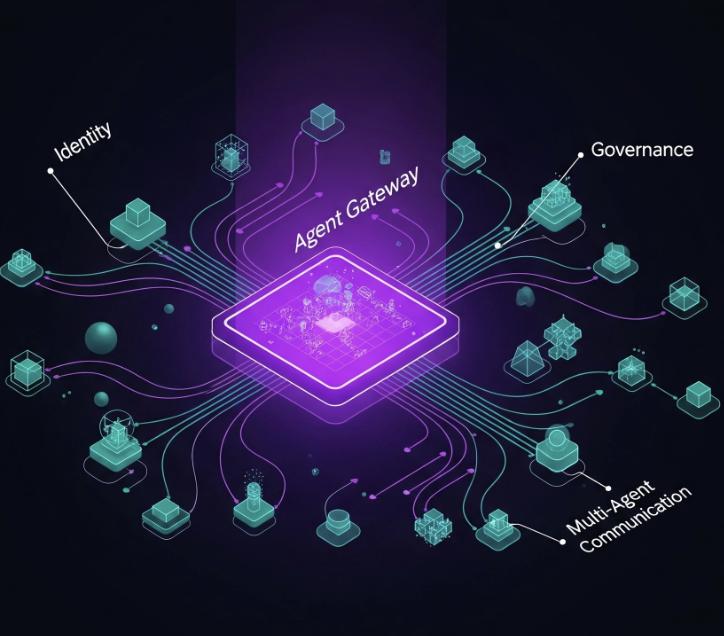
Governing Multi-Agent Systems: Agent Identity, A2A, and the Agent Gateway

No items found.
πŸ‘ Image
June 19, 2026
|
5 min read

TOKENMAXXING TRILOGY Β· PART 2 OF 3: The Architecture of Governed AI Usage

No items found.
πŸ‘ Image
June 19, 2026
|
5 min read

Grok 4.3 on Amazon Bedrock: We Routed Four Frontier Models Through One Gateway and Measured the Cost

LLM Tools
comparison
πŸ‘ Image
June 19, 2026
|
5 min read

Top 5 LiteLLM Alternatives for Enterprises in 2026

No items found.
No items found.

Recent Blogs

Governing Multi-Agent Systems: Agent Identity, A2A, and the Agent Gateway

June 19, 2026

Boyu Wang

Grok 4.3 on Amazon Bedrock: We Routed Four Frontier Models Through One Gateway and Measured the Cost

June 19, 2026

Amrutha Potluri

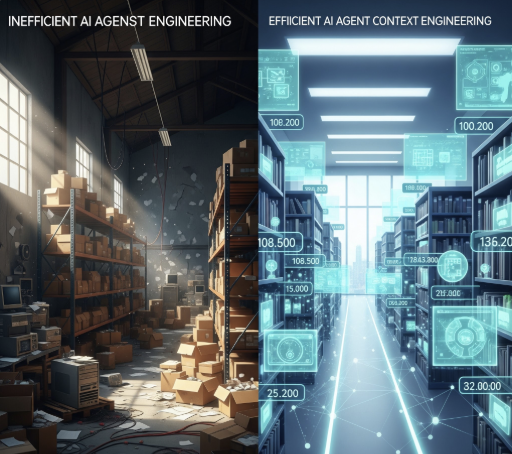
JIT Context: Why the Best Agents Load Late and Load Little

June 18, 2026

Boyu Wang

Best AI Cost Optimization Tools in 2026: Compared for Enterprise Teams

June 18, 2026

Ashish Dubey

AI Cost Optimization Strategies in 2026: A Practical Guide for Enterprise Teams

June 18, 2026

Ashish Dubey

Claude MCP Registry: A Complete Guide for Developers and Enterprise Teams

June 17, 2026

Ashish Dubey

AI Policy Enforcement: A Complete Guide for Enterprise Teams

June 17, 2026

Ashish Dubey

AI Utility: A Complete Guide to AI in Energy and Utilities for 2026

June 17, 2026

Ashish Dubey

10 Best Shadow AI Detection Tools for 2026: Compared for Enterprise Security Teams

June 18, 2026

Ashish Dubey

Field Notes: When AI Cost Control Becomes a Switch β€” and Why It Should Be a Gateway

June 17, 2026

Boyu Wang

What Is AI Orchestration? A Complete Guide

June 16, 2026

Ashish Dubey

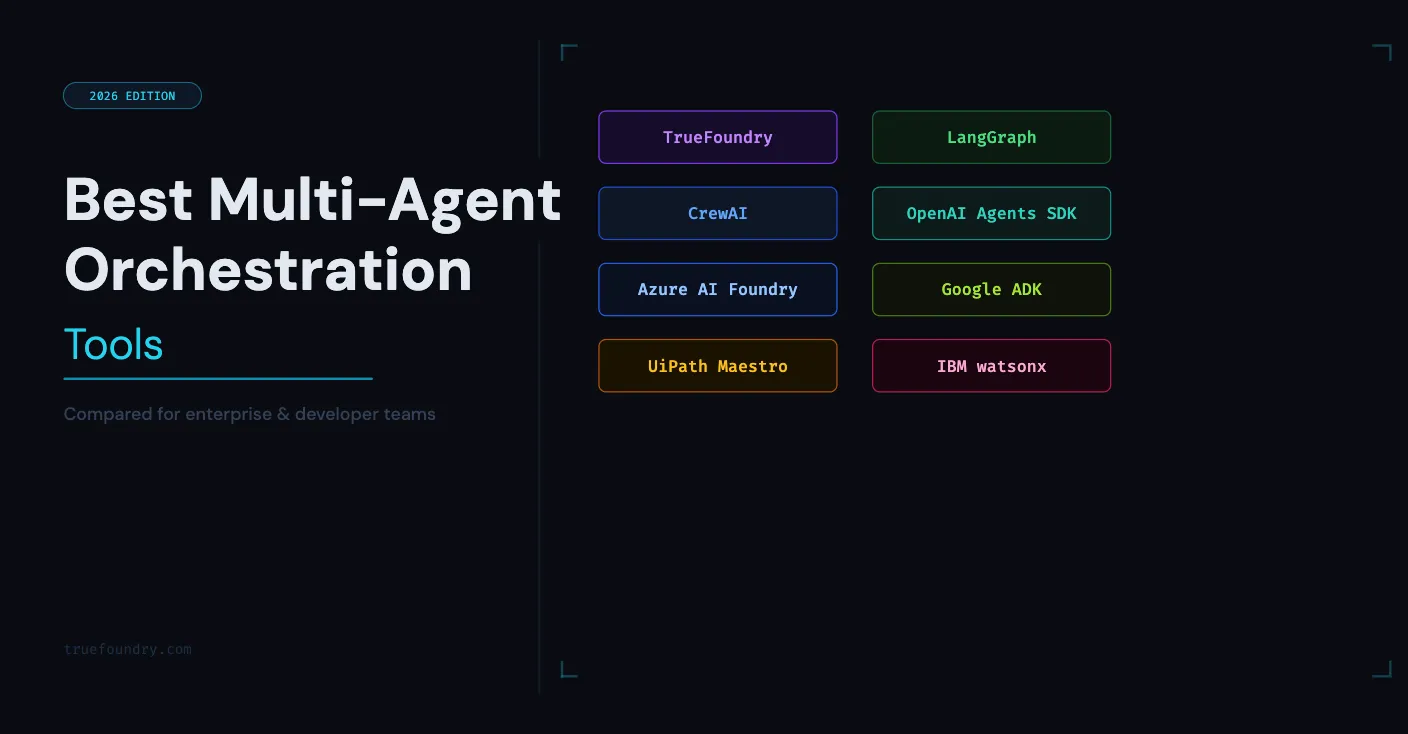
Best Multi-Agent Orchestration Tools in 2026: Compared for Enterprise and Developer Teams

June 16, 2026

Ashish Dubey

Multi-agent Orchestration Frameworks in 2026: Compared for Enterprise Teams

June 16, 2026

Ashish Dubey

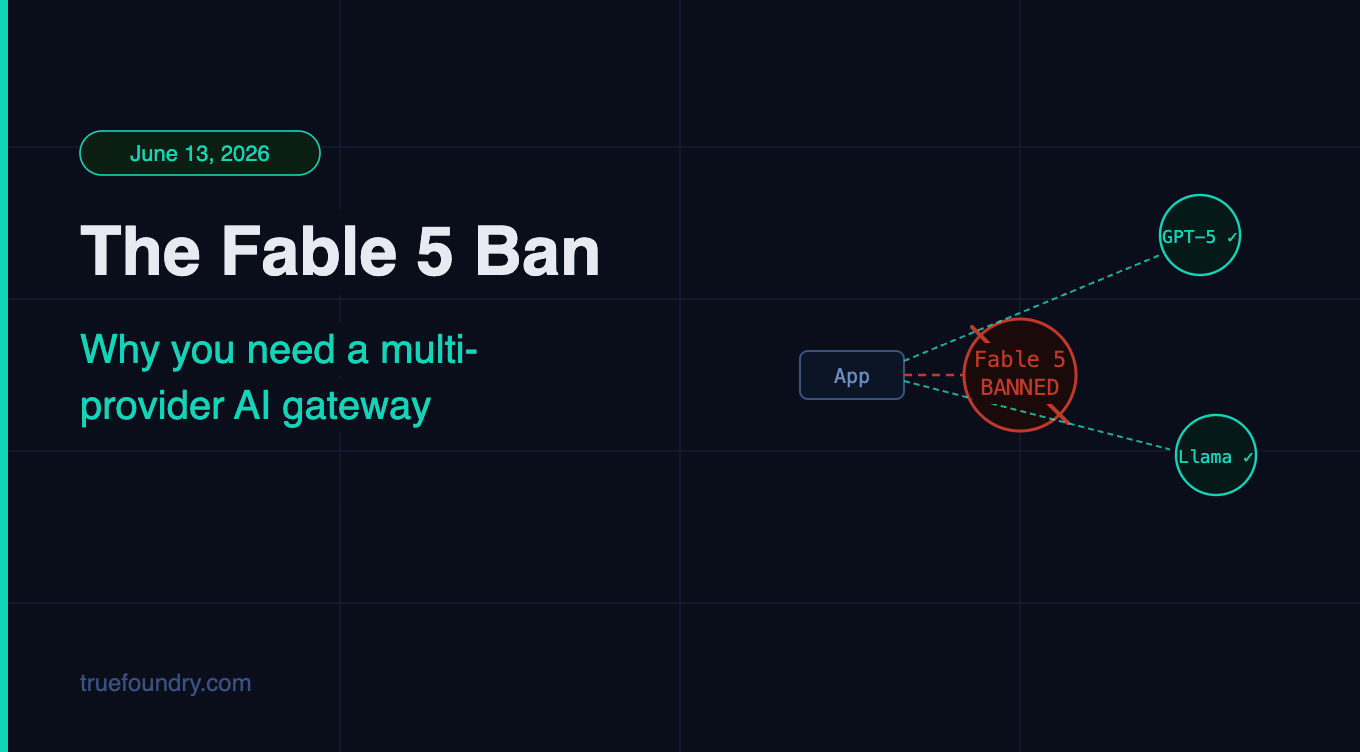
The Claude Fable 5 / Mythos 5 Ban and Why You Need a Multi-Provider AI Gateway

June 16, 2026

Ashish Dubey

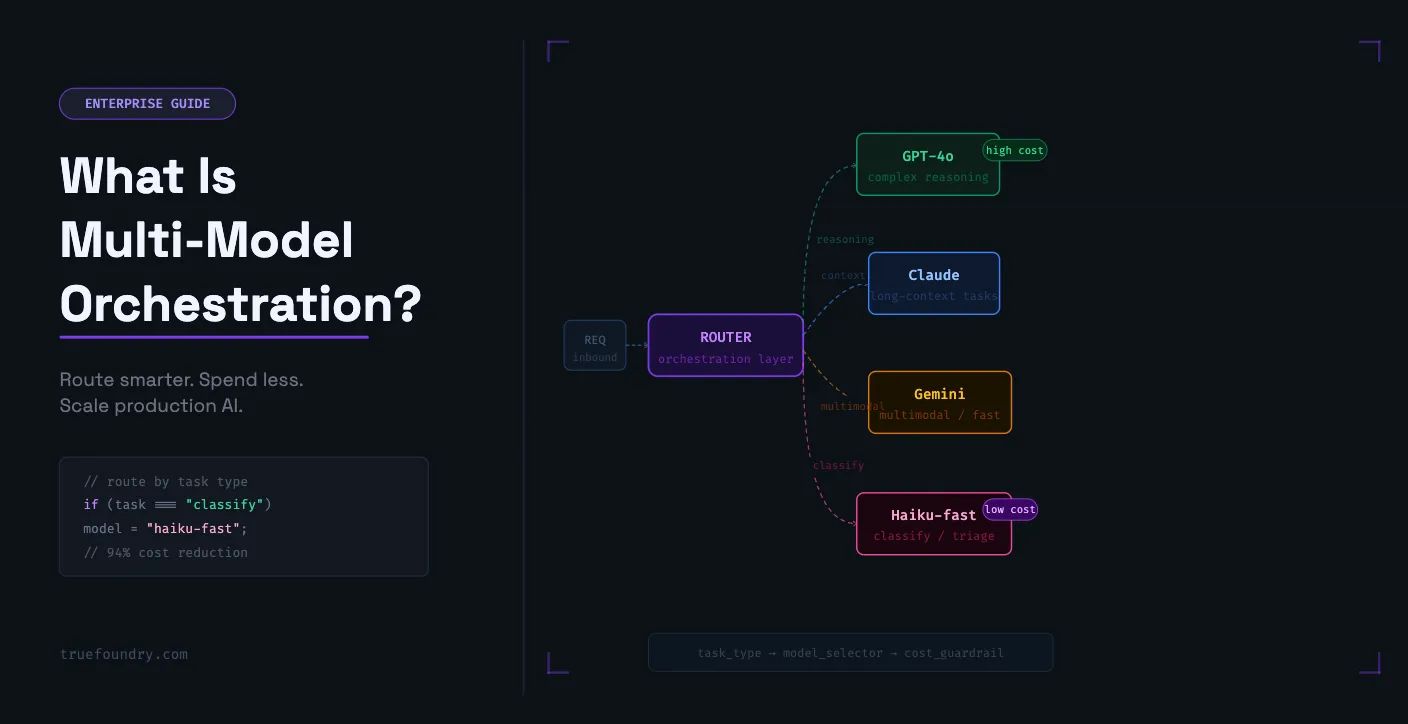
What Is Multi-Model Orchestration? A Practical Guide for Enterprise Teams

June 16, 2026

Ashish Dubey

Take a quick product tour
Start Product Tour
Product Tour

Β© 2026 All rights reserved.

πŸ‘ Github icon
πŸ‘ LinkedIn Icon
πŸ‘ Blurry blue crisscross lines on white background forming an X shape with dotted lines.
πŸ‘ LinkedIn logo for social media link